Technical review: Last verified September 29, 2026 by Alex Merced. This guide was checked against current Apache project documentation. Apache Polaris 1.8.0 is the latest documented release; examples that name an earlier release retain that version scope. Validate configuration in a non-production environment before rollout. For the broader context, see what Apache Polaris is and how it governs Iceberg tables.
What this runbook delivers
Deploying Apache Polaris in production requires more than installing the Helm chart. You need a durable PostgreSQL persistence layer, repeatable schema initialization and migration, externalized secrets, TLS, liveness and readiness probes, metrics, backups, and a tested upgrade path. The official Helm chart provides Kubernetes resource templates, but production readiness depends on the values you set, how you operate the database, how identity and RBAC are configured, and the failure modes you exercise during testing. This article is an end-to-end runbook, including topology diagrams, concrete Helm values and Kubernetes secret examples, PostgreSQL tuning snippets, an upgrade runbook, a backup and restore drill, failure-mode testing, and what to measure after you roll it out.
Assumptions and scope
This guide assumes you will deploy Polaris with Helm on Kubernetes, using PostgreSQL as the persistent store. It focuses on production operational practices rather than developer-only setups. Where Polaris behavior depends on a release, I mark that explicitly and point you to the chart documentation. Chart docs for production options are split between stable and in-development branches; confirm the chart version you use and compare values against the release-specific persistence guide. For a deep dive on Polaris architecture and how services interact, see the Dremio blog post explaining Apache Polaris architecture, which helps you map services to pods and understand request flows.
Production topology. Each stage has a result that can be checked before the next stage begins.
Production topology
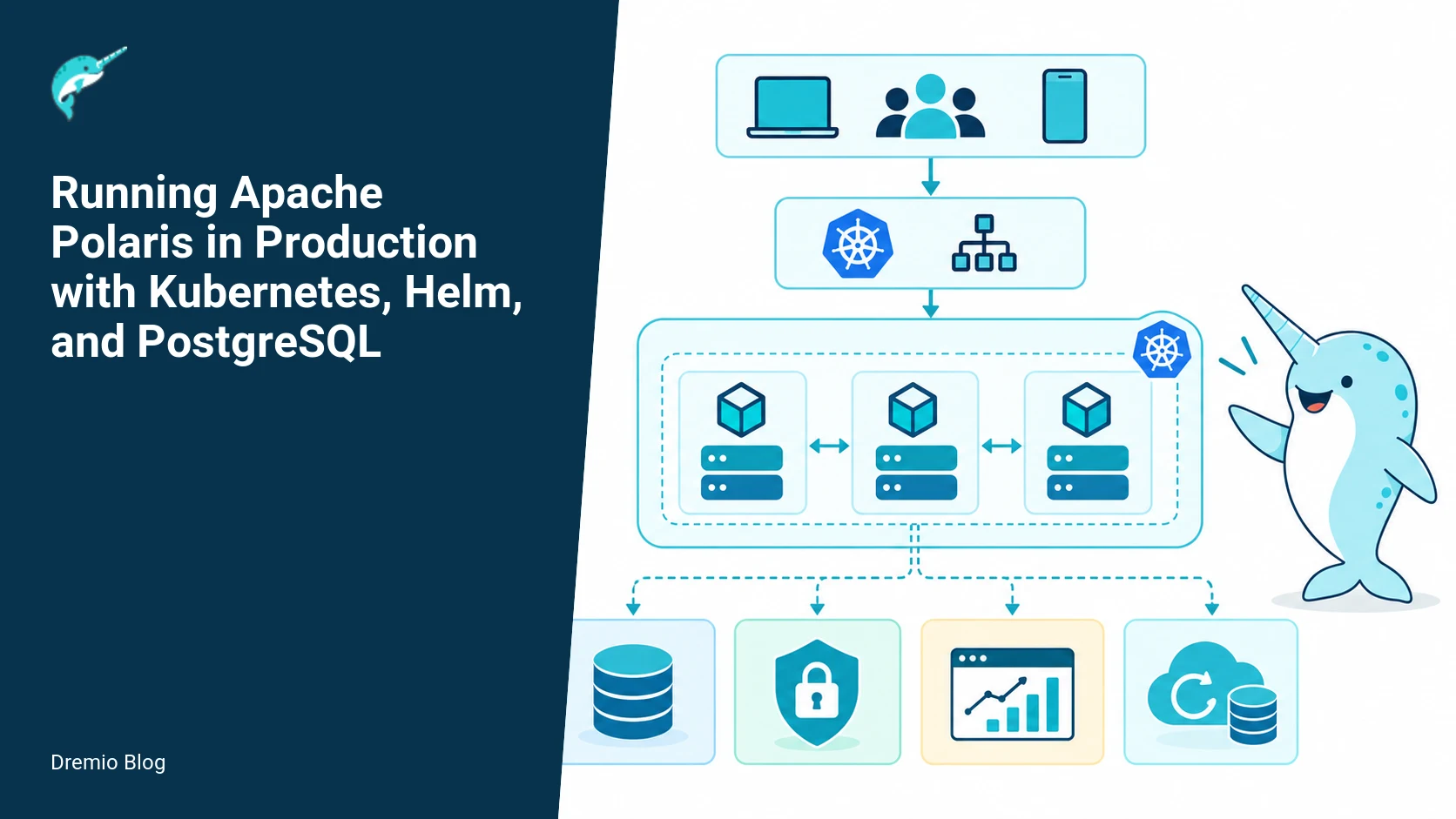
At a high level, production Polaris runs in at least three logical tiers: API/control plane pods, worker/compute pods (if you run in-cluster compute), and external dependencies. For persistence you run a highly available PostgreSQL cluster, and you must provide an object store for artifacts and backups. The minimal production topology I recommend uses multiple replicas for stateless Polaris services, a dedicated namespace, NetworkPolicies to limit access, and an external PostgreSQL cluster (managed or self-hosted). Below are the components and placement decisions that affect availability and recoverability.
Polaris API and Services, deployed as a Deployment with at least three replicas for the API service. Readiness and liveness probes must be configured in values. Scale is based on concurrent control-plane operations, not query throughput. For request routing and external TLS, terminate TLS at the ingress or provide TLS on the service. The blog post on access control in Apache Polaris is useful when you configure credential vending and RBAC-based token management for clients.
Workers/Compute, optional, run as a separate Deployment or StatefulSet depending on your workload. If you integrate with external compute, treat workers as ephemeral and recoverable. Use pod disruption budgets to protect a minimum number of available workers during upgrades.
PostgreSQL, run as a dedicated HA cluster (Patroni, Crunchy, RDS/Aurora, Cloud SQL). Use synchronous or quasi-synchronous replication only when your latency and consistency requirements justify it. Always use connection pooling (PgBouncer) because Polaris opens connections during migrations and startup spikes.
Object store, S3-compatible for artifacts and backups. Remember database backup is not the same as object-store backup. Backing up Postgres exports or WAL to object storage does not capture externally stored artifacts unless you also store them separately.
Secrets and identity, use Kubernetes Secrets, sealed secrets, or an external secret store such as HashiCorp Vault. Polaris requires DB credentials, TLS certs, and possibly OIDC client secrets for identity providers. Store secrets outside the chart values file and reference them in values by secret name and key.
Monitoring, run Prometheus scraping endpoints exposed by the Polaris chart. Configure serviceMonitors or PodMonitors depending on your monitoring stack. Export logs to a central log system for correlating API failures with DB errors.
Backup and restore, implement both logical schema migrations with release-specific validation and physical backups of Postgres data. Keep at least two independent backup copies, one in a different cloud or region.
Place the database and Polaris pods across multiple availability zones if your Kubernetes provider supports it. Use affinity rules to co-locate Polaris pods with the PostgreSQL connection proxy for latency-sensitive operations if you are in a high-latency cloud region.
Startup and migration sequence
Polaris performs schema checks and migrations at startup. A production deployment needs a repeatable sequence that prevents split-brain migrations and supports rollbacks. The startup and migration sequence below assumes the official Helm chart. Chart docs are split between the in-development production guide and the stable release persistence page. Confirm the exact behavior for the Helm chart version you use by checking the release-specific persistence documentation.
Startup and migration sequence. Each technical risk needs a matching test, boundary, or operating signal.
Concrete startup sequence I use in production:
1) Prepare the PostgreSQL cluster and connection string. Verify the DB is reachable and has the expected encoding and extensions. Polaris requires at least the default Postgres extensions documented in the chart persistence guide. Check the release documentation for exact requirements.
2) Create Kubernetes Secrets for database credentials and TLS certs. Do not embed secrets directly in values.yaml. Example secret creation is below.
3) Deploy Polaris in two phases: first deploy a single control-plane pod with a pre-flight flag or an environment variable that runs migrations only, or set the chart value that enables 'migrateOnStartup' but restrict replicas to 1. This ensures only one process performs schema migration. If the chart does not provide a dedicated migration job for your version, run a one-off Job that executes the migration command inside the image. See the chart docs for your release to confirm capabilities.
4) Confirm migration success by checking the migration table and Polaris liveness endpoints. Inspect DB locks and active sessions to verify migrations completed cleanly.
5) Scale the control-plane deployment to the target replica count. Verify each replica becomes Ready and can serve requests. Check for transient errors that indicate stale caches or schema feature flags that require coordinated restarts.
6) Run a smoke test: authenticate, list a few catalogs, create a small object to the artifact store, and exercise a control-plane operation that writes to the DB. Monitor metrics and logs for increased error rates or latency.
If a migration fails, do not brute-force restart replicas. Read the error, address the schema problem, and if you must revert, follow the release-specific rollback guidance. Schema changes require release-specific review; do not assume a rollback is always possible. Check the release persistence and configuration guides for instructions tied to your chart version.
Replace the command and image with the exact entrypoint and tag your release requires. If your Helm chart includes a migration Job, use that and confirm the values to enable it. Verify the Job logs for success before creating additional replicas. The example above is illustrative; check your release docs for exact commands and flags.
Helm values and Kubernetes secret references, worked examples
Below are working examples I use as a starting point. Do not copy them into production unchanged. Replace hostnames, user names, and secrets with your values. Confirm setting names against your chart version. The chart docs for production and persistence list the exact keys for values files and secret references.
Two things to verify when you use values like these. First, the key names under persistence may vary by chart version. The unreleased production chart documentation and the stable 1.7.0 persistence page both contain examples; cross-check the keys before deploying. Second, I intentionally reference an existing secret for DB connectivity. That keeps credentials out of values.yaml and out of Git.
When referencing secrets in the chart values, use the chart keys for existingSecret and key names exactly. If your environment supports projected secrets or external secret stores, prefer those so rotations do not require pod restarts. For OIDC client secrets the Dremio blog post on access control in Apache Polaris explains patterns for credential vending and when to use short-lived tokens.
PostgreSQL configuration, tuned examples
Polaris workloads are control-plane heavy during configuration changes and migrations, and they can open many short connections. I run PostgreSQL with these practical settings as a baseline. These are operational suggestions; verify settings against your Postgres provider and the chart persistence documentation for your Polaris release.
# postgresql.conf example snippets
max_connections = 500          # increase if you have many pods or connections
shared_buffers = 2GB           # ~25% of RAM as a starting point
work_mem = 16MB                # per-sort working memory
maintenance_work_mem = 512MB   # for VACUUM and migrations
wal_level = logical            # required if logical backups or replication features used
max_wal_senders = 10
wal_keep_size = 1024           # MB, tune per replication lag
checkpoint_completion_target = 0.7
synchronous_commit = on        # or local, aligned with your HA strategy

# Connection pooling recommended
# Configure PgBouncer with pool_mode = transaction to reduce client connections
Connection pooling (PgBouncer) reduces connection spikes during startup and migration. If you use managed Postgres (RDS/Aurora/Cloud SQL), apply equivalent instance class sizing and parameter groups. Ensure your provider supports any extensions Polaris requires; the persistence documentation for release 1.7.0 lists supported database configurations for that release.
High-availability request path and failure modes
Design the request path so control-plane requests survive single component failure. Use an ingress or load balancer that routes to multiple Polaris replicas. Use PodDisruptionBudgets and readiness gates to avoid sending traffic to pods not ready for migrations. For database HA, put a connection proxy or the primary endpoint in your values so Polaris always connects to a consistent address. The diagram below illustrates an HA request path with a connection pool and object store.
High-availability request path. The loop turns table or catalog signals into controlled operational changes.
Key failure modes and mitigations:
DB primary failover, mitigation: use a proxy (PgBouncer, HAProxy) or managed endpoint that automatically reconnects to the new primary. After failover, watch for idle connections that error and for increased latency during WAL replay. Ensure the pooler uses health checks and retries rather than immediately failing requests.
Migration contention, mitigation: run migrations with a single Job or use Helm chart migration features if your release supports them. Do not allow multiple replicas to attempt migrations simultaneously. Verify chart behavior for your version.
TLS certificate expiry, mitigation: monitor certificate expiry, use automated cert rotation (cert-manager) and check that new certs propagate to Secrets referenced by Polaris without requiring disruptive restarts where possible.
Object store unavailability, mitigation: implement retries with backoff for artifact uploads and ensure your backup strategy stores multiple copies in different regions. Remember, object-store backup is separate from Postgres WAL backups.
Pod eviction and node maintenance, mitigation: PodDisruptionBudgets and graceful preStop hooks. Test eviction handling during a maintenance window.
NetworkPolicies should allow traffic only from your ingress and database proxies. For RBAC and credential vending details for Polaris, the Dremio blog post about access control explains best practices for granting Polaris the minimum required permissions and how to provision credentials for downstream systems. That site is particularly useful when you need to design Vending Services or short-lived credentials for object stores.
Backup and restore drill
Backup practice must cover both the database and the object store artifacts. Database backup is not the same as object-store backup. A complete disaster recovery drill requires a Postgres logical or physical backup plus copies of artifact buckets and any external config. The drill below walks through an end-to-end restore from a regional outage scenario.
Backup and restore drill. A reversible canary keeps an unsupported client or unsafe policy from becoming a fleet-wide incident.
Backup strategy I implement:
Daily physical or base backups, use pg_basebackup or a managed snapshot taken during low-traffic windows. Store backups in at least two regions or cloud providers. Retention policies depend on your recovery objective (RPO/RTO).
Continuous WAL shipping, to an object store. Configure WAL archive to S3-compatible storage for point-in-time recovery. Monitor WAL shipping lag and retention.
Logical exports before schema upgrades, take pg_dump of critical schemas before any release upgrade that includes migrations. This is fast for small schemas and provides a human-readable fallback for schema-only restoration.
Artifact and object store backups, mirror critical buckets to a secondary region. Use lifecycle rules and versioning to prevent accidental deletions from causing data loss.
Restore drill, step-by-step:
1) Failover simulation: Stop writes to the artifact bucket and create a maintenance announcement. This is to prevent inconsistent writes during the restore test.
2) Restore Postgres primary from the most recent base backup and apply WAL segments to a target time. Use pg_restore or restore from your managed provider snapshot interface. Confirm DB encoding, extensions, and roles are present.
3) Start a migration-only Polaris Job pointed at the restored DB to validate schema compatibility. If the migration Job fails, capture logs and do not proceed to multi-replica start until fixes are applied.
4) Restore object store buckets from the mirror or object version history. Validate that artifact paths used by Polaris exist and have expected ACLs.
5) Update DNS or the load balancer to point to the newly restored cluster. Bring Polaris replicas up gradually, starting with one replica in migration/validation mode, then scaling to the desired replica count.
6) Run end-to-end smoke tests: authenticate, list catalogs, create and read an artifact, and run a control-plane write. Measure latency and error rates compared to baseline.
Always run a restore drill in a non-production environment before relying on it for recovery. Measure time to first write and time to full traffic acceptance. That tells you whether your RTO objective is realistic. Keep a runbook describing where your backups are stored, who has keys, and the sequence above.
Upgrade runbook, worked example
Upgrades with database schema changes are the riskiest operations. Schema changes require release-specific review. Before upgrading, read the release notes and the persistence section for your target release. The Helm chart docs on production and the 1.7.0 persistence page list specifics for those releases. The pattern below is conservative and safe for most upgrades.
Pre-upgrade
Verify current backups, and take an immediate logical export of critical schemas, using pg_dump. Keep the export in a separate location from your usual backups.
Check the release notes for breaking DB changes and the chart persistence guide to confirm migration behavior.
Run integration tests against the new image in a staging environment that is a recent copy of production data. Staging must use the same Postgres major version and similar configuration.
If your environment supports blue-green, create a parallel release using the new image and schema. Otherwise use a canary: deploy a single replica with migration enabled and monitor.
Run the migration Job or set migrateOnStartup on a single replica. Verify success before scaling more replicas.
If the migration is reversible, test the rollback path on a staging copy. If irreversible, be prepared with manual intervention plans from the release notes.
Run smoke tests and a subset of critical functional tests. Re-check RBAC and identity flows. Polaris integrations with external authorization need validation; the Dremio blog post about access control in Apache Polaris describes common pitfalls in credential vending and RBAC mapping.
Monitor DB metrics for locks and long-running queries. Watch application metrics for error spikes.
If you need to rollback and the schema is incompatible, you must restore the DB from the backup you took pre-upgrade. This is why you must always take a logical export before applying migrations. Check chart docs for whether the migration is reversible for your release.
Worked helm upgrade sequence (example):
# ensure backups and exports are taken
pg_dump -h db-primary.example -U polaris -F c -b -v -f polaris_preupgrade_$(date +%F).dump polarisdb

# upgrade with migration enabled only on one replica
helm upgrade polaris apachepolaris/polaris --namespace polaris-prod -f values-upgrade.yaml --set replicaCount=1

# wait for migration job or pod logs to show success, then scale
kubectl rollout status deployment/polaris --namespace polaris-prod
helm upgrade polaris apachepolaris/polaris --namespace polaris-prod -f values-upgrade.yaml --set replicaCount=3
Modify values-upgrade.yaml to the new image tag and any value changes. If your Helm chart for the release contains explicit migration Job support, prefer that approach and follow the chart documentation for your release's migration flow.
Failure-mode testing and chaos exercises
You must exercise failure modes before production traffic depends on Polaris. I run a failure-mode test matrix that covers these scenarios:
Database primary failover and replica lag, including WAL shipping pauses.
Migrations failing midway, and verifying rollbacks from backups.
Ingress TLS termination failures, and cert rotation scenarios.
Pod eviction and node drain during high control-plane load.
Object store unavailability and partial object loss in a single region.
Run these tests in a staging environment with production-sized data. For each test measure RPO and RTO and observe system behavior: are operations retried? Do clients get clear errors? Do connection pools recover? Chaos tests help you tune timeouts and retries so production clients do not bubble up transient errors to users.
Rollout checklist
Confirm Helm chart version and cross-check production and persistence docs for that release. Chart documentation spans stable and unreleased branches; always use the documentation that matches your chart tag.
Create and verify Kubernetes Secrets for DB, TLS, and OIDC credentials. Secrets must be in the target namespace and referenced by name in values.yaml.
Verify PostgreSQL settings and ensure connection pooling is in place.
Run preflight DB checks: encoding, required extensions, roles, and initial schema state.
Ensure object store buckets are available with correct ACLs and lifecycle rules.
Enable service monitors and logs to capture metrics and events during rollout.
Plan migration execution: single migration Job or single replica migration mode.
Schedule a maintenance window and rollback plan, including where backups are stored and who has restore privileges.
What to measure after deployment
Post-deployment observability determines whether your deployment is healthy. Focus on these metrics and alerts:
Application level: request latency percentiles for control-plane APIs, 2xx/4xx/5xx rates, authentication error rates, and active sessions. Track 99th percentile latency rather than only averages.
Database level: connection count, active queries, lock wait events, deadlocks, replication lag (if any), WAL shipping lag, and long-running transactions. Alert if connection count approaches max_connections minus pool headroom.
Pod and node: pod restarts, OOMKilled events, CPU and memory usage relative to resource requests and limits, and pod readiness transitions during deployments.
Backup health: last successful base backup timestamp, last WAL archival timestamp, backup integrity checks, and object store mirror health.
Security: certificate expiry (with alerts 30 and 7 days out), rotation success rates for secrets, and audit log volume and unusual privilege escalations.
Label facts checked on September 22, 2026: the Helm chart documentation and the 1.7.0 persistence page were current as of that date for guidance about persistence options and migration behavior. Always re-check the specific chart docs for your release before any migration or upgrade.
Practical evaluation sequence
Before full production rollout, perform this evaluation sequence in a staging environment populated with recent production data or a representative snapshot.
1) Preflight checks: confirm secrets, connectivity, DB parameter group, and object store access. Run a script that validates DNS, ports, and simple API health. Keep these checks idempotent and scriptable.
2) Deploy a migration Job and verify it exits successfully. Inspect DB for new tables, columns, and migration markers.
3) Start a single replica and run smoke tests for authentication, list/read/write flows, and RBAC checks. Use the Dremio blog post on Apache Polaris architecture to validate each service endpoint you exercise is behaving as expected.
4) Introduce load gradually. Drive control-plane operations at steady rates to observe DB connection growth and query latency under load.
5) Run a controlled failover by promoting a new PostgreSQL primary in staging and measure recovery time. Confirm the pooler recovers and application retries work as intended.
6) Execute a backup and restore test end-to-end, timing each phase so you can produce realistic RTO numbers.
7) Perform an upgrade test from current to target release in staging, including full migration, scaling, and rollback scenarios.
Limits, trade-offs, and decision points
There are inevitable trade-offs when you design a production Polaris deployment. Here are the main decision points and their operational consequences.
Managed DB vs self-hosted, trade-off: managed DB reduces operational burden and provides automated failover, but you must confirm the provider supports required Postgres extensions and gives you access to WAL archival for point-in-time recovery.
Connection pooling strategy, trade-off: aggressive pooling with transaction mode reduces DB connections but can mask per-connection session state. If you use session pooling, ensure Polaris can tolerate session resets.
Migration execution, trade-off: automatic migrateOnStartup is simpler but risky in multi-replica environments. A one-off Job increases control at the cost of additional operational steps.
Cert termination, trade-off: terminate TLS at the ingress to simplify pod configs, but then you must secure internal traffic if you need mutual TLS between services.
Backup cadence, trade-off: more frequent backups reduce RPO but increase storage cost and operational overhead for verification.
Make these decisions according to your RTO/RPO, compliance requirements, and team operational capacity. Document the rationale in your runbook and rehearse the procedures periodically.
Cross-links to useful Dremio resources
These Dremio pages helped me design the runbook and will help you operationalize it.
Apache Polaris architecture explained, useful for mapping Polaris services to pods and understanding service interactions during startup and migration.
Open Catalog platform integration, useful if you plan to integrate Polaris with cataloged resources and want to understand how Polaris metadata maps to downstream systems.
Internal cluster references: a staging cluster and a production-like validation cluster. Use a staging cluster as the staging cluster for migration and backup drills, and a production-like validation cluster as a production-like validation cluster during upgrade rehearsals.
Worked example: safe zero-downtime Helm upgrade sequence
This section gives a step by step, practical Helm upgrade sequence you can run against a Polaris deployment using Kubernetes and PostgreSQL. It assumes you are running a chart based on the Polaris in-development production chart or the 1.7.0 persistence layout, and that you verified chart docs for the exact release you will install. The sequence focuses on minimizing write interruption to the Polaris control plane, protecting Postgres schema changes, and providing quick rollback points.
Do not run this sequence blindly. Verify the targeted Helm chart version and the Polaris release notes for any schema migrations. If a Helm chart or Polaris release includes an explicit migration Job, treat its behavior as authoritative. These steps assume the migration Job is separate from the main deployment, as shown in the Polaris production chart guidance. Confirm the Job name pattern in your chart values and manifests before you begin.
Prerequisites and safety gates
Run this from a bastion with kubectl, helm, and psql access to your DB and cluster control plane.
Have a consistent backup: Postgres base backup plus WAL streaming or point-in-time setup, validated by a restore to a staging cluster within the last 72 hours. A logical backup alone is not sufficient for fast point-in-time recovery.
Document the migration Job behavior in the chart you are targeting, and confirm whether migrateOnStartup exists in your chart and its documented semantics for that release.
Set a maintenance window when write traffic can be throttled. Even with zero-downtime intent you must be ready to pause producers if a migration stalls.
Step by step
Run each command after you validate names and values for your environment.
# 1) Lock client producers if you can: feature-flag or ingress rule
# 2) Snapshot current cluster state
kubectl get deploy -n polaris -o yaml > polaris-deploy.before.yaml
helm get values polaris -n polaris > polaris.values.before.yaml

# 3) Ensure Postgres is healthy and WAL ship is current
psql -h pg.example.internal -U polaris -c "SELECT pg_current_wal_lsn();"

# 4) Create a canary revision of the Helm release with new chart values
helm upgrade polaris /path/to/chart \
  -n polaris \
  --set image.tag=RELEASE_X.Y.Z-canary \
  --dry-run

# 5) If the chart includes a migration Job, render and inspect it
kubectl apply -n polaris --dry-run=client -f <(helm template polaris /path/to/chart -s templates/migration-job.yaml -f my-values.yaml)

# 6) Run a real upgrade with conservative replica changes
helm upgrade polaris /path/to/chart -n polaris -f my-values.yaml --wait --timeout 10m

# 7) Watch the migration Job and Postgres activity
kubectl get jobs -n polaris
kubectl logs job/polaris-migrate -n polaris --follow
psql -h pg.example.internal -U polaris -c "SELECT count(1) FROM polaris_schema_version;"

# 8) If errors occur, roll back the Helm revision quickly
helm rollback polaris 1 -n polaris
kubectl rollout status deploy/polaris-api -n polaris

# 9) If rollback fails, start restore drill from validated backups and escalate
# Follow your documented DB restore procedure for your backup method
The important parts are rendering and inspecting any migration Job before you execute it, and using Helm revisions plus a short timeout so you can roll back quickly. If your chart uses migrateOnStartup, prefer running a dedicated migration Job instead, unless the chart docs for your specific release explicitly document safe multi-replica startup migration semantics. Verify that in the release docs prior to automating upgrades.
This scenario tests an operator response to a migration that partially applied schema changes, leaving the Postgres cluster in an inconsistent state. The goal is to practice detection, partial rollback, and a safe restore path. Perform this only against staging or canary, never production unless you have an agreed emergency plan and your backups validated.
Test setup
Deploy Polaris and Postgres in a staging namespace that mirrors production values.yaml and secrets. Use the same storage class, WAL configuration, and connection parameters.
Seed the database with a snapshot representing production traffic volume and schema. Confirm baseline query performance with a known set of queries from your service tests.
Prepare a migration Job manifest that performs a schema change the chart intends to apply on upgrade. Do not invent changes; use the exact migration SQL or Job from the targeted Polaris chart or release notes.
Injection steps
Start the migration Job but immediately pause WAL shipping on the primary Postgres instance, simulating an IO or network error that prevents WAL from streaming to replicas. How you pause depends on your DB platform. For a controlled Postgres instance, temporarily stop the WAL sender process or apply a firewall rule to block replica ports.
Let the migration begin, then artificially kill the Job mid-way by deleting the Job pod. The migration should have applied some DDL but not all the expected changes.
Observe Polaris service pods making DB calls that fail with schema errors, for example missing columns or failed constraint checks. Capture the first failing SQL and the stack trace in logs.
Record timestamps, Job logs, and WAL LSN positions. These artifacts matter when diagnosing whether a logical migration partially executed or a transaction rolled back automatically. If migrations are wrapped in a transaction, Postgres will roll back the partial DDL, but not all DDL is transactional. Check the chart release notes for the release you tested to know whether specific migrations are transactional.
Recovery steps
If the partial DDL left the DB inconsistent and you have a point-in-time capable backup, restore to a timestamp just before the migration started. This requires WAL or PITR support and that you previously verified the restore workflow.
If you do not have PITR, you may need to replay application-level compensations or run targeted DDL to bring the schema and data back in line. Capture the exact SQL errors before attempting fixes.
Once Postgres is restored or fixed, rerun the migration Job in staging and verify there are no leftover locks or hung transactions. Then run the Helm upgrade again with a canary image tag.
This test surfaces three common operator mistakes: relying on a single logical backup, assuming all DDL is transactional, and not rendering migration Jobs to inspect side effects. Document the exact migration SQL you tested and link back to the Polaris Helm chart template that generated it.
Decision table: choosing secret management and Postgres connectivity
Picking how to store Helm values and Kubernetes secret references affects operational security, rollout friction, and disaster recovery. The table below is a pragmatic decision guide, not an exhaustive matrix. Apply it against your compliance and SRE constraints.
Option A, Kubernetes secrets mounted as environment variables: simplest for existing Helm charts that expect name references. Operationally easy for small clusters, but requires RBAC hardening and KMS encryption at rest for etcd. If you choose this, ensure secrets are created by CI/CD pipelines and never baked into values.yaml files in plaintext.
Option B, external secrets operator referencing a cloud KMS or Vault: better for rotation and auditing. The Polaris values.yaml should reference the Kubernetes Secret names that the external-secrets controller creates. Verify the exact secret keys your chart expects, for example connection URLs or TLS cert PEM entries, by rendering templates before deploy.
Option C, database credentials injected by the cloud provider via instance identity or IAM roles: avoids storing DB passwords in the cluster, but requires your Postgres offering and Polaris chart to support token-based auth. Confirm in the Polaris documentation for your release whether this is supported before assuming it will work.
For Postgres connectivity specifically, decide between a direct connection to a managed Postgres endpoint and a proxied connection through a sidecar or TCP proxy. Direct connections are lower latency, but proxies ease maintenance windows because you can fail the proxy and drain traffic without touching the DB. If you use a proxy, include its readiness probe in your Helm chart so upgrades only switch traffic when the proxy is healthy.
When mapping these options to Polaris Helm values, follow these checks before deploying:
Render the chart templates and search for the expected secret keys. For example run helm template --set-file secrets.tls.crt=... and check service env var names.
Ensure your values.yaml does not contain cleartext credentials that are already in Kubernetes secrets. Use values to reference secret names and keys as your chart expects.
Confirm the persistence and database sections of the chart for your release branch. Chart docs differ between the in-development production page and the 1.7.0 persistence page. Treat them as authoritative for that release version.
Finally, when you plan connectivity, measure connection churn. Polaris tends to open pooled DB connections. Set Postgres max_connections accordingly, and model worst-case counts: number of Polaris pods times pool size, plus maintenance connections. If you see connection exhaustion during scale events, throttle pod scale or reduce client pool sizes in values.yaml before rolling out more replicas.
What to measure and alert on during an upgrade
During a Helm upgrade and migration window, specific metrics give you fast feedback about whether the operation is proceeding safely. These are operational, measurable indicators you should collect and alert on. Measure them in both staging and production windows.
Postgres WAL activity and replication lag: monitor current WAL LSN, replica replay LSN, and seconds_lag. If replica lag exceeds your SLA window threshold, pause upgrades and investigate IO or network issues.
Database transaction rate and long-running transactions: alert on transactions older than a configurable threshold during migration windows, because long transactions can hold locks that block DDL.
Polaris migration Job status and logs: emit a success event when the Job completes and capture any non-zero exit codes. Tail the Job logs for SQL errors that mention missing columns or unique constraint violations.
Polaris API error rate and latency: compare pre-upgrade baselines to current. If error rate or 95th percentile latency increases by more than your predetermined threshold, hit the abort path and rollback.
Pod readiness and restart count: a spike in restarts or failing readiness probes during upgrades often indicates incompatible configuration, image issues, or missing secrets. Fail fast and rollback on unexpected restarts.
Connection pool saturation on Postgres: monitor active connections, wait events, and connection queue length. If pool saturation is reached during an upgrade, scale the DB or reduce client pooling.
Set concrete alert thresholds during your first few upgrades. For example, trigger a page if replica lag exceeds 30 seconds for more than 2 minutes, or if API error rate climbs 5x the baseline for 3 minutes. Tune these thresholds to your SLAs and test them in staging first.
FAQ
Which Helm chart docs should I follow for production values?
Follow the documentation that matches your chart tag. Chart documentation is split between stable and in-development branches; if you use a release tag such as 1.7.0, consult the 1.7.0 persistence page. If you use an in-development chart, use the in-dev production guide. Confirm keys and behavior in the chart template before deployment.
Can I use migrateOnStartup with multiple replicas?
Not without coordination. If migrateOnStartup triggers schema migrations, only one process should run migrations. Use a single migration Job or set replicas=1 while migrations run, then scale out. Check your chart version for built-in migration Job support.
Is a Postgres snapshot enough for recovery?
A snapshot restores the DB state, but you also need object-store copies for artifacts and any external config. Database backup is not the same as object-store backup. Plan both and test restores together.
What Postgres settings are most important for Polaris?
How do I test an upgrade safely?
Test upgrades in a staging environment seeded with recent data. Take pre-upgrade logical exports, run the migration Job in staging, and rehearse rollback by restoring the pre-upgrade backup. Use canary or blue-green deployments when possible and read release notes for schema changes.
How often should I run restore drills?
At least quarterly, and after any significant change to database configuration, object-store layout, or Polaris release upgrades. More frequent drills are appropriate if your RTO targets are short or if your service is critical.
Answers checked on September 22, 2026 where release-specific behavior was relevant. For chart key names and migration features, consult the Helm chart documentation for the exact release you run.
Related Dremio guides
These guides cover adjacent implementation details that are outside this article's main scope.
Intro to Dremio, Nessie, and Apache Iceberg on Your Laptop
Editor’s note, September 2026. This post was published in September 2023 and some product details have changed since. Nessie is still available and self-deployable under the Apache-2.0 licence, and it remains the clearest implementation of catalog-level branching. It is not an Apache Software Foundation project, and its development has slowed considerably. For how the current […]
Aug 16, 2023·Dremio Blog: News Highlights
5 Use Cases for the Dremio Lakehouse
With its capabilities in on-prem to cloud migration, data warehouse offload, data virtualization, upgrading data lakes and lakehouses, and building customer-facing analytics applications, Dremio provides the tools and functionalities to streamline operations and unlock the full potential of data assets.
Sep 30, 2026·Dremio Blog: Open Data Insights
Apache Iceberg 1.12.0: What’s New, Breaking Changes, and Upgrade Guide
Apache Iceberg 1.12.0 expands v3 engine support, REST catalog operations, streaming reliability, and v4 groundwork. Learn how to upgrade safely.