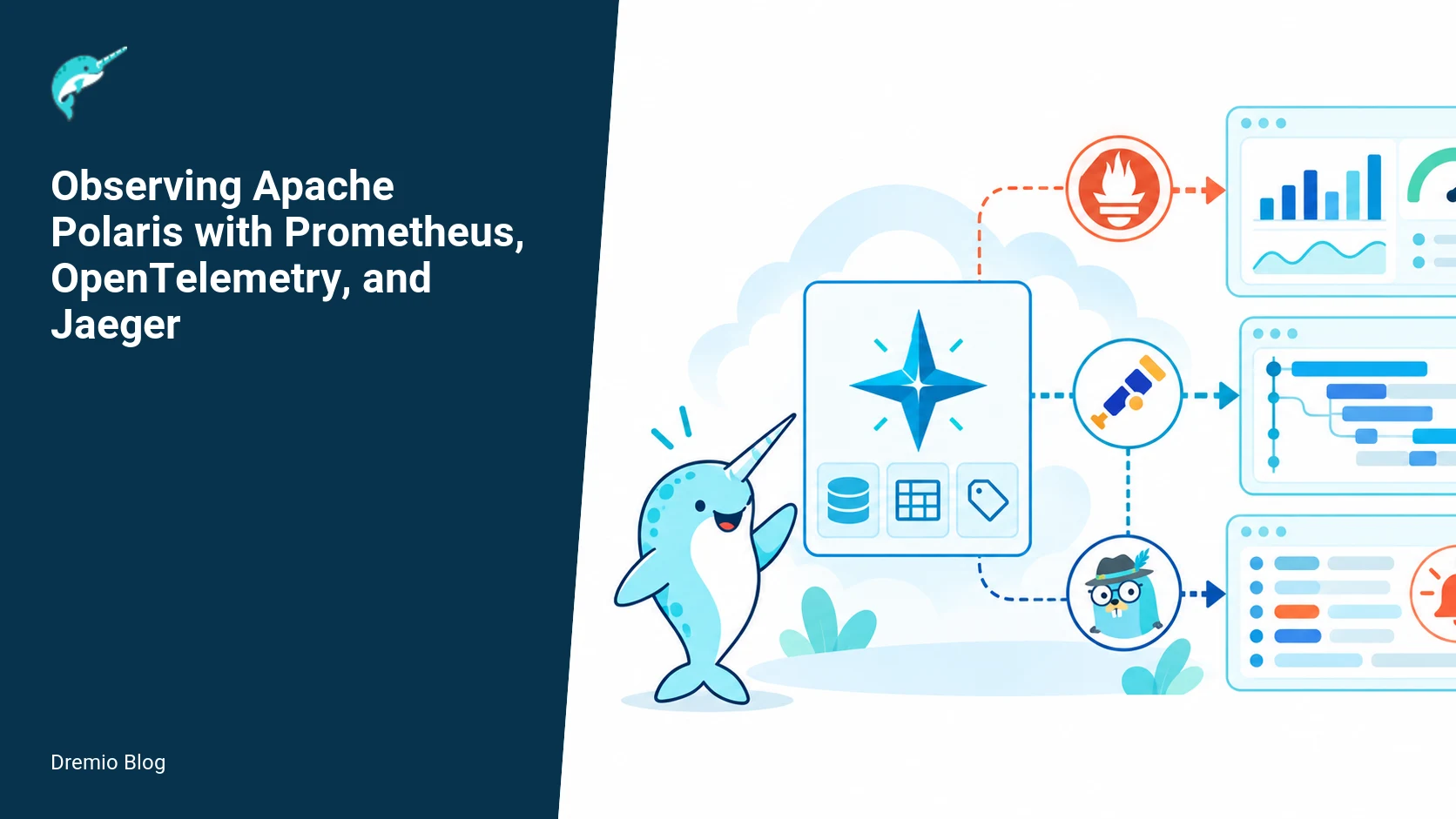
Apache Polaris exposes Micrometer metrics on its management interface and can emit OpenTelemetry traces when operators enable the relevant Quarkus settings. A useful deployment scrapes metrics, preserves an X-Request-ID across gateways, samples traces deliberately, and alerts on user-visible symptoms instead of raw infrastructure noise. This article explains how to wire Prometheus, OpenTelemetry, and Jaeger into a production Polaris deployment, what to measure, how to avoid common pitfalls, and how to roll out telemetry changes safely.
How Polaris telemetry is exposed and what to enable
Short answer, first 100 words: Polaris publishes Micrometer metrics over its management interface and supports OpenTelemetry traces when you enable the Quarkus extension and configure exporters. By default OpenTelemetry is disabled, so you must opt in. Scrape metrics at a controlled interval, keep metric cardinality low, propagate a request ID through every hop, and use error or latency SLOs to drive alerts. The rest of this article covers exact configuration snippets, design choices, failure modes, and rollout guidance for production clusters.
Polaris documentation describes telemetry features and default locations. The project release notes and the telemetry guide describe the available Micrometer metrics and Quarkus OpenTelemetry integrations. See the Polaris telemetry guide and the Polaris 1.8.0 release documentation for what is available in that release. I checked these sources on October 27, 2026 for accuracy of feature flags and endpoints.
Telemetry signals and the overall path
Observability for Polaris needs three signals: metrics, traces, and logs. Metrics give the system-level counters and histograms you can aggregate. Traces reveal request flow and timing across components. Logs record detailed events for troubleshooting. In a typical Kubernetes deployment you will have:
1) Polaris components (api server, catalog, engines) publishing Micrometer metrics on the management HTTP port. 2) Polaris processes optionally emitting OpenTelemetry spans when Quarkus OTel is enabled and configured to export to a collector. 3) A Prometheus server scraping the management endpoints. 4) An OpenTelemetry Collector receiving spans and exporting to Jaeger or a tracing backend. 5) A log pipeline (Fluentd/Fluent Bit) shipping logs to your log store and enriching them with the same request ID used for traces.
Polaris telemetry signal path. Each stage has a result that can be checked before the next stage begins.
Why an external collector? Exporters in-process can overload an application on network disruption. The OpenTelemetry Collector buffers and batches, providing consistent sampling and retry behavior. The Polaris docs mention Quarkus configuration that enables OpenTelemetry and where metrics appear; consult the Polaris telemetry pages for the exact config keys present in your release.
Design decisions and tradeoffs
Operational decisions to make before you touch config:
Sampling rate, for traces. Too many traces increases storage and cost. Start with 1 to 5 percent for user-facing API calls, and increase when you need deeper coverage for a subset of traffic.
Metric scrape interval. Default Prometheus scrape intervals are 15s, but Polaris metrics typically change at second-to-second or minute rates. Use 15s for core API servers and 60s for backoffice or informer jobs to reduce cardinality pressure.
Metric cardinality controls. Restrict labels that include user or job identifiers that explode series. Keep histograms and summaries bounded by deliberately chosen buckets.
Request ID propagation. A request ID helps correlate logs, metrics, and traces, but only if every hop preserves it. If your ingress, API gateway, sidecars, and Polaris all preserve the header, it will be useful. Otherwise it is not.
Two cautions repeat in almost every production story: OpenTelemetry is disabled by default in Polaris. You must enable it and set exporters. Also, metric cardinality can overload Prometheus. Both points are documented in Polaris release and telemetry pages, so verify your release notes when you upgrade.
Worked example: Prometheus scrape configuration
Below is a practical Kubernetes Prometheus scrape configuration for Polaris pods. It assumes Polaris exposes metrics at the management port on path /q/metrics and includes relabeling to avoid high-cardinality labels from pod metadata. Adjust targets and port names to match your deployment. Put this in the Prometheus config map under scrape_configs.
# The following block is Prometheus YAML; escape as text in your CM
- job_name: 'polaris'
  kubernetes_sd_configs:
    - role: pod
  relabel_configs:
    - source_labels: [__meta_kubernetes_pod_label_app]
      regex: 'polaris'
      action: keep
    - source_labels: [__meta_kubernetes_pod_annotation_prometheus_io_scrape]
      action: keep
      regex: 'true'
    - source_labels: [__meta_kubernetes_pod_annotation_prometheus_io_path]
      action: replace
      target_label: __metrics_path__
      regex: (.+)
    - source_labels: [__meta_kubernetes_pod_annotation_prometheus_io_port]
      action: replace
      target_label: __address__
      regex: (.+)
      replacement: $1
    - action: labeldrop
      regex: 'pod_template_hash|controller_revision_hash'
    - action: labelkeep
      regex: 'namespace|pod|app|instance'
  scrape_interval: 15s
  scrape_timeout: 10s
Notes on this snippet: it keeps only a minimal set of labels to avoid cardinality explosions. Remove or change labeldrop/labelkeep rules for your environment. Also, set scrape_interval to 60s for low-churn components if your Prometheus server is resource constrained.
Worked example: OpenTelemetry exporter settings
Polaris runs on Quarkus and uses the MicroProfile/OpenTelemetry integrations available in Quarkus. The Polaris guides show the available configuration keys in your release. Because OpenTelemetry is disabled by default, you must enable quarkus.otel.sdk.disabled=false and and configure an exporter. A common pattern uses an OpenTelemetry Collector as a local endpoint, with Polaris exporting OTLP over gRPC to the collector.
# application.properties fragment for Polaris (Quarkus)
quarkus.otel.sdk.disabled=false
quarkus.otel.sdk.disabled=false and.enabled=true

# Exporter configuration to local collector (OTLP gRPC)
quarkus.otel.sdk.disabled=false and.exporter=otlp
quarkus.otel.exporter.otlp.traces.endpoint=http://otel-collector.monitoring.svc.cluster.local:4317
quarkus.otel.propagators=tracecontext,baggage
# Sampling, set to parent-based or trace-id ratio sampler
quarkus.otel.sdk.disabled=false and.sampler.type=traceidratio
quarkus.otel.sdk.disabled=false and.sampler.arg=0.02
Important: confirm exact property names against the Polaris release notes and Quarkus version you run. The Polaris telemetry guide and the 1.8.0 telemetry page explain where metrics and traces appear for that release. I verified these pages on October 27, 2026 for the guidance used here.
Collector configuration and sampling strategies
Use the OpenTelemetry Collector to centralize sampling decisions, add resource attributes, and forward to Jaeger and any commercial backend. A minimal collector config that receives OTLP gRPC and exports to Jaeger looks like this.
Decide whether to sample at the app or collector. I prefer a low app-level sampling (1 to 5 percent) and a collector-side probabilistic or parent-based processor that can increase sampling for error traces. This reduces network and storage cost while still allowing you to capture problematic traces when they occur.
Request correlation across services
Correlation requires three things: a stable request ID header, consistent propagation of that header over every hop, and instrumentation to attach the ID to logs and metrics. For Polaris, the typical header examples are X-Request-ID or traceparent (W3C Trace Context). Trace context gives you distributed trace IDs automatically. But a separate X-Request-ID is often used for user-facing correlation because it is easier for callers to provide and search for.
Request correlation across services. Each technical risk needs a matching test, boundary, or operating signal.
Three traps operators hit:
If an ingress rewrites or drops headers, the ID is lost. Verify ingress rules and sidecar policies preserve X-Request-ID and traceparent. Many API gateways have explicit config to preserve headers.
If a downstream HTTP client in a service does not propagate headers, you will see orphaned spans. Check HTTP client instrumentation and add headers manually if necessary.
If you set a request ID in Polaris but the client does not supply one, ensure Polaris generates and returns the ID in responses so callers can use it for follow-up.
What to measure for correlation success: percentage of requests with both trace ID and request ID, per minute. If this drops below 95 percent you have propagation failures to diagnose. A concrete Prometheus expression you can use once you instrument appropriately is in the SLO section below.
Worked example: SLOs and alert rules
Do not alert on raw CPU or connection counters alone. Build SLOs that reflect user experience: latency for API create/read operations, and error rate for client-visible endpoints. Use Prometheus recording rules and alerts against those SLOs.
# Recording rules and alerts example
groups:
- name: polaris_slo
  rules:
  - record: polaris:api_latency:histogram_quantile_95
    expr: histogram_quantile(0.95, sum(rate(http_server_request_seconds_bucket{job="polaris",uri=~"/api/.*"}[5m])) by (le))
  - record: polaris:api_errors:rate_5m
    expr: sum(rate(http_server_requests_seconds_count{job="polaris",status=~"5..",uri=~"/api/.*"}[5m]))
  - alert: PolarisHighErrorRate
    expr: polaris:api_errors:rate_5m / sum(rate(http_server_requests_seconds_count{job="polaris",uri=~"/api/.*"}[5m])) > 0.02
    for: 5m
    labels:
      severity: page
    annotations:
      summary: "Polaris API error rate > 2 percent"
      description: "High 5xx error rate for Polaris API over 5 minutes. Check catalog connectivity and engines."
  - alert: PolarisAPISlow95
    expr: polaris:api_latency:histogram_quantile_95 > 1.5
    for: 10m
    labels:
      severity: page
    annotations:
      summary: "Polaris API 95th percentile latency > 1.5s"
      description: "Check network, catalog queries, and engine responsiveness."
Why these rules? The latency alert uses a 95th percentile histogram over a 5 minute window. The error-rate alert looks for sustained increases in 5xx responses. Both map closely to user-visible symptoms and reduce noise from transient infra blips.
What to measure after deployment
After you deploy telemetry, verify these operating metrics and targets. These are what I watch when operating Polaris clusters in production.
Trace coverage: percent of API requests with a captured trace or span. Target initial coverage 1 to 5 percent, with the ability to bump to 100 percent for a specific time range during incident investigation.
Request ID preservation: percent of requests with both a request ID and trace ID. Target 95 percent or higher.
Metrics cardinality: number of unique time series originating from Polaris. Track series growth per deploy. Set a budget and alert when growth exceeds a threshold, for example 5 percent per week.
Prometheus ingestion rate and TSDB disk usage. If either spikes after telemetry changes, roll back label changes or increase retention carefully.
Alert noise: fraction of alerts that are information-only or resolved by automated remediation. Keep actionable alerts under 10 per on-call per week for Polaris core services.
Measure these by recording rules and dashboards. For example, a query that computes request ID preservation could be: count of requests with header present divided by total requests. That requires instrumenting Polaris to expose a metric such as polaris_requests_with_request_id_total, which you must add or derive from access logs via log-based metrics if Polaris does not emit it directly in your release.
Failure modes and how to recover
Telemetry can fail in ways that look like application failure. Know these modes and responses.
Exporter network outage causes in-process exporter to block requests. Mitigation, use a collector and set exporter timeouts. Check Polaris and Quarkus exporter settings and ensure nonblocking batch exporters are configured.
High cardinality metrics cause Prometheus to OOM or slow queries. Mitigation, disable offending labels, apply relabel_configs to drop high-card labels, and rebuild Prometheus TSDB if it becomes corrupt from an OOM.
Trace IDs present but no spans because instrumentation is misconfigured. Mitigation, validate quarkus.otel.sdk.disabled=false and the trace exporter endpoint. Use a test trace tool to emit a known trace and verify it appears in Jaeger.
Ingress strips request IDs. Mitigation, update ingress/gateway config to preserve headers, and add tests that verify header round-trip.
Collector CPU or memory pressure when sampling is high. Mitigation, move sampling upstream, reduce app-level sampling, or increase collector resources temporarily during incidents.
When you see telemetry-related outages, don’t immediately remediate by disabling telemetry. Instead, fail to minimal safe behavior, for example switch Polaris to export only to a local collector, reduce tracing rate, and restore metrics-only operation if necessary. That preserves basic alerting while you fix exporters.
Canary rollout for telemetry changes
Telemetry config changes are changes to your observability platform and they need canarying. I run a targeted canary that exercises the API paths I care about while limiting blast radius. The canary pattern below shows a four-step approach.
Canary rollout for telemetry changes. A reversible canary keeps an unsupported client or unsafe policy from becoming a fleet-wide incident.
1. Deploy changes to a single canary node pool or namespace. This node runs a copy of Polaris with the new telemetry options and a small set of synthetic clients that hit key endpoints.
2. Run traffic for 30 to 60 minutes. Verify that Prometheus scrape counts, collector ingress, and Jaeger ingestion are stable. Check request ID preservation and trace sampling metrics.
3. Expand to 10 percent of traffic for a few hours. Watch for increases in Prometheus CPU/Disk, collector CPU, and error traces. Validate SLOs and alert behavior do not spike noisy false positives.
4. Full rollout if metrics and traces remain stable. If you detect problems at any stage, rollback the telemetry change and restore previous collector or sampling settings.
Use feature flags or configuration maps to flip telemetry settings without rebuilding images. In Kubernetes, use a separate deployment or Helm values per canary stage. The Dremio guide on running Polaris in production has practical Helm and Postgres guidance that applies to creating separate namespaces or node pools for canaries. That page is a helpful operational reference when you design canaries.
Practical implementation and evaluation sequence
Follow this sequence to implement telemetry for Polaris safely in production.
Step 1, read the Polaris telemetry documentation and release notes for your version. Confirm where Micrometer metrics are exposed and whether OpenTelemetry integration is present in that release. The Polaris telemetry guide and the 1.8.0 telemetry page are the authoritative references.
Step 2, prepare Prometheus scraping and relabeling rules. Start with a restricted label set to avoid cardinality problems. Apply the example scrape config to a test Prometheus instance.
Step 3, configure a local OpenTelemetry Collector and set Polaris to export OTLP to it. Use the collector to apply sampling and forward to Jaeger. Verify the collector receives and forwards spans using jaeger-query or the chosen backend UI.
Step 4, add request ID propagation tests. Use synthetic requests that set X-Request-ID and verify it appears in logs, spans, and response headers. Run these tests through your ingress and sidecars to catch header stripping.
Step 5, create SLO recording rules and baseline dashboards. Run the system under realistic load and capture baseline metrics for latency and error rates. Configure alerts against these SLOs with a deliberate for interval to avoid flapping.
Step 6, canary telemetry changes using the rollout plan above. Increase traffic only after verifying Prometheus and collector resource usage.
Step 7, document operational runbooks: how to disable tracing, how to reduce sampling, how to roll back relabel rules, and how to rebuild Prometheus TSDB if needed.
For API specifics, such as how engines talk to the catalog or what REST endpoints are involved, the Dremio article on the Polaris REST API is useful because it maps the main request surfaces you will instrument and test. Link that guide into your runbooks to map hotspots to metrics and spans.
Rollout checklist
Preflight: Confirm Polaris version and telemetry features using the Polaris downloads and telemetry pages.
Preflight: Create a small test cluster or namespace, provision Prometheus, OTel Collector, and Jaeger.
Config: Apply Prometheus relabel rules to limit labels, configure Polaris Quarkus properties to enable OTel, and point exporter to collector.
Validation: Run synthetic tests for request ID propagation and trace visibility.
Canary: Rollout to a single canary, monitor collector and Prometheus metrics for 1 to 3 hours.
Expand: Move to wider rollout in measured steps, watch SLOs and collector ingestion.
Post-rollout: Update runbooks and dashboards, label recording rules with version and date of change.
Also include a link to the Dremio blog post explaining Polaris architecture when assigning ownership and mapping telemetry responsibilities. That architecture post helps teams identify which component owns which metric and which team should respond to specific alerts.
What to measure after deployment, in detail
Expand the earlier list with concrete metrics and alert thresholds to put in dashboards.
polaris_api_request_duration_seconds_bucket, with histogram_quantile 0.5, 0.95, and 0.99. Alert when p95 exceeds normal by more than 2x for 15 minutes.
polaris_api_request_errors_total, broken down by endpoint. Alert when error rate exceeds 1 to 2 percent sustained for 5 minutes for critical endpoints.
polaris_requests_with_request_id_total divided by polaris_requests_total, target >= 0.95. Alert if < 0.95 for 10 minutes.
number_of_time_series originating from polaris job. Alert when count growth per deploy exceeds your budget.
prometheus_tsdb_head_series, prometheus_local_storage_series, and prometheus_engine_query_duration_seconds for Prometheus health. Alert on TSDB head series growth that threatens memory.
Some of these metrics are emitted by Polaris, others you derive as recording rules. If Polaris does not expose a specific metric in your release, you can create it from access logs or add a small middleware metric exporter in front of Polaris to record request IDs and response codes.
Links to helpful Dremio resources
The following Dremio posts are useful as you plan and operate telemetry:
The Apache Polaris REST API, which lists the API surfaces you should instrument and which endpoints map to user-visible operations.
What is Apache Polaris, a short guide to explain Polaris responsibilities to new team members when you assign alert ownership.
Also include a link to your cluster, for example the load-test environment, in runbooks to point responders to the right environment and dashboards. Use it in runbooks where you document how to reproduce issues in that cluster.
Service-level objective and alert flow. The loop turns table or catalog signals into controlled operational changes.
Practical chaos test: injecting telemetry failures into Polaris
Run a controlled failure-injection exercise that targets telemetry paths, then observe recovery. This section gives a step by step experiment you can run against a Polaris 1.8.0 deployment to validate Prometheus scraping, OpenTelemetry exporting, and SLO alerting. The goal is to exercise how your monitoring stack behaves when metrics cardinality rises, tracing exporters fail, and request IDs get dropped. The steps assume OpenTelemetry is disabled by default in Polaris 1.8.0 unless you enable it via documented configuration. Verify your Polaris version and telemetry settings before you start.
Why this test matters, concretely: I have seen clusters where a single misconfigured label caused Prometheus to add millions of series in an hour. I have also seen tracing exporters block application threads when a collector is rate limited. This failure test reproduces those modes in small scale so you can tune rate limits, sampling, and retry behavior ahead of time.
Prerequisites and safety rules
Run on a nonproduction cluster or a production-like staging environment. Do not run against business-critical clusters without a tested rollback plan.
Polaris 1.8.0 presence, and configuration files available to edit.
A Prometheus server with a separate scrape job for Polaris, and an OpenTelemetry Collector configured as in your existing examples. Keep a manual backup of those configs.
Alerting disabled or modified so the experiment does not trigger PagerDuty for real incidents. You will still observe alert firings.
Logging and metrics retention configured so you can analyze results after the test, for at least 24 hours.
Test phases
Run the phases in order, observing and recording the impact at each step. The phases focus on three subsystems: Prometheus scraping, OpenTelemetry exporting, and request ID propagation.
Phase A, metrics cardinality storm.
Phase B, exporter backpressure and timeouts.
Phase C, header loss and correlation break.
Phase A: metrics cardinality storm
Objective, cause a rapid growth in series count from Polaris Prometheus endpoints and observe Prometheus CPU, memory, and series cardinality. This validates your scrape interval and relabeling rules.
Steps:
Edit the Polaris exporter code or adapter that produces a label currently low-cardinality, and make it produce a high-cardinality label when a test flag is present. If you cannot change Polaris code, run a sidecar that rewrites the /q/metrics response to append a label like test_id with randomized integers between 1 and 100000. Only do this in staging.
Update Prometheus to scrape the Polaris target at the existing job. Ensure your relabel_configs are in place so you can test both with and without them. Keep the original config backed up.
Start the sidecar or toggle the flag. Record Prometheus series count and CPU every 30 seconds. Use Prometheus API or your monitoring dashboard for metrics like prometheus_tsdb_head_series and process_cpu_seconds_total.
Observe alert firing: if you have an alert that triggers on series growth or CPU, note timestamp and scope. If you disabled alerting, still capture the alert rule evaluation metrics.
Expected observations and decisions:
Prometheus series count should grow rapidly if relabeling is absent. If relabel_configs drop the new label, series should stay stable. This confirms relabel rules effectiveness.
If Prometheus memory or CPU spikes, you need to add relabeling, reduce scrape_interval, or add federation to offload long term storage. Document exact thresholds that trigger scale actions in your environment.
Decide whether to block untrusted labels at the application, node exporter, or Prometheus relabeling layer. The safest is to block upstream where feasible.
Phase B: exporter backpressure and timeouts
Objective, simulate an OpenTelemetry Collector that is unavailable or slow, and observe Polaris behavior when its exporter encounters timeouts or backpressure. This tests whether Polaris threads block, drop telemetry, or queue indefinitely. Remember OpenTelemetry is disabled by default in Polaris 1.8.0 unless enabled per documentation.
Steps:
Enable OpenTelemetry in Polaris in staging following the documented guide. Configure the exporter settings you use in production replication, and ensure the Collector endpoint is reachable.
Introduce a network fault to the Collector, for example using a network policy to drop or delay traffic, or run a proxy that injects 5 second delays for export requests.
Observe Polaris process metrics, thread states, request latencies, and application logs for exporter errors. Collect traces to see whether spans complete or stay open until timeout.
Gradually increase delay or drop rate and measure the point where Polaris request latencies degrade beyond your SLOs.
Expected observations and decisions:
If exporter calls block application threads, you must configure exporter timeouts and nonblocking buffering. Verify OpenTelemetry exporter settings in your Polaris configuration and in the Collector. The documentation lists common parameters, verify which keys apply to your version.
If telemetry backlog grows and memory usage increases, add bounded queues and drop policies at the exporter or collector rather than letting the app run out of memory.
Decide acceptable failure behavior: drop telemetry, sample more aggressively, or buffer to disk. Each choice has operating costs.
Phase C: header loss and correlation break
Objective, verify that request IDs survive each hop between Polaris services and your proxies. This confirms how useful your request ID is for traces and logs.
Steps:
Create a synthetic request that flows through the request path you care about, and instrument each hop to log the incoming and outgoing request ID header.
Introduce a proxy configuration that strips custom headers, or modify a sidecar to clear the header. Repeat the synthetic request and observe where the ID stops being forwarded.
Inspect traces and logs to see whether spans correlate to the same request ID, and whether traces show parent-child relationships across services.
Expected observations and decisions:
If any hop drops the request ID, you will see trace fragments and disconnected logs. The fix is to configure proxies and services to preserve the header, or to use required standard propagation like W3C traceparent for HTTP.
Decide on a single canonical header name and enforce it. You may need an ingress or egress proxy rule that rewrites alternate header names to the canonical name.
Decision table for telemetry controls
Use this table to pick where to enforce controls for cardinality, sampling, and reliability. Each row is a decision point, with tradeoffs and recommended action for a Polaris 1.8.0 deployment.
Where to control metric labels and cardinality
At the application (Polaris) level, advantage: prevents high-cardinality series at the source, smallest upstream cost. Tradeoff: requires code or config changes and restart. Recommendation: prefer this for known user-controlled labels. Verify Polaris telemetry docs for the exact configuration keys to change.
At the Prometheus scrape layer, advantage: flexible relabel_configs can drop labels without redeploying Polaris. Tradeoff: Prometheus still parses metrics before relabeling which costs CPU. Recommendation: use relabel as a safety net, not the first line of defense.
At the ingestion sidecar or proxy, advantage: independent of application and scrape. Tradeoff: adds operational complexity. Recommendation: use when you cannot change Polaris directly.
Where to apply sampling
Sampler in Polaris or client SDK, advantage: earliest data reduction, lower network and collector load. Tradeoff: loses raw traces for debugging. Recommendation: apply adaptive sampling for high-traffic endpoints that are well instrumented.
Collector-level sampling, advantage: centralized control and easier to change. Tradeoff: you still send the traffic to the collector which consumes bandwidth. Recommendation: use collector sampling when you need operational flexibility.
Collector buffering and retry, advantage: keeps application simple. Tradeoff: collector becomes a single point of failure. Recommendation: size collectors for expected peaks and monitor queue length.
Worked implementation: combining scrape relabeling, OTLP exporter settings, and SLO rules
This section ties the examples together into a small, actionable configuration recipe you can adapt. I will reference the Prometheus scrape example and the OpenTelemetry exporter example you already have, then show SLO rules that alert before user-visible latency exceeds targets. Confirm keys and syntax against Polaris 1.8.0 telemetry documentation and your collector documentation before applying.
Keep scrape_interval as-is for functional metrics, but create a secondary scrape job for high-cardinality Polaris metrics with a longer scrape_interval, for example 60s or 120s. This reduces write churn for series that are noisy.
Use relabel_configs to drop untrusted labels. For example, if requests can include a user_id label that is high cardinality, drop or replace it at scrape time. Test relabel rules in staging, and measure prometheus_tsdb_head_series before and after to ensure they have effect.
When in doubt, drop labels and use a sum aggregation over the label for alerting dashboards. That gives you performance and still useful visibility.
Step 2, OpenTelemetry exporter settings and Polaris behavior:
Because OpenTelemetry is disabled by default in Polaris 1.8.0, enable it intentionally and document the change. Use an exporter configuration that sets a short timeout and a bounded buffer. Verify the Collector accepts OTLP over the transport you choose, and set retry and backoff policies on both the Polaris exporter and the Collector.
Prefer nonblocking background sending. If your exporter implementation exposes queue size and drop-policy settings, configure a small queue with an oldest or newest drop behavior. Test the fail path so you observe that dropping telemetry does not cascade into request handling latency.
Step 3, SLOs and alert rules that protect users and your monitoring stack:
Define a latency SLO for user-facing requests, for example, 99th percentile latency under 500ms over a 7 day window, depending on your product. Use histograms exported from Polaris to compute error budgets. If you do not have histogram buckets enabled, consider enabling them for key endpoints.
Create two classes of alert rules, operational and user-impact. Operational alerts watch telemetry queues, exporter error rates, and Prometheus series growth. For example, alert when prometheus_tsdb_head_series increases by 25 percent in 15 minutes, or when collector_exporter_retry_count per exporter exceeds a small threshold for 5 minutes. These thresholds must be validated in staging.
User-impact alerts watch SLO burn rate and front-end error rates. Example alert, fire if SLO burn rate exceeds 4x in a 5 minute window. Keep escalation thresholds conservative to avoid noise.
Implementation notes and verification steps:
After applying relabeling and exporter timeouts, run the chaos test above. Confirm Prometheus series are bounded, exporter backpressure does not block Polaris threads, and SLO alerts fire before latency impacts users.
Record the exact delta in prometheus_tsdb_head_series, collector queue metrics, and Polaris request latency percentiles. Use these numbers to refine relabel rules, queue sizes, and alert thresholds.
Label any configuration changes with a change ticket that includes the rollback plan from your rollout checklist.
What to measure after deployment, with actionable thresholds
This expands the earlier "what to measure" sections by giving concrete metrics and suggested trigger values you can tune to your system. These are starting points; validate them in staging.
Prometheus head series count, prometheus_tsdb_head_series. Trigger investigation if this grows by more than 20 percent in 30 minutes. For large clusters this could be thousands of series; set an absolute threshold appropriate to your Prometheus sizing.
Prometheus memory and CPU, process_resident_memory_bytes and process_cpu_seconds_total. Trigger scale actions if resident memory exceeds 75 percent of available memory for the Prometheus instance, sustained for 5 minutes.
Collector queue length and dropped spans/metrics, collector_queue_length and collector_dropped_span_count if available. Alert if queue length exceeds 60 percent of configured capacity for 10 minutes, or if dropped spans exceed a small absolute number per minute, indicating persistent overload.
Exporter error rate from Polaris, for example otel_exporter_failed_spans_total or similar. Trigger a pager if failures are sustained for 5 minutes and the error rate is growing.
Request latency percentiles from Polaris, such as p50, p95, p99. Trigger user-impact alerts if p99 exceeds your SLO for more than two consecutive minutes. For example, if your p99 SLO is 500ms, alert at 750ms to get ahead of user impact.
Trace completeness ratio, the fraction of requests with end-to-end traces. If your trace completeness drops below a baseline, investigate propagation or sampling changes. Baseline depends on your sampling policy.
Label facts that depend on date: All recommendations about Polaris 1.8.0 behavior and the default OpenTelemetry setting are checked on October 27, 2026. Confirm with the Polaris telemetry documentation before you apply these changes in your environment.
FAQ
Is OpenTelemetry enabled in Polaris by default?
No, OpenTelemetry tracing is disabled by default. You must enable it via the Quarkus properties in Polaris configuration and configure an exporter. Verify the exact property names against your Polaris release and Quarkus version; I checked the Polaris telemetry guide and the 1.8.0 release documentation on October 27, 2026.
How do I avoid Prometheus being overwhelmed with series?
Limit label cardinality using Prometheus relabel_configs and avoid attaching user IDs or other high-cardinality values to metrics. Drop or replace labels at scrape time, and monitor the unique series count. If series growth spikes after a deploy, roll back label changes and re-evaluate the labeling strategy.
What makes a request ID useful for correlation?
A request ID only helps when every hop preserves it. That means ingress, gateway, any sidecars, Polaris, and downstream services must not strip or rewrite the header. Test round-trip preservation through your whole path. Also decide whether to use a separate X-Request-ID or the W3C traceparent header, or both.
Should I sample at the app or collector?
Both have tradeoffs. App-level sampling reduces network cost immediately, while collector-level sampling allows you to collect a higher volume and apply dynamic sampling rules. A common approach is low app sampling plus collector processors that can increase sampling for error traces or specific services.
What SLOs should I set for Polaris?
Keep SLOs focused on user experience: p95 latency for key API endpoints and error rate for user-facing calls. Example thresholds: p95 < 1.5s for APIs, error rate < 2 percent sustained. Tune these thresholds based on baseline data from your environment.
What are safe rollback steps if telemetry overloads my monitoring stack?
First, reduce sampling and pause any high-rate exporters. Next, apply relabel rules to drop high-cardinality labels at scrape time. If Prometheus is unhealthy, reduce retention temporarily or scale storage. Finally, roll back to the previous telemetry config while you investigate. Document these steps in your runbook and practice them in a test cluster.
Related Dremio guides
These guides cover adjacent implementation details that are outside this article's main scope.
Intro to Dremio, Nessie, and Apache Iceberg on Your Laptop
Editor’s note, September 2026. This post was published in September 2023 and some product details have changed since. Nessie is still available and self-deployable under the Apache-2.0 licence, and it remains the clearest implementation of catalog-level branching. It is not an Apache Software Foundation project, and its development has slowed considerably. For how the current […]
Oct 12, 2026·Dremio Blog: Open Data Insights
Apache Iceberg Table Statistics: NDV, Puffin and Query Plans
Iceberg keeps per-file bounds automatically but table-level NDV statistics only when you compute them. Why that decides join order, and how to keep them fresh.
Aug 16, 2023·Dremio Blog: News Highlights
5 Use Cases for the Dremio Lakehouse
With its capabilities in on-prem to cloud migration, data warehouse offload, data virtualization, upgrading data lakes and lakehouses, and building customer-facing analytics applications, Dremio provides the tools and functionalities to streamline operations and unlock the full potential of data assets.