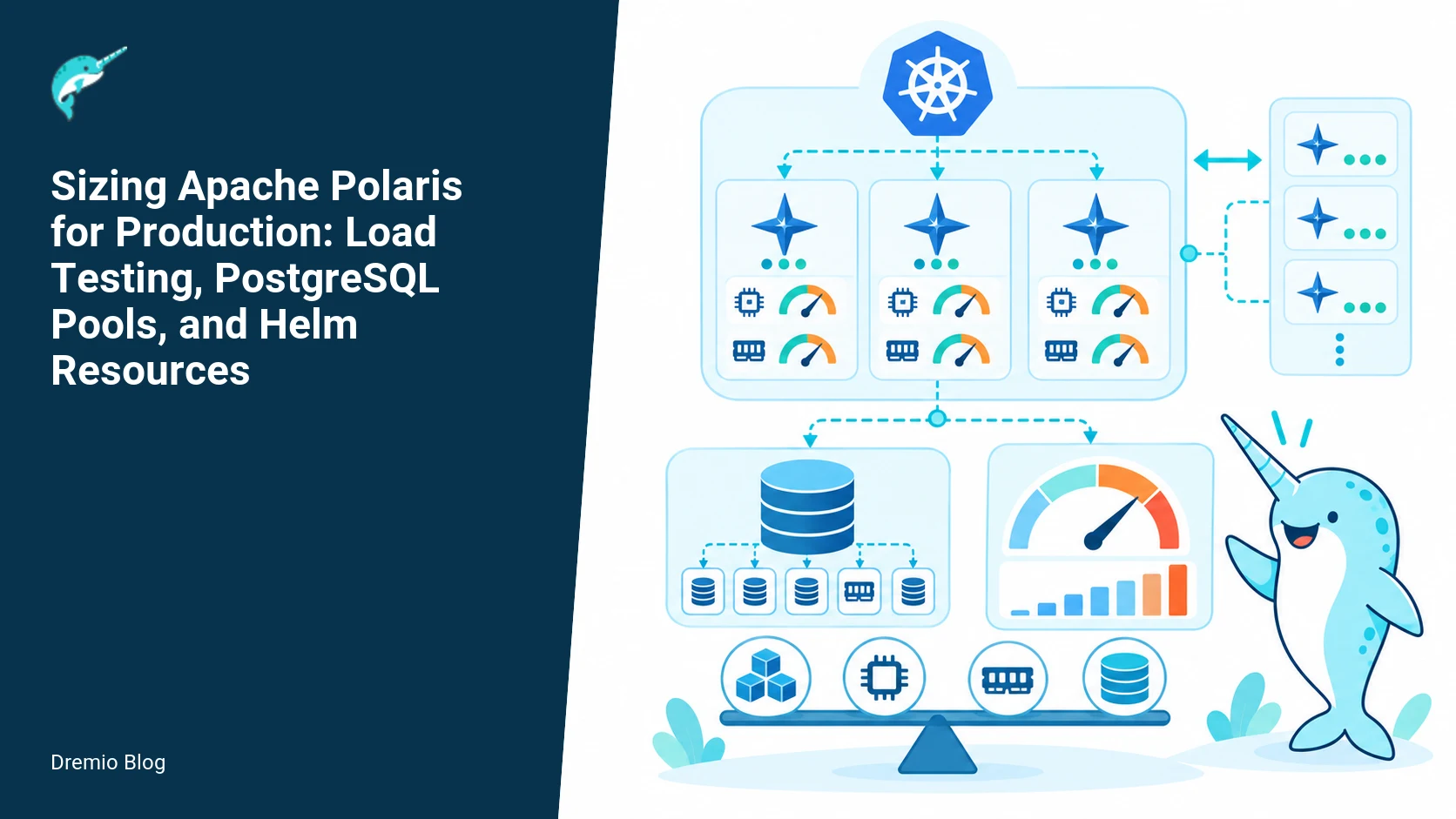
There is no universal Polaris replica count. Size the service from a representative mix of authentication, catalog lookup, commit, scan planning, and policy evaluation operations. Increase request concurrency during load testing until latency or error budgets fail, then tune application replicas, CPU and memory requests, PostgreSQL connection pools, and database capacity as a single system rather than as independent knobs. The rest of this guide explains how to build that load, what to measure, concrete Helm and pool values to try, failure modes to watch for, and a rollout checklist you can use for production acceptance.
What we are solving and the overall strategy
Polaris is not a simple stateless web server. It touches PostgreSQL for catalog and policy data, handles token exchanges, and coordinates metadata that influences downstream query planning. Capacity planning must treat the control plane, the database, and Kubernetes resources as one system. If you size replicas without considering database connections, you will spawn connection saturation and opaque failures. If you run only read-only tests, you will miss commit pressure and token exchange hotspots.
This guide walks through a repeatable process: model a representative mixed workload, run incremental concurrency tests, identify the first failing component, tune configuration (Helm CPU/memory, replica count, and PostgreSQL pool sizing), then iterate. It includes worked Helm examples, a mixed-workload test plan, and capacity acceptance thresholds. When I ran similar tests in production-like environments, the common failures were PostgreSQL connection exhaustion, CPU-steal on undersized nodes, and request queuing inside the container runtime. Your numbers will vary, but the decision points are the same.
Key cautions up front
In-memory persistence is not a production benchmark. Tests that run Polaris with in-memory persistence skip I/O, locking, and commit paths that stress PostgreSQL. Use a PostgreSQL instance with at least the same configuration and latency profile as production when measuring commit and metadata write behavior.
Every Polaris replica consumes database connections. Connection pool sizing limits how many replicas you can safely run without additional DB capacity or a connection pool proxy.
A synthetic read-only test hides commit and token-exchange pressure. Token server interactions and write operations generate short bursts of DB activity and authentication traffic that compound under concurrency.
Polaris capacity bottleneck map
Polaris capacity bottleneck map. Each stage has a result that can be checked before the next stage begins.
Capacity failures typically originate in one of these layers, often in this order for a mixed workload: PostgreSQL connection exhaustion, PostgreSQL CPU or I/O saturation, Polaris application CPU exhaustion, request queuing in the kubelet or container runtime, and finally request timeouts seen by clients. Map your environment against this list before tuning anything.
For example, a 12-replica Polaris deployment with default Helm pool settings can exhaust a 500-connection PostgreSQL limit quickly when each replica opens 40 pooled connections. Conversely, a single replica with small CPU requests can appear healthy at low concurrency and then produce long tail latencies when CPU throttling appears on the node.
Mechanics: how Polaris uses PostgreSQL and why pool sizing matters
Polaris uses PostgreSQL for catalog metadata, commit state, service configuration, and telemetry. Request paths differ in database profile: catalog lookup is often read-heavy and short, commit operations are short but strongly serialized, and token exchange or authentication calls may cause bursts of DB access. The Helm chart documents configuration keys for persistence and pool sizing. Check the production and releases documentation for version-specific values before applying them.
Every replica adds to the total pooled connections. If your application pool is 20 connections per replica and you run 10 replicas, that is 200 pooled connections. Add PostgreSQL reserved connections for maintenance, monitoring, and other clients. Factor in connection lifetime and idle timeouts: a short idle timeout can force reconnect churn under concurrency spikes, while a very long timeout can hold connections unnecessarily.
Replica and connection-pool relationship
Replica and connection-pool relationship. Each technical risk needs a matching test, boundary, or operating signal.
Use a simple formula to understand the relationship: total_pool = replicas * pool_size_per_replica + additional_clients. Additional clients include monitoring, CI jobs, and any manual psql sessions you allow. For provisioning, assume a safety factor. I often use a factor of 1.2 to 1.5 depending on how bursty the workload is.
Example: if PostgreSQL has a max_connections of 500 and you need to account for 50 additional non-Polaris connections, your Polaris budget is 450. If you want to run 15 replicas, pool_size_per_replica should not exceed floor(450 / 15) = 30. If Polaris defaults are higher, reduce pool size or add more DB capacity (or use a pooler). The Helm chart includes persistence and pool-related keys; see the release and production docs for exact key names and ranges for your Polaris version.
Designing a representative mixed workload
Load-test workload model. The loop turns table or catalog signals into controlled operational changes.
Capacity tests must exercise the set of operations that matter for your environment. A typical production mix includes:
Authentication token exchanges, often short, bursty, and sensitive to external identity provider latency.
Catalog reads, lookups, and schema validation that are read-dominant but frequent and often cached.
Commit and write operations which are less frequent but require durable DB commits and can serialize against each other.
Policy evaluations and ACL checks, which can be CPU-bound at the service layer and require catalog reads.
Telemetry and metrics emission, which create background DB writes. Telemetry configuration changed in Polaris 1.8.0, check the telemetry docs for your version if you collect telemetry to PostgreSQL or other sinks.
Build a workload generator that issues these operations at proportions that match production traffic. If you do not know the distribution, extract a sample trace from a representative hour in production. If that is not available, start with a conservative mix: 50 percent catalog reads, 20 percent token-exchange/auth, 20 percent policy checks, 10 percent commits. Then vary the ratio during a test window to observe sensitivity.
Worked example: Helm resource and pool values
The Polaris Helm chart exposes CPU and memory requests/limits, replica counts, and persistence/pool settings. The releases documentation for chart values is versioned, and the production docs include additional guidance for safety. Verify keys in your Polaris version using the Helm chart reference for that release. Below are example values you can use as a starting point, not as a final recommendation.
Example values for a medium environment, Polaris 1.8.0 chart keys referenced in the release docs:
Why these numbers? With 6 replicas and 30 pooled connections each, total pooled connections are 180. If your PostgreSQL max_connections is 250 and you reserve 30 for other clients, Polaris stays within the budget. CPU requests start low to allow bin packing, while limits give headroom for bursts. Memory requests reflect typical heap sizes observed in CI; increase if heap pressure shows in your tests.
Check the Helm chart production documentation for Polaris for additional persistence keys and recommended safety defaults. The in-development production docs for the Helm chart include additional pointers for running in Kubernetes with persistent volumes and database settings, which you should read before finalizing production values.
Mixed-workload test plan
Do not run a single workload type. A multi-phase test plan helps reveal which component fails first.
Phase 0, baseline: low concurrency smoke test, 10 minutes. Validate end-to-end functionality, connectivity to PostgreSQL, and that telemetry is emitted. Confirm health endpoints and readiness probes behave.
Phase 1, read-heavy ramp: start with catalog read traffic only. Ramp concurrent requests per second from small to the expected 95th percentile + 20 percent. Measure p50, p95, p99 latencies and DB active connections.
Phase 2, mixed steady: apply the representative mix (for example 50/20/20/10) at expected peak RPS for 30 to 60 minutes. Track DB connections, DB CPU and I/O, Polaris CPU and memory per pod, and request error rates.
Phase 3, write spike: inject bursts of commits and token-exchange operations at 2x expected peak for 5 to 10 minutes to observe serialization and backpressure behavior.
Phase 4, soak: sustain the expected peak mix for several hours to observe memory leaks, connection growth, and telemetry backpressure.
Implement the workload using a tool that can issue different request types and record response codes and latencies. Record PostgreSQL metrics (active connections, waiting queries, commit/sec), node-level metrics (CPU steal, IO wait), and Kubernetes events. If you use a connection pool proxy like pgbouncer, include that in the metric collection because it changes latency characteristics and connection patterns.
Capacity acceptance thresholds
Define acceptance thresholds up front. A practical set is:
Availability: 99.9 percent successful requests for control plane APIs over the test window.
Latency: p95 less than 200 ms for catalog reads, p95 less than 500 ms for token-exchange and commit operations, p99 below 2s across the board. Adjust to your user needs.
Error budget: less than 0.1 percent 5xx errors attributable to Polaris or DB connection refusal.
Database headroom: PostgreSQL active connections should not exceed 75 percent of max_connections in steady state, leaving room for bursts and maintenance connections.
Label these facts checked on October 27, 2026: the Polaris 1.8.0 Helm chart and production Helm guidance document the pool and persistence keys referenced above. The Polaris telemetry changes are documented in the 1.8.0 release notes. Always confirm version-specific keys before applying them.
Failure modes and how to diagnose them
When tests fail, identify whether the problem is database-related, application CPU/memory, or platform limits. Here are common failure signatures and how I diagnosed them in practice.
PostgreSQL connection exhaustion: symptoms are immediate 500 errors with logs indicating connection refusal, PostgreSQL active connections at or near max_connections, and short-lived spikes in connection counts. Remedy by lowering pool per replica, adding DB connections, or introducing pgbouncer.
PostgreSQL CPU or I/O saturation: long-running queries, elevated load average on DB host, and increased commit latency. Remedy by scaling DB resources, offloading some reads to a read replica, or optimizing schema and queries. Remember that commit bursts from many replicas can generate I/O spikes even if read load is modest.
Polaris pod CPU saturation: p95 latency rises while DB looks healthy, CPU usage near limits, and kubelet CPU throttling events. Remedy by increasing CPU requests/limits or horizontal pod autoscaling if suitable. Check for hot code paths such as policy evaluation loops.
Node-level scheduling and pod eviction: pods stuck in pending or OOMKilled due to aggressive limits or node pressure. Remedy by adjusting resource requests, using node selectors, or increasing node sizes in the cluster.
Token exchange hotspots: auth provider latency or rate limits. Symptoms include elevated latency on token exchange operations and correlated errors from identity providers. Add retries with exponential backoff, cache tokens when permissible, and include external identity provider metrics in postmortems.
Practical implementation and evaluation sequence
Follow this sequence during test runs. Each step is small and measurable.
1) Inventory: record current Helm values, replica counts, and PostgreSQL max_connections. Note PostgreSQL version and instance class.
2) Baseline metrics: capture 10 minutes of normal traffic metrics and query patterns. This yields the production mix or a defensible starting mix.
3) Deploy test namespace with identical Helm values. Use separate DB schema or a dedicated DB to avoid interference.
4) Run Phase 0 through Phase 4 from the mixed-workload test plan. Increase concurrency slowly during ramps, and let the system stabilize for at least 5 minutes at each step.
5) When you hit a failure, collect a diagnostic bundle: Polaris logs from failing pods, PostgreSQL activity snapshot (pg_stat_activity), and node-level metrics (top, iostat). If the failure is DBrelated, sample long queries and check for contention.
6) Tune one variable at a time: pool size, then replica count, then CPU request. Re-run the phase that caused failure. Track delta improvements and avoid changing multiple variables in the same iteration.
7) Once acceptance thresholds are met, run a 4 to 24 hour soak to confirm no resource leak or connection drift. If saturation happens later, consider increasing headroom or adding connection pooling.
Rollout checklist
Confirm Helm chart keys against the Polaris release chart reference and the production chart guidance for your version.
Create a capacity budget: PostgreSQL max_connections, Polaris pooled connections per replica, additional clients, and safety factor.
Set replicaCount and resources in Helm with realistic CPU and memory requests. Avoid extremely small requests that trigger throttling.
Run the mixed-workload test plan. Verify acceptance thresholds and soak for several hours.
Prepare rollback: previous Helm values and a database snapshot if schema changes are involved.
Run a staged rollout in production namespaces or clusters. Start in a low-traffic cluster such as the low-traffic canary cluster, then expand to a busier cluster like the higher-traffic production cluster after validation.
What to measure after deployment
Post-deployment monitoring should include both Polaris and database signals. Track these metrics continuously.
Polaris pod metrics: CPU and memory per pod, request counts, request latencies (p50, p95, p99), and 5xx rate.
Database metrics: active connections, waiting queries, commits/sec, checkpoints, and I/O latency. Keep an eye on connection churn and idle connection counts.
Kubernetes metrics: node CPU steal, pod restarts, OOMKills, and pod eviction events. CPU steal indicates oversubscribed nodes.
Auth provider metrics: token latency and error rate, to spot third-party throttling that will look like Polaris failures.
Telemetry pipeline health: ensure telemetry emission documented in the Polaris 1.8.0 telemetry docs is delivering. If telemetry is writing to a DB, measure its write rate and latency.
Capacity release gate
Capacity release gate. A reversible canary keeps an unsupported client or unsafe policy from becoming a fleet-wide incident.
Use a release gate that requires meeting the acceptance thresholds on a staging cluster before changing production replica counts or DB connection budgets. The gate should include the soak results and a signed checklist: DB headroom validated, no pod CPU throttling above a set threshold, and telemetry healthy for the duration of the soak. Do not release a higher replica count without ensuring DB connections scale accordingly.
Cross links and further reading
For checklist items, read the Dremio guide on running Polaris in production with Kubernetes, Helm, and PostgreSQL for practical operational tips and examples from an implementation perspective. The Dremio post explaining Polaris architecture helps you map request flows to the database and control plane. The Dremio overview guide is helpful if you need a highlevel recap of Polaris capabilities and components. These resources complement the release and production Helm chart documentation linked in Sources and will help you confirm the exact Helm keys and practices for your version.
Practical worked example: end-to-end numbers
This section walks through a concrete scenario and the decisions I made when testing it. This is not universal advice but a worked example you can adapt.
Scenario: expected peak control plane RPS is 1200 requests per minute, with a production mix resembling 50 percent catalog reads, 20 percent auth/token exchanges, 20 percent policy, and 10 percent commits. Initial environment: PostgreSQL max_connections set to 400, a reserved 40 connections for admins and other services, Polaris version using chart documented in the 1.8.0 release.
Step 1, budget: Polaris has 360 connection budget (400 minus 40). Using a safety factor of 1.2 for bursts, target steady-state pooled connections of 300. If you want 10 replicas, that implies pool maxConnectionsPerReplica = floor(300 / 10) = 30.
Step 2, initial Helm: set replicaCount to 6, CPU requests 400m, limits 1000m, memory request 768Mi. Set maxConnectionsPerReplica to 30 and idleTimeoutSeconds to 60. Deploy to staging.
Step 3, initial tests: ramp to the expected RPS using the mixed workload plan. Observe DB connections around 180 (6 * 30). Latencies are within p95 targets except commit p95 which is near the 500 ms threshold during commit spikes.
Step 4, scale test: increase replicas to 10 and rerun Phase 3 spike. With the same pool size, active connections aim at 300, within target. During the commit spike, DB I/O increased and commit latency rose. The fix involved raising the DB instance class to provide more IOPS and increasing PostgreSQL maintenance_work_mem for checkpointing efficiency. After DB tuning, commit latencies returned to within thresholds.
Step 5, guardrails: set an HPA or an operational guard that prevents increasing replicaCount beyond the connection budget. Add a CI check that calculates total pooled connections from Helm values before allowing a Helm release to higher replica counts.
What not to assume
Do not assume that increasing replicas alone will improve latency. If PostgreSQL is the bottleneck, adding replicas increases contention. Do not run read-only synthetic tests and assume writes will behave the same. Do not assume the default Helm pool settings are safe for your PostgreSQL max_connections. Always confirm keys for your Polaris chart version in the Helm releases or production chart docs linked below.
Implementation: automated workload runner and reproducible Helm values
This section gives a concrete, repeatable implementation for running the mixed-workload test plan against a Polaris cluster, and a templated Helm values fragment that you can copy, adapt, and version alongside your tests. Use the runner to produce the metrics that feed the capacity acceptance thresholds.
Do this on a separate test environment that mirrors your production control plane as closely as possible. Verify Kubernetes node CPU and memory limits match production targets, and verify the PostgreSQL deployment you are testing against is configured with identical max_connections and authentication settings. The Helm chart behavior referenced here is documented in the Apache Polaris 1.8.0 Helm Chart docs for releases and the in-development production guidance, so confirm values you change exist in your chart version. Facts checked on October 27, 2026.
Automated workload runner: architecture and commands
The runner must drive a mixed workload: metadata reads, registry writes, token-exchange calls that hit identity backends, and commits that exercise PostgreSQL WAL. Use separate thread pools or processes to control ratios and interarrival distributions. Below is a suggested structure you can implement in any language that supports async IO.
Workload components and control knobs:
Metadata reads: target 60 to 80 percent of operations. Use Pareto object selection so some tables/objects are hot. Simulate reads per second target matched to RPS acceptance thresholds.
Registry writes: target 5 to 15 percent of operations. Include create/update/delete cycles to exercise table locks and index updates.
Token-exchange and auth calls: target 5 to 20 percent of operations depending on expected client churn. Include failed and expired token cases.
Commits that write catalog changes: target 5 to 10 percent of operations. Use different transaction sizes, including some multi-statement transactions that update multiple catalog rows.
Background maintenance: occasional catalog vacuum or schema migration simulation operations, scheduled at a realistic cadence.
Run the runner from a dedicated machine with sufficient network bandwidth to the Kubernetes cluster. Capture the request latencies at the client side with histograms (p50,p90,p99), and capture server-side telemetry from Polaris and PostgreSQL. For telemetry collection, consult the Polaris telemetry documentation for the chart version you run. Facts checked on October 27, 2026.
Example execution steps, assuming a runner binary called polaris-load:
The runner must emit a compact summary JSON every minute with these fields: overall RPS, read RPS, write RPS, token-exchange RPS, p50/p90/p99 client latencies per operation class, number of active connections from Polaris to PostgreSQL, open transactions count, and error counts by HTTP status or SQL error. Store those JSON files in a versioned artifact store for later analysis.
Helm values fragment to use with the test runner
Below is a conservative starting Helm values fragment adapted to the Polaris Helm chart documented in the 1.8.0 release and the production guidance. Do not assume keys here match your chart version without checking the chart docs. Facts checked on October 27, 2026.
# values-test.yaml
replicaCount: 4
resources:
  limits:
    cpu: "1500m"
    memory: "3Gi"
  requests:
    cpu: "500m"
    memory: "1Gi"
postgres:
  enabled: false # use your external PostgreSQL test cluster
  connectionPool:
    maxConnectionsPerReplica: 100
    idleTimeoutSeconds: 60
persistence:
  enabled: true
  size: 10Gi
  # follow guidance in the chart docs for storage class and mount options
telemetry:
  prometheus:
    enabled: true
    serviceMonitor:
      enabled: true
How to iterate. Start with replicaCount 2 and maxConnectionsPerReplica 50 to validate basic behavior, then increase to the target configuration. Keep one control variable at a time changed so you can attribute effects. Record the exact chart version and Git commit of your values. The Helm chart doc pages show the supported keys per release, and the production guidance has extra fields that may apply to your environment. Facts checked on October 27, 2026.
Failure injection tests for non-functional regressions
Failure injection proves that your capacity configuration fails gracefully. Tests below focus on the things that most often break in production: PostgreSQL max_connections exhaustion, long WAL checkpoint pauses, sudden auth backend latency, and Kubernetes OOM kills. Use a chaos framework or scripted kubectl/psql actions.
Test 1: exhausting PostgreSQL connections
Goal, verify that when polaris replicas and other clients collectively approach PostgreSQL max_connections, the system fails in measured ways and provides actionable errors. Procedure:
Identify current PostgreSQL max_connections. Document it in the test report.
Run the mixed-workload runner at steady state with the target replicaCount and maxConnectionsPerReplica values.
Concurrently start a process that opens connections until PostgreSQL rejects new sessions. You can use a psql loop or a connection hammer tool tied to the same network namespace as Polaris.
Observe client error rates, server logs, and PostgreSQL server errors such as "too many connections". Capture the time to first rejection and error distribution.
Expected operating consequences. Polaris should return HTTP 5xx or specific errors for operations that require a DB session. Token-exchange errors might surface as authentication failures if token storage uses DB-backed state. Record whether requests queue in the Polaris process, or fail fast. If requests queue and latency skyrockets, consider adding a pooler like pgbouncer or increasing PostgreSQL max_connections. The chart production guidance documents connection-related settings you should review. Facts checked on October 27, 2026.
Test 2: long-running checkpoints and WAL pressure
Goal, validate how Polaris latency and commit behavior change during WAL pressure. Procedure:
Trigger a controlled workload that performs many commits with moderate transaction sizes, for example 100 transactions per second with 5 to 20 rows changed per transaction.
While the workload is running, increase checkpoint activity on PostgreSQL. If you control the DB, temporarily lower checkpoint_timeout or force an immediate checkpoint. Otherwise, schedule a backup that will generate WAL traffic.
Measure commit latency distribution, number of application retries, and PostgreSQL replication lag if applicable.
Expected operating consequences. Commit latency will increase when WAL flush stalls. You may observe increased retries or aborted transactions. Capture the percentage of transactions that hit the p99 latency threshold in your acceptance criteria. If p99 commit latency exceeds thresholds, consider reducing commit rate, increasing PostgreSQL IOPS, or changing application transaction batching.
Test 3: auth backend latency and token-exchange stress
Goal, see how Polaris and clients behave when token-exchange endpoints are slow. Token exchange appears in telemetry and can create connection churn if each request blocks waiting on external auth services.
Introduce artificial latency or failure into the identity provider used by your test cluster. For example, add a proxy that delays responses by 200 to 1000 ms for a portion of token exchange calls.
Run the mixed workload with a realistic token-exchange rate. Measure the number of concurrent token-exchange in-flight requests, token cache hit rate, and the impact on PostgreSQL connections if token state is read/written during exchange.
Expected operating consequences. If token-exchange causes synchronous DB operations, you will see increased DB connection hold time and a growth in connections in-use. If an identity backend is unreliable, consider adding local caching for tokens or increasing token-exchange concurrency limits in Polaris, if supported by your chart version and platform. Verify chart docs for the telemetry and auth configuration relevant to your release. Facts checked on October 27, 2026.
Decision table: scaling actions, their costs, and when to apply them
This decision table maps observable symptoms from your mixed-workload tests to scaling actions. Use it during rollout and for runbook playbooks. Apply the cheapest action first, then escalate if the symptom persists after a full soak cycle.
Symptom: High p99 read latency, CPU saturation on Polaris pods.
First action, increase pod CPU request and limit by a single step, then restart pods one at a time.
Cost, higher CPU bill and possibly scheduling constraints.
If persists, increase replicaCount and rebalance connection pool per replica. Verify PostgreSQL connections will still fit under max_connections.
Symptom: Rising PostgreSQL active connections approaching max_connections.
First action, lower maxConnectionsPerReplica in Polaris Helm values and redeploy, or reduce replicaCount if you can accept lower throughput temporarily.
Cost, may reduce concurrency and increase client latency under peak load.
If persists, add a connection pooler like pgbouncer in transaction pooling mode. Only add the pooler after testing because connection poolers change failure visibility and session semantics.
Symptom: Frequent SQL serialization errors or deadlocks under mixed write load.
First action, analyze transaction shapes and reduce transaction size or frequency in the application workload.
Cost, architectural changes to batching logic in upstream systems.
If persists, consider increasing isolate-level protection or redesigning the schema to reduce contention.
First action, add local caching for tokens if your client or Polaris supports it, and reduce synchronous token checks during peak.
Cost, cache invalidation complexity and possible staleness window.
If persists, increase timeout and concurrency settings for token-exchange components, or scale auth backend services.
Symptom: OOM kills on Polaris pods.
First action, raise memory requests and limits to the next safe level and restart pods one by one.
Cost, higher memory cost and larger node types may be required.
If persists, profile heap usage and verify persistence settings. Remember that in-memory persistence should not substitute for production testing of disk-backed workloads.
Apply actions in the order listed when symptoms are observed during your mixed-workload test. Each action should be validated with at least one full soak cycle matching your acceptance thresholds before proceeding to the next escalation.
Runbook checklist and measurement dashboard panel design
Operationalizing capacity means building a small set of dashboard panels and a runbook checklist you can follow during tests and production incidents. The checklist below is minimal but actionable. The dashboard panel list maps directly to the capacity acceptance thresholds and failure injection tests described earlier.
Runbook checklist
Confirm Helm chart version and values commit. Record replicaCount, postgres connection settings, and resource requests.
Ensure PostgreSQL max_connections and current connection usage baseline are recorded.
Start telemetry collection for Polaris and PostgreSQL. Verify Prometheus scrape targets for polaris and the database exporter are present.
Warm the cluster with a low-rate workload for 10 minutes, then run steady-state workload for the target soak duration in the acceptance thresholds.
If a change is applied, roll it one pod at a time and validate metrics after each pod stabilizes for at least five minutes.
Run each failure injection test in sequence, verify expected errors, and record timestamps for every anomaly.
Do a controlled rollback if any threshold is violated in a way that affects user-facing operations, following your incident policy.
Essential dashboard panels
Client-side RPS and per-operation class latency histograms (p50/p90/p99).
Polaris pod CPU and memory usage, per replica.
Active PostgreSQL connections, and per-PID connection duration histogram or percentile.
DB commit latency and WAL write/flush latency, if the exporter exposes them.
Token-exchange rate, token cache hit ratio, and auth backend error rate.
HTTP 5xx rate and SQL error classes observed at the application layer.
Design panels to allow filtering by replica and by operation class. A common omission is not showing active connections over time with an overlay of replicaCount changes. That visualization makes it obvious when a new replica immediately increases DB connection demand by N times the per-replica pool.
After a capacity change, compare the 95th percentile of active connections and p99 latency before and after the change. If you cannot reproduce prior baseline metrics within 10 percent, do not declare the change successful. Instead, rerun with an isolated single-variable change.
FAQ
How many Polaris replicas should I run?
There is no single number. Choose replicas based on expected concurrency, your PostgreSQL connection budget, and node resource capacity. Use the formula total_pool = replicas * pool_size_per_replica + other_clients to ensure you do not exceed DB limits.
Can I rely on in-memory persistence for performance testing?
No. In-memory persistence omits DB commits, I/O, and locking. It can flatter results. Always test with a PostgreSQL instance that matches your production latency and capacity profile.
What is a safe default pool size per replica?
There is no universal safe default. Start with 20 to 40 connections per replica as a testable range, then validate against your PostgreSQL max_connections and additional clients. Use the Helm chart keys to set pool sizes for your Polaris version.
How do I test token-exchange pressure?
Include token-exchange operations in your workload generator with the same patterns and error handling as production. Spike token exchanges in a dedicated phase to observe short-lived DB bursts and external identity provider behavior.
When should I add a connection pooler like pgbouncer?
If the total connection budget is limiting replica growth, or if you observe high connection churn, introduce pgbouncer. Test its impact on latency and observe that it can mask connection limits but does not eliminate DB CPU or I/O constraints.
How long should I soak a new capacity configuration?
At least 4 hours for basic validation, and 24 hours for production validation if feasible. Soaks surface leaks, connection drift, and telemetry pipeline issues that short tests miss.
Related Dremio guides
These guides cover adjacent implementation details that are outside this article's main scope.
Intro to Dremio, Nessie, and Apache Iceberg on Your Laptop
Editor’s note, September 2026. This post was published in September 2023 and some product details have changed since. Nessie is still available and self-deployable under the Apache-2.0 licence, and it remains the clearest implementation of catalog-level branching. It is not an Apache Software Foundation project, and its development has slowed considerably. For how the current […]
Oct 12, 2026·Dremio Blog: Open Data Insights
Apache Iceberg Table Statistics: NDV, Puffin and Query Plans
Iceberg keeps per-file bounds automatically but table-level NDV statistics only when you compute them. Why that decides join order, and how to keep them fresh.
Aug 16, 2023·Dremio Blog: News Highlights
5 Use Cases for the Dremio Lakehouse
With its capabilities in on-prem to cloud migration, data warehouse offload, data virtualization, upgrading data lakes and lakehouses, and building customer-facing analytics applications, Dremio provides the tools and functionalities to streamline operations and unlock the full potential of data assets.