Short answer: treat Glue-backed Iceberg tables and managed S3 Tables as two separate migration projects, with separate inventories, validation flows, and cutover rules. You can often point Apache Polaris at existing Iceberg metadata in S3 and avoid moving data, but managed S3 Tables may require relocating buckets or changing how metadata and object operations are controlled. The rest of this runbook explains the mechanics, gives worked commands and checks, describes failure modes, and provides a step-by-step rollout, validation plan, and what to measure after deployment.
Why these are two different migrations
Glue table catalogs that reference Iceberg tables and Amazon S3 Tables are similar only at a surface level, because both present tabular metadata and point to objects in S3. The differences that drive migration choices are concrete:
Glue with Iceberg, when managed as an Iceberg REST catalog, places metadata (manifest lists, snapshots) as Iceberg files in S3 and uses Glue only as metadata pointers and a REST catalog API. Apache Polaris can often register these tables without moving object data, because Polaris supports the Iceberg table layout and metadata model. See the Apache Polaris guides for documented registration behavior for Iceberg, and the Dremio blog post explaining Polaris architecture for design context.
S3 Tables are an AWS managed abstraction where the service may create, control, and operate the underlying buckets, endpoints, and access patterns. The table service can imply specific access patterns, object lifecycle rules, and endpoint dependencies. Migrating S3 Tables frequently requires a data relocation step, or at minimum a change in how access is provisioned to the bucket endpoints, because Polaris must be able to read Iceberg metadata and write snapshots without conflicting writers.
Those operational differences produce three non negotiable technical cautions you must keep front of mind:
Glue tables and S3 Tables are different source architectures, do not assume identical cutover paths.
Metadata registration must not create two active writers against the same Iceberg table; coordinate snapshot writers and metadata writes during migration.
Managed S3 Tables behavior may require data relocation to buckets you control to ensure Polaris can manage snapshots and manifests in the expected way.
These cautions shape the inventory, validation, and cutover sequences I outline below.
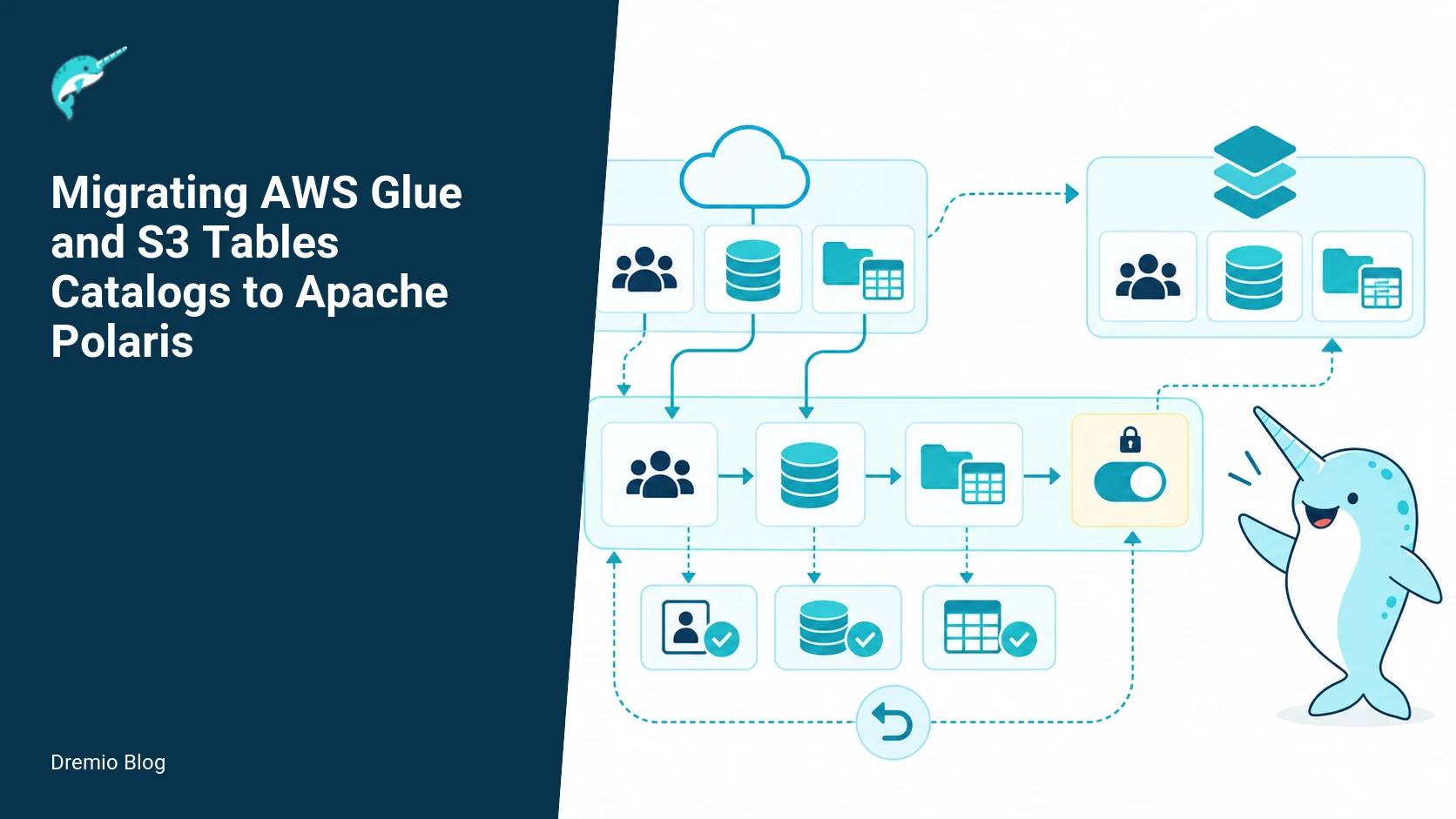
Two migration paths. Each stage has a result that can be checked before the next stage begins.
High level migration paths
Plan two parallel migrations with separate gates: Glue-backed Iceberg tables, and managed S3 Tables. Each path has the same broad phases: inventory, plan, register, validate, cutover, monitor. The differences are in registration (direct metadata registration vs data relocation and registration), and in cutover rules (coordinated writer freeze vs bucket endpoint change).
Path A: Glue-backed Iceberg tables
When Glue is only holding catalog pointers to Iceberg metadata stored in S3 and the Hive / REST catalog is not the single writer, Polaris can register the table to its Iceberg-compatible catalog and leave data in place. The common scenario is Glue used as a REST catalog endpoint that points at Iceberg metadata files in a data lake bucket. Verify that Glue is not enforcing a managed bucket lifecycle or request routing that would block Polaris.
Operationally this path often looks like:
Inventory with Glue to list Iceberg tables and their S3 locations.
Decide if Polaris will manage metadata in-place or use a new Polaris catalog pointing at the same S3 prefix.
Register tables in Polaris without duplicating data, ensuring write fencing to avoid two active writers.
Run dual-read validation and checksum comparisons.
Cut over writers to Polaris and remove Glue as the active metadata source.
For design context and the Polaris metadata model, see the Dremio background piece on Apache Polaris architecture. For REST catalog specifics and registration decisions, review the Apache Iceberg REST catalog guide and the Dremio post about the Iceberg REST catalog. Those explain pitfalls around multiple writers and registration strategies.
Path B: Managed S3 Tables
Amazon S3 Tables are a managed abstraction with their own service endpoint and Glue integration. Tables created through the S3 Tables workflow can live in service-managed buckets or be attached to customer buckets with service glue. The key operational point is the service can control how objects are written and may prevent another catalog from writing manifests or changing snapshot state in place. That usually forces you to either move data into buckets you control, or accept a write coordination layer where Polaris cannot be the active writer.
Operational steps for S3 Tables commonly include:
Inventory S3 Tables and determine which are in service-managed buckets versus customer buckets.
If in service-managed buckets, plan data relocation to controlled buckets that Polaris can manage.
Register relocated tables in Polaris, or, when possible, register read-only copies and maintain S3 Tables as the write path until you finish migration.
Validate with dual-read comparisons, then cut over writers and remove the managed table endpoints.
AWS documentation on integrating S3 Tables with Glue and the S3 Tables service behavior is required reading when planning this path. See the AWS S3 Tables integration guide and the migration guidance from AWS on moving tabular data into S3 Tables. Those describe the differences in how endpoints and permissions are provisioned for S3 Tables and why relocation is sometimes necessary.
Inventory and dependency map. Each technical risk needs a matching test, boundary, or operating signal.
Inventory and dependency mapping
Inventory is the most commonly botched step. If you miss a client, job, or service that writes metadata, you will create conflicting writers, causing failed commits or corrupted snapshot lineage. Inventory must include metadata sources, writers, readers, IAM principals, endpoints, lifecycle rules, and downstream consumers.
What to discover
Catalog entries: Glue databases and tables, and any S3 Tables registrations.
Bucket ownership: service-managed versus customer-owned buckets, and region/endpoints.
Writer principals: apps, Glue ETL jobs, Athena queries, AWS Glue crawlers, or third party engines that produce commits.
Reader principals: BI tools, analytic jobs, scheduled queries, third party services, and Glue-based jobs that only read.
Operational rules: lifecycle policies, replication rules, S3 Object Lock, retention, and versioning that may affect snapshot operations.
Access patterns: frequency of snapshot creation, small file counts, and high-concurrency commit rates.
Concrete inventory examples are below. These queries and API calls are examples you will adapt for your account and region; verify exact API names and pagination when you run them.
Worked example: inventory queries
<!-- wp:code -->
# List Glue tables with location and parameters (example using AWS CLI), page through results as needed
aws glue get-tables --database-name prod_db --query 'TableList[].{Name:Name,Location:StorageDescriptor.Location,Parameters:Parameters}' --output json

# List S3 object ownership and bucket tags used by S3 Tables
aws s3api get-bucket-tagging --bucket example-bucket
aws s3api get-bucket-ownership-controls --bucket example-bucket

# Inspect a table's Iceberg metadata location in S3
aws s3 ls s3://my-iceberg-bucket/path/to/table/metadata/ --recursive --human-readable --summarize

# Find objects with write-protecting lifecycle rules
aws s3api get-bucket-lifecycle-configuration --bucket example-bucket
<!-- /wp:code -->
These commands show you where Glue points and whether a bucket has lifecycle or ownership controls that could block Polaris writes. For S3 Tables, check the S3 Tables integration documentation to find which buckets are service-managed versus customer-managed in your account.
Dependency map
Create a dependency map that correlates table names to writer and reader principals, and to bucket ownership. The map should include last-modified timestamps for metadata and a snapshot ID. This gives you a reliable freeze point for cutover.
<!-- wp:code -->
# Example structure of a CSV you can generate and import to a spreadsheet
table_full_name,source_catalog,metadata_s3_prefix,bucket_owner,is_writer,last_snapshot_id,last_snapshot_time
prod_db.sales,glue,s3://my-iceberg-bucket/tables/prod_db/sales/,customer,etl-job-role,af7c9b1,2026-08-10T17:22:00Z
analytics.events,s3-tables,s3://aws-managed-bucket/events/,aws-service,false,9d3f5a2,2026-08-12T03:12:11Z
<!-- /wp:code -->
Keep the dependency map in version control or a shared ticket. Use it to decide which tables you can register in-place and which require data moves.
Dual-read validation. The loop turns table or catalog signals into controlled operational changes.
Registration plan and preventing dual writers
Registration looks simple: point Polaris at the metadata location and register the table. The danger is subtle. If Glue or S3 Tables can continue to accept commits while Polaris is also allowed to commit snapshots, you will get conflicting snapshot IDs, failed commits, or split-brain metadata. Preventing two active writers is the core safety rule.
Registration strategies
Read-only registration: register the table in Polaris as read-only for validation. This allows verification without changing the active writer.
Registration with a fenced writer ceremony: coordinate a writer freeze, register Polaris as the active metadata manager, then allow writes.
Proxy registration with write coordinator: keep the original service as the canonical writer and create a read-only Polaris registration until you can safely move writers.
Choose the strategy based on whether Glue or S3 Tables currently hold writer rights and whether you can freeze those writers temporarily. If you cannot freeze writers for business reasons, plan a longer dual-write validation and a staged handoff using a coordinator component to prevent split-brain.
Worked example: registration plan
<!-- wp:code -->
# Example registration checklist entry
- table: prod_db.sales
- current_catalog: glue
- metadata_prefix: s3://my-iceberg-bucket/tables/prod_db/sales/
- registration_type: read-only-validation
- planned_freeze: 2026-09-01T01:00:00Z
- post_freeze_action: register-and-enable-writes
- rollback_plan: remove-polaris-registration; re-point writers-to-glue

# Sample pseudocode for registration using Polaris guides
# Verify Polaris can list the metadata prefix and read the table snapshot
polaris-cli catalog list-tables --catalog ice_catalog
polaris-cli table describe --table prod_db.sales --catalog ice_catalog
<!-- /wp:code -->
Follow the Polaris guides to perform registration steps. The Polaris documentation explains catalog setup and table registration, including supported metadata models. For practical design notes on catalog choices, the Dremio post on choosing an Iceberg catalog compares Polaris to other options and helps decide where to register tables.
How to fence writers
Writer fencing depends on how your writers authenticate. Common methods are:
Revoke IAM role or policy that allows metadata writes, leaving read-only permissions for validation.
Stop or pause the job that performs commits, for example by disabling a Glue ETL job or pausing a scheduler.
Use a short TTL credential vending in Polaris to control which principal can write snapshots, coordinating with your identity service.
For more on RBAC and credential vending patterns in Polaris, see the Dremio post about Polaris access control. It explains how Polaris can be configured to vends credentials and how RBAC choices affect writer transition.
Validation: dual-read checks and checksums
Validation must prove Polaris reads the same data Glue or S3 Tables exposed, down to rows and files. My recommendation is a tiered validation approach: metadata parity, object-level checksums, and finally sample row-level checks. For production migrations I run automated checksum comparisons across a representative slice of each table, then move to full-table checks for smaller or critical tables.
Validation checklist
Metadata parity: table schema, partition spec, current snapshot ID, manifest list files, and snapshot timestamps must match.
Object level: S3 object counts in the metadata prefix and sizes must be equal. Optionally compare object ETag values where relevant.
Checksums: compute deterministic checksums over partitioned data using an order-insensitive method (for example, hash of concatenated column hashes with sort by partition key), compare values between Glue-led reads and Polaris reads.
Row samples: compare full row digests for specific primary-key partitions. This catches schema drift and hidden transforms.
Performance spot-checks: run typical production queries and compare latencies and result counts.
Worked example: validation checksums
<!-- wp:code -->
-- Example SQL to compute a partition-level checksum using Spark SQL or an engine that can read both catalogs
-- Replace catalog and table names with your Glue and Polaris registrations

-- On Glue catalog
SELECT partition_col,
       concat_ws(',',sha2(concat_ws('|', collect_list(concat_ws('#', col1, col2, col3))),256)) as part_checksum
FROM glue_catalog.prod_db.sales
WHERE partition_col BETWEEN '2026-08-01' AND '2026-08-31'
GROUP BY partition_col

-- On Polaris catalog
SELECT partition_col,
       concat_ws(',',sha2(concat_ws('|', collect_list(concat_ws('#', col1, col2, col3))),256)) as part_checksum
FROM polaris_catalog.prod_db.sales
WHERE partition_col BETWEEN '2026-08-01' AND '2026-08-31'
GROUP BY partition_col

-- Then diff the CSVs produced by both queries
<!-- /wp:code -->
Notes: the example uses collect_list which may not be practical for huge partitions. For large partitions compute streaming aggregates like xor-of-hashes or use HyperLogLog for cardinality. The goal is a deterministic comparison that does not rely on record ordering. If your tables have a natural primary key, compute checksums per primary-key and aggregate.
Dual-read validation automation
Automate the comparison pipeline: run the Glue-side query and Polaris-side query, write results to a validation bucket, and run automated diffs. Record checksums, snapshot IDs, and the exact queries used. If counts or checksums mismatch, do not cut over until resolved. Common causes of mismatch: cloning delays, object-level eventual consistency, snapshot differences created during registration, or schema evolution that Glue transformed on read.
Cutover and rollback state machine. A reversible canary keeps an unsupported client or unsafe policy from becoming a fleet-wide incident.
Cutover and rollback state machine
Cutover is the highest-risk phase. The state machine must encode transitions, operator actions, automated checks, and rollback triggers. Your plan must specify a single deterministic source of truth for writer ownership at each state.
State machine states
Active-Source: Glue or S3 Tables are the active writer, Polaris has read-only registration for validation.
Freeze-Pending: writers have been instructed to stop; IAM policies or job pausing must be confirmed.
Frozen: no new commits detected for a configured window; metadata snapshot ID noted.
Register-Active: Polaris registration completed with write permissions, Polaris becomes the active writer.
Validation-Post-Cut: run validation checks within a hold window; monitor for errors or application failures.
Rollback: triggered when validation fails or client errors increase beyond threshold; revert writer permissions back to original source and re-register if needed.
Completed: all traffic flows to Polaris, Glue or S3 Tables are demoted or removed as the active metadata source.
Automate state transitions where possible. For example, use a job that polls metadata last-modified times to confirm the Frozen state before allowing the Register-Active step.
Worked example: cutover checklist
<!-- wp:code -->
# Cutover checklist for table prod_db.sales
- T-minus 72h: notify stakeholders and freeze window; ensure change approvals
- T-minus 24h: run full inventory, last-modified check, and pre-copy validation
- T-minus 2h: disable scheduled ETL writers that commit to Glue
- T-minus 30m: revoke write IAM permissions for writer roles (or disable jobs)
- Confirm no new commits for 15 minutes using snapshot timestamp checks
- Record frozen_snapshot_id: af7c9b1 and timestamp
- Register table in Polaris and enable writes
- Run automated dual-read validation for key partitions (30m window)
- Open write path in Polaris for producers
- Monitor error rate and query failure rates for 2h
- If errors exceed thresholds (e.g., 5% of requests or N critical job failures), trigger rollback
- If validation passes and no errors, decommission Glue table registration

# Rollback actions
- Revoke Polaris write permissions
- Re-enable writer roles and Glue ETL jobs
- Point any intermediate routing back to Glue catalog endpoints
- Re-verify snapshot_id before accepting new writes
<!-- /wp:code -->
Remember, if the table was originally an S3 Tables managed bucket and you relocated data, rollback includes moving writers back or reconfiguring prefixes to point to the original managed endpoint. That is why relocation decisions must be reversible or staged carefully.
Failure modes and mitigations
Conflict on commit: simultaneous writers produce failed commits or corrupt snapshot lineage. Mitigation: never allow two principals to have metadata write permissions during the cutover window, and verify frozen snapshot with a TTL.
Object-level permission errors: Polaris cannot write manifests because bucket ownership or object ACLs block it. Mitigation: verify bucket ownership and S3 permissions ahead of registration. For S3 Tables, consult the AWS S3 Tables integration documentation to understand service-managed ownership.
Eventual consistency causing validation diffs: S3 listing or read-after-write may lag. Mitigation: allow for a safety window and use snapshot IDs for deterministic validation.
Large partitions make checksum computation impractical: Mitigation: use partition sampling, streaming hash algorithms, or content-addressable chunking to reduce memory pressure.
Rollback is time consuming because of large data relocation: Mitigation: stage relocation by copying data to customer-controlled buckets and keeping original service intact until validation completes.
Operational experience: I have seen teams that tried to reduce downtime by enabling concurrent writes for a short time. That usually ended in failed jobs and manual reconciliation. The safe approach is a brief controlled freeze, or a well-tested dual-write coordinator that serializes commits.
Rollout checklist and staging strategy
Use canary, partial, and bulk stages. A minimal rollout plan looks like this:
Canary: pick a small low-risk table with modest size and a single writer. Use the full freeze and cutover choreography. Measure time and failures.
Partial: migrate a set of tables that share a writer or are owned by a single team. That reduces blast radius and centralizes rollback knowledge.
Bulk: migrate the remaining tables in waves grouped by owner, size, or criticality.
For S3 Tables, I recommend an additional staging step: copy the metadata and data to customer-controlled buckets and register in Polaris pointing at the copied prefix. Run validation and cutover, then deprecate the source service-managed table. This avoids the risk of being unable to write manifests into the managed bucket.
The Dremio post on choosing an Iceberg catalog is helpful during staging; it explains trade offs between catalog choices, and why you might prefer Polaris for certain operational patterns. Once you are ready to operate Polaris at scale, the Dremio open catalog resources explain how Polaris fits into a broader multi-catalog strategy.
What to measure after deployment
Data correctness: ongoing checksum sampling and snapshot ID monotonicity. Record daily checksums for critical partitions for 7 days after cutover.
Writer success rate: percent of commit attempts that succeed versus the baseline before migration. A drop indicates permission or manifest write issues.
Query latencies: 95th and 99th percentile latencies for typical BI and ETL queries, compared to pre-migration baselines.
Object churn: number of manifests and small files per hour. Large increases can indicate a suboptimal writer pattern under Polaris.
Error rates: consumer error rates and failed job counts in the first 72 hours post-cutover. Define thresholds and automated rollback triggers.
Cost signals: S3 request counts and egress, plus API calls and any new Polaris operational cost items.
Capture these metrics with dashboards and alerting. I prefer a short roll period with tight SLOs, for example 2 hours canary, 24 hour watch window, then 7 day stabilization with decreasing alert thresholds.
Practical evaluation sequence
Here is a concrete sequence you can follow for a single table. Scale this into a pipeline for many tables but keep the steps atomic per table so you can rollback or track progress.
Pre-flight
Run inventory queries and build dependency map for the table.
Check bucket ownership and lifecycle rules.
Identify and notify writer and reader owners.
Plan a freeze window and command-and-control for IAM changes.
Validation-only registration
Register table in Polaris in read-only mode.
> Use the Polaris guides for catalog and table registration steps.
Run metadata parity checks, object counts, and partition checksum sampling.
Freeze and cutover
At T-minus, disable writers or revoke metadata write permissions and confirm no new commits for the freeze window.
Record freeze snapshot ID and timestamp.
Register Polaris as the active writer and enable write permissions.
Run post-cutover validation, then re-enable writers to point at Polaris.
For S3 Tables that required relocation, add the data copy and verify ACLs and IAM role trust policies so Polaris can write manifests. Use lifecycle transitions to reduce ongoing cost when you have verified full functionality.
Operational limits and things to verify
Before you start, verify these items in your environment. If any are unknown, block the migration until clarified.
Does Glue act only as a pointer to Iceberg metadata, or does it perform managed snapshot writes? Check your Glue job and crawler patterns and the Glue REST catalog configuration.
Are S3 Tables buckets service-managed? Consult the S3 Tables integration docs and your account mapping; if the bucket is service-managed, plan for relocation or a write coordination pattern.
Can you control IAM principals that perform metadata writes? If not, find an alternative writer-fencing mechanism.
Is Polaris version and configuration compatible with your Iceberg table metadata layout? Check the Apache Polaris guides and Polaris release notes relevant to your version. If uncertain, run a proof of concept with a copy of the metadata prefix.
Will moving data change endpoints or networking, for example private endpoints or VPC S3 gateways? Account for this in network security groups and endpoint policies.
Label facts checked on September 22, 2026: the Polaris guides document registration and catalog behavior as of that date, and AWS Glue and S3 Tables documentation describe the integration and managed bucket behaviors mentioned above. Always verify the exact behavior in your account and check the cloud provider docs for recent changes before executing a migration.
Practical, step by step implementation: from inventory to cutover
Start here with a concrete, repeatable sequence that moves an individual Glue Iceberg table or an S3 Table through inventory, registration, validation, and cutover. This expands on the existing worked examples by mapping commands, checks, and timings to clear decision points. The sequence below assumes you have a Polaris cluster with catalog write permissions and a read-capable Glue catalog or S3 Table endpoint. Verify the Polaris documentation for registration commands and the Glue S3 Tables documentation for endpoint behavior for your versions. Facts checked on September 22, 2026.
Target run time for a single medium table (100k files, 10 TB) on a well-provisioned network is a few hours, split roughly as: inventory and metadata fetch 15 to 45 minutes, registration and lightweight validation 10 to 30 minutes, checksum validation 30 minutes to several hours depending on sample size and parallelism, and cutover coordination 5 to 30 minutes. Smaller tables finish faster. Adjust your SLA and staging window accordingly.
Follow this sequence for each table you move. Pause if any validation step fails, and do not proceed until the failure is diagnosed and mitigated.
1) Inventory snapshot and dependency extraction
Run the inventory query included in the current draft to export a JSON line per table. Add these fields to the output: table_type (GlueIceberg or S3Table), location_uri, metadata_location, partition_spec, owner, and last_altered_timestamp. Example record for a Glue Iceberg table should include the Iceberg metadata_location so you can fetch table snapshot ids for checksum work later.
Save the inventory output to an immutable object, such as a dated S3 prefix. Tag the object with a migration id. Do not edit the file in place. This provides an audit trail if you must roll back or investigate divergences.
2) Registration plan drafting
Use the inventory snapshot to generate a per-table registration plan. The plan should be machine readable, for example JSON with fields: table_id, source_catalog, source_db, source_table, polaris_catalog, polaris_schema, polaris_table_name, registration_mode (inplace, read-only, copy), fencing_action (block-writes, create-readonly-view), validation_sample_percent, checksum_mode (per-file, per-partition, metadata-only), and rollback_action.
Decision rules to populate registration_mode and fencing_action:
- If table_type is GlueIceberg and metadata_location is reachable from Polaris and Glue catalog supports Iceberg REST integration for your version, prefer inplace registration, with fencing_action set to block-writes at cutover. Confirm the Glue documentation for the REST capability for your Glue version.
- If table_type is S3Table and the table uses S3 Tables managed layout that Polaris cannot read in place, choose copy and plan a data migration to the Polaris-managed store or an object store layout Polaris supports. Mark fencing_action to create a read-only source view until cutover.
- If an application requires no writes during validation windows, a validation-only registration_mode avoids changing write paths. This reduces risk but extends total migration time.
Emit a human review step for any table where last_altered_timestamp is within the last 24 hours, or where owner is a critical service account. That forces an operator confirmation before automated registration proceeds.
3) Validation checksum plan
Checksums must balance cost and risk. For very large tables a full object checksum is expensive. The validation checksums section in the draft lists approaches. Here are concrete choices to program into your plan with thresholds you can start with.
Checksum modes and thresholds:
metadata-only: compare Iceberg snapshot ids and manifest lists, and row-counts reported by table metadata. Use when both systems can read identical Iceberg metadata. Threshold: exact match required for snapshot id, otherwise fail.
per-file checksums: compute content checksums (for example SHA256) per object and compare sets. Use for tables with fewer than 500k objects when you can read objects in parallel. Threshold: 0 mismatches allowed for files present in both catalogs; missing files cause investigation and potential rollback.
sampled-by-partition: choose a deterministic partition sample, for example every Nth partition per day or hourly boundary partitions for time-partitioned tables. Compute checksums for full partitions. Threshold: 99.95 percent of sampled partition bytes must match, or escalate to full recheck.
Practical commands depend on your environment. For Iceberg tables where Polaris can read the metadata_location, start by comparing snapshot ids. Then list manifest files, download them, and compute checksums. For S3 Tables you likely need to enumerate objects via the S3 Tables endpoint or the underlying S3 inventory, then compute checksums from object fetches or object etags when available. Confirm the S3 Tables integration documentation for supported ways to enumerate objects in your Glue or S3 Table version.
4) Cutover checklist, with explicit failure branches
This expands the worked example cutover checklist into explicit commands and failure branches. Use a runbook system that records operator acknowledgements at each step. Consider turning the checklist into an automated state machine where feasible, with confirmations for destructive steps.
Pre-cutover gating, all must be green: inventory immutable snapshot present, registration plan approved, all validation checks for the table passed, owners notified with cutover window, rollback hot path validated and tested on a sample table.
Step 1, quiesce writers: use your application-level capability to pause writers. If your application cannot pause, apply fencing_action (for example a Glue policy change or network ACL modification) to prevent writes to the source. Failure branch: if writers do not quiesce within the agreed SLA, abort and rollback to recovery state. Do not proceed.
Step 2, final metadata sync: for Glue Iceberg tables, read the current metadata_location and snapshot id, record it, and confirm Polaris registration see the same snapshot. For S3 Tables with copy mode, complete remaining data sync using an incremental object copy. Failure branch: if Polaris cannot register the same metadata_location, abort and rollback fencing, re-enable writers, and investigate differences.
Step 3, final checksums: compute final checksums for the agreed mode. For sampled checks this could be a last-minute sample. Failure branch: any mismatch beyond thresholds requires abort. Re-enable writers and diagnose; do not progress to commit.
Step 4, switch reads: update consumer systems to point to Polaris. This can be DNS, connection string, or catalog endpoint change. Validate a subset of read-only queries. Failure branch: if read queries error or return unexpected results for a majority of sampled queries, revert consumer configuration and re-enable writers.
Step 5, promote writes: change application or policy to write to Polaris. Monitor write success rates and error rates for a predefined period, for example 15 minutes for low volume, 60 minutes for high volume. Failure branch: on write failures above acceptable error rate, execute rollback action from the registration plan which may include re-enabling source writes and re-pointing consumers. Capture a diagnostic snapshot of errors for postmortem.
Step 6, post-cutover verification: run a full state check, including counts, a sample of queries, and monitoring dashboards. Confirm no residual write paths to the source. If residual writers are detected, consider fencing the source more strictly and run a reconciliation process.
Each failure branch should include exact operator commands or references to your internal runbook. If you must re-enable writers quickly, avoid changing the table metadata in the source until all writes are safely redirected back to it, to prevent divergent metadata histories.
Failure injection tests to validate migration resilience
Do not assume everything will behave in production. Run failure injection tests in staging. The most useful experiments fail components you cannot control in production, namely metadata availability, partial object copies, and overlapping writers. Below are four tests, the exact steps to run them, and the expected results that indicate your rollback path works.
Test 1: metadata service outage during registration
What to do: while running an inplace registration of a Glue Iceberg table, simulate the Glue metadata endpoint returning 500 errors for a brief window. Achieve this by modifying IAM policy, inserting a firewall rule in staging, or using a proxy that injects failures.
Expected behavior: the Polaris registration attempt should fail or pause with a clear error. The registration plan must not have altered writer routing. Rollback: resume Glue metadata service, re-run registration. If the registration logic left a partial registration record in Polaris, the operator must remove it or mark it incomplete before retry.
Test 2: partial data copy for an S3 Table
What to do: during a copy-mode migration of an S3 Table, drop network traffic so that 30 to 50 percent of objects never arrive at the destination, or simulate transient copy failures for specific prefixes.
Expected behavior: the validation checksums should detect missing objects. The cutover checklist should fail at final checksums. Rollback: keep writers directed to source, remove any partial Polaris registration, and run an incremental re-copy plan that skips already-copied objects and logs failed ones for manual intervention.
Test 3: concurrent writes during final cutover
What to do: deliberately allow a small percentage of writes to the source during the quiesce window. This can occur if an application misses a quiesce signal. Create writes that append to the source table after your final metadata snapshot.
Expected behavior: metadata-only checksum modes will detect snapshot divergence, because the source ICEBERG snapshot id will have advanced. Per-file checksums may detect new objects. Your rollback path needs to reapply any missed writes or delay cutover until replication can catch up. This is why you must record the exact snapshot id used at cutover and compare it to the live source before promoting writes.
Test 4: consumer failure after read switch
What to do: after switching reads to Polaris for a sample of consumers, simulate a query pattern that triggers an optimizer path not present in production. For example run large aggregate queries that force different memory paths in Polaris and observe errors.
Expected behavior: if the consumer fails, revert consumer routing and keep writers on the original storage. This test validates your ability to roll back consumer changes rapidly, and highlights any differences in query execution between source and Polaris that you must document for operators.
Operational metrics, dashboards, and alerts
Measure success and detect problems quickly by instrumenting a few concrete metrics. Map each metric to a dashboard panel and an alert threshold. These are minimal but actionable. Some metrics require instrumenting your migration tooling; others come from Polaris or AWS CloudWatch. Confirm metric names and availability for your Polaris and AWS versions.
Registration success rate, per-table: count of successful registrations divided by attempted registrations over the last 24 hours. Alert if success rate drops below 95 percent for more than one hour.
Validation failure rate, per-table: fraction of tables that fail checksum or sample checks. Alert if more than 0.5 percent of registrations fail validation in a batch, or if a single critical table fails.
Cutover write error rate: errors returned on write operations to Polaris during the first hour after write promotion. Alert threshold depends on expected write QPS, for example more than 1 percent errors for steady-state writes, or more than 5 errors per minute for low-volume targets.
Source leftover writers count: active connections or last-write timestamp to the original source after cutover. Alert if any writer is active for more than your agreed safety window, for example 10 minutes after write promotion.
Reconciliation delta bytes: difference in total bytes between source object inventory and Polaris-visible objects post-cutover. Alert if delta exceeds your tolerance, for example 0.05 percent of total bytes or a fixed threshold such as 1 GB.
Migration orchestration failures: count of state machine aborts or operator aborts per deployment. Investigate any nonzero value in a production migration.
Dashboards should show time series for each metric, and an annotation layer for migration events like registration start, quiesce time, and cutover time. This helps correlate failures to specific operations.
Log schema recommendations: include fields migration_id, table_id, step_name, timestamp, operator, polaris_request_id, glue_request_id, and checksum_summary. Structured logs make postmortems faster.
Rollout checklist and staged validation plan
For a large catalog move, run migrations in stages. Each stage must prove the previous one behaved as expected. Below is a minimal four-stage rollout with explicit acceptance criteria for moving from one stage to the next.
Stage 0, pilot single noncritical table: run full sequence including cutover. Acceptance criteria: successful read and write for 60 minutes, zero reconciliation delta, and no critical application errors.
Stage 1, small batch of similar tables: migrate 10 to 50 small tables that share owners or application. Acceptance criteria: registration success rate greater than 98 percent, validation failures remediated, and dashboards normal for 24 hours.
Stage 2, high-volume tables in read-only validation mode: register large tables with validation-only registration_mode and run checksums. Acceptance criteria: checksum sample passes at configured threshold, performance of Polaris reads measured and accepted by owners.
Stage 3, full production cutover: run cutovers for remaining tables during scheduled windows. Acceptance criteria: all prior metrics within thresholds, rollback procedures tested within the last 72 hours, and operator staff on call during cutovers.
If any acceptance criteria are not met, roll back the stage and re-evaluate tooling. Keep the rollout slow. Large-scale automation is only safe after you have repeatedly validated the smaller stages.
What to measure after deployment, with concrete queries and thresholds
After cutover, continue to measure correctness and performance. The existing "What to measure after deployment" section is strong. Here are additional concrete checks you can schedule automatically for the first 30 days after cutover, including example queries you can adapt to your monitoring and Polaris SQL interface.
Example checks:
Row counts by partition, compare source vs Polaris: run a query that groups by partition key and sums bytes and row counts, then compute relative difference. Thresholds: per-partition difference less than 0.01 percent for partitions with more than 10 MB of data; otherwise flag for investigation.
Top N missing objects: list object keys present in source inventory but absent in Polaris object list. Threshold: zero unexpected missing objects for critical tables, otherwise investigate.
Query latency percentile comparison: measure 95th and 99th percentile latencies for a set of 20 representative queries before and after cutover. Alert if 95th percentile increases by more than 30 percent for more than 4 hours.
Consistent read test: for a list of synthetic queries that combine recent partitions and historical ones, run them concurrently on Polaris and source (if possible) and compare results. Threshold: exact match for deterministic queries; allow tolerated differences only when semantics are known to differ and documented in the registration plan.
Implement these checks as scheduled jobs that produce structured results. Include the migration_id and table_id so you can correlate failures back to the migration runbook. If you observe a persistent metric deviation for a table, escalate according to your incident policy and consider a targeted rollback for that table.
Finally, maintain a post-migration audit log for 90 days that records per-table snapshots used during cutover, checksums, and operator actions. This makes root cause analysis much faster if a later divergence is reported by an application team.
FAQ
Q1: Can Polaris always register Glue Iceberg tables in place without moving data?
A: Often, yes, when Glue is only a catalog pointer to Iceberg metadata stored in customer-controlled S3. But verify that Glue is not the exclusive metadata writer and that bucket ownership and permissions allow Polaris to read and, after cutover, write manifests. If any of those are not true, plan for a relocation or alternate handoff.
Q2: If a Glue table and a Polaris registration both allow writes, what breaks first?
A: You will see failed commit attempts, snapshot lineage divergence, and potentially partially committed manifests that cause downstream read errors. Prevent this by enforcing a single active writer through IAM, job control, or a coordination service.
Q3: Do I always need to copy data for S3 Tables?
A: Not always. If the S3 Table uses a customer-owned bucket where you control permissions, you may be able to register in place. If the bucket is service-managed by S3 Tables, relocation or a staged read-only validation approach is usually required because the service may prevent another catalog from becoming the active writer.
Q4: How do I validate huge tables where full checksums are impractical?
A: Use partition sampling, streaming hash functions, or compute keyed hashes per primary key in a streaming manner. For structural checks, compare manifest lists and snapshot IDs; for content checks, pick representative partitions or a rolling window of recent partitions.
Q5: What metrics indicate a failed cutover requiring rollback?
A: Define thresholds ahead of time. Examples: writer commit success drops below 95% versus baseline, consumer query errors increase by more than 5%, or checksum mismatches are detected for critical partitions. Any of these should trigger a rollback review and, if needed, an automated rollback sequence.
Q6: Where do I find exact steps for Polaris catalog registration?
A: Refer to the Apache Polaris guides for catalog and table registration instructions. They document supported metadata models and recommended registration practices. Use the Polaris documentation together with the Dremio posts mentioned earlier to design the operational details for credential vending and catalog selection.
Related Dremio guides
These guides cover adjacent implementation details that are outside this article's main scope.
Additional Dremio resources referenced in context: the Dremio post on choosing an Iceberg catalog explains catalog trade-offs and helps decide between Polaris and other catalogs. The Dremio piece on Apache Polaris architecture gives readers design context for how Polaris manages metadata. The Dremio article on Polaris access control discusses RBAC and credential vending to help with writer fencing. The Dremio post on the Iceberg REST catalog explains REST catalog mechanics when Glue is used as a pointer. The Dremio open catalog page describes how Polaris fits into a multi-catalog environment.
Try Dremio Cloud free for 30 days
Deploy agentic analytics directly on Apache Iceberg data with no pipelines and no added overhead.
Intro to Dremio, Nessie, and Apache Iceberg on Your Laptop
Editor’s note, September 2026. This post was published in September 2023 and some product details have changed since. Nessie is still available and self-deployable under the Apache-2.0 licence, and it remains the clearest implementation of catalog-level branching. It is not an Apache Software Foundation project, and its development has slowed considerably. For how the current […]
Aug 16, 2023·Dremio Blog: News Highlights
5 Use Cases for the Dremio Lakehouse
With its capabilities in on-prem to cloud migration, data warehouse offload, data virtualization, upgrading data lakes and lakehouses, and building customer-facing analytics applications, Dremio provides the tools and functionalities to streamline operations and unlock the full potential of data assets.
Sep 30, 2026·Dremio Blog: Open Data Insights
Apache Iceberg 1.12.0: What’s New, Breaking Changes, and Upgrade Guide
Apache Iceberg 1.12.0 expands v3 engine support, REST catalog operations, streaming reliability, and v4 groundwork. Learn how to upgrade safely.