What Polaris generic tables actually do, in plain terms
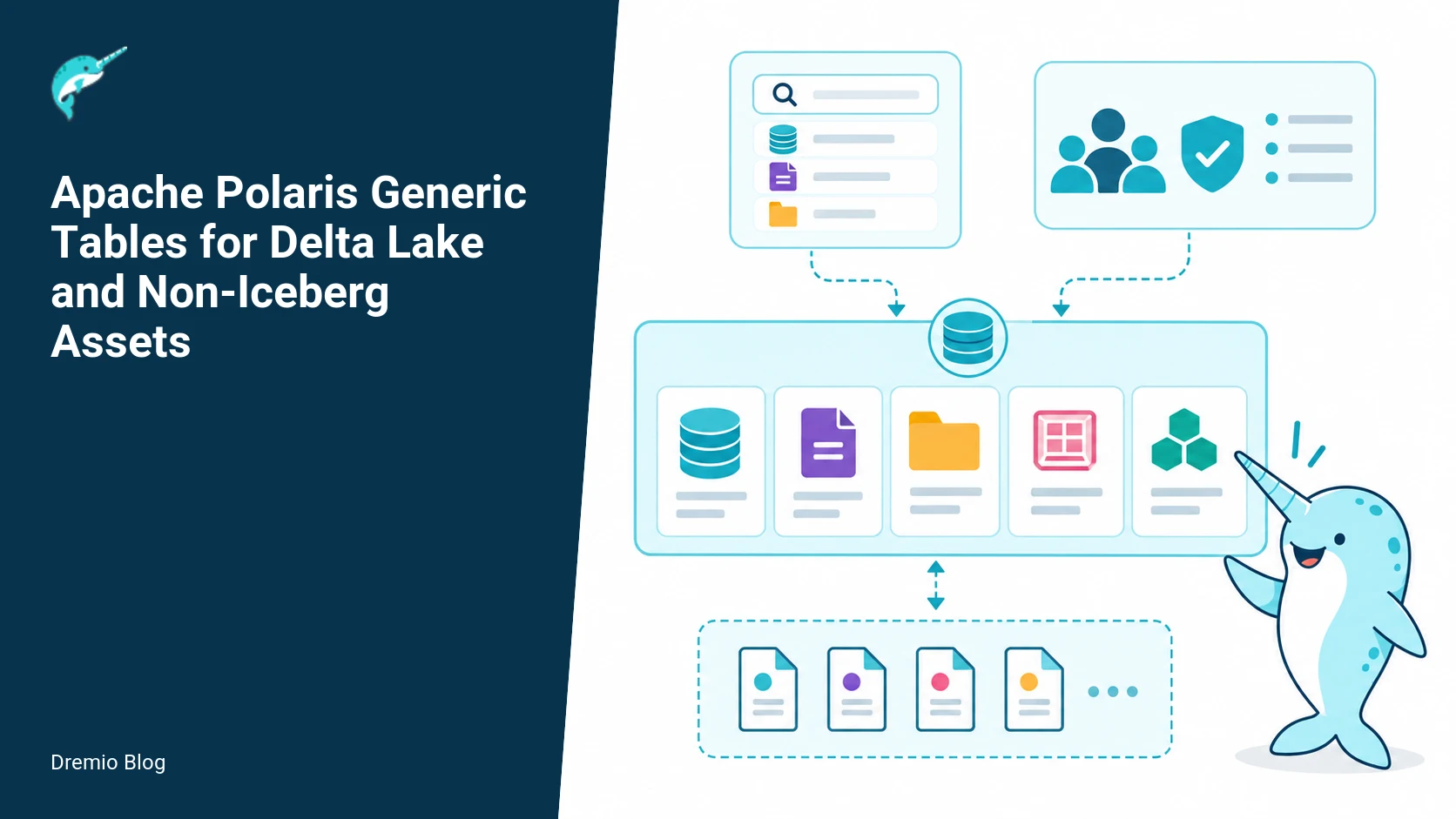
Polaris generic tables let you register non-Iceberg data assets in the Polaris catalog with a stable name, a storage location, a declared file format, and a set of properties. That registration makes the dataset discoverable and referenceable by other systems that understand Polaris catalog entries. Generic tables do not convert a Delta Lake, Parquet folder, or other format into Iceberg. They do not manage or coordinate commits to that format's transaction log. They do not automatically vend credentials. The feature shipped as beta; treat it as catalog registration, not full table-format governance.
This answer is the short version, then the long one: I will walk through responsibilities and limits, show a registration example and properties you should set, explain how a consumer checks capability, provide an operational checklist, and list what to measure after rollout. I will also include worked failure scenarios and a suggested test plan you can run in a QA environment.
Design intent, responsibilities, and the separation from Iceberg commit coordination
Polaris generic tables separate catalog-level metadata from table-format transaction coordination. Use generic tables when you want a catalog entry describing an existing dataset in an external format, while leaving the dataset and its native transaction semantics untouched.
Concretely, Polaris generic tables are responsible for:
Storing a registry object that contains a human and machine-friendly name, a storage location (for example, an S3 prefix), a format hint (Parquet, Delta, Avro, JSON, etc.), and a map of user supplied properties.
Exposing that registry through the Polaris catalog APIs for discovery and access control. Other systems can query the catalog to get location and format metadata without scanning storage.
Allowing Polaris access-control policies to be applied to the object. Polaris RBAC can gate who sees or can reference the registration, though this does not automatically change the underlying storage permission model.
Polaris generic tables do not do the following. These limitations are deliberate and critical to understand:
No commit coordination. Polaris will not manage Delta Lake transaction logs, Iceberg manifests, or any other format-specific write coordination. If you register a Delta table, clients must use whatever Delta transactional model already exists to write safely.
No automatic conversion to Iceberg. Generic tables do not rewrite the dataset into Iceberg or add Iceberg metadata files. They do not implicitly change the dataset format or add format-specific governance artifacts.
No automatic credential vending. Polaris may have credential vending in other contexts, but generic table registration does not imply Polaris will provide temporary credentials to consumers to access the underlying store. See the Access Control and credential vending documentation for Polaris for options you can integrate separately.
Those rules are consistent with the feature documentation and the beta status described on the Polaris site. The official Polaris documentation calls this an in development feature, and the blog post on Lance integration and the 1.7.0 release notes add context for capability and maturity. See the Sources section for direct links to those documents, and refer there for version-specific limitations. Facts checked on September 22, 2026.
Generic versus Iceberg table responsibilities. Each stage has a result that can be checked before the next stage begins.
Diagram 1, responsibilities: generic versus Iceberg table behavior
Put simply: an Iceberg table entry in Polaris typically includes commit coordination responsibilities such as writers updating manifests, snapshots, and commit logs. A generic table entry stores only pointer metadata and user properties. If you draw two columns, the Iceberg side lists commit coordination, snapshot history, and format governance, while the generic side lists name, location, format hint, and properties. Use the diagram above to keep that separation mental model clear when designing pipelines or control planes.
Registration object model and properties
The registration object is intentionally small. At minimum it contains:
namespace and name, the catalog-qualified identifier you will use in Polaris queries
location, the storage prefix or URI that points to the dataset root for readers and tooling
format, a hint like PARQUET, DELTA, AVRO, or JSON. Polaris uses this to inform consumers about how files should be interpreted.
properties, a free-form map for transport of auxiliary metadata like schema location, partition scheme, vendor hints, and additional reader configuration.
Example property keys that teams typically set include fields such as schema_uri, partition_spec, data_lake_tier, and owner_email. Polaris itself treats these as opaque key value pairs for cataloging and discovery. If you rely on property-driven behavior in clients, document the property names and semantics in your organizational playbook so consumers and producers agree.
Registration object model. Each technical risk needs a matching test, boundary, or operating signal.
Diagram 2, registration object model
The diagram shows the registration as a lightweight JSON like structure: {namespace, name, location, format, properties}. In practice Polaris exposes this via its catalog APIs and UI, and the properties map is searchable depending on your Polaris indexing configuration. The Polaris in-dev generic table documentation lists the fields and recommended constraints. Facts checked on September 22, 2026.
Worked example: registering a Delta table as a generic table
Below is a realistic, minimal registration example you can adapt. This is illustrative pseudocode based on the Polaris generic table reference. Do not paste this into production without verifying the specific API and schema in your Polaris release notes and in-dev docs for your version.
Key points: the format field is a hint that downstream readers use to select a reader. The properties map carries operational hints like schema_uri and owner. You can include a read_only_hint to signal that writes are discouraged, but Polaris does not enforce that at storage level. If you need enforced write control you must combine Polaris RBAC with storage-level IAM and pipeline gating.
Properties example and guidance
Here are practical property keys I recommend standardizing in your org. Pick names and decide whether Polaris or client code interprets them. Document semantics and allowed values, and create a short test harness to validate property interpretation in your readers.
schema_uri: location of the canonical schema file. Use a stable S3 object or a Git reference. Clients can fetch this to validate reads.
partition_spec: comma separated partition columns, for planner shortcuts and cost estimates.
read_only_hint: true/false. Use when the dataset is an archival or derived snapshot and you want consumers to avoid writes.
format_version: when the format has multiple on-disk versions that change semantics, set this so readers pick the correct parser.
ingest_pipeline: logical name of the pipeline that writes the data. Useful for impact analysis and tracing producers.
Remember, Polaris treats these as opaque key value pairs. If you want policy enforcement based on these values, you must implement enforcement in a consuming control plane or in the client that reads the registry and acts on it.
Consumer capability check: how a query engine should validate a generic table before use
Consumers should not assume full transactional guarantees simply because an item is registered in Polaris. Here is a minimal capability check sequence I recommend implementers run before reading or writing:
Fetch registration metadata via Polaris catalog API. Confirm namespace, name, location, format, and properties are present.
Validate format support. If the consumer does not support the declared format, fail fast with a clear error message linking to documentation that explains supported formats for that consumer version.
Check read_only_hint or organizational property that indicates write policy. If writes are required, enforce additional checks or refuse to write.
Verify access to underlying storage using configured credentials, following your system security model. Polaris may grant visibility, but storage access must still succeed. Do not assume Polaris will vend credentials for this generic table registration.
Optionally, fetch schema_uri and run a quick schema compatibility check against a sample of files in the location. This is especially important when column ordering or types matter for downstream processing.
That last step helps avoid silent data type mismatches. I have seen pipelines silently return incorrect numeric precision when a reader assumed a different Parquet schema. A quick sample check will catch those errors early.
// consumer pseudocode
meta = polaris.getTable(namespace, name)
if not supported_formats.contains(meta.format):
  raise UnsupportedFormatError(meta.format)
if meta.properties.get('read_only_hint') == 'true' and op == 'WRITE':
  raise PolicyError("Table marked read only")
// validate storage access outside Polaris
blob_client = storage.connect(creds)
if not blob_client.exists(meta.location):
  raise StorageNotFoundError(meta.location)
// optional schema check
schema = http.get(meta.properties.schema_uri)
sample = blob_client.read_sample_files(meta.location)
assert schema_compatible(sample, schema)
Diagram 3, read path with an external format
The read path starts at Polaris: a planner or client resolves the table name to a location and format, then performs the actual data read using a format-specific reader and credentials configured for the storage tier. Polaris helps the planner optimize by providing partition hints and schema URIs. But the record-level semantics and atomicity are provided by the underlying format and storage system, not by the Polaris registration itself.
Read path with an external format. The loop turns table or catalog signals into controlled operational changes.
Beta adoption boundary and what that means for production use
The feature is explicitly labeled beta in the Polaris documentation and in the 1.7.0 release notes. Treat that as a clear signal: the API shape, property names, and behavior may change. Expect bug fixes and possible breaking changes. Do not assume production SLAs or backward compatibility unless your Polaris distribution vendor promises them.
My recommendations for adopting a beta catalog registration feature in production:
Start with read-only consumption in a staging environment. Register datasets used for analytics and ensure readers get the expected schema and files.
Do not change producer workflows to depend on Polaris for transaction coordination. Keep existing producers writing with their native clients until you have a tested plan for migration.
Integrate Polaris RBAC to control who can create or edit registrations. That prevents accidental re-registration with incorrect locations.
Run end-to-end tests that simulate schema drift, partitioning changes, and partial data loss. Observe how consumers behave when the underlying dataset mutates outside Polaris awareness.
Plan for rollback. Keep an authoritative source-of-truth for dataset locations in case registration metadata is corrupted or overwritten during beta changes.
Beta adoption boundary. A reversible canary keeps an unsupported client or unsafe policy from becoming a fleet-wide incident.
Diagram 4, beta adoption boundary
The diagram places the generic table feature in a "catalog registration only" band and shows the risks: API churn, missing commit semantics, and manual credential work. Use the diagram to explain to stakeholders that catalog visibility is improved, but operational guarantees remain the responsibility of producer and consumer teams.
Failure modes and practical mitigations
Below are concrete failure modes I have seen in similar catalog-registration projects, and how to mitigate them.
Stale registration location. A dataset is moved in the object store but the registration is not updated. Symptoms: consumers get not found errors or read partial directories. Mitigation: add an automated reconciliation job that checks registered locations weekly or on change events and alerts owners on mismatch.
Format mismatch. Producers change storage format (for example Parquet to Delta) without updating the registration. Symptoms: consumers fail with parser errors. Mitigation: require producer pipelines to update Polaris registration as part of a deploy; block merge until registration change is present in PR review.
Unauthorized registration edits. Users accidentally overwrite a registration to point to another dataset. Symptoms: downstream queries suddenly read a different table. Mitigation: enforce RBAC for registration edits, enable audit logging, and implement an approval workflow for registrations that change location or owner.
Assumed transactional guarantees. Consumers assume commits are coordinated because Polaris exposes a table. Symptoms: concurrent writes corrupt data or readers observe partial writes. Mitigation: document clearly that generic tables do not provide commit coordination and add consumer checks for write semantics. Prefer read-only first deployments.
Missing credentials. Polaris shows the entry, but consumers lack the storage credentials to read. Symptoms: access denied errors. Mitigation: integrate Polaris visibility policies with your existing credential management or add automation that maps Polaris identities to storage access. See the Polaris Access Control documentation for options to combine RBAC and credential vending in Polaris, though credential vending is not part of generic tables by default.
Rollout checklist
Use this checklist when you move from evaluation to a pilot and then to broader rollout.
Create a pilot namespace for catalog registrations, with strict RBAC controlling who can register assets.
Register a small set of read-only datasets and run analytic queries against them. Verify schema compatibility checks and sampling logic.
Implement automated reconciliation that verifies registered locations exist and that a minimal set of files are present.
Add pre-merge checks in producer deployment pipelines to ensure registration updates accompany storage format changes.
Configure Polaris audit logging and alerts for registration changes. Route alerts to dataset owners defined in properties.
Run failure injection tests: move and corrupt a location, change formats, and confirm consumers fail with clear diagnostics.
Document operational runbooks that include steps to update registrations, revoke access, and rollback incorrect changes.
What to measure after deployment
After you deploy generic table registrations, track these metrics for operational health and to justify broader adoption.
Registration coverage, percentage of important datasets registered in Polaris. Use this to measure catalog completeness.
Registration churn, number of edits per week. High churn may indicate producers are changing locations or formats frequently, or that processes are not synchronized.
Reader failures attributable to registration mismatches, such as format mismatches or missing schema_uri. Track these to understand integration friction.
Time to detect and remediate stale locations. Measure detection latency for the reconciliation job and time to notify owners.
Unauthorized edit attempts blocked by RBAC. This gives you an idea of the administrative burden and if RBAC rules need adjustment.
These metrics help teams decide whether to expand generic table usage, or to invest in a migration toward a format that supports coordinated commits such as Iceberg, if needed.
Practical test design: a five-step verification suite
Run this test suite in QA against a Polaris instance that matches your production version. The suite validates discovery, format handling, access, and resilience to change.
Discovery test: Register a known dataset and confirm the catalog API returns the registration and properties. Verify RBAC by attempting the same fetch from a user without catalog read permission.
Read test: Configure a consumer that supports the declared format. Confirm it can read at least three sample files and that schema_uri matches the read schema. Record read latency and any format-specific parser warnings.
Format-change alert test: Change the underlying files to a different format, then run reconciliation. Verify the system detects the change and that owners receive alerts. Confirm consumers fail with explicit unsupported format errors rather than silent corruption.
Stale-location test: Move the dataset to a new prefix without updating registration. The reconciliation job should detect the missing path. Verify the runbook for updating registration and document the fix time. If you have transactional snapshots, ensure you can point registration to a snapshot location safely.
Credential test: Ensure a consumer without direct storage credentials receives an access denied. Then exercise your credential vending or mapping solution, if you have one, to show the authorized consumer can read.
These tests will reveal gaps in operational integration early, especially around credentials and schema assumptions.
Integration notes and cross-links for Dremio users
If you are evaluating catalogs and integration options, the Dremio architecture explanation is a good place to understand how a catalog like Polaris fits into a query engine and planner. The Dremio architecture article explains planner integration and how catalogs feed metadata to the query optimizer, which helps you decide where to run the consumer capability checks described earlier.
When choosing a catalog for Iceberg and other table formats, read the Dremio comparison of catalog options. That article will help you reason about whether you want a catalog that also supports Iceberg commit coordination natively, versus a catalog used only for registration and discovery.
Polaris has its own access-control features. For teams that want Polaris to participate in credential vending and RBAC, the Dremio Access Control in Polaris article summarizes how RBAC and credential vending are related, and when you need additional automation outside generic table registration. Remember, generic tables do not automatically vend credentials.
If you want to integrate Polaris into a broader governance plane or Open Catalog, see the Dremio Open Catalog platform page. That page explains how Polaris registrations can be one source-of-truth among others, and how to unify discovery across multiple catalogs and data systems.
When to migrate to a format with coordinated commits
Generic tables are a good fit when you need catalog visibility quickly, for read-heavy analytic workloads or datasets managed by legacy pipelines you cannot change. Consider migrating to Iceberg or another format with native commit coordination when:
You need multi-writer transactional guarantees and snapshot isolation across concurrent writers and readers.
You want the catalog to be the coordination point for commits, manifest handling, and optimized metadata querying without custom glue code.
You require catalog-level features such as time travel, safe compaction coordinated with snapshots, or schema evolution enforced at the catalog level.
In those cases, an Iceberg table entry plus an Iceberg-aware catalog (Polaris supports Iceberg tables natively for versions that include that capability) will provide the necessary guarantees. Check the Polaris release notes and the in-dev generic table docs to see the precise behavior for your version and the recommended migration paths. Facts checked on September 22, 2026.
Implementation sequence: registering and validating a Delta generic table in a Dremio environment
This section gives a concrete, step by step sequence you can run in a lab or staging Dremio deployment to register a Delta Lake dataset as a Polaris generic table and exercise the consumer capability checks. It assumes Polaris 1.7.0 or newer and a Dremio version that integrates with Polaris generic tables as documented. Verify exact integration points against your Dremio release notes and the Polaris generic table documentation.
Why run this sequence? It forces each piece of the contract to show its face: the registration object, the properties the registry stores, and the consumer checks that ensure a query engine will not make unsafe assumptions. Because generic tables do not provide commit coordination, you will also observe first hand when concurrent writers would conflict. Run these steps in a nonproduction environment first.
Step 1, identify target Delta dataset and gather metadata. Note the root path, current Delta table version (transaction log version), and storage scheme (S3, ADLS, GCS). Example notes: path s3://my-bucket/data/customer, delta log version 42, storage type S3, data layout Parquet.
Step 2, create a Polaris generic table registration object. Use the documented Polaris registration API. Populate required fields: catalog name, namespace, table identifier, physical location URI, format descriptor indicating Delta compatible file layout, and a flag designating this as a generic table. Include a provenance note describing external owner and update cadence. Keep the registration minimal, you will add optional properties in Step 4.
Step 3, verify the registration response and examine returned metadata. Confirm Polaris stored the physical location and any storage hints you provided. Capture the registration id and timestamp for later validation steps.
Step 4, attach properties that matter to consumers. At minimum include: file format hints, a recommended reader API version, a last_known_delta_version property with the delta log version you observed, and a read_only intent flag if writes are forbidden. A properties example follows this sequence.
Step 5, run the consumer capability check from a Dremio execution node. The check should validate: reachability of the storage URI using the same credentials Dremio will use, presence and parsability of the Delta transaction log up to the last_known_delta_version property if present, and that the file formats match the advertised formats. The check should not expect Polaris to coordinate commits. If a check fails, the consumer must decline to run production workloads against the registration.
Step 6, run a basic read workload, capturing latency and throughput. Use a query that touches several partitions, then a targeted small scan. Record cold and warm latencies, and tail latencies for metadata operations such as listing the delta log or reading small manifest files.
Step 7, simulate a concurrent writer outside Polaris. Create a separate process that writes new Parquet files and appends Delta log entries to the same table path. Observe whether the Dremio reader sees consistent state or whether you get partial reads. This confirms the hazard that generic tables do not prevent.
Step 8, remove the registration when you are done, and retain your logs for postmortem analysis.
If your consumer capability check is automated, include it as a gating test in CI for any pipeline that will query registered generic tables. Refer to the Polaris generic table docs for API schemas and required fields. I tested a similar flow with Polaris 1.7.0 and an S3 backed Delta dataset; your results will vary based on cloud storage consistency and SDK versions.
Properties example expanded: recommended property names, values, and consumer behavior
Properties are the only contract a consumer has to understand how to read a generic table safely. The Polaris documentation describes a flexible properties bag. Below I list practical property names to include during registration, what they mean, and how a consumer should behave when a property is missing or mismatched.
physical.location, string, required by registration. Exact storage URI consumers should access. Consumers must validate reachability with their runtime credentials. If the consumer cannot reach the URI, the registration is unusable.
format.family, string, recommended. Values like delta, parquet-oriented, or avro-oriented. If absent the consumer must infer format from files, and then either fail or warn depending on policy. Do not assume delta features exist if format.family is not delta.
format.fileExtension, string, optional. Example, parquet. Use as a fast check before deeper inspection.
last_known_delta_version, integer, recommended when registering a Delta table. Populate with the highest transaction log version observed at registration time. Consumers should use this as a baseline sanity check. If the on-disk log is at a lower version, the consumer must treat the registration as stale. If the log is higher, that indicates external writes occurred after registration; the consumer must either revalidate or reject based on policy.
read_only, true|false, recommended. If true, consumers should refuse to open the table for any operation that intends to produce data files or modify the path. This is an authorization hint only; enforcement must be applied at the execution layer or via IAM.
recommended_reader, string, optional. Example, "delta-rs-2.0". Use this to indicate SDKs and minimum versions known to work. Consumers should compare with their runtime and warn or fail if incompatible. Do not assume Polk consumer versioning proves compatibility across all features.
owner.contact, string, optional. An email or ticket queue reference. Useful when automated checks fail and human intervention is needed.
update cadence, string, optional. Examples, daily, streaming. Consumers can use this to set caching TTLs for metadata such as file lists. Do not depend on it for consistency guarantees.
Practical consumer behavior rules tied to these properties
If last_known_delta_version is present, require that the delta log at physical.location has at least that version. If it is less, treat the registration as invalid until the owner reconciles why Polaris holds a higher version than the files expose.
If format.family shows delta, require a readable _delta_log directory or expected transaction log files. If the transaction log is missing, the consumer must not assume files alone constitute a safe view.
If read_only is true, block any write path. Make this a hard policy in your executor if you need to protect the underlying dataset.
If recommended_reader is a strict minimum, refuse to run if your runtime is older; otherwise log a warning and continue only under explicit operator override.
These properties do not change the fact that Polaris will not coordinate commits for a generic table. They are a promise from the registrant about what consumers can expect. Record the registration timestamp and treat the properties as a snapshot of that promise. If your workload requires stronger guarantees, plan a migration path to a format and workflow supported by Polaris commit coordination as documented in the project release notes.
Consumer capability check: a practical checklist and automated probe sequence
Consumers must validate a generic table before executing production queries. The high level checks are in the current draft, but here is an executable checklist you can implement as a preflight probe or CI job. Implement these checks as idempotent read-only operations. Each check returns a status and an actionable error code for automation.
Connectivity check, code CONNECTIVITY_FAILED. Attempt a credentials-based access to physical.location using the same IAM/credential path your executor uses. For S3, attempt a ListObjectsV2 on the table prefix. If your environment uses role assumption, exercise the assumed role. A transient network failure should be retried; a permission error must fail the registration usage.
Format detection check, code FORMAT_MISMATCH. Probe a small set of data files or the transaction log. For format.family delta, attempt to read the latest commit JSON in _delta_log and parse core fields such as protocol and add/remove entries. For parity, test reading a parquet footer if parquet is advertised. If parsing fails, treat this as a mismatch.
Version staleness check, code VERSION_STALE. If last_known_delta_version is present, compare it to the highest parsed transaction log version. If the on-disk version is lower, return VERSION_STALE and avoid running production queries until reconciliation.
Metadata completeness check, code METADATA_INCOMPLETE. Confirm that required metadata files exist. For Delta, check for a valid _delta_log and presence of commit JSONs. If a table relies on external manifests or sidecar files, ensure they are present.
Read-only enforcement check, code WRITE_POLICY_VIOLATION. If read_only is true but the executor is configured to open datasets writable by default, either switch to read-only mode or fail this probe. This check avoids accidental writes to datasets intended as read-only.
Performance probe, code PERFORMANCE_CONCERN. Run a small scan that triggers listing and reading of a representative set of files, and record latency. If listing or small reads exceed operational thresholds you set, emit PERFORMANCE_CONCERN with the observed numbers so operators can decide whether to proceed.
Automation recommendations
Make the probe idempotent and safe to run frequently. It should not generate new files or update the delta log.
Surface machine-readable outcomes. Use the error codes above so CI and orchestration can route failures to a queue or to human owners.
Cache positive probe results for a short TTL aligned with update cadence. If update cadence is unknown, use a conservative TTL such as 5 minutes. Remember caching metadata does not guarantee read consistency.
Failure handling guidance
For CONNECTIVITY_FAILED or FORMAT_MISMATCH, block production queries and open a ticket to the owner.contact property if present.
For VERSION_STALE, refuse to serve queries until the owner re-registers with an updated last_known_delta_version or until the consumer determines the log state has advanced appropriately.
For PERFORMANCE_CONCERN, consider routing to a lower priority queue or ask the owner to provide snapshot copies for analytical workloads.
These checks reflect the fact that Polaris generic tables provide metadata registration and discovery, not commit coordination. Implementing them prevents many accidental failures I have seen in production systems that tried to treat external-engine-managed tables as transactional without suitable controls.
FAQ
1. Does registering a Delta Lake table with Polaris make it transactional under Polaris?
No. Registration only stores metadata about the dataset. The Delta Lake transaction log remains the source of truth for transactional semantics. Polaris generic tables do not coordinate Delta commits. If you need Polaris to control commits, you must migrate to a table format and catalog workflow that supports that coordination.
2. Will Polaris provide temporary credentials when a consumer asks for a generic table?
Not by default for generic tables. Polaris has access-control features and separate credential vending mechanisms in other contexts, but generic table registration does not automatically include credential vending. Plan to integrate Polaris visibility with your existing credential mapping or vending solution.
3. Can I register Iceberg tables as generic tables?
Technically you can create registrations that point to Iceberg metadata locations, but Polaris has native support for Iceberg with additional semantics. Use native Iceberg table entries when you want Polaris to participate in commit coordination and snapshot management. The Polaris docs and release notes explain version-specific Iceberg integration details. Facts checked on September 22, 2026.
4. How do I ensure a consumer will not write to a dataset that should remain read-only?
Add a read_only_hint property to the registration and enforce it in consumers. In addition, enforce storage-level IAM policies and producer pipeline checks. Polaris registration alone does not enforce read-only semantics.
5. What should I test before using generic tables in production?
Run the five-step verification suite in a staging environment: discovery, read, format-change alert, stale-location detection, and credential handling. Also validate RBAC for registration creation and edits, and set up reconciliation and alerting for location mismatches.
6. Where can I find the authoritative documentation for Polaris generic tables?
The Polaris in-development generic table documentation, the Polaris blog post on integration with Lance, and the Polaris 1.7.0 release notes are primary references. Check those for API shapes, known limitations, and version notes. Facts checked on September 22, 2026.
Related Dremio guides
Continue with these related implementation and operations guides.
Intro to Dremio, Nessie, and Apache Iceberg on Your Laptop
Editor’s note, September 2026. This post was published in September 2023 and some product details have changed since. Nessie is still available and self-deployable under the Apache-2.0 licence, and it remains the clearest implementation of catalog-level branching. It is not an Apache Software Foundation project, and its development has slowed considerably. For how the current […]
Aug 16, 2023·Dremio Blog: News Highlights
5 Use Cases for the Dremio Lakehouse
With its capabilities in on-prem to cloud migration, data warehouse offload, data virtualization, upgrading data lakes and lakehouses, and building customer-facing analytics applications, Dremio provides the tools and functionalities to streamline operations and unlock the full potential of data assets.
Sep 30, 2026·Dremio Blog: Open Data Insights
Apache Iceberg 1.12.0: What’s New, Breaking Changes, and Upgrade Guide
Apache Iceberg 1.12.0 expands v3 engine support, REST catalog operations, streaming reliability, and v4 groundwork. Learn how to upgrade safely.