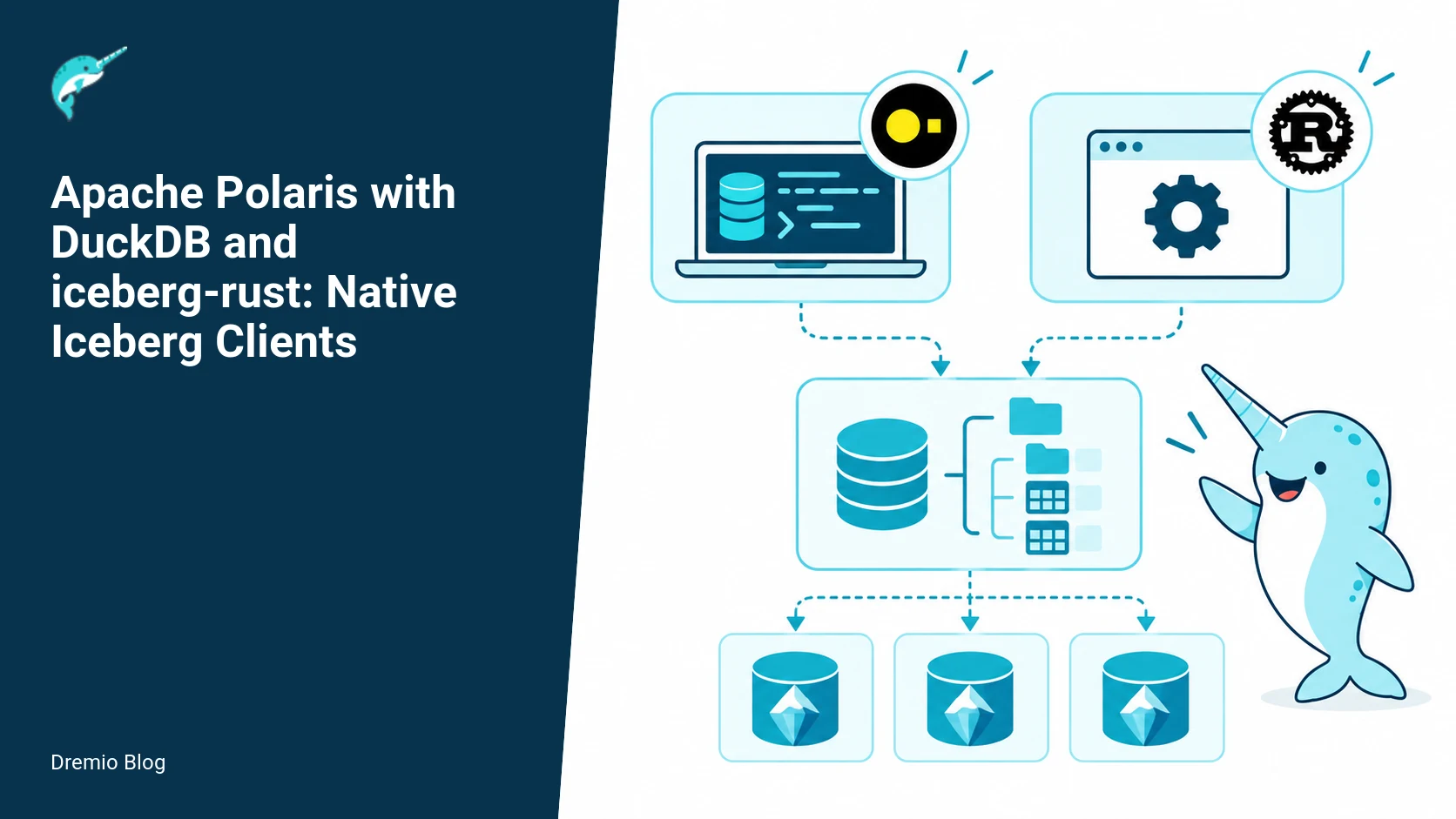
Technical review: Last verified September 29, 2026 by Alex Merced. This guide was checked against current Apache project documentation. Apache Polaris 1.8.0 is the latest documented release; examples that name an earlier release retain that version scope. Validate configuration in a non-production environment before rollout. For the broader context, see what Apache Polaris is and how it governs Iceberg tables.
Short answer: yes. Both DuckDB and the Apache iceberg-rust client can use an Iceberg REST catalog such as Apache Polaris, and they can operate without a JVM. DuckDB exposes an Iceberg extension that speaks the REST catalog contract for discovery and metadata, while iceberg-rust provides native Rust APIs to build applications and services that talk to the same REST endpoints. They rely on the same object store and REST protocol, but feature coverage, write semantics, and client-side behaviors are different. Test compatibility for your workloads, because REST access does not guarantee identical feature coverage or identical behavior across clients.
Why two native clients, and where they fit
This article compares two lightweight, non JVM paths to Iceberg: DuckDB with its Iceberg extension, and iceberg-rust. I cover how each client uses the Iceberg REST catalog contract, what they can and cannot do today, concrete examples you can run, and a practical compatibility and rollout plan. You will see where each client belongs in a stack, where behavior diverges, and which measurements matter after deployment.
Bottom line operational roles:
DuckDB, clinical use: local SQL-first analytics, ad hoc exploration, interactive notebooks, and ETL developers who want SQL and a small binary. It exposes an Iceberg REST catalog via an extension, and it reads and writes Iceberg tables using the object store plus REST metadata.
iceberg-rust, clinical use: native Rust services or SDKs that need programmatic table and transaction control in a low-overhead runtime. Use it to build connectors, ingestion agents, or embedded analytics in Rust applications.
Diagram: two native client paths.
Two native client paths. Each stage has a result that can be checked before the next stage begins.
How both clients use the Iceberg REST catalog contract
Both clients rely on two fundamentals: object storage for data files, and an Iceberg REST catalog for table discovery and metadata operations. The REST catalog exposes endpoints for listing namespaces, resolving table identifiers to metadata locations, and basic table operations. Because they speak the same REST contract, your Polaris or other REST-backed catalog can be reused by either client. That said, REST compatibility is a necessary condition, not a sufficient one for feature parity.
Practical consequences:
Authentication and endpoint configuration are shared concerns. You will still need client-specific config for tokens, TLS settings, and headers.
Object store layout matters. Both clients read and write data files from the same S3 or GCS bucket layout, so lifetime and GC rules need coordination.
Advanced Iceberg features may be only partially implemented in one client. Implementations follow their own release cadence, and DuckDB extension behavior follows DuckDB versions. The iceberg-rust crate APIs can change before 1.0. Test before you assume feature parity.
For more on Polaris and how engines use the REST catalog, Dremio has an explanatory post that clarifies how engines talk to the catalog, which is useful background when designing connectivity and security.
How DuckDB documents REST catalog support: the DuckDB Iceberg REST catalogs documentation details how to register REST endpoints and the configuration keys the extension expects. Read it to verify the exact options supported by the DuckDB version you plan to run.
How iceberg-rust documents its REST APIs: the crate API docs show the catalog REST module and the builder patterns used to construct a RestCatalog. The Rust docs are the place to check current API shapes and expected errors.
DuckDB: SQL-first local analytics with the Iceberg extension
DuckDB brings SQL, zero-install local execution, and a small binary. Its Iceberg extension implements REST catalog access and read/write operations. This section gives worked examples for attaching a REST catalog, reading a table, and writing data back to Iceberg. All code is runnable with the DuckDB CLI or from Python bindings, but the extension behavior follows DuckDB versions. Check the DuckDB docs for the version you run.
Diagram: DuckDB SQL flow.
DuckDB SQL flow. Each technical risk needs a matching test, boundary, or operating signal.
Attach an Iceberg REST catalog to DuckDB
-- Example SQL for the DuckDB CLI or from Python
INSTALL 'iceberg';
LOAD 'iceberg';

-- Register a REST catalog. Names and keys follow the DuckDB extension docs.
CALL iceberg_register_rest_catalog('polaris_cat', 'https://polaris.example.local', 'bearer-token');

-- Verify listing namespaces or tables
SELECT * FROM information_schema.tables WHERE table_schema = 'polaris_cat.some_namespace';
Notes: adjust INSTALL/LOAD and the call signature to match the DuckDB version you use. The DuckDB docs for Iceberg REST catalogs list current register options, supported auth modes, and edge-case behavior for redirects and timeouts.
Read a table
-- Read data with standard SQL
SELECT id, event_time, value
FROM read_parquet('polaris_cat.some_namespace.some_table');

-- Or use direct Iceberg table access if the extension exposes it
SELECT * FROM polaris_cat.some_namespace.some_table LIMIT 100;
DuckDB translates SQL into reads of files returned by the REST catalog. The extension will perform REST calls to resolve the table, fetch the manifest/list of data files, then push file reads into DuckDB's vectorized engine. This is why network latency and object store throughput matter for perceived query latency.
Write to Iceberg from DuckDB
-- Create or replace an Iceberg table and write
CREATE TABLE polaris_cat.some_namespace.new_table (id INTEGER, name VARCHAR, ts TIMESTAMP);

INSERT INTO polaris_cat.some_namespace.new_table
SELECT 1, 'alice', now();

-- Or write a Parquet file and commit using the extension's write API
CALL iceberg_write_parquet('polaris_cat.some_namespace.new_table', 'local-file.parquet');
DuckDB's write behavior is implemented by the extension. The DuckDB writing docs show which write modes are supported, catalog commit semantics, and limitations. In practice, writes perform local file writes or staged uploads to object storage followed by the REST commit call. Because extension behavior follows DuckDB versions, upgrades can change how writes get staged and committed.
Operational caution: concurrent writers and advanced transaction semantics are only as safe as the client and the catalog coordination. If you expect heavy concurrent commits, test the write path under load and verify the catalog behaves as expected.
iceberg-rust: native Rust APIs for applications and services
iceberg-rust is a native Rust implementation of Iceberg primitives, including a REST catalog module. It is suitable for building ingestion services, sidecar agents, or embedded clients in Rust software. The crate API documentation describes the RestCatalog builder patterns and the available catalog operations. Remember, the iceberg-rust crate APIs can change before 1.0, so pin versions and review release notes before upgrading.
Diagram: iceberg-rust application layers.
iceberg-rust application layers. The loop turns table or catalog signals into controlled operational changes.
Rust catalog builder example
// Pseudocode for a small Rust app using iceberg-rust
// See the iceberg-rust API docs for exact names and types.
use iceberg::catalog::rest::RestCatalogBuilder;

let catalog = RestCatalogBuilder::new()
    .endpoint("https://polaris.example.local")
    .auth_bearer("my-token")
    .build()?;

let table = catalog.load_table("some_namespace.some_table")?;
let snapshot = table.current_snapshot()?;
println!("Snapshot id: {}", snapshot.id());
Notes: consult the iceberg-rust API reference to confirm method names and error types. The Rust docs provide details on how the RestCatalog handles retries, expected HTTP error codes, and how table objects expose manifests and file listings.
Using iceberg-rust to write data
In a Rust service, you will typically build a WriteBuilder or use append APIs to create new data files, upload them to the object store, then commit via the REST catalog. The crate exposes abstractions for file metadata, partition values, and manifest updates. Because the crate is evolving, pinning and explicit integration tests are essential.
Cross-client compatibility: what is shared and what diverges
Both clients share object storage layout and the REST catalog contract for discovery and commit endpoints. That means they can agree on: table identifiers, manifest lists, data files, partition values, snapshot ids, and basic commit metadata. But they can diverge in:
Advanced feature support, for example native deletes, row-level operations, or implementation-specific metadata keys. One client may ignore certain metadata fields.
Write staging and upload strategies. DuckDB may stage local files differently than a Rust producer; both must produce object paths and manifest entries that the catalog accepts.
Error and retry semantics. The REST catalog responds the same way, but clients may implement different backoff and idempotency rules.
Shared REST access does not mean identical feature coverage. You must verify the exact behaviors you need, especially around schema evolution, partition transforms, and concurrent commit resolution.
I include several Dremio resources that explain Polaris and REST catalog concepts. The post on the Apache Iceberg REST catalog covers what the catalog is and how to use it, which helps with basic connectivity and topology decisions. The piece on Polaris with PyIceberg shows how a Python client interacts with a Polaris catalog, useful when comparing REST client behaviors across languages. The Polaris REST API post explains engine-catalog interactions, which helps when debugging commit and transaction failures. Finally, Dremio’s Open Catalog page explains how catalogs participate in a platform. Each of these pages is useful when you design authentication, user permissions, and multi-engine coordination. Links are embedded in the relevant text.
Worked cross-client smoke test
To confirm compatibility for your environment, run an explicit smoke test that exercises the common happy paths and a few edge cases. The sequence below uses both DuckDB and a small Rust program. It assumes you have access to a REST catalog endpoint and an object store with appropriate credentials.
Prepare the environment. Create or pick a namespace in Polaris and ensure both clients can authenticate. Record the REST endpoint, token, and object store credentials.
From DuckDB, register the REST catalog and create a small table with two rows. Use a deterministic name, for example test_compat_.
-- Run the DuckDB attach and write example from above. Confirm the DuckDB commit returns success and the catalog lists the table.
From Rust, load the same table using RestCatalog. Verify the table has the expected schema, snapshot id, and that manifests list the two data files. Use the Rust catalog builder example above.
From Rust, append one more row using the crate write APIs. Commit and record the new snapshot id.
From DuckDB, refresh and read the table, confirming the extra row appears. Then perform a small compaction or rewrite operation from one client and verify the other sees the new manifests and snapshot.
Test an error case: attempt a concurrent commit from both clients that performs different schema changes, or simulate a failed upload in one client. Observe how the catalog responds and how each client surfaces the error.
Diagram: shared compatibility test.
Shared compatibility test. A reversible canary keeps an unsupported client or unsafe policy from becoming a fleet-wide incident.
This smoke test reveals practical incompatibilities: for example, a client that writes manifest metadata keys that the other ignores, or divergent behavior when two snapshots are created almost simultaneously. Capture the exact HTTP calls and the object store paths for postmortem analysis.
Failure modes and what to watch for
Here are failure modes you will likely encounter and how to investigate them.
Missing or incompatible metadata fields. Symptom: one client cannot open a table or returns schema mismatch errors. Check: catalog table metadata JSON, manifest entries, and field names. Use HTTP traces to fetch the table metadata and compare.
Staged upload inconsistency. Symptom: writes appear committed in one client but files are missing for the other. Check: object store paths, eventual consistency windows on S3-compatible stores, and the staging strategy the client used.
Concurrent commit conflicts. Symptom: one commit fails with a conflict or the catalog accepts a commit that creates an unexpected state. Check: snapshot lineage and commit messages, and reproduce with reduced concurrency to see deterministic failure.
Client API changes when upgrading. Symptom: upgrades change write semantics or add metadata keys. Check: release notes and re-run the smoke test after every client or catalog upgrade.
Operational tip: capture full REST call and object store audit logs during tests. This gives you a deterministic map of operations to trace failures and confirm which client made which change.
Rollout checklist
Pin client versions: choose a DuckDB version and an iceberg-rust crate version, and test both together in a staging environment. Remember the DuckDB extension behavior follows DuckDB versions, and iceberg-rust APIs can change prior to 1.0.
Run the cross-client smoke test, automate it as part of CI. Include successful reads, writes, appends, compaction, and a couple of failure cases.
Validate object store permissions and eventual consistency characteristics. Test with your production S3/GCS settings because behavior varies by provider.
Record metrics and logs for REST calls, including latencies, 4xx/5xx rates, and retries.
Plan for rollback: keep a snapshot of catalog metadata and object store paths before mass writes or schema changes.
Document operational procedures for resolving commit conflicts, including steps to inspect snapshots and, if needed, to revert to a prior snapshot.
What to measure after deployment
Measure these indicators so you know the system is behaving.
REST catalog latency, per endpoint. Track list namespaces, table metadata fetch, and commit endpoints separately. Spike correlation with query latency is common.
Commit success rates and conflict rates. If conflict rates rise, you are either under-provisioned for concurrency or some client is producing unexpected commit history.
Object store error rates and upload latencies. Slow uploads directly hurt write latency for both clients.
End-to-end read latency for representative SQL workloads in DuckDB, and API latency for Rust operations that load tables and manifests.
Data correctness checks: run periodic checksum or row-count comparisons between a known source and the Iceberg table across both clients.
Practical decisions and trade-offs
Choose DuckDB when you need SQL-first interactivity and a minimal runtime. Choose iceberg-rust when you need a native library for production services and programmatic control. When both must coexist, treat the catalog as your coordination point and assume differences in feature coverage until proven otherwise.
If you need strong transactional semantics under heavy concurrent writers, measure commit conflict rates and test failover scenarios. If your workload is mostly reads and occasional writers, the two-client model is straightforward. If you will use advanced Iceberg features, verify each client's support and roadmap before committing to a production rollout.
Evaluation sequence you can run in one weekend
1) In a staging environment, register Polaris or your REST catalog endpoint in DuckDB and in a small Rust test harness using the RestCatalog builder. Create a deterministic test table name.
2) Run the DuckDB attach and write example to create two base rows. Confirm the catalog lists the table and snapshot id.
3) From the Rust harness, load the table, inspect manifests, and assert row count equals two. Append a third row and commit.
4) Back in DuckDB, refresh metadata and assert three rows appear.
5) Run a compaction or manifest rewrite using the Rust client. After commit, read the table from DuckDB and verify the compaction did not change data.
6) Simulate a failure: block object uploads for one client during an append, then let the other client commit. Observe the error modes and catalog state.
7) Capture REST call traces and object store listings for all steps. Store these traces with your CI artifacts so upgrades can be compared against the baseline.
A weekend smoke-to-failure implementation you can run
This section gives a concrete, time boxed plan that exercises the four examples you already have: attach and query in DuckDB, write from DuckDB, build a Rust REST catalog, and run the cross-client smoke test. Expect about 4 hours of hands on work. Verify your DuckDB version supports the Iceberg extension before you start, and check the iceberg-rust crate documentation for any API changes if you run a pre-1.0 release.
Prepare a small environment first: a local object store emulator (for example MinIO), a Polaris REST catalog endpoint you control, DuckDB with the iceberg extension installed, and a Rust toolchain with the iceberg-rust crate added. The following sequence assumes you have a working Polaris REST catalog endpoint and credentials you can supply to both clients. If you do not, replace the catalog host with the MinIO-backed REST mock you choose, and confirm the mock implements the REST endpoints the clients will call. Record, in a short note, the catalog URL, access key, and secret key for later steps.
Step 1, attach and quick query with DuckDB, 30 minutes. Start a DuckDB shell, then run the attach command you already have in the draft. Confirm a simple SELECT returns zero rows for a new table, or returns the expected rows for an existing one. If the attach command errors, capture the full error text and note the DuckDB version. Common failures: extension not loaded, TLS errors when catalog uses HTTPS, or credential misconfiguration. Fix those before continuing.
Step 2, write from DuckDB, 1 hour. Use the write example in your draft to create a small dataset, write as Parquet into an Iceberg table partitioned by a simple column, then SELECT from that table again to validate the commit. After the write, check the object store to confirm Parquet files were created and the table metadata file updated. If the write appears successful but the table reads return stale results, pause and check object store eventual consistency rules, then re-run the SELECT after a short delay.
Step 3, Rust catalog builder and write, 1.5 hours. Create a minimal Rust binary that uses the iceberg_catalog_rest API variant shown in your draft, building a catalog object configured to point at the same Polaris REST catalog. Use the catalog to create a table and write a few rows using the iceberg-rust write example. Check that the Rust write commits the table metadata by listing the table manifest and inspecting the created Parquet files in the object store. If the crate API you depend on has changed since the draft, consult the crate docs and adapt the builder calls accordingly.
Step 4, run the cross-client smoke test, 1 hour. From DuckDB, SELECT rows from the table the Rust process wrote. From the Rust program, read the table the DuckDB process wrote. Confirm both clients see the same partition layout and row counts. If they diverge, collect both clients logs, the Polaris REST request logs if available, and the object store object listing at the time of each operation. Divergence commonly indicates a write that did not complete a metadata commit or a visibility delay from the catalog or object store.
Wrap up by repeating one write operation while running a background monitor that polls the REST catalog and the object store every 10 seconds. This will expose race conditions, such as partial commits or ordering problems, quickly. Keep all artifacts: client logs, REST catalog responses, and Parquet file lists. Those are the primary evidence in diagnosing cross-client incompatibilities.
Failure injection tests to validate cross-client visibility and recovery
Automated failure injection proves the system behavior you will rely on in production. Target three classes of failure that matter in practice: object store write failures, metadata commit partial failures, and REST catalog transient errors. Each test is small, deterministic, and repeatable. Run them against a staging Polaris REST instance and the MinIO object store you used in the smoke test.
Test A, object store write failure. Configure object store to reject writes for 30 seconds after a write attempt, or inject a network drop between client and object store. Steps: start a DuckDB write, then trigger the failure mid-write. Expected outcome: DuckDB should surface a write error before committing metadata. Verify no metadata file references missing data files. If metadata was committed referencing missing Parquet files, this is a broken-write scenario your operators must detect and remediate manually.
Test B, commit partial success. Simulate the REST catalog accepting the metadata update but object store failing to flush one or more file uploads. Steps: perform a Rust write that uploads files then calls the REST catalog commit, but block replication of one Parquet file. Expected outcome: commit should either fail consistently or the system should record a reference to a missing file. Capture the table metadata and the object listings. If the commit succeeded without uploaded files, add automated checks to your write path to verify existence of referenced files before returning success to clients.
Test C, REST catalog transient errors. Use a proxy to return 5xx for a configurable window. Steps: run concurrent DuckDB and Rust operations while the proxy injects brief 5xx bursts. Expected outcome: clients retry sensible requests or surface explicit errors according to their documented retry behavior. If either client retries indefinitely or hides errors entirely, you must add a supervisor that translates transient errors into clear operational alerts.
For each test, collect the following artifacts: client logs, REST catalog request and response bodies, and object store object timestamps. These are the inputs for diagnosing root cause. Label which tests passed and which failed, and update your rollout checklist accordingly.
Operational metrics and alert thresholds to measure after deployment
After deployment you will want a small, focused set of metrics that give early warning of cross-client inconsistency, write failures, and catalog responsiveness. Instrument both the DuckDB host and the Rust service that uses iceberg-rust, and surface these metrics to your monitoring system.
Catalog commit latency, histogram of REST commit request latency. Alert if the p95 exceeds 2 seconds for more than 5 minutes. Long commit latency correlates with increased risk of concurrent write conflicts and client timeouts.
Failed commit rate, commits returning non-2xx. Alert on a sustained rate above 1 percent over 10 minutes. Failure here usually means credential, permission, or transient backend problems.
Missing-file references, detection count of metadata that references non-existent object store files. Alert on any occurrence. If you detect even a single case, run the failure injection recovery checklist.
Object store 4xx and 5xx rates, client-observed error counts. Alert if 5xx exceeds baseline by more than 50 percent in 5 minutes. Object store issues are a frequent cause of write visibility problems.
Cross-client read mismatch, periodic job comparing row counts and partition lists between DuckDB and iceberg-rust views of a canonical table. Alert on any mismatch. This job is the single most useful syntactic check for cross-client compatibility.
Catalog API error breakdown, per-endpoint error counts for REST operations used by clients. Track which endpoints produce the most errors, because not every endpoint is equally exercised by DuckDB and iceberg-rust.
Set your alert thresholds conservatively while you run the weekend tests described earlier. Expect some spikes. After two weeks of stable operation, tighten thresholds based on observed medians and p95s. Label all metrics that depend on client versions or crate versions when you add them to dashboards. Facts in this section were checked on September 22, 2026 where they are version sensitive.
Decision table: when to prefer DuckDB or iceberg-rust for writes
This table helps you pick where to put write logic. It assumes both clients talk to the same Polaris REST catalog and your deployment meets the catalog and object store expectations in the rollout checklist.
Small ad hoc analytics writes, prefer DuckDB. If you are iterating locally, using SQL, and producing small Parquet payloads, DuckDB is simpler. Verify the DuckDB version you use supports the writer patterns in the DuckDB Iceberg docs.
Application integrated writes with business logic, prefer iceberg-rust. If writes must run inside a service, need schema evolution logic, or require programmatic control over manifests, use the Rust APIs. Note the crate API may change before 1.0, so pin your dependency and review changelogs.
High throughput streaming or micro-batch writers, prefer iceberg-rust or another server-side writer. DuckDB is not intended as a high-concurrency, low-latency server for heavy write traffic. If you plan many concurrent writers, test the REST catalog commit latency and object store throughput first.
Ad hoc compatibility checks and simple migrations, prefer DuckDB for quick SELECTs and small data reshuffles. Use the cross-client smoke test to validate larger migrations.
Use this decision table as a starting point. For borderline cases, prototype both paths and run the smoke and failure injection tests. Keep the artifacts from those runs; they will guide your production rollout decisions.
Worked implementation: automated cross-client smoke test with artifact checks
In this section I give a concrete, runnable smoke test that exercises the DuckDB attach, a DuckDB write, the Rust catalog builder, and a Rust write. The goal is to validate that table metadata updated by one client becomes visible to the other, and to capture the minimal artifact checks you should automate each commit or deployment. This is not a full fuzzer. It is a reproducible sequence you can run in CI in under five minutes assuming a Polaris REST catalog is reachable and your object store is accessible.
Prerequisites, all version-qualified: DuckDB binary matching your installed extension version, a DuckDB iceberg extension per the DuckDB documentation on REST catalogs, and the iceberg-rust crate version documented on the official Rust Iceberg site. Verify the DuckDB extension behavior for your DuckDB release before running the test. Verify the iceberg-rust API you use against the crate documentation if the crate version is prior to 1.0.
High level steps. Implement these in a small script and run from a clean working directory:
1. Create a temporary Polaris REST catalog entry accessible to both clients. Use credentials your environment requires.
2. From DuckDB, attach the REST catalog, create a schema and a table, and insert a few rows. Capture the table metadata location URL from the catalog REST response or from a DESCRIBE command, depending on DuckDB version.
3. From Rust using iceberg-rust, open the same catalog, load the same table, append a manifest with a different file, and commit. Record the new table metadata location and the added manifest path.
4. From DuckDB, run a select that reads through the table to ensure rows from both clients appear.
5. Assert metadata locations differ in the expected chained way, and that object store paths referenced by both manifests exist.
Example artifacts to assert. Keep these checks minimal so the test runs fast in CI. Failure modes are here too, described after the script.
Table metadata JSON exists at the catalog metadata location reported by the first commit.
After the second commit, the new metadata JSON exists and its parent field references the prior metadata file name.
Both data file paths referenced in manifests exist in object storage and have nonzero size.
Final row count in a DuckDB SELECT equals the sum of inserted rows from both clients.
DuckDB commands. You will need to adapt for precise DuckDB extension syntax for your installed release. This is a compact example you can call via duckdb CLI or a subprocess runner.
-- attach the Polaris REST catalog
CALL iceberg.attach_rest_catalog('polaris_cat', 'https://polaris.example/rest/catalogs/mycatalog', 'credentials_name');

-- create schema and table then insert
CREATE SCHEMA IF NOT EXISTS polaris_test;
CREATE TABLE IF NOT EXISTS polaris_test.duck_table (id INTEGER, tag VARCHAR);
INSERT INTO polaris_test.duck_table VALUES (1, 'duck');

-- optional: retrieve table metadata location via catalog-specific SHOW or DESCRIBE
PRAGMA show_iceberg_table('polaris_cat', 'polaris_test.duck_table');
Rust snippet outline. Use the iceberg-rust REST catalog builder API. The exact builder methods vary prior to 1.0 so check the API docs before compiling. This example sketches the intended flow: build a rest catalog client, load table, append files and commit.
use iceberg::catalog::rest::RestCatalogBuilder; // confirm path for your crate version
use iceberg::table::Table; // confirm imports

async fn rust_append() -> Result<(), Box> {
    let catalog = RestCatalogBuilder::new("https://polaris.example/rest/catalogs/mycatalog")
        .with_auth_from_env()? // placeholder, verify API
        .build()?;

    let table = catalog.load_table("polaris_test.duck_table").await?;

    // produce a small Parquet file in object store or reference an existing one
    let data_file_path = "s3://bucket/path/file_from_rust.parquet";

    // create an AppendFiles operation, add the file, then commit.
    let mut append = table.new_append()?;
    append.append_file(data_file_path.into());
    append.commit().await?;

    Ok(())
}
CI automation tips. Run the DuckDB part first, capture the metadata file name and the inserted row count. Run the Rust append next, then repeat a DuckDB SELECT with a timeout. Keep the object store checks idempotent by using timestamped paths or a test prefix and a short TTL lifecycle for test artifacts.
Failure injection test: simulate object store eventual consistency and metadata race
Object store eventual consistency and metadata races are the most common real-world failure modes when two different clients share a REST catalog. This section gives a practical failure injection test that hits both categories. Run this to validate your clients, the Polaris REST catalog behavior, and your recovery instructions.
Test setup: same shared catalog and test table as the smoke test.
Failure scenario A, eventual consistency: Have DuckDB write and commit a data file, then immediately have Rust attempt to read the new data file path listed in the new manifest but delay object storage GETs for that path. You can simulate delay by inserting a short proxy that returns 404 for reads to that object path for N seconds, or by using an object store feature that offers conditional read delays in a test environment.
Failure scenario B, metadata race: Start two concurrent commits that both read the same base metadata and try to commit new metadata pointing to different manifests. Force the first commit to succeed. The second commit should observe a conflict at commit time when it tries to write metadata whose parent is no longer the live metadata. Verify how the client surfaces that conflict and what recovery your code implements.
What to assert and how to recover. Your assertions should focus on observability and deterministic reactions, not on silent acceptance of inconsistency.
When the Rust client encounters a 404 reading the new data file for a few seconds, it should either retry with exponential backoff or fail fast and surface a clear error. Assert the client logs contain the retry attempts and the final outcome.
When the metadata commit conflict occurs, the client should receive either an HTTP 409 from the REST catalog or an error returned by the commit operation documented by iceberg-rust. Assert you detect the conflict and either retry by reloading the latest metadata, merging manifests, and attempting a new commit, or escalate according to your policy.
Record timing: how many seconds until visibility, how many retries until success or failure, and which operations left orphaned files in object storage. Orphaned file detection is part of cleanup, described in the next section.
Implementation notes tied to the supplied docs. DuckDB documents writing semantics and the REST catalog behavior for the extension, so verify the exact metadata field names returned by your DuckDB release. The iceberg-rust REST catalog API documents commit error behavior; check the crate docs for whether conflicts are surfaced as a specific error type prior to 1.0.
Operational playbook: cleanup, recovery, and metrics to tie to alerts
This playbook expands the existing rollout checklist and metrics by giving specific cleanup steps and alert rules you can automate. I assume you already collect the object store and REST catalog HTTP logs. Add these procedures to your runbook and automate the easiest parts in CI so operators only act when they must.
Orphaned files cleanup, automated step. After commits, scan manifests referenced by the current metadata chain and mark files referenced. Run a periodic job that lists objects under your test prefix and deletes those not referenced by any current or recent metadata chain. Keep a 24 hour grace window before deletion to avoid deleting objects that may become visible after eventual consistency. This grace window needs to be validated for your object store and catalog behavior.
Metadata conflict alert. Create an alert when the REST catalog returns repeated commit conflicts per minute over a short window, for example five conflicts in five minutes. The alert should link to the failed commit IDs and the relevant metadata chain so on-call can decide whether to retry automatically or pause writers.
Object read latency alert. When DuckDB or Rust readers see a spike in HTTP 404 or 503 rates for GETs to data files, alert if the 5 minute error rate exceeds 0.5 percent of reads and the absolute number of failing reads is greater than 50. This balances small spikes versus a systemic outage. Tailor thresholds to your traffic.
Retry policy codified. For transient GET 404s, retry with exponential backoff starting at 200ms up to 5s, up to 6 attempts total. For commit conflicts, reload metadata and try a merge-based retry up to 3 attempts, then escalate. These numbers are starting points. Measure and tune them for your latency budget and failure frequency.
Audit logs to collect. Capture REST catalog call timing and response codes, object store list/get/put latency and result codes, and client-side retries. Correlate using request IDs where Polaris and your object store provide them.
What to measure after recovery automation is in place. Quantify the cost of recovery so you can decide whether to harden clients or to accept rare manual intervention.
Mean time to detect a commit conflict and mean time to successful retry. Aim for under two minutes in systems where writers are automated.
Rate of orphaned files per 1,000 commits. If this exceeds 1 per 1,000, investigate client-side commit ordering and object write atomicity.
Percentage of read attempts that required retry due to object eventual consistency. If this exceeds 0.1 percent of reads, consider stronger guarantees at the object store or slowing down commit visibility.
FAQ
Can DuckDB and iceberg-rust use the same Polaris REST catalog concurrently?
Yes. They can both register and use the same REST catalog for discovery and commits. However, concurrent writers can still conflict at the snapshot level, so test your concurrency model. Facts checked on September 22, 2026.
Does shared REST access mean full feature parity?
No. Shared REST access means the same catalog endpoints are reachable, but clients may not implement all Iceberg features. Verify schema evolution, delete semantics, and any advanced operations you depend on. Facts checked on September 22, 2026.
What about authentication differences?
Auth is client-specific. Both clients support bearer tokens and TLS, but the exact configuration keys and headers vary. Consult the DuckDB Iceberg docs for register options and the iceberg-rust API docs for RestCatalog auth builder details.
How do I handle object store eventual consistency?
Design for eventual consistency: use strong consistency object stores where possible, or add retries and verification during reads. During smoke tests, record object listings immediately after commits to detect propagation delays.
What versioning strategy should I use?
Pin DuckDB to a tested release and pin the iceberg-rust crate. Re-run the smoke test and CI when upgrading either client. Remember, DuckDB extension behavior follows DuckDB versions, and iceberg-rust APIs can change until 1.0.
Where do I find detailed docs for each client?
DuckDB documents Iceberg REST catalogs and writing details in its extension docs. The iceberg-rust project publishes API docs including the RestCatalog module. See the Sources section for direct links. These are the authoritative references for call signatures and supported features.
Related Dremio guides
These guides cover adjacent implementation details that are outside this article's main scope.
Relevant Dremio posts referenced above: the Polaris with PyIceberg post shows a multi-client workflow that helps when comparing clients; the Polaris REST API post explains engine-catalog interactions; the Apache Iceberg REST catalog post gives an introduction to the catalog contract; and the Open Catalog page explains platform-level catalog integration.
Try Dremio Cloud free for 30 days
Deploy agentic analytics directly on Apache Iceberg data with no pipelines and no added overhead.
Intro to Dremio, Nessie, and Apache Iceberg on Your Laptop
Editor’s note, September 2026. This post was published in September 2023 and some product details have changed since. Nessie is still available and self-deployable under the Apache-2.0 licence, and it remains the clearest implementation of catalog-level branching. It is not an Apache Software Foundation project, and its development has slowed considerably. For how the current […]
Aug 16, 2023·Dremio Blog: News Highlights
5 Use Cases for the Dremio Lakehouse
With its capabilities in on-prem to cloud migration, data warehouse offload, data virtualization, upgrading data lakes and lakehouses, and building customer-facing analytics applications, Dremio provides the tools and functionalities to streamline operations and unlock the full potential of data assets.
Sep 30, 2026·Dremio Blog: Open Data Insights
Apache Iceberg 1.12.0: What’s New, Breaking Changes, and Upgrade Guide
Apache Iceberg 1.12.0 expands v3 engine support, REST catalog operations, streaming reliability, and v4 groundwork. Learn how to upgrade safely.