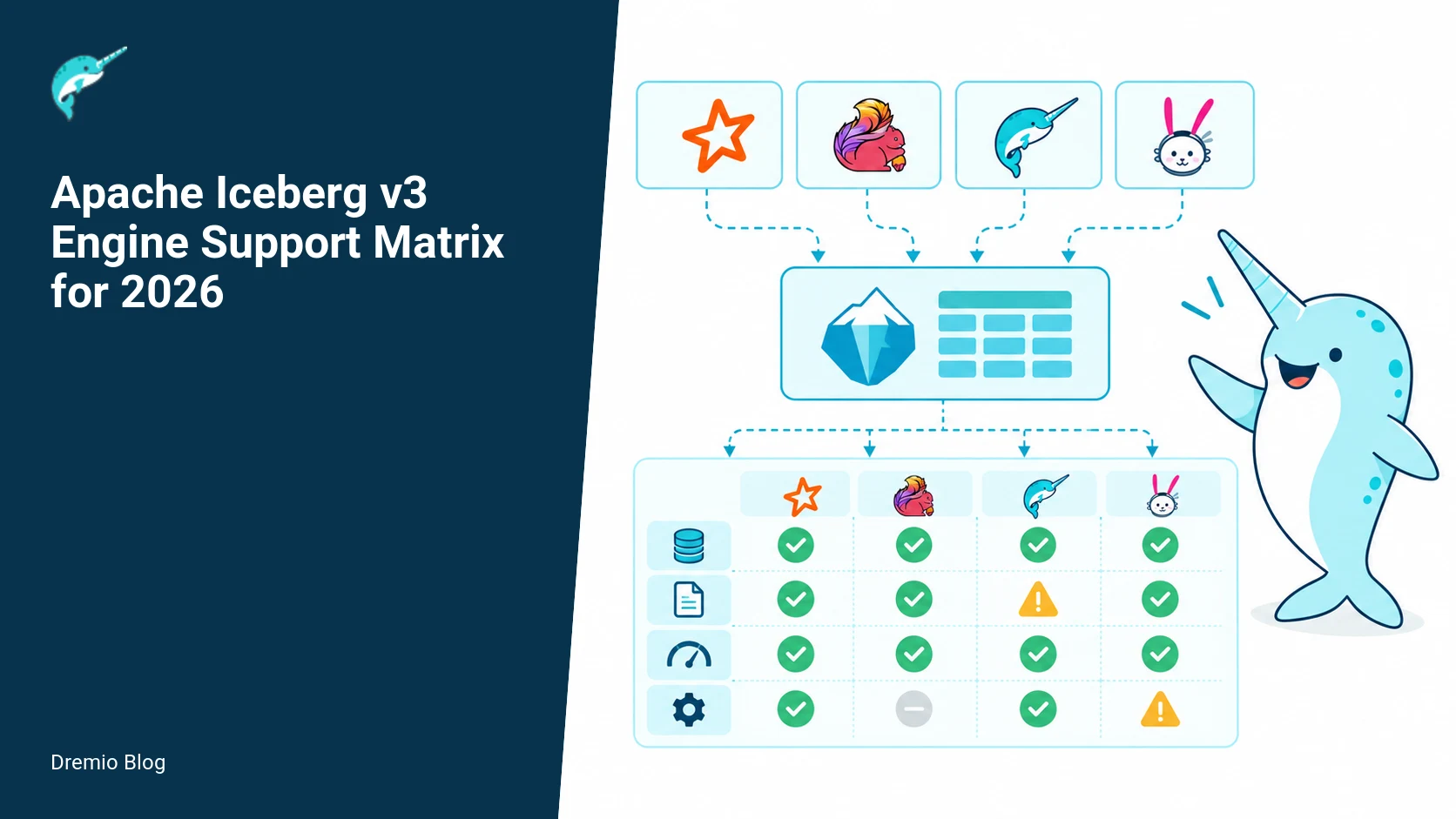
Technical review: Last verified September 29, 2026 by Alex Merced. This matrix was checked against the official Iceberg specification and the engine documentation cited below. Read and write support can differ by release and feature. For the broader context, see what Apache Iceberg is and how its metadata model works.
Executive summary, up front
Iceberg v3 support is not an all-or-nothing flag. You must evaluate by feature, operation, and engine version. Engines that can open a v3 table may still reject certain v3 features, for example deletion vectors, per-row variant values, geometry types, table-level encryption, or specific write modes. This article documents the compatibility picture as of September 22, 2026, explains the technical tradeoffs, gives concrete smoke tests and table checks, and shows how to design a safe, staged rollout. I mark facts that needed freshness verification on September 22, 2026. Read this as a reference and a playbook for deciding, testing, and operating Iceberg v3-based datasets.
Checked date: September 22, 2026. See Sources for the primary references used to assemble this matrix, including the Iceberg project status and specification, Trino connector docs, and AWS Glue documentation. Where the sources did not claim a specific behavior I explain what to verify and how.
How to read this matrix: three dimensions of support
Support for Iceberg v3 is three-dimensional. First, whether an engine can open and read tables whose metadata version is 3 or higher. Second, whether the engine can write v3 tables, create them with v3 metadata, or upgrade an existing table to v3. Third, which v3 capabilities inside the table the engine understands, uses, or enforces. Treat these as independent axes when you plan migration, testing, or cross-engine workloads.
Support is three-dimensional. Each stage has a result that can be checked before the next stage begins.
Consequence: a single engine may be perfectly fine for reads of v3 tables but refuse to write geometry columns, or to create deletion vectors, or to honor encryption. Conversely, a writer that can produce v3 metadata may emit optional features that downstream readers do not understand. That mismatch is the main operational risk when mixing engines or doing phased upgrades.
What changed in v3, at a glance
Iceberg v3 introduced multiple new capabilities in the spec and clarified metadata layout choices. Notable items that affect compatibility and engine implementation are: deletion vectors as a first class feature, extended data types such as geometry and variant, improved encryption and key metadata hooks, changes to row-level position addressing in manifests, and additional table properties that control write and read semantics. The official Iceberg specification describes the v3 features and the project status page lists which implementations track the new spec. See the Iceberg project specification and status for the authoritative lists. Facts checked September 22, 2026.
Engine-level behaviors you must test
When you evaluate an engine, test these categories explicitly. For each item I include a short reason and the failure mode to watch for during integration testing.
Open v3 table metadata. Reason: basic read compatibility. Failure mode: engine refuses to open table or throws an unrecognized metadata version. Some engines have experimental flags; experimental support is not production parity.
Read files that reference deletion vectors. Reason: performance and correctness for deleted rows. Failure mode: engine ignores deletion vectors and returns rows that should be suppressed, or errors because it cannot interpret the deletion vector index.
Write deletion vectors. Reason: compaction and retention semantics. Failure mode: writer writes a v3 table but leaves deletion vectors out, or writes a format consumers cannot use.
Geometry and variant types in schema and partitioning. Reason: many analytical workloads use geospatial or semi-structured types. Failure mode: engine rejects DDL, casts incorrectly, or serializes a type in a way readers cannot parse.
Encryption and key metadata. Reason: KMS and table-level encryption policies. Failure mode: engine ignores encryption configuration and stores clear metadata, or cannot read encrypted manifests.
Manifest list and manifest file interpretation. Reason: row position addressing and manifest evolution. Failure mode: reader uses a deprecated manifest layout and returns stale data or fails to find data files referenced by the manifest.
Table properties that control write formats, compaction, and force-updates. Reason: accidental table upgrades or changes in compaction behavior. Failure mode: engine sets a table property that forces v3 upgrade or incompatible write paths.
Catalog interactions, for example REST Catalogs or Glue-compatible behavior. Reason: some catalogs manage table metadata upgrades or add properties. Failure mode: a catalog client upgrades a table on commit without authorizing it, or a catalog does not report v3-specific metadata correctly.
For catalog behavior, see the documentation on using an Iceberg REST catalog in a Dremio context for examples of what to verify. The Dremio Platform page explains product-level integration points where Iceberg metadata and table properties matter, and the blog post that compares v2 and v3 lists concrete changes that affect your table lifecycle decisions.
Supported engines and documented behaviors (how to interpret public docs)
Multiple query engines and catalogs have published their Iceberg connector behavior. Primary sources that describe support include the Iceberg project status and specification pages, Trino connector docs, and the AWS Glue Iceberg documentation. These documents list capabilities an engine claims to support, but do not always enumerate edge cases such as write-time defaults or partial support. Facts checked September 22, 2026. You should not assume full parity unless the project explicitly claims feature support and your own tests verify it.
Examples of what to verify in each engine document:
Trino connector docs state supported Iceberg table formats and connect options, but they may indicate experimental flags for new features. Verify the connector version you run and whether the connector flags are defaulted off. See the Trino Iceberg connector documentation for specifics.
AWS Glue documentation lists how Glue treats Iceberg formats for ETL jobs. Glue often adds its own behavior around transaction semantics and catalog declarations. Verify whether Glue will upgrade a table on write or only on explicit admin operations. See AWS Glue Iceberg format support for details.
Concrete compatibility matrix: how I organize the table
The matrix is structured into three record types for each engine and configuration you care about: table-level reads, table-level writes, and feature-level capabilities. For each engine-version or catalog configuration, list:
Read capability: can open v3 metadata, reads deletion vectors, reads geometry/variant, reads encrypted metadata headers.
Write capability: can create v3 tables, can write deletion vectors, can persist geometry/variant values correctly, honors table-level encryption, and does not automatically upgrade table metadata unless explicitly requested.
Feature flags and known caveats: experimental flags, catalog behaviors, undocumented fallbacks, and any configuration required to enable a feature.
When you fill this matrix for your environment, use the exact engine version and connector settings. I also recommend recording whether the engine treats experimental support as production ready. Experimental support is not production parity. That is a technical caution: features behind experimental toggles are not guaranteed to maintain stable behavior across versions.
Worked examples: smoke tests and table checks
Here are three worked examples you can run with your SQL engine. These are minimal, conservative checks that detect major incompatibilities between engines or catalogs.
Adoption ring by feature. Each technical risk needs a matching test, boundary, or operating signal.
Compatibility smoke-test SQL
Run these statements against each engine and catalog combination. Replace my table and column names with your own. The goal is to exercise read, write, and v3-only features with minimal side effects.
<!-- wp:code -->
-- Create a v3 table explicitly if the engine supports create table with table_version property
CREATE TABLE test_v3 (id bigint, data varchar, geom GEOMETRY, v VARIANT)
TBLPROPERTIES ('iceberg.version'='3');

-- Insert a row with a geometry and variant value
INSERT INTO test_v3 VALUES (1, 'row1', ST_GeomFromText('POINT(1 2)'), JSON_PARSE('{"k": 1}'));

-- Create a deletion vector targeting the last row, if supported
-- This SQL will fail on engines that do not expose deletion-vector DDL. You must detect failure as a signal.
ALTER TABLE test_v3 ADD DELETION VECTOR FOR PARTITION (CAST(id AS STRING)) USING ( /* engine-specific DDL */ );

-- Read back and expect zero rows if deletion vector enforced
SELECT COUNT(*) FROM test_v3 WHERE id = 1;

-- Check metadata via catalog-introspect (engine specific), e.g. show table properties
SHOW TBLPROPERTIES test_v3;

<!-- /wp:code -->
Notes: the ALTER TABLE ADD DELETION VECTOR is intentionally vague because SQL syntax for creating deletion vectors differs between implementations. A failure to run that statement is a valid result and signals the engine does not support writing deletion vectors. Carefully capture and catalog the error message.
Table property checks
Inspect the table-level properties that record version and active features. Two things to check: the reported Iceberg format version, and any v3-specific feature flags present in table properties or metadata files.
<!-- wp:code -->
-- Example commands, engine-specific ways to inspect metadata
-- In many engines you can run
SHOW TBLPROPERTIES test_v3;

-- Or retrieve metadata from the catalog REST endpoint if supported
-- Use the catalog API to fetch the table metadata JSON and look for "format-version": 3

<!-- /wp:code -->
Failure modes: some connectors hide or translate properties. If you cannot find an explicit format-version property, fetch the table metadata JSON from the catalog or the underlying storage and search for the format-version field. If you have an Iceberg REST catalog in front of your engine, it may provide clearer metadata. See the Dremio blog post on the Iceberg REST Catalog for guidance related to how catalogs surface metadata and how that matters for upgrades.
Feature test checklist
Run this checklist for each engine + catalog combination. Mark Pass, Fail, or Experimental and capture the engine version and connector flags. Experimental support is not production parity.
Open v3 table metadata without error.
Create a v3 table explicitly.
Write and read deletion vectors.
Round-trip geometry and variant columns without data loss.
Respect table-level encryption metadata on reads and writes.
Does not auto-upgrade table metadata on simple write commit, unless explicitly requested.
Document the exact commands and error text for each Fail and Experimental result. That evidence is how you decide on mitigations, or whether to treat a table as read-only in mixed environments.
One-way upgrade gate and its consequences
Important technical caution: upgrading a table metadata version to v3 is a one-way operation. Once a table is committed with Iceberg format-version 3, older engines that only understand v1 or v2 may be unable to open the table. That means an accidental upgrade can break downstream consumers. Always treat table upgrades like schema migrations that require coordination across all consumers. I repeat this because teams have lost production reads from a single accidental write.
One-way upgrade gate. The loop turns table or catalog signals into controlled operational changes.
Operational consequences:
Plan a cutoff window where all consumers will be upgraded or switched to a compatible reader before permitting writers that can produce v3 metadata.
Use cluster-level controls. For example, tag or quarantine tables on a canary cluster or a production cluster depending on which cluster runs upgraded clients. Use those cluster tags in automation to route reads accordingly.
Implement a gate in your CI/CD or catalog workflow that rejects commits which change the format-version property unless an authorized change agent approves it.
Where projects mention experimental v3 support, do not infer reversibility. Experimental support often lacks the tooling to downgrade or to maintain backward compatibility. Verify the upgrade path and whether the catalog or engine provides a rollback mechanism before performing any production upgrade.
Compatibility test pipeline: design and implementation
Automate compatibility testing. I recommend a dedicated pipeline that runs variant tests across engine versions, connector flags, and catalog configurations. This pipeline should run on merge for changes that touch data connectors, and nightly against a matrix of supported engine versions. The pipeline must include destructive safety: tests should run in isolated namespaces and use short-lived datasets.
Compatibility test pipeline. A reversible canary keeps an unsupported client or unsafe policy from becoming a fleet-wide incident.
Design elements for a compatibility test pipeline:
Matrix definition: permutations of engine versions, connector flags, and catalog backends. Record each run with an immutable artifact that includes the engine logs, the catalog metadata dump, and the test verdicts.
Smoke test suite: the SQL compatibility checks above, plus a few additional heavy-read scenarios (partition pruning, manifest list reads, predicate pushdown on geometry fields).
Chaos checks: simulate partial failures such as missing manifest files or corrupted deletion vector blobs and verify readers error in predictable ways.
Approval gates: require human review for any test that flips a table to format-version 3 in a shared catalog. Do not allow automatic progression without a signed off runbook.
To operate this pipeline you will need to fetch the raw table metadata JSON. Catalogs can hide implementation details; when possible run the tests against the catalog API that returns the metadata. If your catalog is AWS Glue, consult the Glue Iceberg documentation because Glue manages certain metadata behaviors differently, which may affect test expectations.
Rollout checklist before enabling v3 writers in production
Do not enable v3 writers until you complete this checklist. Treat each item as a blocking criterion.
Inventory consumers and producers, with exact engine and connector versions. Record connector flags and catalog implementations.
Run the full compatibility test pipeline across all producer and consumer permutations. All tests must be Pass or explicitly approved Experimental with compensating controls.
Apply cluster segmentation: allow v3 writers only on designated clusters, for example a canary cluster for canary writes and a production cluster for production writes. This gives you a rollback path by isolating the initial writers.
Implement commit-time gates in the catalog or CI system to prevent accidental upgrades. This can be a pre-commit hook that inspects the table metadata and rejects operations that set format-version to 3 without approval.
Train SREs and data engineers on the failure modes. Ensure runbooks include how to detect an accidental upgrade and how to isolate affected tables.
Define monitoring and alerting for incompatible read errors, unusual catalog property changes, and sudden increases in catalog API errors.
Plan a staged data migration for sensitive datasets. For critical datasets consider creating a copy and running full validation of queries across both copies before switching.
Failure modes and how to respond
Here are common failure modes I have seen when migrating to v3, with concrete diagnosis steps and remediation tactics.
Reader returns rows that should be deleted. Cause: reader ignored deletion vectors or could not read them. Diagnosis: inspect the table metadata JSON for deletion vector manifests and confirm the reader log shows it attempted to open the deletion vector blob. Remediation: mark the table read-only until readers are upgraded, or have the writer produce a compaction that rewrites files without deletion vectors, so older readers get correct data.
DDL fails for geometry or variant types. Cause: connector lacks type mapping. Diagnosis: capture exact error message and verify the engine documentation. Remediation: restrict writes of unsupported types, or use a compatible engine for those tables. Add functional tests that exercise type round-trip before allowing production data with those types.
Catalog auto-upgrades table metadata. Cause: catalog client implementation auto-updated format-version on commit. Diagnosis: compare table property history and the commit logs in the catalog. Remediation: lock down client behavior with configuration or patch the client to require explicit upgrade calls. Add a pre-commit hook to reject metadata-version changes.
Encrypted manifest unreadable. Cause: engine lacks the KMS integration or the key metadata format is unrecognized. Diagnosis: attempt to fetch manifest file and decrypt with the configured KMS outside the engine. Remediation: ensure all consumers have KMS access and key metadata configuration, or choose to keep metadata unencrypted until all consumers support the encryption scheme.
What to measure after you deploy
After you permit v3 writers, monitor these indicators. They show both correctness and operational risk.
Read error rate by table and consumer. Spike means a compatibility problem.
Rate of format-version changes in table properties. Any unexpected change is a red flag.
Frequency and size of deletion vector files. Watch for sudden growth which can affect read latency and storage costs.
Number of queries that touch geometry or variant columns showing type conversion warnings.
Catalog API error rates and latency, especially for metadata fetch calls. Increased latency can manifest as query slowdowns.
Collect these metrics per cluster. Use a canary cluster as the canary cluster and a production cluster for production as a pattern. Track metrics across clusters to decide if you can expand v3 writing permissions safely.
Decision points and recommended policies
These are the practical policies I recommend when adopting v3 in a mixed-engine environment.
Default conservative: treat v3 features as opt-in per table. Only enable writers after all consumers pass the compatibility tests.
Isolate by cluster: run initial writers in a canary cluster and expand to a production cluster after a validated window. This reduces blast radius.
Catalog approval gates: require explicit approval to change format-version. If your catalog does not support that gate, implement it in CI or in a pre-commit workflow.
Retain a fallback copy: for critical datasets create an immutable copy before a format upgrade so you can reference the pre-upgrade data for recovery or audit.
How the Dremio materials here help you
The Dremio blog post that contrasts Iceberg v2 and v3 provides a practical list of changes to table lifecycle behavior and what to watch for when interacting with Dremio-managed datasets. I link it here because it explains how Dremio as a platform treats table-level operations and where table properties come from. The Dremio platform page documents product features and integration points where Iceberg metadata shows up in our UI and control plane. Finally, the blog post on the Iceberg REST Catalog is useful when you need catalog-level inspection tools and how a REST catalog surfaces metadata differently than Glue or Hive metastore based catalogs. Use these to understand how your operational tooling will see Iceberg metadata in a Dremio environment.
Dremio: Iceberg REST Catalog shows how a REST catalog surfaces the raw table metadata JSON you need for deep compatibility checks.
Practical example: a staged rollout sequence
This sequence is what I would run for a nontrivial dataset used by many teams. It is prescriptive and assumes you have CI, isolated clusters, and a catalog that exposes metadata.
Step 1, inventory and runbook: list producers and consumers, identify engine versions, and assign owners.
Step 2, test matrix: run the compatibility pipeline across every producer-consumer pair. Resolve all Fail results before proceeding.
Step 3, canary writes on a canary cluster: enable v3 writers only on a canary cluster, write new tables and a copy of a critical table, and run validation queries comparing old and new tables.
Step 4, monitor for N days: monitor read error rate, metadata change frequency, and deletion vector growth. Typical canary period is 7 to 14 days depending on query diversity.
Step 5, expand to a production cluster: if the canary is clean, enable v3 writers on a production cluster. Continue to monitor and keep the pre-upgrade immutable copy for at least 30 days.
Step 6, full decommissioning of pre-upgrade copy: after several weeks with no compatibility incidents, archive the copy and update runbooks to reflect v3 behavior.
Notes: the exact timing depends on query volumes and business risk. Higher-risk datasets need longer canaries and possibly parallel query validation across both table versions.
Limits and areas to verify manually
Some areas do not have consistent documentation across engines and therefore require manual verification before trusting them in production. These include: precise deletion vector file formats and encodings, variant subtypes and their serialization, geometry partitioning semantics, and KMS key metadata formats used for manifest encryption. If the project docs do not explicitly state a behavior, test it. For example, the Iceberg specification lists the concepts and formats, but implementations may interpret them differently. See the Iceberg spec for the canonical descriptions, but verify engine behavior against it.
Practical implementation: automated preflight suite
Place this automated preflight suite in your CI and run it against a representative catalog and an isolated environment before allowing any fleet-wide v3 writer enablement. The suite combines the Compatibility smoke-test SQL, Table property checks, and the Feature test checklist into repeatable steps, so you know what will fail and where to look. Run the suite against each engine and each protocol variant you actually use, for example S3 EMR/Hive metastore and AWS Glue catalogs. The checks below assume you can run SQL against the engine and also read table metadata files from object storage or the metastore. Checked on September 22, 2026.
Stage: provision a disposable catalog and a small test dataset that mirrors production partitions and file sizes.
Step 1, create v2 baseline table, run baseline smoke tests, record results and the table properties you observed.
Step 2, perform one-way v3 upgrade using the engine method documented by that engine, then rerun smoke tests immediately.
Step 3, run the Table property checks by reading the physical metadata files and verifying the presence and values of v3-specific properties in the table metadata JSON.
Step 4, execute the Feature test checklist focusing on concurrency, snapshot isolation, and manifest list behavior under load.
Step 5, run a downgrade simulation by attempting user reads with clients limited to a v2 reader profile, to verify breaks and capture error messages for support playbooks.
Automate failure collection. For each failed check, capture engine logs, S3 or object store access logs for the test time window, and the exact metadata JSON blob for the table snapshot. Keep the result artifacts with the CI run so you can correlate failures to code changes or configuration drift.
Failure injection tests you must run
Real production problems rarely appear as a single failing SQL. Inject faults deliberately so you know how the system behaves and how long recovery takes. Each injection should be repeatable and have clear success criteria. These tests expand what the Feature test checklist covers, and they map to concrete operations and error messages you will see in logs. Checked on September 22, 2026.
Concurrent writers during snapshot commit, scenario: multiple writer tasks append overlapping partitions and commit nearly simultaneously. Test: run 50 small append jobs in parallel that write to the same partition key, using the engine writer you plan to enable. Verify that at most one commit succeeds and the rest either fail with an expected concurrency error or are serialized safely by the engine. Success criteria: table snapshot history is linear and contains only fully committed snapshots. Capture error codes and latency for failed commits.
Interrupted commit after metadata write, scenario: writer successfully uploads new manifests and metadata files, then crashes before writing the final snapshot pointer (or before the engine updates the catalog). Test: use a wrapper that kills the writer process right after file uploads. Verify whether a dangling metadata file exists in object storage and how the engine handles it on subsequent reads or compaction. Success criteria: reads still return the previous committed snapshot, and garbage can be identified and collected by documented table maintenance tools.
Catalog consistency loss, scenario: the metastore or catalog shows an older snapshot pointer than object storage manifests. Test: simulate a delayed metastore update by applying a write to object storage metadata, then pause catalog sync. Verify that readers that rely on the catalog will either fail with a documented error or continue to see the older snapshot until catalog is consistent. Success criteria: you can reproduce the error message and your support playbook can indicate manual catalog reconciliation steps.
Partial manifest list visibility, scenario: network partition between compute nodes and the object store during a read of a snapshot that references multiple manifests. Test: during a read of a snapshot with many manifests, block access to a subset of the manifest files and observe query behavior. Success criteria: query fails with clear missing-file errors or degrades to partial results only if the engine documents such behavior. Record error strings and stack traces.
Reader version mismatch, scenario: a reader that only supports v2 attempts to read a v3 table. Test: run the engine with client connector versions that the engine documentation marks as v2-only, then attempt simple selects and metadata queries. Success criteria: failures match documented errors; if engine docs claim partial support for some v3 constructs, verify which queries succeed and why.
For each injection above, run the Compatibility smoke-test SQL before and after the fault. That lets you quantify regression in query correctness and latency. Keep all artifacts. If your test environment uses cost or quotas, scale down record counts and file sizes but keep concurrency and timing characteristics.
Operational metrics and what to measure after deployment
After enabling v3 writers, you must measure more than just success rates. Collect these metrics for at least the first four weeks, and keep weekly baselines thereafter. These measurements show silent data consistency regressions and reveal performance regressions introduced by manifest or snapshot changes. Checked on September 22, 2026.
Commit success ratio, definition: number of successful writer commits divided by commit attempts, per hour. Why: v3 writer semantics or catalog interactions can increase failed commits during contention. Target: near your v2 baseline after rollout, investigate if you see a sustained increase above 0.5 percentage points.
Commit latency distribution, definition: p50, p90, p99 for full commit operation including metadata and manifest writes. Why: v3 may shift work to metadata operations. Target: no unexplained p99 spikes compared to v2, and investigate increases in object store PUT latencies.
Read error rate by client version, definition: count of read failures, labeled by reader engine and connector version. Why: v3 is one-way and older readers may fail. Action: correlate errors to table snapshot times and implement client upgrades or routing.
Orphan metadata file count and size, definition: number and total bytes of metadata files in object store older than expected retention, not referenced by any current snapshot. Why: interrupted commits and failed cleanup can leave garbage. Action: schedule safe cleanup after you confirm manifest references are absent.
Snapshot churn rate, definition: number of new snapshots created per hour for a table or set of tables. Why: too many small commits inflate manifest lists and slow reads. Target: batch writes or adjust writer behavior if churn exceeds baseline.
Manifest list size distribution, definition: number of manifests referenced by typical snapshots. Why: larger manifest lists increase read planning and metadata IO. Action: use compaction or rewrite strategies documented by the engine to reduce manifest counts.
Query latency for typical analytics queries, definition: p50 and p95 for a representative query set run against production-size data. Why: metadata changes can affect planning time. Action: run your Compatibility smoke-test SQL regularly to detect regressions.
Instrument these metrics with labels for table namespace, engine version, and whether that table is tagged as v2 or v3 in your inventory. That makes it straightforward to compare behavior across migration waves. Store raw metadata snapshots for any abnormal events so you can perform offline forensic checks using the Table property checks and snapshot JSON files.
Decision table: when to enable v3 writers for a table
This decision table is a compact operational policy you can apply per dataset. It intentionally does not assume your engines have identical v3 coverage. Use it as a gate in automated rollout tooling. The three columns are required checks, conditional checks, and action. Use the Feature test checklist to produce the booleans for conditional checks. Checked on September 22, 2026.
Required check: reader compatibility, pass only if all reader engines that will read the table either document v3 support for the constructs you use, or you have an active plan to upgrade those clients within your maintenance window. If the answer is no, action: do not enable v3 writers, schedule client upgrades.
Required check: CI preflight green, pass only if your automated preflight suite, including the Compatibility smoke-test SQL and Table property checks, passes for the engine and catalog configuration you plan to use. If the answer is no, action: fix failures and re-run the preflight suite.
Conditional check: snapshot churn below threshold, define a per-table threshold using historical baseline, for example fewer than 10 snapshots per hour for large tables. If the answer is no, action: investigate writer batching or commit coalescing, consider deferring v3 enablement until writer behavior is adjusted.
Conditional check: manifest list size within target, pass if typical snapshot references fewer manifests than your read latency budget allows. If the answer is no, action: schedule compaction or rewrite jobs, or enable v3 writers on a smaller subset first.
Conditional check: garbage retention policy set, pass if you have an automated, tested GC path for orphan metadata and manifest cleanup compatible with v3 semantics. If the answer is no, action: implement and test cleanup scripts using the Table property checks to confirm safe removal.
Action summary, if all required checks pass and at least three of the conditional checks pass, proceed with a staged rollout starting at 1 percent of writer traffic for that table. If any required check fails, block. If only required checks pass but conditionals do not, run a focused remediation plan before proceeding.
Record the decision and which checks were run in your migration ticket. Include the manifest list size, snapshot churn, and the exact Compatibility smoke-test SQL run and results so postmortem analysis is straight forward if issues appear.
FAQ
Does an engine that says it supports Iceberg v3 guarantee all v3 features?
No. Support is feature-specific. Verify read/write behavior and each v3 capability. Experimental support is not production parity. Check engine docs and run the compatibility tests listed above.
How can I tell if a table was upgraded to v3?
Inspect the table metadata JSON or show table properties. Look for format-version = 3 or equivalent property. If your catalog hides metadata, fetch the raw metadata via the catalog API or storage. Verified September 22, 2026.
What do I do if a reader breaks after a v3 upgrade?
Isolate the table, mark it read-only, and route consumers to the pre-upgrade copy if available. Diagnose whether the failure is due to deletion vectors, types, or encrypted manifests and remediate by upgrading readers or rewriting data without v3-only features.
Can I downgrade a v3 table back to v2?
Not automatically. Upgrading is effectively one-way. To revert, create a copy of the data files and write a new table with format-version 2, then validate consumers against that copy.
How should I treat experimental features exposed by an engine?
Treat experimental features as not production-ready. Test them in isolated canaries, capture all logs, and require explicit owner approval before enabling in production.
Where do I look for authoritative details on the spec and engine status?
Check the Iceberg project specification and the Iceberg project status page for the canonical descriptions and a current map of which projects track which features. For engine-specific notes see the Trino Iceberg connector documentation and the AWS Glue documentation for how Glue handles Iceberg formats. Facts checked September 22, 2026.
Related Dremio guides
These guides cover adjacent implementation details that are outside this article's main scope.
Intro to Dremio, Nessie, and Apache Iceberg on Your Laptop
Editor’s note, September 2026. This post was published in September 2023 and some product details have changed since. Nessie is still available and self-deployable under the Apache-2.0 licence, and it remains the clearest implementation of catalog-level branching. It is not an Apache Software Foundation project, and its development has slowed considerably. For how the current […]
Aug 16, 2023·Dremio Blog: News Highlights
5 Use Cases for the Dremio Lakehouse
With its capabilities in on-prem to cloud migration, data warehouse offload, data virtualization, upgrading data lakes and lakehouses, and building customer-facing analytics applications, Dremio provides the tools and functionalities to streamline operations and unlock the full potential of data assets.
Sep 30, 2026·Dremio Blog: Open Data Insights
Apache Iceberg 1.12.0: What’s New, Breaking Changes, and Upgrade Guide
Apache Iceberg 1.12.0 expands v3 engine support, REST catalog operations, streaming reliability, and v4 groundwork. Learn how to upgrade safely.