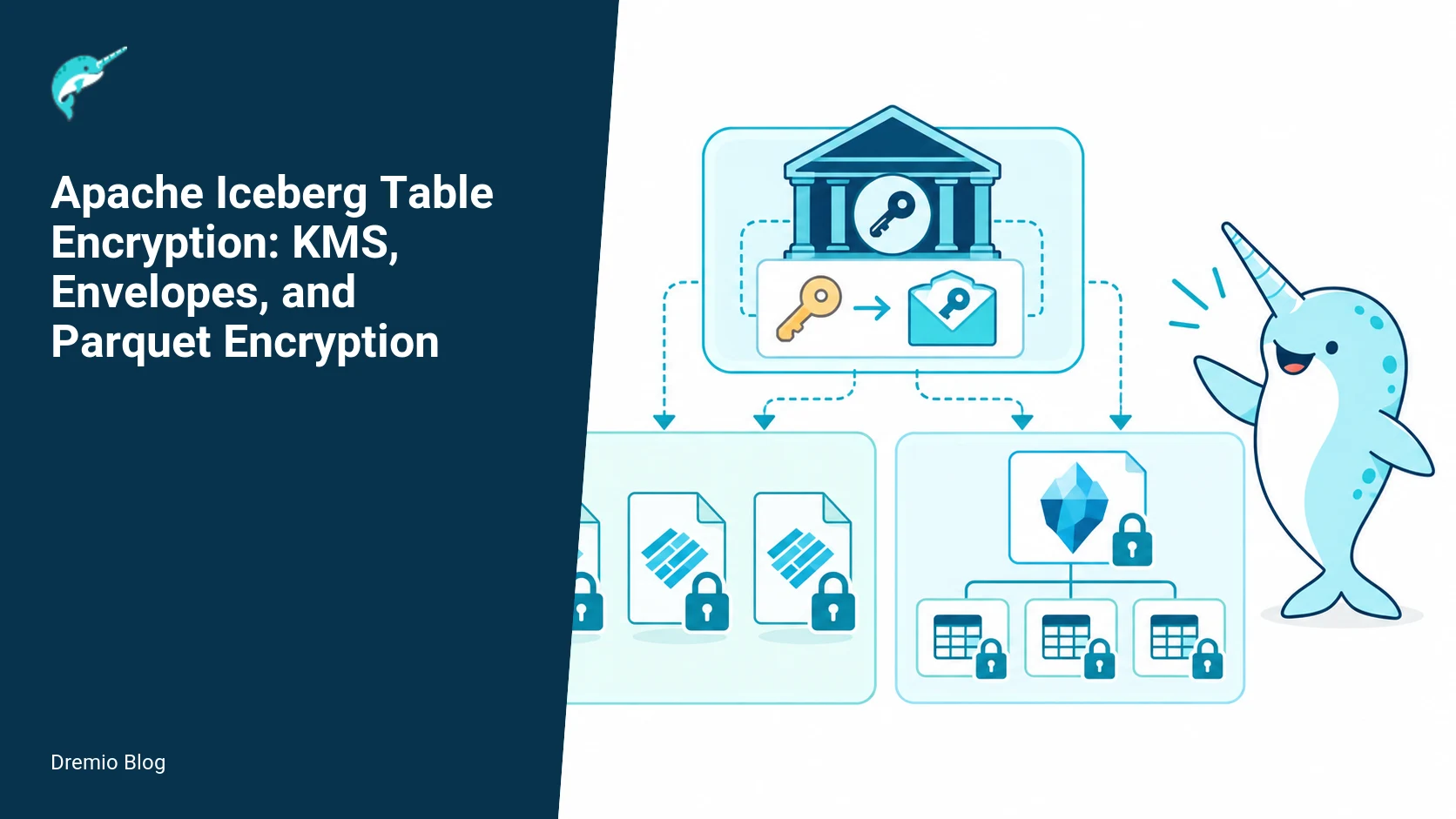
Iceberg separates file encryption from key management. Writers generate data keys to encrypt files, wrap those keys with a key encryption key held by a KMS, and store the wrapped key material and algorithm metadata alongside files so readers can unwrap and decrypt. Iceberg supports encrypting data files, delete files, manifests, and manifest lists, while table metadata JSON is intentionally left readable by the specification. This article explains the architecture, configuration, operations, failure modes, and tests you need to implement safe table level and file level encryption for Iceberg-based systems.
This is a practical, operational guide. I explain concrete examples for configuring an encryption manager, patterns for KMS properties, a rotation runbook in pseudocode, what to measure after rollout, and the real failure modes you must plan for. I reference the Iceberg encryption specification and the Parquet encryption details for data pages, and I point to Dremio resources that explain Iceberg versions, REST catalog behavior, and metadata tables so you can integrate encryption into your environment.
Envelope encryption sequence. Each stage has a result that can be checked before the next stage begins.
Encryption architecture and the envelope pattern
The bulk of Iceberg encryption uses an envelope pattern. That means every data file is encrypted with a local data key, and that data key is encrypted, or wrapped, with a key encryption key managed by a KMS. The wrapped key and some key metadata are then written with the file or manifest so that a reader who can contact the KMS can unwrap and decrypt the file. The separation makes it feasible to rotate KMS keys without rewriting every encrypted data file immediately, because only the wrapped key records need changing in some rotation strategies.
Sequence of operations for a writer, simplified:
Generate a fresh data key (DEK). In Iceberg implementations this is typically a random AES key, 256 bits recommended where supported.
Encrypt the target file (Parquet or other supported format) with the DEK. For Parquet, this can use Parquet native modular encryption or Iceberg native encryption adapters. See later section for differences.
Contact the configured KMS to wrap the DEK with a KMS key encryption key (KEK). The KMS returns wrapped key bytes and metadata such as key id and algorithm.
Attach the wrapped key metadata to the file metadata or manifest entry, following the Iceberg encryption JSON and key metadata format. Commit the file to the table.
Reader sequence, simplified:
Read the file or manifest record and extract the wrapped key metadata. The file format stores the wrapped key in a format Iceberg defines, see the spec for exact fields.
Call the KMS to unwrap the wrapped key using the KEK specified by the metadata. The KMS returns the DEK if the caller is authorized and the KEK is available.
Decrypt the data file using the DEK.
Because metadata.json is not encrypted by the Iceberg encryption specification, an attacker with storage access can learn table schema, partitioning, and file locations. That is intentional: table state must be readable to operate most engines. If you need to hide schema or file locations, you must add separate measures such as storage-level access controls, network restrictions, or a vault for metadata files. More on that risk in the failure mode section.
Why envelope encryption matters operationally
Envelope encryption gives two operational levers. You can rotate KEKs in the KMS without rewriting every encrypted data file if you rewrap DEKs with new KEKs and record the new wrapped keys in a small metadata update, or you can rotate by writing new files with new DEKs. Each approach has tradeoffs: rewrapping requires bulk metadata operations and careful consistency, while file rewrite is I/O intensive but simpler to reason about. The architecture below and the rotation runbook show how to choose and implement each option.
What is and is not encrypted. Each technical risk needs a matching test, boundary, or operating signal.
What Iceberg encrypts and what it does not
Iceberg encryption coverage depends on the code paths enabled by your Iceberg version and the runtime libraries used. The specification supports encrypting:
Data files (Parquet, ORC when supported) , the common target.
Delete files, used for position or equality deletes.
Manifests and manifest lists, which are JSON or Avro records pointing to files.
Iceberg intentionally does not encrypt table-level metadata JSON files in the encryption specification. That means metadata.json and snapshot JSON are readable. The spec documents this design; see the Iceberg encryption documentation for the exact language and fields as of the published spec. Because metadata JSON reveals schema, partitioning, and file locations, you must treat it as sensitive and protect it with storage ACLs or separate metadata storage if confidentiality is required beyond what Iceberg provides.
Practically, if you enable encryption in an engine, verify whether readers can decrypt manifests and data files. Not every Iceberg client implements every file type and encryption mode. Test for writer and reader compatibility. If a reader cannot handle manifest encryption but can handle encrypted data files, you will need a compatibility strategy that may include selective encryption of manifests or staging reads through a decryption-capable service.
Native versus Parquet modular encryption. The loop turns table or catalog signals into controlled operational changes.
Parquet encryption vs Iceberg native file encryption
Two distinct but related things can happen when encrypting a Parquet file in Iceberg ecosystems. One option is to use Parquet modular encryption in writers so the Parquet file contains column and page level encryption metadata following the Parquet encryption spec. The other option is to use Iceberg-level file encryption that wraps the entire data file with a DEK and tracks the wrapped key in Iceberg metadata. The differences matter for column-level access, predicate pushdown, and support across readers.
Parquet modular encryption provides per-column and per-page protection and supports encrypting file footers and metadata. Its model is useful when you want fine-grained protection, for example encrypt sensitive columns while leaving others readable for query planning. The Parquet spec defines encrypted data pages and encrypting file metadata; for details see the Parquet documentation on encryption of data pages. Not every Iceberg reader supports reading Parquet encrypted pages directly; verify your version and library support.
Iceberg native encryption, sometimes called Iceberg file encryption, treats the file as an opaque blob encrypted with a DEK. That is simpler to implement for generic file formats and ensures everything in the file is protected. The tradeoff is you lose Parquet-level visibility for engines that expect to inspect footers or statistics without decrypting. Again, test reader behavior in your stack: some query engines will not read encrypted footers and cannot proceed until a decrypting layer provides plaintext footers or a separate mechanism supplies statistics.
Operationally, choose Parquet modular encryption if you need column-level protection or if your readers will benefit from encrypted footers that preserve column statistics accessible after decryption. Choose Iceberg file encryption when you need a format-agnostic approach that protects everything inside the file and when your execution path supports decrypting the whole file at read time.
Reference: Parquet file encryption and data page encryption details are maintained in the Parquet project documentation. Also consult the Iceberg GCM stream spec for stream encryption details when using streaming ciphers with Iceberg, as that spec describes a streaming encryption mode used by some Iceberg implementations.
Key management and KMS integration
Iceberg itself does not provide a KMS. You must configure an encryption manager or key provider that speaks to your KMS. Iceberg implementations expose an EncryptionManager interface or similar extension point, and most projects provide sample providers for AWS KMS, GCP KMS, Azure Key Vault, and local testing providers. The Iceberg documentation lists how encryption metadata is encoded; use that to ensure your provider populates the expected fields.
Encryption manager configuration example, conceptual:
This conceptual block demonstrates the pattern used by many Iceberg deployments: a class or provider identifier, a KMS endpoint or identifier, a key id or name, and the credentials. Real providers will document the exact configuration key names your Iceberg version expects. If you are implementing a custom provider, follow the EncryptionManager interface in your Iceberg version. Always store long lived credentials in a secrets manager, not plaintext files where possible.
KMS property pattern, recommended checklist:
Provider identifier that Iceberg will instantiate or a factory registered with your runtime.
KEK identifier. Prefer immutable resource names that include versions when the KMS supports them. If you cannot bind to a version, record the KEK id and rely on access controls to limit changes.
Credentials location. Use ephemeral short lived credentials when supported by your platform.
Algorithm and DEK length. Match the algorithm supported by your KMS unwrapping API. AES GCM 256 is a common choice where available.
Retry and timeout settings for KMS calls. Readers can fail if KMS latency spikes. Implement sensible retries and circuit breakers.
When configuring the provider, document which Iceberg versions you tested. Not every Iceberg release uses the same configuration keys or interfaces, and the behaviors around manifest encryption changed across versions. See the Dremio posts explaining Iceberg v2 vs v3 for how metadata handling evolved, and check your Iceberg client library version for encryption behavior differences. The Dremio post about metadata tables can help you see what metadata files look like when testing encryption.
Link context: The Dremio article comparing Apache Iceberg v2 and v3 explains metadata model changes that affect how and where encrypted manifests and snapshot records are stored. The REST catalog article is useful if you run a remote metadata service and need to reconcile KMS access patterns with REST catalog operations. The metadata tables article shows how to query internals like manifests so you can validate encryption markers after writes. See Dremio's platform page for general Iceberg tooling and compatibility guidance.
Key rotation and recovery boundary. A reversible canary keeps an unsupported client or unsafe policy from becoming a fleet-wide incident.
Key rotation, rewrapping, and recovery boundaries
Key rotation has two separate concerns: rotating KEKs in the KMS and rotating DEKs used to encrypt data files. Both can be done independently. The recoverability boundary is the KMS. If you lose access to the KEK or the KMS cannot unwrap a DEK, the encrypted content is unrecoverable. That is why rotating keys without an operational recovery plan is risky. The Iceberg encryption spec and the GCM stream spec describe the metadata that must be stored to allow unwrapping and to support deterministic unwrapping operations, but your operational plan must ensure the KMS retains the ability to unwrap historical wrapped keys or that you have rewrapped those keys to a current KEK before deleting older keys in the KMS lifecycle.
Rotation approaches:
Rewrap DEKs in place. You read the manifest entries, call KMS to unwrap with the old KEK, then wrap with the new KEK and update the manifest or file metadata. This keeps the data files untouched. Risks: you must perform coordinated updates to manifests; failure mid-update can leave references inconsistent.
Rewrite files with new DEKs. Writers generate new DEKs and write new files. Then update manifests to point to new files. Risks: heavy I/O and storage cost for large tables, but the approach is simpler to reason about and you can validate new files before switching pointers.
Rotation runbook pseudocode, high level:
<!-- wp:code -->
function rotate_kek(old_kek_id, new_kek_id):
  list = list_all_manifests()
  for manifest in list:
    for entry in manifest.entries:
      wrapped = entry.encryption.metadata.wrapped_key
      if wrapped.kek_id == old_kek_id:
        dek = kms.unwrap(wrapped)
        new_wrapped = kms.wrap(dek, new_kek_id)
        entry.encryption.metadata.wrapped_key = new_wrapped
    write_manifest_atomically(manifest)
  update_table_snapshot()
  validate_table_readability()
<!-- /wp:code -->
Important operational details for the runbook:
Use atomic metadata writes when updating manifests and snapshots to avoid intermediate inconsistent snapshots. Iceberg metadata commits are transactional in the table format, but ensure your client uses the same atomic commit mechanics.
Batch manifest updates to limit the window where some manifests are updated and some are not. If a reader queries while you are mid-rotation, it must be able to handle mixed wrapped key ids. Readers should try to unwrap with the wrapped key id from metadata; if it cannot because the KMS denies access, the reader will fail for that file.
Monitor KMS API quotas and throttling during bulk unwrap/wrap operations. Large rotations can exhaust API limits.
Retain older KEKs in the KMS for a safety window until you verify the rotation is complete and backups are available. Deleting a KEK too early can make old wrapped keys impossible to unwrap.
Worked example: concrete encryption manager and KMS pattern
The code below is illustrative; do not copy-paste without checking the API for your Iceberg version and your KMS SDK. This example shows the wiring pattern you need: an EncryptionManager implementation that maps Iceberg's wrapped key fields to your KMS calls and a properties pattern to locate KEKs.
<!-- wp:code -->
# Conceptual properties file for an Iceberg runtime
iceberg.encryption.manager=com.example.iceberg.kms.GcpKmsEncryptionManager
iceberg.encryption.kms.endpoint=https://cloudkms.googleapis.com
iceberg.encryption.kms.key-name=projects/prod/locations/global/keyRings/example/cryptoKeys/tableKey
iceberg.encryption.default-algorithm=AES/GCM/NoPadding
iceberg.encryption.data-key-length=256
iceberg.encryption.kms.client-credentials=/var/run/secrets/gcp/sa.json
# Optional: a JSON blob of additional provider settings
iceberg.encryption.provider.config={"retry": {"maxAttempts": 5, "backoffMs": 200}}
<!-- /wp:code -->
What to verify when you deploy this pattern:
Does your Iceberg library version instantiate encryption manager classes by name or via a provider registry? Confirm the property name and behavior in your version.
Can the KMS perform unwrap operations from worker nodes or do you need a proxy service with network access to KMS? Some environments restrict outbound calls; you may need a decryption sidecar.
Does your table format provider and query engine support the particular encryption fields Iceberg writes into manifests? Validate by writing a small encrypted table and attempting reads from every planned client.
Tests, rollout checklist, and what to measure
Testing encryption requires both functional tests and failure-injection tests. Build tests that cover writer and reader compatibility, KMS failure, partial rotation, and throughput. Do not assume that a successful write means readers will always succeed; reader libraries may have subtle differences in how they interpret wrapped key metadata or handle Parquet modular encryption.
Sample test plan items:
Basic functional: write an encrypted table with a small dataset, read all rows back with the same client configuration.
Cross-client compatibility: write with one engine and read with every planned engine and version. Test readers that use Parquet readers directly and readers that use Iceberg table-layer readers.
Manifest encryption: create manifests with encrypted entries and ensure readers can fetch and decrypt manifests. If a reader fails, capture the error and determine whether the reader lacks manifest decryption support.
KMS failure simulation: firewall KMS endpoints or revoke credentials temporarily and observe failure modes. Confirm that read errors are explicit and that your monitoring alerts trigger on KMS errors.
Rotation simulation: run the rotation runbook on a staging table, confirm reads during and after rotation, and measure downtime or error rate during the operation.
Rollout checklist before production:
Confirm encryption manager configuration for all writer and reader clusters.
Validate network and IAM rules so that worker nodes can reach the KMS and have permission to unwrap/wrap keys.
Implement KMS retry and timeout settings in your provider to avoid transient failures causing job aborts.
Ensure backups of metadata and of any KEK material allowed by policy. Note: many KMS services do not allow exporting KEKs, so plan retention and recovery strategies accordingly.
Create an operational runbook that includes rotation steps, error handling, and contact points for the KMS provider.
Set up monitoring and alerting on KMS error rates, latency, and quota consumption.
What to measure after deployment:
KMS latency percentiles (p50, p95, p99) for unwrap and wrap operations. High latency directly increases query tail latency because reads often block waiting for unwrapping.
KMS error rates and unauthorized errors. Unauthorized errors indicate IAM misconfiguration and will cause unrecoverable read failures if not fixed.
Throughput and failed I/O operations during rotation runs. Rotations often spike API and storage activity.
Rate of reader failures due to unsupported encryption features. Track by client and version so you can plan upgrades or fallbacks.
Cost metrics: KMS API call counts and storage costs for retention during rotation (if you rewrite files).
Failure modes and mitigations
This is the part where engineers panic if they did not plan. I will be blunt: losing KMS access can make data unrecoverable. The KMS is the recoverability boundary. Here are the failure modes you must plan for, and concrete mitigations.
1) KMS outage or network partition. Symptoms: unwrap calls time out or return service unavailable, readers fail on decrypt, high query tail latency. Mitigations: use multi-region KMS with failover when supported, use a caching layer that caches recently unwrapped DEKs in memory for a bounded TTL with strict access controls, and design queries to retry with exponential backoff. Measure KMS p99 latency and enter an emergency plan if it exceeds your SLA.
2) Accidental deletion or rotation of KEK in KMS. Symptoms: unwrap returns key not found or access denied. Mitigations: maintain KMS key lifecycle policies that prevent deletion without multi-person approval, maintain a retention window that keeps old KEKs for long enough to rewrap or rewrite data, and keep a secure audit trail. If your KMS supports key versioning or key rings, prefer versioned keys for rotation.
3) Misconfigured reader that does not support the encryption mode used. Symptoms: readers throw parse errors, cannot read footers, or fail during manifest parsing. Mitigations: test all readers before production, provide a decrypt-and-proxy service for legacy readers, and consider using file-level encryption that your readers can handle.
4) Metadata exposure. Symptoms: attacker reads metadata.json and learns schema and file locations. Mitigations: enforce storage-level ACLs, restrict list and read permissions on metadata storage, use a REST catalog that mediates metadata access, or store metadata in an access-controlled catalog. The Dremio REST catalog documentation explains how a remote catalog can change where metadata lives and help centralize access control.
5) Incomplete rotation. Symptoms: mixed KEK ids in manifests, readers intermittently fail. Mitigations: use transactional manifest updates, run rotation in small batches, validate reads after every batch, and keep a rollback plan that restores previous manifests from backups if needed.
Practical implementation and evaluation sequence
Follow this sequence when implementing encryption on a table or set of tables. Each step has verification checks so you can stop and validate before moving on.
Pick a pilot table with modest size, ideally isolated from production traffic.
Implement and deploy an EncryptionManager for your environment, or use the vendor-supplied provider. Verify configuration keys against your Iceberg client version documentation.
Write a small encrypted table, enabling encryption for data files and manifests. Confirm the table commit succeeds and capture metadata JSON to inspect wrapped key fields.
Try reads with the primary reader and with every alternate reader planned for production. Note failures and adjust configuration or choose a different encryption mode (Parquet vs Iceberg file encryption) if necessary.
Run KMS failure injection: block access from a subset of workers and observe error behavior and monitoring. Verify your alerting triggers and run remediation steps.
Run a rotation test on the pilot using the rewrap approach or rewrite approach. Measure time, KMS calls, and any read failures during the operation.
Document the run's steps and finalize the runbook, including rollback criteria and verification checks.
Scale to additional tables with the same validated process.
During rollout, keep a close eye on reader compatibility. The Dremio platform page for Apache Iceberg documents compatibility considerations and tools that can help you validate client behavior in Dremio environments.
Operational metrics to track continuously
KMS unwrap latency percentiles by operation type (manifest unwrap, file unwrap).
KMS unwrap error rate and error codes, especially unauthorized and not found.
Encryption manager exceptions and retries on writer nodes.
Number of files using each KEK id, so you know the scope of a rotation operation.
Rate of rotation operations and bytes re-encrypted or rewritten.
Reader failure rate by client/version and error type.
Limits and operational consequences
Encryption adds latency and operational complexity. Each read usually requires a KMS unwrap call unless you cache DEKs. Caches must be short lived and secured. Bulk rotations can blow past KMS quotas and generate high storage I/O if you rewrite many files. Manifests can become hotspots for metadata updates during rotation. Plan capacity accordingly and model costs for KMS API calls when estimating operating expense.
Also, do not assume universal client support. Reader and writer support must be tested by feature and version. If you have a mixed environment of engines and Apache project versions, build a compatibility matrix and plan for compatibility shims or server-side decryption where necessary.
Concrete encryption manager configuration and KMS property patterns
Below I expand the existing examples into a concrete, operational configuration pattern you can adapt. This is not a copy-paste configuration for any specific distribution. Verify exact property names and supported options against your Iceberg distribution and KMS integration documentation for your deployed versions. Facts checked on September 22, 2026: Iceberg supports an encryption manager abstraction and the envelope pattern, and the GCM-stream file format is documented in the Iceberg specifications and the GCM stream spec.
The encryption manager sits in the runtime that performs Iceberg write operations and in tools that need to rewrap data keys. It owns these responsibilities: request KEKs from the KMS, generate or decrypt data encryption keys DEKs, wrap and unwrap DEKs, and persist small key metadata to the file footer or Iceberg metadata fields. The following pattern focuses on clarity, not on specific key names or provider secrets. Replace placeholders with values your distribution requires.
# Pseudoconfig: encryption manager properties
# These are illustrative property names. Check your engine's docs for exact key names.
# Provider selection
encryption.manager.provider=aws-kms
# Authentication and endpoint details, use instance roles or managed identities where possible
encryption.manager.kms.endpoint=https://kms.us-east-1.amazonaws.com
encryption.manager.kms.region=us-east-1
# Key selection pattern, allow multiple KEKs for rotation
encryption.manager.kms.kek.prefix=arn:aws:kms:us-east-1:123456789012:key/
# Local caching and envelope metadata TTL
encryption.manager.cache.ttl.seconds=300
# DEK algorithm and size
encryption.manager.dek.algorithm=AES/GCM/NoPadding
encryption.manager.dek.keyLength=256
# Rewrap (key rotation) strategy: async or inline
encryption.manager.rewrap.mode=async
# Audit tagging for KMS calls
encryption.manager.kms.request.tags=project=myproject,env=prod
Operational notes on those properties. Use short cache TTLs when you expect KEK rotation or when keys are frequently rewrapped. A cache miss will request KEK material from the KMS and add latency. Do not hardcode long lived plaintext DEKs in config. Use a KMS or hardware module for KEK storage, and use ephemeral or generated DEKs per-file where you can.
When you run on multi-region deployments, prefer a key alias or prefix pattern and let the encryption manager resolve the right regional KEK so you avoid cross-region KMS calls at write time. Confirm your Iceberg library uses the manager's resolved key identifier in file footers or footer key metadata, so readers can locate the correct KEK information.
Rotation runbook pseudocode and operational decision points
Rotation is where theory meets operations. You need a repeatable, auditable sequence that minimizes exposure and avoids accidental data loss. The pseudocode here presumes an async rewrap mode where a background job rewrites file footers or file encryptions. Confirm whether your Iceberg writer supports in-place footer rewraps or requires full-file rewrite. This was true for Iceberg versions documented through the sources above.
# Rotation runbook pseudocode, simplified for clarity
# Preconditions: backup of metadata, KMS access for old and new KEKs, verification window
function rotate_kek(old_kek_id, new_kek_id):
    verify_kms_access(old_kek_id)
    verify_kms_access(new_kek_id)
    snapshot_metadata_backup = snapshot_current_iceberg_metadata()

    # Step 1: Add new KEK as valid for encryption
    update_encryption_manager_config(add_kek=new_kek_id)
    reload_service_configs_gracefully()  # readers/writers pick up the new KEK for new writes

    # Step 2: Start a rewrap job that finds files encrypted with old KEK
    rewrap_job = start_background_job(
        list_files_where_kek=old_kek_id,
        for_each_file: rewrap_file_footer_and_dek(file, new_kek_id)
    )

    # Step 3: Progress and verification loop
    while not rewrap_job.is_complete():
        metrics = rewrap_job.progress_metrics()
        if metrics.error_rate > acceptable_threshold:
            rewrap_job.pause()
            notify_oncall(metrics)
            run_diagnostics()
            if unresolved_after_timeout():
                rollback_to_snapshot(snapshot_metadata_backup)
                return FAILURE
        sleep(poll_interval)

    # Step 4: After rewrap completes, mark old KEK as deprecated but still available for unwrapping
    update_encryption_manager_config(deprecate_kek=old_kek_id)
    retain_old_kek_in_kms_for_recovery(period_days=90)

    return SUCCESS
Decision points and consequences to evaluate before you run the script above. First, choose sync inline rotation when you must guarantee all writers use the new KEK immediately. Inline rotation blocks writers until rewrap completes, causing write latency and possible service unavailability. Async rotation reduces write impact but leaves some files encrypted with old KEKs until the rewrap job finishes. Second, determine retention for old KEKs in the KMS. If you delete the old KEK too early you risk permanent data loss. Third, pick a rewrap concurrency tuned to your object store throughput limits and Ion network limits; oversubscribing will cause higher tail latencies and can trigger storage throttling.
Failure injection test plan and measurable acceptance criteria
Running controlled failure tests is the only reliable way to know your encryption operations behave as expected. The plan below shows targeted injections, what to measure, and acceptance criteria. These tests assume an environment where you can point a test Iceberg table at a separate object store prefix and an isolated KMS test key pair. Always run tests on nonproduction data.
Test 1: KMS transient error during write
Failure injection: configure the test KMS to return HTTP 5xx for a window of 60 seconds. Then run a sustained writer that writes 1000 small files over 5 minutes.
What to measure: write success rate, retry count per write, average write latency, number of partially written files, and visibility of errors in the writer logs.
Acceptance criteria: at least 99 percent of writes succeed without manual intervention, retries per failed KMS call are bounded by your client retry policy, and no data files are left with unreadable footers. If you see more than 1 percent unrecoverable failures, lower client timeouts or add local DEK caching until the KMS recovers.
Test 2: KMS key deletion during rotation
Failure injection: delete or schedule deletion of the old KEK in the KMS in the middle of a background rewrap job. This simulates accidental deletion or policy-driven removal.
What to measure: rewrap job error rate, number of files that cannot be unwrapped, ability to roll back metadata, audit trail of KMS operations, and time to detect and pause the rotation.
Acceptance criteria: the rotation job must surface unrecoverable unwrap errors and pause automatically. You must be able to restore from metadata snapshot and resume once KEK is recovered. If the system silently marks files as rewrapped without actual DEK re-encryption, treat as critical bug. Keep KEKs recoverable for at least your SLA window plus time to respond, typically weeks to months depending on regulatory constraints.
Test 3: Reader compatibility after rolling new clients
Failure injection: run a mixed fleet of reader versions, some that support the newest footer KEK metadata fields and some that do not. Simulate a progressive rollout by updating a portion of readers to the new client that knows how to fetch KEKs via the encryption manager.
What to measure: percent of reads that succeed across versions, error types returned by older clients, and any silent schema or metadata leaks into logs or metrics.
Acceptance criteria: readers that lack support must fail explicitly with clear errors, not return partial or corrupted rows. If older readers return usable data for encrypted files without decrypting, that is a bug. Use a canary rollout pattern and ensure your test harness records the reader version for every read operation.
Decision table: when to use file-level rewrap, footer-only rewrap, or full rewrite
Iceberg operations can rewrap key material at different granularities. The table below helps decide which approach to pick, based on operational constraints and feature support. Confirm your Iceberg version can perform footer-only rewraps before relying on them.
Decision factors: file size distribution, read amplification when accessing old files, object store egress costs, acceptable window for old KEKs to remain active, and the availability of snapshot-based rollback.
# Decision guide, narrative form
# 1) Footer-only rewrap (fast, low IO)
When: files use Iceberg footer metadata to store wrapped DEK and your Iceberg writer supports replacing footer encryption without rewriting file data.
Pros: low network IO, fast metadata-only operations, suitable when object storage costs matter.
Cons: only possible if the file format and reader support reading updated footer envelopes. Some older readers will not notice the update.

# 2) File-level rewrap (rewrite encrypted blocks, keep object key)
When: you need to re-encrypt file contents but can avoid changing object storage keys or object layout.
Pros: updates both footer and content encryption, reader compatibility is clearer.
Cons: incurs object store write and read IO, increased egress and write costs during the job.

# 3) Full rewrite (new object for each file)
When: you need to change object layout, partitioning, or upgrade file format simultaneously with re-encryption.
Pros: gives most control and a clean slate; you can adjust layout and compression.
Cons: highest cost and longest running. Plan for double storage footprint during operation.
Practical check before picking a path: run a small-scale rewrap on a representative partition. Measure time per GB, object store API rate limits hit, and how many reader versions can still read the rewrapped output. Use those numbers to size your production job and to choose concurrency.
Rollout checklist and post-deployment measurements
This checklist is actionable and complements the existing rollout and tests sections. It assumes you already validated keys, manager config, and client compatibility in staging.
Pre-rollout
Verify KMS IAM roles and policies for read, decrypt, and wrap operations with a test principal.
Snapshot Iceberg metadata and export to cold storage before any rewrap activity.
Confirm encryption manager config is staged and that new KEKs are visible to all writers.
Run a canary write workload that writes and reads 10k small files, verify decrypt times and checksum equality.
Ensure monitoring for KMS latencies and error rates is in place.
During rollout
Start rewrap jobs with conservative concurrency, and track per-job throughput and error rate.
Monitor object store 4xx and 5xx errors, and KMS request quotas.
Watch for increases in read tail latency or 5xxs from readers that might indicate compatibility issues.
Have an oncall runbook that can pause jobs and restore metadata snapshot quickly.
Post-rollout metrics to measure continuously
KEK usage distribution: percent of files that reference each KEK, updated hourly.
KMS error rate and median latency over 1m and 5m rolling windows.
Rewrap job success ratio and mean time to rewrap per GB.
Reader decrypt latency percentiles, focusing on P50, P95, and P99.
Incidence of metadata-only access failures where schema or locations leak into logs unexpectedly.
Measure these metrics for at least two weeks after rollout at the target concurrency you intend to use in production. Label all time series with the Iceberg client version, encryption manager version, and KMS client library version so you can correlate failures with specific deployments.
All of the above sections expand on the existing worked examples and runbook pseudocode, and they give concrete testing steps and decision factors you can apply immediately. Verify exact configuration keys and the availability of footer-only rewraps against your Iceberg version and the encryption manager implementation you plan to run.
FAQ
Can Iceberg encrypt metadata.json and snapshot JSON?
By specification, Iceberg does not encrypt table metadata JSON files. Metadata files reveal schema and file locations. If you need to hide that information, use storage ACLs, a REST catalog that mediates access, or store metadata in an access-controlled system. Check the Iceberg encryption documentation for any version-specific options. Facts checked on September 22, 2026.
What happens if the KMS is unavailable?
If the KMS is unavailable, readers that require unwrapping will fail to decrypt and read data. You can mitigate short outages with a secure DEK cache, multi-region KMS failover, and retries, but losing long term access to KEKs can make data unrecoverable. Plan retention policies in the KMS and test outages. Facts checked on September 22, 2026.
Should I use Parquet modular encryption or Iceberg file encryption?
Use Parquet modular encryption when you need column-level protection or to encrypt footers and metadata at the Parquet level. Use Iceberg file encryption when you want a format-agnostic blob-level protection. Test readers for each mode because not all engines support Parquet modular encryption or encrypted footers. Facts checked on September 22, 2026.
How do I rotate keys without downtime?
You can rotate keys without downtime by rewrapping DEKs in-place in manifests, doing the work in small batches, and using atomic manifest updates so readers either see old or new wrapped keys, never partial states. Alternatively, write new files with new DEKs and switch snapshots atomically. Both approaches require careful testing and KMS capacity planning. Facts checked on September 22, 2026.
How do I recover if I lose KMS credentials?
Recovery depends on whether the KEKs still exist in the KMS. If KEKs are intact but credentials were revoked, restore access via IAM or service account recovery. If KEKs were deleted, recovery is usually impossible unless you exported key material before deletion, which most managed KMS do not allow. Keep multiple administrators, long retention for keys during rotations, and an audit trail. Facts checked on September 22, 2026.
How do I know which files use which KEK?
Wrapped key metadata attached to each file or manifest entry includes the KEK id or key identifier. List manifests and inspect wrapped key fields to produce a map of KEK id to files. This mapping is useful before rotation so you can scope rewraps or rewrites and estimate KMS API usage. Facts checked on September 22, 2026.
Related Dremio guides
Continue with these related implementation and operations guides.
Intro to Dremio, Nessie, and Apache Iceberg on Your Laptop
Editor’s note, September 2026. This post was published in September 2023 and some product details have changed since. Nessie is still available and self-deployable under the Apache-2.0 licence, and it remains the clearest implementation of catalog-level branching. It is not an Apache Software Foundation project, and its development has slowed considerably. For how the current […]
Aug 16, 2023·Dremio Blog: News Highlights
5 Use Cases for the Dremio Lakehouse
With its capabilities in on-prem to cloud migration, data warehouse offload, data virtualization, upgrading data lakes and lakehouses, and building customer-facing analytics applications, Dremio provides the tools and functionalities to streamline operations and unlock the full potential of data assets.
Sep 30, 2026·Dremio Blog: Open Data Insights
Apache Iceberg 1.12.0: What’s New, Breaking Changes, and Upgrade Guide
Apache Iceberg 1.12.0 expands v3 engine support, REST catalog operations, streaming reliability, and v4 groundwork. Learn how to upgrade safely.