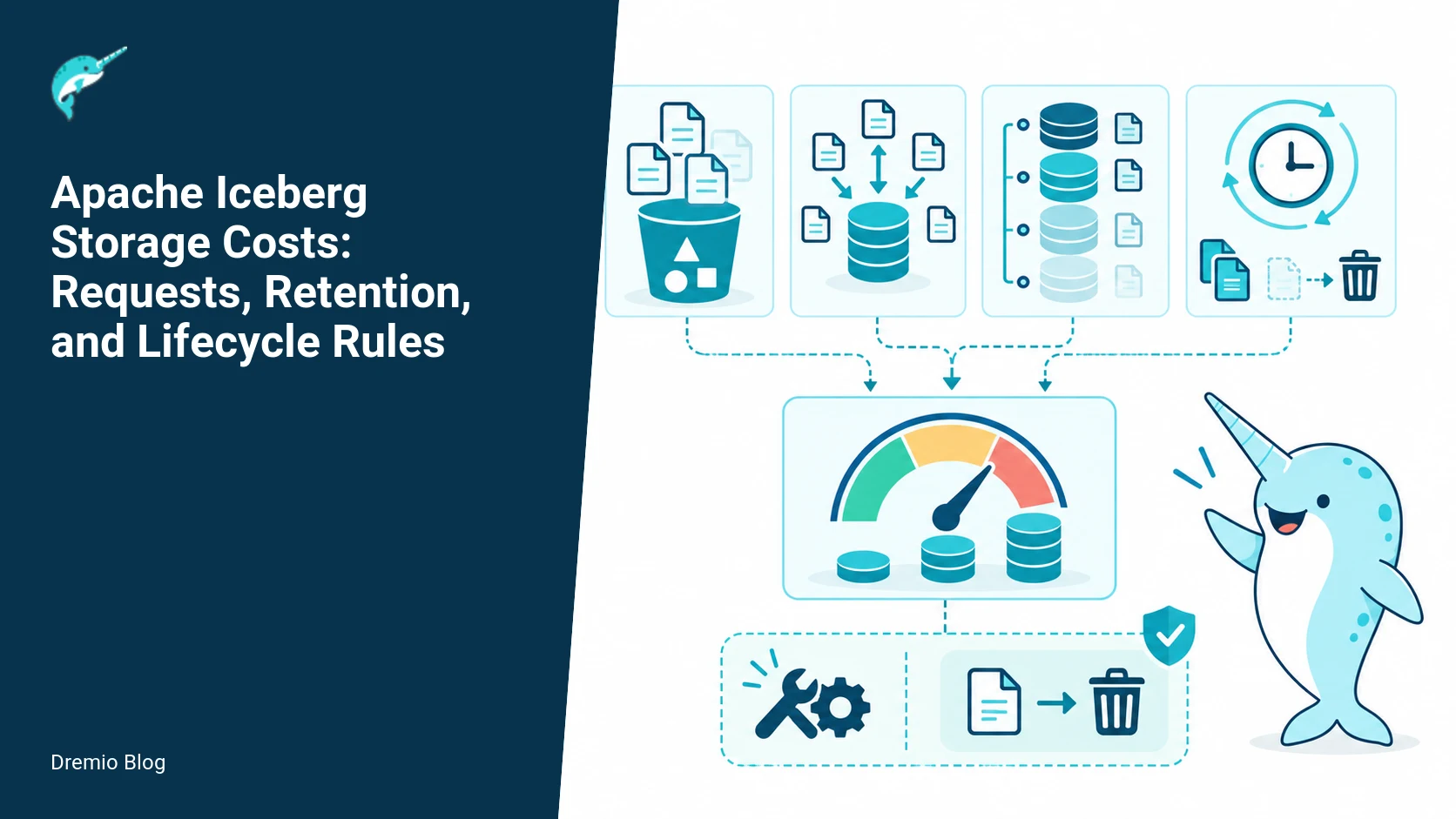
Iceberg storage cost is more than raw bytes. Plan for requests (PUT, GET, LIST, DELETE), retained metadata and snapshots, manifests and delete files, compaction rewrites, and recovery windows. Start with table-aware snapshot expiration and orphan cleanup, then apply object-store lifecycle rules only to paths and objects whose ownership you can guarantee. This reduces unexpected request amplification and accidental data loss.
What this guide covers
This article explains the cost stack for Iceberg on object storage, gives concrete formulas for monthly cost calculations, shows retention and maintenance settings to reduce bill surprises, and lists operational failure modes to avoid. It includes a practical maintenance schedule, worked examples for a hypothetical 100 TB dataset, and metrics to track after deployment. I reference Iceberg maintenance, procedures, and the table specification for concrete behavior. Facts checked on September 22, 2026 where freshness matters.
Iceberg cost stack
When you estimate Iceberg costs on S3, GCS, or Azure Blob, include these components.
Storage bytes, by class. Base data files, delete files (position or equality deletes), manifests, and metadata JSONs sit in different prefixes and possibly different storage classes.
Requests. Object stores charge per API call type. Typical groups are PUT (write), GET or READ (small and range reads count separately on some clouds), LIST, and DELETE. LIST charges matter because Iceberg uses listing to resolve manifests and partition directories.
Retention minimums and transition fees. Cloud providers apply minimum storage durations and early deletion charges for objects moved to lower-cost tiers. These rules change over time. Verify current provider terms before assigning lifecycle policies.
Request amplification from metadata operations. Snapshot history, manifest reads, manifest list reads, and metadata JSON reads multiply LIST and GET calls across files and partitions.
Maintenance operations that rewrite files. Compaction and rewrite operations incur additional PUT and DELETE requests and temporarily increase storage consumption while the rewrite completes and before old files are removed.
Recovery windows. Longer snapshot retention means larger metadata retention and more space used for delete files and manifests, which increases both storage bytes and requests during queries and maintenance.
Iceberg cost stack. Each stage has a result that can be checked before the next stage begins.
Iceberg metadata is a first class cost driver. The specification shows how snapshots, manifest lists, manifests, and metadata JSONs reference each other. Each reference translates into object storage requests when resolving a read or running maintenance. See the Iceberg specification for the reference details and read paths.
How Iceberg object references create requests
Iceberg does not store a single table file. A table state is a chain: table metadata JSON points to a snapshot, snapshot points to manifest lists or manifests, manifests point to data files and delete files. A simple read has these steps, each incurring requests:
GET metadata JSON for current table state.
GET snapshot JSON if the metadata points to one.
LIST and GET manifests referenced by the snapshot. The manifest files list data file paths and partition stats. A single snapshot can reference thousands of manifests for big tables.
GET data files and delete files needed for the read. Range GETs are common for Parquet or ORC reads and can be billed separately.
Every maintenance procedure replays or touches these objects. When compaction rewrites files it writes new data files and new manifests and updates metadata JSON. Until the old metadata and manifests are expired, the object store holds both versions. The Iceberg maintenance documentation and procedure pages describe these operations and the APIs available for expiry and cleanup.
Snapshot retention versus recoverability
Deciding how long to keep snapshots is a tradeoff. Longer retention gives longer recovery windows for accidental deletes or rollbacks, but it increases metadata storage and request load. Short retention reduces storage bytes but can make rollbacks and time travel harder or impossible.
Snapshot retention versus recoverability. Each technical risk needs a matching test, boundary, or operating signal.
Key points to weigh.
Snapshot count and age. Each snapshot references manifests and moveable files. If you keep N snapshots, you keep the metadata chain for each until expiration.
Retention granularity. Iceberg supports explicit snapshot expiration via procedures and properties. Use table-aware expiration rather than an object-store prefix deletion to avoid deleting objects that Iceberg still references.
Recovery goals. Define RPO in days, and set snapshot expiration longer than RPO to allow manual rollback using Iceberg procedures. If you need point-in-time recovery across weeks, budget for the corresponding metadata and delete file storage.
Cost of manifests and delete files. They are small compared to data files but high in count. Manifests are read and listed often, so they increase request totals even when they occupy little byte size.
Iceberg snapshot expiration is documented and you can run snapshot-expire procedures. The Dremio blog post on snapshot expiration walks through an example and shows the safety benefits of table-aware expiration over naive object-store rules. Use table properties and scheduled procedures to keep the chain under control.
Request amplification path
Request amplification happens when one logical operation triggers many API calls. Examples:
Query planning for a table with many manifests. A single query can LIST and GET dozens or thousands of manifest and metadata files, each a separate request on most clouds.
Listing deep prefixes. If your table layout scatters manifests across many prefixes, LIST operations may traverse many directories, each billed or throttled by the provider.
Parallel compaction jobs that all read manifests and data files at once. Compaction multiplies GET and PUT volumes during the rewrite window.
Request amplification path. The loop turns table or catalog signals into controlled operational changes.
Keep these mitigations in mind.
Use manifest pruning and partition predicates to reduce manifests read per query. Materialize partition statistics when possible to reduce scanning.
Group manifests by time or partition in predictable prefixes to minimize LIST breadth. Predictable layouts allow targeted lifecycle rules later.
Run compaction in controlled batches and during low-traffic windows. Expect temporary increases in both storage bytes and requests during compaction.
Safe lifecycle policy boundary
Object-store lifecycle rules are useful, but they do not understand Iceberg references. If you point a lifecycle rule at a prefix that contains Iceberg manifests, lifecycle can delete manifests or metadata JSONs Iceberg still needs, leading to data corruption or lost rollback ability. Never rely solely on object-store rules unless you can guarantee no Iceberg references remain.
Safe lifecycle policy boundary. A reversible canary keeps an unsupported client or unsafe policy from becoming a fleet-wide incident.
Recommended policy boundary.
Use Iceberg procedures to expire snapshots and clean up orphan files first. The published Iceberg maintenance docs and Spark procedures describe snapshot-expire and remove-orphan-files steps you should run from a job, not as a blind lifecycle rule. The Dremio orphan file cleanup post gives practical examples and failure modes to watch for.
After Iceberg has removed references to objects, it is safe to apply object-store lifecycle rules to the specific prefixes reserved for aged data and manifests. Only apply transitions or deletions to paths that Iceberg will not reference again.
Keep metadata prefixes separate from raw data prefixes. A clear boundary simplifies targeted lifecycle rules and reduces the risk of accidental deletion.
Worked example: monthly cost worksheet formula
Below is a practical worksheet you can adapt. Numbers are illustrative. Replace cloud unit prices and request volumes with your vendor values. This yields a monthly cost estimate comprised of storage, request charges, and lifecycle transition costs.
Define inputs.
Data bytes in active class, B_data (bytes). Example: 100 TB = 100 * 2^40 bytes.
Manifest and metadata bytes, B_meta. Estimate manifests at 1 GB per 50k partitions or per 1M files. Delete files vary; start with 1% of data bytes for heavy UPDATE/DELETE workloads.
Monthly PUTs, GETs, LISTs, DELETEs counts. Estimate per query: Q manifests read, M data files read; multiply by monthly query count.
Compaction rewrite volume per month, V_rewrite (bytes) and associated PUT/DELETE counts.
Cloud unit prices: S_active ($/GiB-month), S_cold ($/GiB-month), P_put, P_get, P_list, P_delete, and any minimum duration penalties.
Compute charges.
Storage cost = B_data * S_active + B_meta * S_active (or S_cold for moved objects).
Transition cost = sum of early deletion penalties or one-time charges if you move objects before the provider minimum duration.
Compaction overhead = (V_rewrite * S_active) + PUTs_for_rewrites * P_put + DELETEs_for_rewrites * P_delete. Remember this cost is repeated during each compaction window.
Worked numbers for a hypothetical 100 TB table, monthly query load of 10,000 queries, and weekly compaction that rewrites 2% of data per run.
B_data = 100 TiB = 102.4 TiB (use binary GiB units consistent with vendor billing).
B_meta = assume 200 GiB of manifests and metadata JSONs and 1 TiB of delete files, so round to 1.2 TiB.
Monthly PUTs: compaction writes + regular appends. If weekly compaction rewrites 2% of 100 TiB, V_rewrite = 0.02 * 100 TiB * 4 weeks = 8 TiB of new data writes per month.
Requests from queries: assume each query reads 50 manifests and 100 data files. For 10,000 queries per month that is 500k manifest GETs and 1M data file GETs, plus LISTs for manifest discovery. Add another 10% for background planners and metadata checks.
Plug vendor prices. Do not use these numbers as real billing; check your cloud's current pricing and minimum retention durations. Cloud prices and minimum storage durations change, so verify before applying lifecycle rules.
Retention properties and maintenance schedule
Set table properties and a schedule that balances cost and recoverability. Iceberg has documented maintenance procedures and Spark procedures that can be scheduled as jobs. The Iceberg maintenance and procedures pages show exact procedure names and expected behaviors. The schedule below is conservative and practical for many production tables.
Snapshot retention: Keep snapshots for at least R days, where R equals your recovery window plus one maintenance interval. Example: if you run expiration weekly and want a 7 day RPO, keep snapshots for 14 days.
Manifest and metadata cleanup: Run snapshot-expire followed by remove-orphan-files or the project-specific procedures. Do this on a weekly cadence for active tables and monthly for low-traffic historical tables. Use the documented APIs so Iceberg removes references first.
Compaction: Schedule small-file compaction daily or weekly depending on write pattern. Full rewrite compaction that touches large fractions of the dataset should be scheduled during low load and limited in parallelism to control request spikes.
Orphan file detection: Run orphan file cleanup after snapshot expire jobs to remove file objects that are no longer referenced. The Dremio orphan file cleanup post gives pattern and command examples that reduce risk of accidental removals.
Example property values to test in a staging environment. These property names and semantics are described in the Iceberg specification and procedures pages; confirm exact property names for your Iceberg version before applying.
snapshot.expire.max-age = 14d (expire snapshots older than 14 days).
maintenance.delete-orphan-files = true (run remove-orphan-files after expiration).
compaction.parallelism = tuned to your cluster capacity, typically between 4 and 32 tasks per table to avoid request storms.
These examples are for planning. Confirm property names and the availability of procedures for your Iceberg version, see the official maintenance documentation and the Spark procedures reference for the authoritative procedure names and parameter lists.
Failure modes and operational cautions
Here are the concrete failure modes I have seen in production and how to avoid them.
Accidental lifecycle deletion of manifests or metadata. If you point lifecycle rules at prefixes that Iceberg writes into, the object store will not know about references. The consequence can be permanent data loss or inability to time travel. Mitigation: run Iceberg snapshot-expire and remove-orphan-files first, then apply lifecycle only to known-safe prefixes. See the safe lifecycle policy boundary above.
Compaction-induced bill spikes. Large parallel compactions rewrite data, temporarily doubling storage usage and increasing PUT/GET counts. The consequence is a surprising monthly bill. Mitigation: stagger compactions, limit parallelism, and measure rewrite volumes in staging before rolling out. Remember that compaction temporarily increases requests and bytes.
Too-short cold tier transitions. Moving objects to cold storage before the provider minimum duration leads to early deletion fees. The consequence is unexpected transition costs. Mitigation: consult your cloud provider terms and account for minimum storage durations in lifecycle schedules. Cloud prices and minimum storage durations change, check them regularly.
High LIST costs from shallow prefix layouts. If Iceberg writes many small manifest files across many prefixes, LIST request counts can grow quickly. Consequence: high LIST bills and slower metadata resolution. Mitigation: organize metadata into fewer, predictable prefixes and enable manifest consolidation where supported.
Stale manifest reads after restore. If you restore objects from a backup but not the metadata chain consistently, Iceberg may reference metadata that differs from file objects. Consequence: incorrect query results. Mitigation: when restoring, restore the metadata chain and snapshots in tandem, or use Iceberg's procedures to re-establish a consistent state.
Rollout checklist
1) Inventory table layout and prefixes. Identify prefixes for manifests, metadata JSONs, delete files, and data files. Separate them if possible.
2) Measure current request counts. Capture monthly PUT/GET/LIST/DELETE counts for a baseline. If you cannot get exact counts, run a workload replay in staging to estimate.
3) Decide recovery RPO and set snapshot retention accordingly. Run snapshot-expire in staging and verify you can still time travel to desired points.
4) Implement and test compaction in staging. Measure rewrite volumes and request spikes. Tune parallelism to control cost.
5) Schedule orphan-file cleanup after snapshot expiry. Verify that remove-orphan-files only deletes objects not referenced by any metadata chain.
6) Apply lifecycle rules only to tested, safe prefixes. Start with transitions (move to cold) before automatic deletions, and include an overlap cushion equal to the provider minimum duration.
7) Monitor cost and metrics for at least two full billing cycles before expanding the policy set.
What to measure after deployment
Byte counts per storage class, broken down by table and by prefix. Track data files, delete files, manifests, and metadata JSONs separately.
Request counts by type: PUT, GET, LIST, DELETE. Compare to baseline and to expected query counts.
Compaction rewrite volumes and peak parallel requests during maintenance windows.
Snapshot age distribution and number of snapshots per table. Watch for unexpectedly long-lived snapshots that hold references to old files.
Orphan file counts before and after cleanup runs. A rising orphan file count points to problems in your retention sequence or failed cleanup runs.
Billing anomalies tied to lifecycle transitions (early deletion fees) and to increased request counts after compaction or metadata-intensive queries.
Practical implementation and evaluation sequence
Follow this sequence when rolling out an Iceberg cost control program. Each step maps to measurable checks so you can stop if a test fails.
Stage 0: Inventory and baseline. Capture prefixes, current manifest counts, metadata bytes, and request rates for 7 to 30 days.
Stage 1: Apply conservative retention in staging. Run snapshot-expire with a long window, then run remove-orphan-files. Verify table consistency and query correctness. Confirm the Iceberg maintenance docs and procedures for your version before running these commands.
Stage 2: Test compaction. Run small-file compaction on a representative partition, measure rewrite volume and request spike. Tune compaction parallelism until spikes are acceptable.
Stage 3: Implement lifecycle rules in a narrow, metadata-free prefix. Only transition old archived data to cold storage. Monitor for early deletion fees.
Stage 4: Deploy periodic maintenance jobs in production on a small set of tables. Run snapshot-expire, remove-orphan-files, and consolidation operations in that order. Validate with queries and by attempting a rollback to an expired snapshot in a test environment.
Stage 5: Iterate. Expand to additional tables once metrics and billing look as expected for two billing cycles.
Cross-links to practical Dremio content
For hands-on examples and commands, the Dremio blog post about snapshot expiration shows how table-aware snapshot expiry avoids leaving references behind. The Dremio orphan file cleanup article explains common failure modes and safe practices for removing unreferenced objects. If you want to examine metadata with SQL, the Dremio post about metadata tables and querying the internals walks through how to inspect manifests and snapshots. For overall platform guidance on running Iceberg with Dremio, see the Dremio platform page on Apache Iceberg for integration details and supported features. Each of these pages complements the upstream Iceberg maintenance and procedures documentation I cite below.
Practical implementation: running a monthly cost worksheet and maintenance cadence
Put simply, run the worksheet every month, then act on its three outputs: expected object requests, storage tiers at risk of minimum-duration charges, and candidate snapshot sets for retention adjustment. The worksheet in the draft is a formula. Here I give a runnable sequence, the exact metrics to collect, SQL examples that work with Iceberg catalog tables, and a maintenance cadence tied to those numbers.
This assumes a catalog accessible from Spark or Dremio that exposes Iceberg table metadata. Verify your environment supports the documented Spark procedures in the Apache Iceberg maintenance documentation for your Iceberg version before running these steps.
Step 1, collect inputs for the worksheet. Run these operations near the start of calendar month so the worksheet reflects recent activity.
Active snapshot count per table, S. Query the catalog or table logs to count snapshot ids. In Spark SQL you can use the table.history procedure documented by Apache Iceberg. Record S for each table.
Average manifest list size per snapshot, Mbytes. You can estimate this by summing manifest file object sizes referenced from the latest N snapshots and dividing by N. Use small N, like 3, to reflect current write patterns.
Average number of manifest files referenced per snapshot, F. This is the average number of manifest files the table’s snapshot points to.
Data file count per table, D, and average data file size, A. If you chunk your writes into small files, this number can explode the request count when compaction runs.
Daily change rate, C. Count snapshots created per day over the last 30 days, or use writes per day if your pipeline produces multiple snapshots per day.
Object-store pricing inputs. Use the latest documented API prices from your cloud provider. Note minimum storage duration and per-request prices. Cloud prices and minimum storage durations change, verify on your provider’s pricing page when you run the worksheet.
Step 2, calculate expected monthly HEAD and LIST requests triggered by snapshot activity and lifecycle policy enforcement. Use the worksheet formula for manifest and metadata reads. For monthly amplification from compaction, estimate the compaction schedule from your maintenance cadence below and include its amplified requests during compaction windows.
Step 3, identify snapshot retention candidates. Use the snapshot age distribution to choose an initial retention boundary. Record how many snapshots and how many manifest and data files those snapshots reference. This lets you estimate how changing retention moves costs between object-store requests and storage.
Step 4, produce a prioritized action list. Typical items are: shorten snapshot retention for tables with low recovery needs, schedule compaction for tables with many small data files but stagger compaction windows to avoid simultaneous request spikes, and mark tables for manifest consolidation if F is large relative to S.
Suggested cadence mapped to metrics. This is conservative; adjust for your workload and staffing.
Daily: monitor S changes and daily snapshot creation rate C. Alert if C doubles week over week. Short-term spikes mean lifecycle rules will create many deletes once snapshots age out.
Weekly: run manifest and manifest list size sampling. If Mbytes grows by more than 10 percent week over week for a table, investigate write path or manifest pruning needs.
Monthly: run the full worksheet and update object-store cost projection. Recalculate minimum-duration exposure based on snapshot retention candidates.
Quarterly: review compaction schedule effectiveness and adjust staging windows. Validate that compaction has a net cost benefit when counting the temporary increase in requests and egress during compaction.
Maintain an operations playbook that contains the worksheet inputs, the raw query outputs, and the action decisions. That makes rollbacks and incident postmortems traceable.
Failure injection tests and what to look for
Testing is the only reliable way to know how your environment reacts. Failure injection helps you observe request amplification, lifecycle rule timing, and compaction side effects. Each test below is safe if you follow the stated limits and have monitoring in place. Do these in a staging account or nonproduction bucket that mirrors real object counts and file size distributions.
Test 1, snapshot storm. Purpose, observe request amplification when N snapshots are created quickly. Procedure, pick a table and create synthetic commits that each add small data files so each commit produces a new snapshot. Target 100 snapshots over 30 minutes for a medium table. Monitor object-store LIST and GET rates, and manifest reads. Limits, do not exceed your provider’s request quota; start lower and scale up.
What to watch, expect S to increase and Mbytes to grow if each snapshot adds manifests. Lifecycle or retention rules will not run during this injection, but compaction jobs scheduled later will see a large backlog. Measure how many HEAD/LIST requests are needed by your metadata readers to enumerate all snapshots and manifests. Record latency increases and any 429 or 5xx errors from the object store.
Test 2, lifecycle purge simulation. Purpose, measure the spike in DELETE and LIST requests when you expire a large number of snapshots at once. Procedure, in staging mark a snapshot as expired in the table metadata or run the documented expire_snapshots procedure for your Iceberg version. Do this for a subset first, such as 10 percent of snapshots, then scale.
What to watch, object stores charge for DELETE and sometimes for lifecycle transition reads. Watch for list penalties if your bucket has a large object count. Verify the Cloud provider’s minimum storage duration policy interacts with your deletes. If objects are within minimum duration, you may be charged for early deletion. Record failed or retried deletes from Iceberg procedures and how many orphan files remain after the operation.
Test 3, compaction stress. Purpose, quantify temporary request and egress increase during compaction. Procedure, run your normal compaction job on a staging table with the same number of data files and average file size as a production table. Measure read and write object counts that the compaction causes.
What to watch, you will see a temporary rise in GET and PUT operations. Compaction reads old small files and writes larger consolidated files. If compaction rewrites files across storage classes or regions, egress charges can spike. Also check that parallel compaction workers do not cause concurrent peaks across multiple tables; stagger workers.
Test 4, lifecycle rules without Iceberg coordination. Purpose, demonstrate why object-store lifecycle rules alone can orphan Iceberg-managed objects. Procedure, apply a lifecycle policy that deletes objects older than X days to a bucket used by your Iceberg tables. Then run a query that requires an older snapshot referenced by Iceberg parent metadata.
What to watch, you will likely observe failed reads for snapshot or manifest objects that Iceberg expects to exist. This test shows why lifecycle rules must be coordinated with Iceberg procedures that rewrite metadata and delete data files referenced only by expired snapshots. The failure manifests as query errors in engines expecting the metadata to be consistent, not silent cost savings.
For each test, capture these metrics at high resolution: object-store LIST, GET, HEAD, PUT, DELETE rates, error rates, and per-operation latency. Also capture table-level metrics: snapshot count, manifest count, total data file bytes, and number of orphaned files detected by your detection tool. Those give you the inputs for the monthly worksheet and the decision table below.
Decision table for retention, compaction, and lifecycle actions
The following decision table pairs measurable conditions with recommended actions and expected operating consequences. Use it during your monthly worksheet review and after failure injection tests. These are practical, conservative recommendations. Verify behavior with the Iceberg maintenance procedures documented for your version.
Condition, S greater than 90 day snapshot count and low recovery requirement (team agrees SLA is hours not days). Action, reduce snapshot retention to 30 days and schedule a metadata-only compact after retention run. Expected consequence, lower storage and fewer manifest reads in long tail. Risk, if recovery is needed beyond 30 days you will not have snapshots to roll back to.
Condition, F per snapshot is high, F > 200, and Mbytes average per snapshot exceeds 10 MB. Action, run manifest consolidation or a routine that rewrites manifests into fewer files using the documented procedures. Expected consequence, smaller metadata read amplification when listing snapshots. Risk, consolidation triggers metadata writes and temporary increased requests during the operation.
Condition, D (data file count) grows faster than storage bytes, indicating many small files. Action, schedule targeted compaction for affected partitions with staggered windows, and limit compaction parallelism to keep request rates within provider quotas. Expected consequence, lower per-query IOPS and fewer GETs per query, but temporary increases in GET and PUT during compaction. Risk, compaction can push you into minimum storage duration penalties if rewritten files are short lived.
Condition, object-store minimum storage duration will apply to many files created by your maintenance run. Action, delay deletes of short-lived interim files until they exceed the minimum duration, or perform compaction that writes direct-sized final files so you do not pay early-delete penalties. Expected consequence, higher short term storage costs but lower penalty charges. Risk, keeping interim files longer means they must be tracked and cleaned explicitly later.
Condition, lifecycle rules would delete objects older than retention boundary but Iceberg metadata still references those objects. Action, do not apply lifecycle rules directly. Instead run the documented expire_snapshots or remove_orphan_files procedures for your Iceberg version, then apply lifecycle rules to the bucket for older objects only after Iceberg no longer references them. Expected consequence, consistent metadata and fewer query errors. Risk, added operational complexity and a need for careful sequencing.
Condition, monthly worksheet projects request-driven costs exceeding storage costs by more than 2x. Action, prioritize manifest consolidation, reduce snapshot retention, and audit data file write patterns for possible batching. Expected consequence, request cost reduction. Risk, changes require testing and may impact recovery SLAs and job latencies until tuned.
Use the worksheet numbers to decide which row to execute. For example, if compaction will temporarily increase GET requests by 300 percent but reduce steady-state GETs by 60 percent, run it during a low-traffic window and stagger across tables so your overall request profile stays under quota.
Monitoring and alerting rules to catch regressions fast
After deployment, you must watch both operational and financial signals. Alerts should map to the worksheet inputs so that when an alert fires you can rerun the worksheet with fresh numbers and choose an action from the decision table. Below are practical alert rules and why they matter.
Snapshot creation rate anomaly, alert when daily snapshot rate C exceeds baseline by 2x for three consecutive hours. Why, a sustained spike means lifecycle expirations will soon cause large deletions and possibly a wave of object operations. Action, investigate job changes and throttle snapshot-generating processes if appropriate.
Manifest count growth, alert when F increases by more than 25 percent week over week for a table. Why, larger F increases per-query metadata reads and HEAD/LIST operations. Action, schedule manifest consolidation and review write job parallelism.
Object-store request rate threshold, alert at 70 percent of your vendor-request quota for LIST or GET operations. Why, vendors often throttle beyond quotas, which causes query failures. Action, postpone heavy maintenance jobs and stagger operations.
Delete error rate, alert when DELETE operations return 4xx or 5xx errors above normal for more than 10 minutes during a retention job. Why, failed deletes can leave orphaned files and increase storage costs. Action, pause the procedure and inspect logs for permission or transient network issues.
Early-delete cost spike, monitor billing for charges attributed to early deletions within the provider’s minimum storage duration. Why, lifecycle or maintenance jobs that delete too early can be expensive. Action, review the maintenance timing and either delay deletes or change the rewrite strategy to avoid creating short-lived objects.
Read latency and query failures, alert when query error rate rises after a lifecycle or maintenance run. Why, accidental deletion of referenced manifests or snapshots causes immediate query failures. Action, roll back lifecycle rules or restore from backup if possible, and run metadata repair procedures as documented by Apache Iceberg when supported.
Attach runbooks to every alert that list quick actions, the relevant worksheet queries, and the decision table rows most likely to apply. That reduces the mean time to remediate and helps teams run disciplined experiments.
FAQ
How much do manifests and metadata contribute to cost?
Manifests and metadata JSONs are small in bytes but high in request impact. For many systems they are under 1% of total bytes, but they can represent 10 to 30% of LIST and GET requests if your workload reads many small snapshots or partitions. Measure manifest byte size and manifest GET counts during baseline to know your ratio.
Can I use object-store lifecycle rules instead of Iceberg procedures?
Not safely in most cases. Lifecycle rules do not understand Iceberg references. Use Iceberg snapshot-expire and orphan cleanup procedures to remove references first, then apply lifecycle rules only to prefixes that Iceberg will not touch again.
How should I schedule compaction to control costs?
Stagger compaction jobs, limit parallel tasks per table, and run heavy rewrites during low-traffic windows. Expect compaction to temporarily increase both storage bytes and requests, so plan capacity and budget accordingly.
What retention period should I set for snapshots?
Set snapshot retention relative to your RPO plus a maintenance cushion. If you need 7 day recovery, keep snapshots for 14 days when you run weekly maintenance. Test rollback in staging to validate the duration before shortening it in production.
How do I detect orphan files safely?
Use Iceberg remove-orphan-files or the documented maintenance procedures that walk the metadata chain. Run orphan file detection after snapshot expiration and review results before deletion. The Dremio orphan cleanup post shows practical commands and verification steps.
Which metrics should I alert on after deploying lifecycle rules?
Alert on spikes in LIST and GET request counts, sudden drops in snapshot counts, increases in orphan file counts, and unexpected early deletion or transition fees from your cloud bill. Also alert on failed maintenance jobs and inconsistent query results after cleanup runs.
Related Dremio guides
These guides cover adjacent implementation details that are outside this article's main scope.
Intro to Dremio, Nessie, and Apache Iceberg on Your Laptop
Editor’s note, September 2026. This post was published in September 2023 and some product details have changed since. Nessie is still available and self-deployable under the Apache-2.0 licence, and it remains the clearest implementation of catalog-level branching. It is not an Apache Software Foundation project, and its development has slowed considerably. For how the current […]
Aug 16, 2023·Dremio Blog: News Highlights
5 Use Cases for the Dremio Lakehouse
With its capabilities in on-prem to cloud migration, data warehouse offload, data virtualization, upgrading data lakes and lakehouses, and building customer-facing analytics applications, Dremio provides the tools and functionalities to streamline operations and unlock the full potential of data assets.
Aug 24, 2026·Dremio Blog: Open Data Insights
Migrating to Apache Iceberg: Strategies for Every Source System
This is Part 15, the final article of a 15-part Apache Iceberg Masterclass. Part 14 covered hands-on Dremio Cloud. This article covers the three migration strategies and how to execute a zero-downtime migration using the view swap pattern. Most organizations do not start with Iceberg. They have years of data in Hive tables, data warehouses, CSV files, databases, […]