10 minute read · December 12, 2025
5 Surprising Ways Dremio’s AI Functions Unlock Your Unstructured Data

· Head of DevRel, Dremio

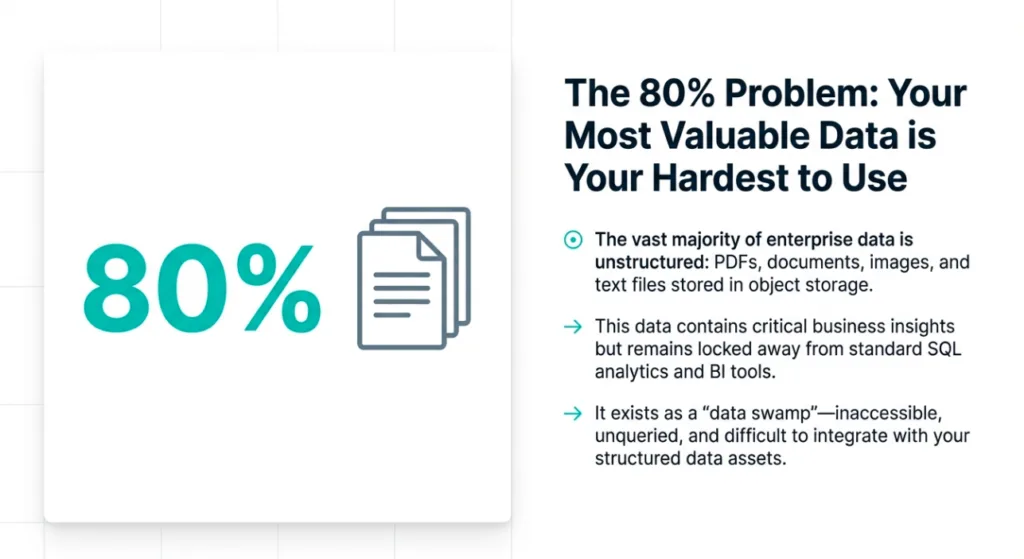
For too long, the most valuable information in the enterprise has remained locked away, dormant and inaccessible. I’m talking about the mountains of unstructured data, customer feedback emails, support transcripts, research papers, legal documents, sitting in your data lake.
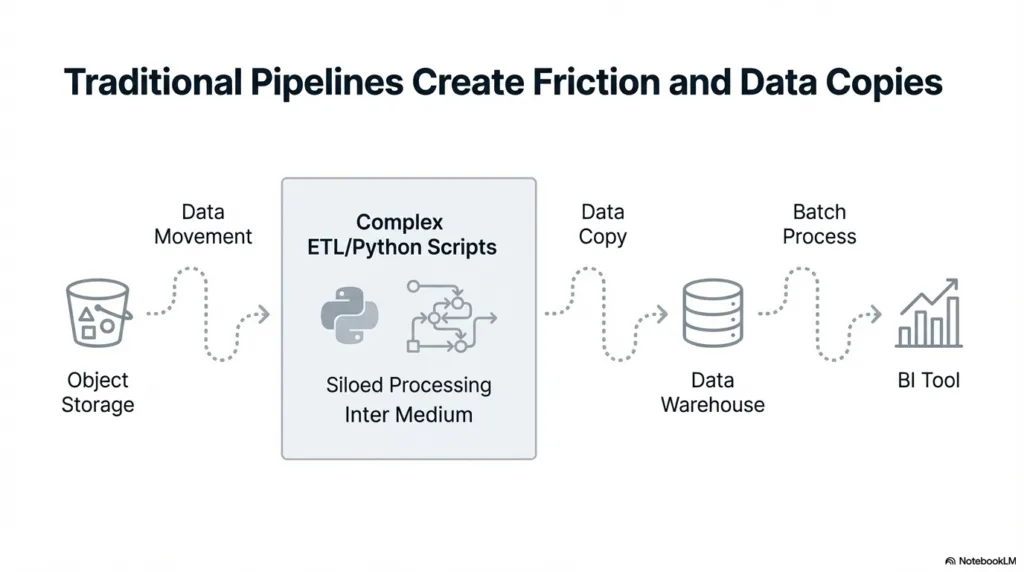
Historically, accessing these insights meant wrestling with complex ETL pipelines, specialized tools, and costly data movement to get them to a separate AI service. This process isn't just slow; it's a barrier to innovation.
What if you could bring the power of Large Language Models (LLMs) directly to your data, right where it lives?
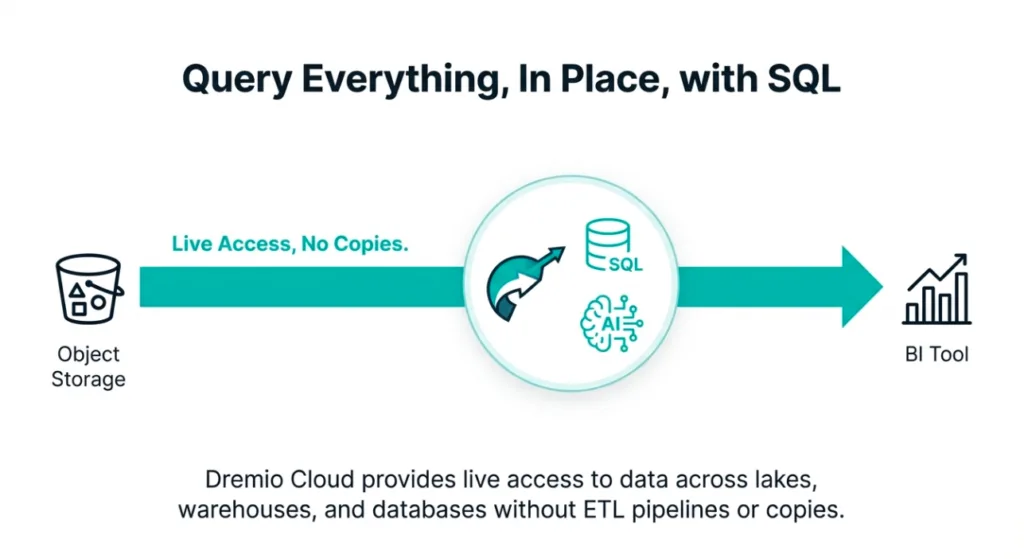
Dremio's AI Functions represent a fundamental paradigm shift, embedding generative AI capabilities directly into the data lakehouse. For the first time, anyone who knows SQL can query, classify, and extract value from raw, unstructured data using simple, familiar commands. This isn't just an incremental improvement; it's a new frontier for data analytics.
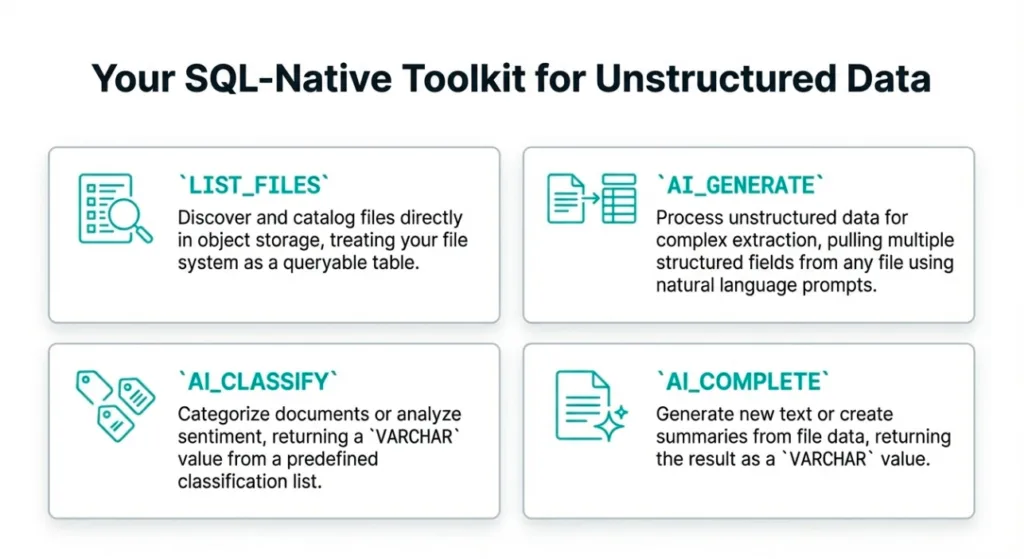
Let’s explore the logical workflow, from initial query to governed data product, and see five of the most impactful ways these functions will transform how you work with data.
1. You Can Run an LLM Directly Inside Your SQL Queries
The journey begins by embedding LLM-powered analysis directly into a SQL query. This is the foundational capability that changes everything, and the AI_CLASSIFY function enables it.
Its purpose is elegant and powerful: use a configured LLM to classify text based on a natural language prompt and a set of categories you provide. You can ask the LLM to interpret text and assign it a structured label, all within a standard SELECT statement.
The syntax is straightforward:
AI_CLASSIFY( [ model_name VARCHAR, ] { prompt VARCHAR | (prompt VARCHAR, file_reference STRUCT<...>) }, categories ARRAY<VARCHAR|INT|FLOAT|BOOLEAN> ) → VARCHAR|INT|FLOAT|BOOLEANImagine you have a database of recipes and want to automatically assign a difficulty rating. Instead of a manual, time-consuming review, you can run a single query:
SELECT

  recipe_name,

  AI_CLASSIFY(

    'Determine the difficulty level based on these ingredients and steps',

    ingredients || ' - Steps: ' || cooking_instructions,

    ARRAY['Beginner', 'Easy', 'Intermediate', 'Advanced', 'Expert']

  ) AS difficulty_level,

  prep_time,

  number_of_ingredients

FROM recipe_database;
This simple query turns your data analysts into data scientists. Anyone who knows SQL can now perform sophisticated text classification, answering critical business questions about product feedback or support tickets in minutes, not months. The analysis happens where the data lives, eliminating architectural complexity and radically accelerating time to insight.
2. You Can Classify Raw, Unstructured Files Directly from Your Data Lake
Now, let's scale that power from a single table column to your entire data lake. Dremio’s AI functions are not limited to structured text; AI_CLASSIFY can analyze the content of raw, unstructured files sitting in your object storage.
This is enabled by the (prompt VARCHAR, file_reference STRUCT<...>) part of the function's syntax. This structure is designed to work with functions that list files from a source, allowing you to pass file references directly to the AI function for processing in one unified query.
Consider the business impact: you have thousands of raw .txt files containing customer feedback dropped daily into an Amazon S3 bucket from a support tool. With a single SQL query, you can read each file, ask an LLM to classify its sentiment ('Positive', 'Negative', 'Neutral'), and instantly power a real-time dashboard that tracks sentiment trends across product lines.
This capability effectively transforms a static repository of documents into a dynamic, queryable source of insight without ever moving or pre-processing a single file. Your data lake of documents becomes an interactive database.
Try Dremio’s Interactive Demo
Explore this interactive demo and see how Dremio's Intelligent Lakehouse enables Agentic AI
3. You're Not Locked into One AI Provider
As you integrate AI into your analytics, flexibility is paramount. Dremio's AI functions are processed by a configured AI model provider, but you are never locked into a single option. This ensures you can adapt to the rapidly evolving AI landscape.
Dremio supports a range of leading model providers:
- OpenAI
- Anthropic
- Google Gemini
- AWS Bedrock
- Azure OpenAI
The optional model_name parameter in AI_CLASSIFY provides granular, query-level control. If you want to leverage a specific, versioned OpenAI model for a task, you simply specify its name, such as 'gpt-4o-2024-11-20', in your function call.
This flexibility is a strategic advantage. It allows your organization to choose the most cost-effective or best-performing model for any given task without vendor lock-in. You can experiment, optimize for cost, and pivot your AI strategy as new and better models emerge, future-proofing your analytics stack.
4. You Can Natively Manage and Isolate Your AI Workloads
Unleashing the power of LLMs across your data is transformative, but these queries can be resource-intensive. Dremio provides the native workload management tools necessary to run AI analytics at scale without disrupting business-critical operations.
Using engine routing rules, you can automatically direct AI-powered queries to specific, dedicated compute resources. This ensures that a heavy text classification job doesn't slow down your executive BI dashboards. Dremio provides specific functions to identify and route these queries:
- query_calls_ai_functions()
- query_has_attribute('AI_FUNCTIONS')
This is enterprise-grade AI management. You can confidently unleash powerful LLM analytics on your data without risking the performance of your CEO's critical sales dashboard. It's about enabling innovation without sacrificing stability, giving you precise control over both cost and performance.
5. The End Goal: Turn Unstructured Chaos into a Governed Data Product
Extracting insights is the first step, but creating a reusable, governed asset is the ultimate goal. The final stage in this workflow is to persist your AI-enriched data, transforming it from a query result into a durable data product for the entire organization.
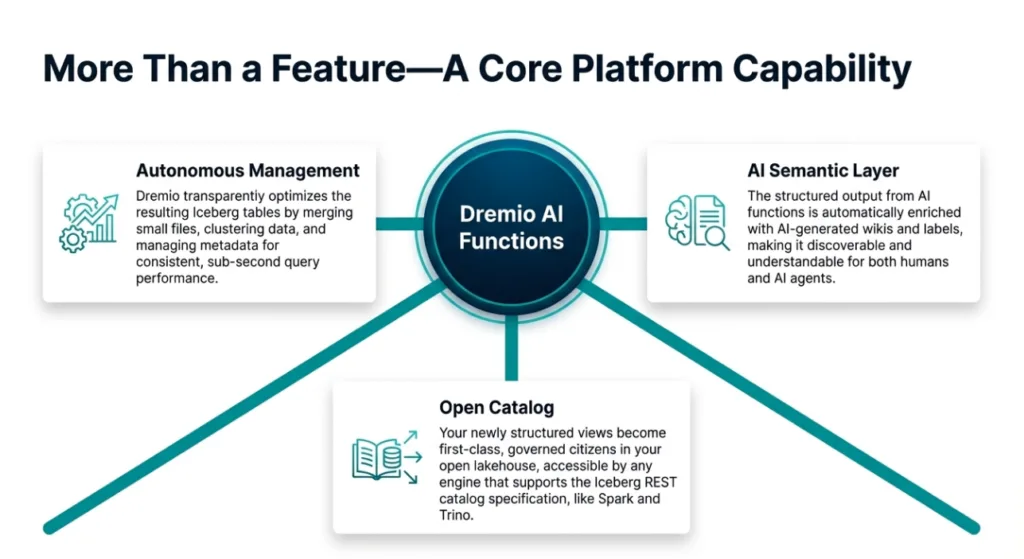
You achieve this by materializing the output of your AI function query into a physical, governed Apache Iceberg table. The correct command for this is CREATE TABLE ... AS SELECT ... (CTAS). This physically writes the AI-generated results into a new, independent table that is optimized for performance.
As the Dremio documentation notes, you can "turn unstructured data, such as images or PDFs, into a structured, governed Iceberg table using AI Functions." This capability is particularly powerful for processing non-text files like images or PDFs, allowing you to extract and structure metadata from formats that were previously opaque to SQL.
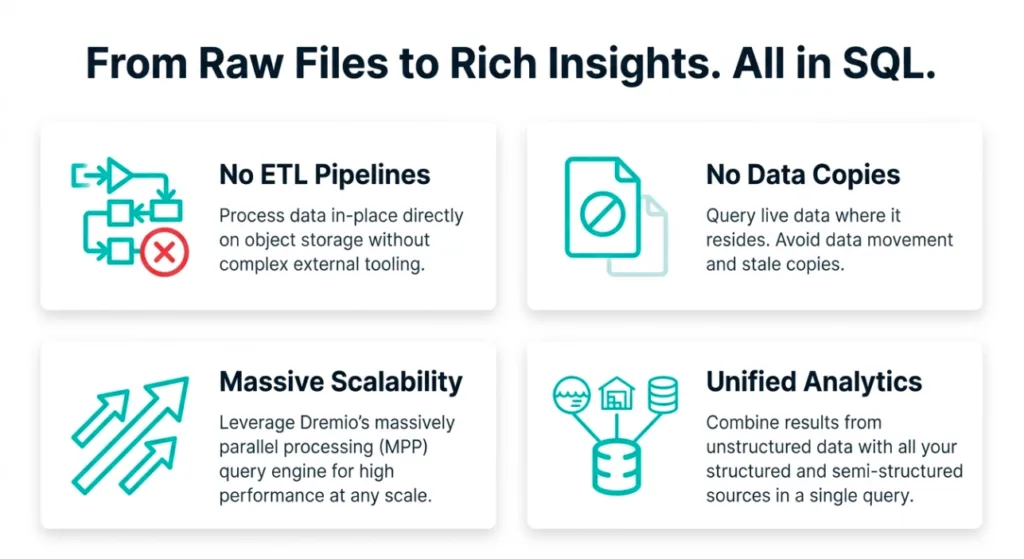
By running a CTAS statement with AI_CLASSIFY, you create a new physical Iceberg table that contains your original data, enriched with AI-driven classifications. This table is a first-class data product, fast to query, easy to govern with fine-grained access controls, and ready to be joined with other datasets to drive deeper business intelligence. This final step completes the lifecycle, turning raw, unstructured chaos into a clean, queryable, and valuable corporate asset.
Conclusion
Dremio's AI Functions are more than just a new feature; they are a bridge over the long-standing divide between unstructured data and SQL-based analytics. By embedding LLM capabilities directly into the query engine, Dremio provides a complete workflow to unlock your most inaccessible data. You can now analyze data where it lives, choose the best AI model for the job, manage workloads with enterprise-grade controls, and transform raw files into governed, high-performance data products. The era of inaccessible information is over.
Now that you can query the contents of any document in your data lake, what's the first business question you'll ask?
Additional Resources

BLOG
Ingesting Data Into Apache Iceberg Tables with Dremio: A Unified Path to Iceberg
By unifying data from diverse sources, simplifying data operations, and providing powerful tools for data management, Dremio stands out as a comprehensive solution for modern data needs. Whether you are a data engineer, business analyst, or data scientist, harnessing the combined power of Dremio and Apache Iceberg will undoubtedly be a valuable asset in your data management toolkit.
Product Insights from the Dremio Blog,
Learn More ->

BLOG
Table-Driven Access Policies Using Subqueries
This blog helps you learn about table-driven access policies in Dremio Cloud and Dremio Software v24.1+.
Product Insights from the Dremio Blog,
Learn More ->
BLOG
Dremio Arctic is Now Your Data Lakehouse Catalog in Dremio Cloud
Dremio Arctic bring new features to Dremio Cloud, including Apache Iceberg table optimization and Data as Code.
Dremio Blog: News Highlights, Dremio Blog: Open Data Insights, Product Insights from the Dremio Blog,
Learn More ->