Apache Polaris includes a MongoDB-backed NoSQL metastore option, but the current documentation treats it as experimental. Teams evaluating it must configure and bootstrap the metastore with matching server and admin-tool versions, schedule daily NoSQL maintenance, test backup and restore, and compare results with the PostgreSQL path Polaris recommends for production.
Where the MongoDB metastore fits
The MongoDB metastore option is experimental. Evaluate it as an operations problem that includes architecture, bootstrap ordering, daily maintenance, backup, restore, and failure recovery. The behavior described here was checked against Polaris 1.8.0 and the in-development MongoDB documentation on November 9, 2026, so verify version-specific configuration before deployment.
Short version up front: treat MongoDB persistence as experimental, run the Polaris admin-tool that matches your server version when you bootstrap, automate a daily maintenance job for MongoDB compaction and repair, and have a tested fallback plan to PostgreSQL if you need a production-ready metastore. The Polaris docs and admin-tool pages are the primary references for exact feature flags and steps. See the Polaris metastore pages for 1.8.0 and the in-development MongoDB metastore doc for version-specific details.
Polaris MongoDB persistence architecture
Polaris stores metadata about resources, policies, catalogs, and access control in a pluggable metastore. The MongoDB implementation maps Polaris entities to BSON documents in a set of collections. The metastore implementation is documented as experimental in the Polaris in-dev metastore page, and 1.8.0 documents PostgreSQL as the recommended production metastore. Read both the in-development MongoDB metastore documentation and the 1.8.0 metastore overview to understand the supported capabilities and limits.
High level components:
Polaris server instances, each configured with persistence.type=nosql and a MongoDB connection string.
MongoDB deployment, which can be a replica set or a sharded cluster. Polaris requires a durable primary for writes and consistent reads, so use a replica set with majority writeConcern unless you have a documented reason not to.
Polaris admin-tool, a CLI that performs offline schema bootstrap, migrations, and repair operations. The admin-tool must match the Polaris server version for safe bootstrapping; using a different version can write incompatible documents.
Design consequences:
Write amplification and BSON size limits matter. Large policy blobs or deeply nested ACLs may hit the 16 MB BSON document limit, which requires application-level partitioning of an entity across documents.
Indexes matter for queries Polaris performs. The metastore implementation defines collection indexes; confirm the admin-tool applied them during bootstrap.
Backup and restore must operate at the MongoDB level, not the file system alone, because document ordering, oplog position, and replica-set state affect recovery. See MongoDB backups guidance for patterns to test.
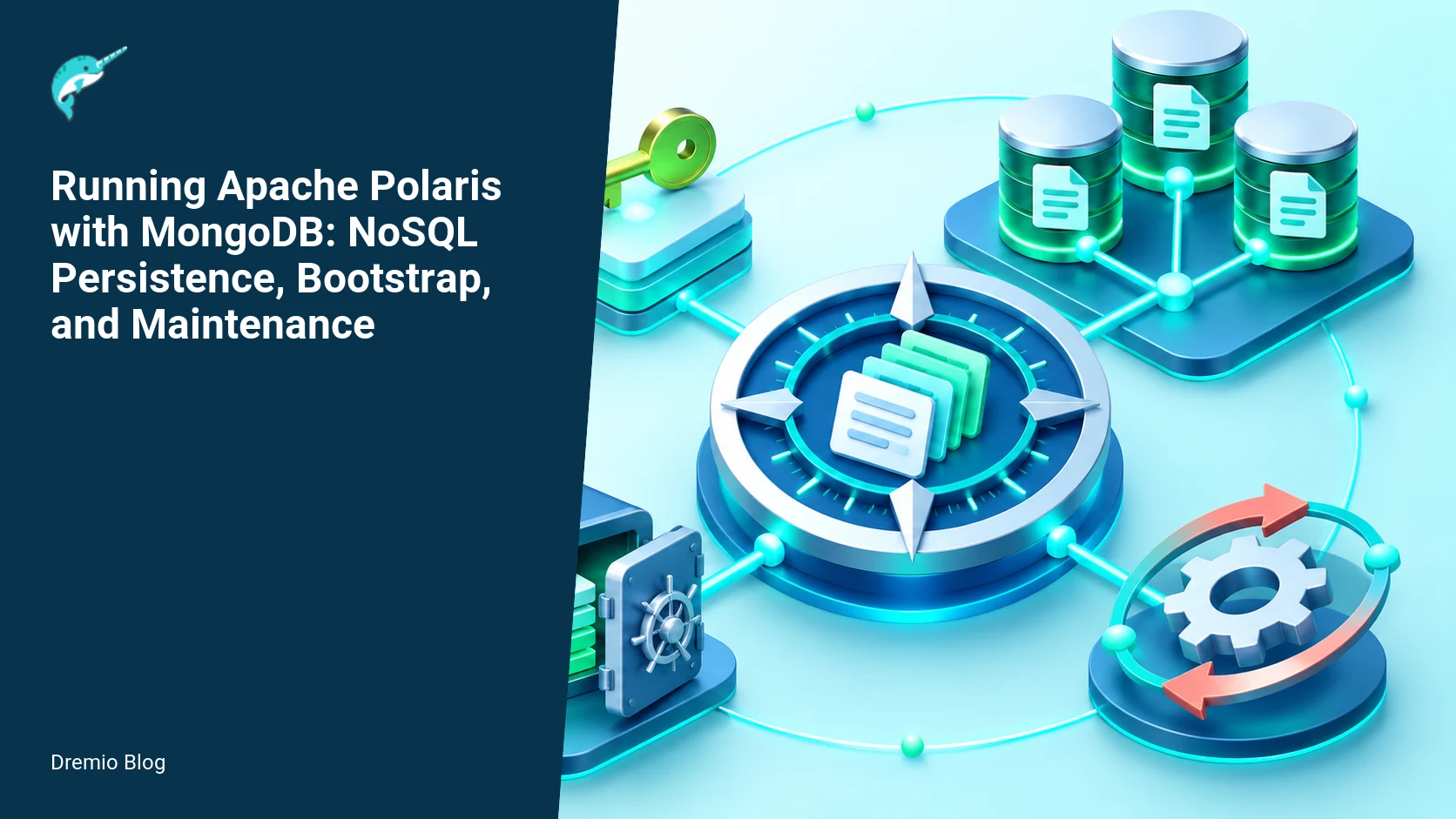
Polaris MongoDB persistence architecture. Each stage has a result that can be checked before the next stage begins.
Polaris servers call a MongoDB replica set through the configured metastore connection. Document replica-set topology, backup boundaries, connection settings, and the oplog window expected under peak write load. If sharding is introduced, include routers and config servers in the failure and restore model.
Decision points before you begin
Before committing to MongoDB persistence, answer these questions. They determine whether the experimental path is realistic for your environment.
Is the Polaris version you plan to run documented to support the MongoDB metastore? Verify the in-dev page for your branch and the 1.8.0 metastore release notes. When documentation differs, prefer the explicit instructions for the release you will install.
Do you accept that the MongoDB metastore is experimental, and that supportability may be limited compared with PostgreSQL? This affects how quickly you can recover after schema changes or edge-case bugs.
Can you run MongoDB as a managed replica set with daily maintenance tasks automated? The operating burden is higher than using a relational database Polaris documents for production.
Do you have a rollback plan to migrate persistence types, if necessary? Persistence-type migration is a different operation from a rolling application upgrade, and it requires careful planning and testing.
Configure MongoDB persistence: worked example
I will show a minimal, explicit configuration for Polaris 1.8.0 servers using MongoDB. Confirm key names in your release, and verify that your admin-tool and server versions match before bootstrapping. The Polaris 1.8.0 metastore and admin-tool pages list the exact flags and environment variables the release recognizes.
Polaris server application.conf snippet. Replace hosts, credentials, and database name. This is an example; check your Polaris release for exact property names.
Use a replica set. Single-node MongoDB risks data loss under process or disk failures.
Set writeConcern to majority for durability of metadata writes, unless you have a documented, tested reason to lower it.
Include retryWrites as appropriate for your MongoDB deployment and driver compatibility. Verify the driver version Polaris ships with in your release.
Authentication and network
Use a user with a minimal set of privileges required to create collections, create indexes, and perform reads and writes. For example, create a role that permits readWrite on the polaris_metastore database plus clusterMonitor or the least privilege combination your MongoDB version supports. Keep network traffic internal, and prefer TLS between Polaris and MongoDB in production.
Indexes and schema notes
The admin-tool creates the initial collections and indexes. Confirm its output during bootstrap. If you later add an index manually, test upgrade sequences and watch for index builds impacting primary performance. For large datasets, consider building indexes using background or rolling index build strategies that your MongoDB version supports.
Bootstrap with the matching admin-tool: worked example
Polaris ships an admin-tool that performs metastore bootstrap and offline migrations. The admin-tool and the server must be exactly the same Polaris version when you bootstrap. The Polaris 1.8.0 admin-tool page lists the tool usage and flags for that release. Using a mismatched admin-tool can create incompatible data structures.
Example bootstrap sequence, assuming Polaris 1.8.0 artifacts. Substitute paths for your environment. Run the admin-tool on a host that has network access to the MongoDB replica set but is not competing with server instances during schema creation.
<!-- language: bash -->
# Unpack or download the exact admin-tool release that matches your Polaris server
tar xzf polaris-admin-tool-1.8.0.tgz
cd polaris-admin-tool-1.8.0

# Verify admin-tool version matches server
./polaris-admin --version

# Run bootstrap against MongoDB; check logs for index creation and collection count
./polaris-admin bootstrap \
  --persistence-type nosql \
  --nosql-provider mongodb \
  --nosql-connection-string "mongodb://polaris_user:password@mongo1:27017,mongo2:27017/?replicaSet=rs0" \
  --nosql-database polaris_metastore
Expected admin-tool output and checks:
The tool logs collection creation and index creation steps. Inspect logs for index build failures or exceptions.
Confirm the collections exist in MongoDB: system collections and metastore collections. Use mongo shell or mongosh with the same credentials to validate.
Verify index presence with db.collection.getIndexes or cardinality checks for critical indexes.
Start Polaris servers only after successful bootstrap. If you start a server before bootstrap, it may attempt to auto-create collections using a different schema or partial indexes, which can lead to later incompatibilities. The bootstrap ordering matters, the admin-tool must be run first, then servers can start and join the cluster.
Bootstrap and server startup order. Each technical risk needs a matching test, boundary, or operating signal.
The Admin Tool connects to MongoDB first and performs the documented bootstrap work. Polaris servers start only after bootstrap succeeds. Capture logs from both steps and fail deployment when server startup cannot verify the expected metastore state.
Start-up and rolling upgrades
After bootstrap, start Polaris servers in a rolling manner. For a rolling upgrade of the Polaris application alone, you can run different server instances one at a time. However, a persistence-type migration is different from a rolling application upgrade. If you need to switch from MongoDB to PostgreSQL you must plan a data migration and cutoff window; do not assume you can change persistence type in place without downtime or irreversible steps.
When performing a server upgrade that includes metastore schema migrations, always:
Read the release notes for metastore migrations in that release.
Run the matching admin-tool for the target release to perform migrations, if required.
Test the sequence in a staging environment with an identical MongoDB topology and data volume before touching production.
Daily NoSQL maintenance cycle
Polaris documentation and operational experience indicate that daily NoSQL maintenance is part of normal operation for MongoDB persistence. You must schedule recurrent tasks to keep the MongoDB deployment healthy, reduce fragmentation, and ensure backups capture consistent points in time. MongoDB documentation lists backup best practices and options. The following is a practical daily maintenance cycle to automate and test. Adjust timing for your traffic and data retention needs.
Daily verify: replica set health, primary election count, replication lag, and index build statuses.
Daily compact or repair as appropriate for your storage engine and MongoDB version. Note that for WiredTiger the recommended maintenance is different than for MMAPv1. For WiredTiger, consider running compact selectively on collections that show high fragmentation, and use validate to check for corruption.
Oplog sizing checks: ensure the oplog window is sufficient for your backup strategy and for delayed secondaries.
Daily backup snapshot or continuous backup checkpoint depending on your tooling.
Example scheduled daily script outline. Replace tool names and credentials for your environment. This is a template for a cron job or a Kubernetes CronJob.
<!-- language: bash -->
#!/bin/bash
# daily-mongo-maintenance.sh
# 1) check replica set status
mongosh --host "mongo1:27017" --username polaris_user --password "password" --eval "rs.status()" > /var/log/polaris/mongo-rs-status.log

# 2) check replication lag
mongosh --quiet --eval 'db.getMongo().getDBs()' > /dev/null
# Replace with appropriate monitoring query to measure replication lag

# 3) run compact selectively (WiredTiger)
# Do NOT run compact on entire DB at high traffic times; use maintenance windows
mongosh --host mongo1:27017 --username polaris_user --password "password" polaris_metastore --eval "db.getCollectionNames().forEach(function(c){ if (db[c].stats().wiredTiger && db[c].stats().size>100000000) { print('Compacting',c); db.runCommand({compact:c}); } })"

# 4) trigger snapshot backup (example: LVM snapshot, filesystem snapshot, or cloud provider snapshot)
# Replace with your provider snapshot command
Daily maintenance consequences and cautions:
Compact and repair can be IO intensive. Schedule during low load, and test on a staging dataset to measure runtime and impact.
For WiredTiger, repair requires mongod to be restarted in repair mode in some versions. Read your MongoDB release notes before automating repair jobs.
Do not rely on mongod file system snapshots alone unless you can guarantee quiescence or use filesystem snapshots that are coordinated with the replica-set primary and oplog position. MongoDB backups guidance outlines consistent backup options and constraints.
Daily NoSQL maintenance cycle. The loop turns table or catalog signals into controlled operational changes.
A daily maintenance timeline should account for health checks, the documented NoSQL maintenance command, backup creation, and scheduled restore testing. Place resource-intensive work outside peak catalog load and keep backups beyond the longest required recovery window.
Backup and restore: test the entire recovery chain
Backups are only useful if you can restore them in a time and manner that satisfies your recovery objectives. MongoDB guides present several backup strategies, including mongodump/mongorestore, filesystem or volume snapshots, and cloud-provider continuous backups. For a Polaris metastore, do not assume mongodump is sufficient for large datasets without testing the restore under load. The MongoDB backups documentation lists the tradeoffs for different approaches.
Test scenarios you must automate and validate:
Point-in-time restore from a snapshot taken during normal traffic, followed by bringing Polaris servers up against the restored metastore. Verify all policies, catalogs, and user entries are present and consistent.
Oplog apply recovery test, for methods that require replaying the oplog to reach a consistent state. Measure the time to apply oplog entries for your expected window.
Partial collection restore for targeted data recovery, including validating index recreation time and its impact on server availability.
Worked restore example, using mongodump/mongorestore. This is suitable for small test datasets; larger production datasets usually require snapshots or continuous backup features.
<!-- language: bash -->
# dump data from production replica primary
mongodump --host mongo1:27017 --username polaris_user --password "password" --db polaris_metastore --out /backups/polaris_metastore-$(date +%F)

# restore to a test cluster
mongorestore --host test-mongo1:27017 --username polaris_user --password "password" --db polaris_metastore /backups/polaris_metastore-2026-11-09/polaris_metastore

# start Polaris against the restored test metastore and run smoke tests
After restore, run automated Polaris functional tests: list catalogs, fetch policies, evaluate a sample access check, and validate user authentication flows. Record timings for each test and compare to pre-failure baselines.
Production readiness decision gate
Because the MongoDB metastore in Polaris is documented as experimental, you need a strict checklist before you consider it production-ready for any critical environment. A single unchecked item should keep you on the PostgreSQL path Polaris recommends for production. This is a decision gate, not a checklist you can half-complete.
Production readiness decision gate. A reversible canary keeps an unsupported client or unsafe policy from becoming a fleet-wide incident.
The production readiness diagram should show a gate with the required pass/fail items: documentation match, bootstrap success, daily maintenance automation, backup and restore demonstrated, and rollback plan validated. If any item fails, stop and reassess.
Production readiness checklist
Documentation and version alignment: You have verified the in-dev MongoDB metastore docs for your branch and the 1.8.0 metastore and admin-tool release notes. Facts checked on November 9, 2026.
Bootstrap verified: admin-tool matching server performed bootstrap cleanly and indexes exist.
Backup and restore verified: at least two successful end-to-end restores from representative backups, within your recovery time objectives.
Daily maintenance automated: replica set health checks, compaction/repair schedule, and oplog sizing checks are implemented and alert on deviations.
Monitoring in place: replication lag, primary election count, index build time, and storage growth are measured and trended.
Rollback plan: a documented migration or cutover strategy to PostgreSQL or a fresh cluster, including data export/import steps and required downtime windows.
If any item is missing, keep MongoDB metastore limited to development and extended testing environments. Polaris publishes a guide for running in production using Kubernetes, Helm, and PostgreSQL; consult that page when your risk tolerance requires a supported production path.
Failure modes and how to detect them
Here are concrete failure modes you will encounter and the signals to monitor. I include mitigation steps you can automate or document for operators.
Replica set primary crash or split brain, observed as frequent primary elections and write failures. Mitigation: increase monitoring sensitivity, ensure majority of voting members are up, and avoid network partitions. Recovery often requires promoting a healthy secondary and ensuring writeConcern consistency.
Index build causing primary IO pressure and elevated latency. Signal: sharp increase in server-side latencies and longer request durations in Polaris. Mitigation: use rolling index build strategies and schedule index builds in maintenance windows. Monitor index build progress and abort if latency impacts SLAs.
Collection fragmentation and storage growth leading to performance regression. Signal: rising disk usage with low useful data change, and degraded read throughput. Mitigation: selective compact, and ensure backups have adequate retention and are not filling disks.
Corrupted data or incomplete restore. Signal: missing policies, partial query failures, or metadata inconsistencies after restore. Mitigation: automated restore tests and tighter backup windows; if corruption is found, restore from a known-good snapshot and reapply recent changes using audited operations.
Admin-tool and server version mismatch during bootstrap. Signal: bootstrap logs show unknown flags or schema errors. Mitigation: always verify admin-tool --version matches server, and do not bootstrap from an older or newer admin-tool without a documented compatibility path.
Rollout checklist and stepwise plan
Follow this sequence for a safe evaluation rollout. Each step has a test and a go/no-go decision. Do not skip tests to save time.
Stage cluster: provision a MongoDB replica set and Polaris servers in a staging environment that mirrors production topology (same storage type, same traffic profile if possible).
Admin-tool bootstrap: run the matching admin-tool and validate collections and indexes. Go only if bootstrap logs report success and manual checks confirm indexes.
Populate test data: import a production-sized representative sample of metadata, or replay configuration changes. Measure collection sizes, index sizes, and query latencies.
Automate daily maintenance: deploy the cron jobs or Kubernetes CronJobs that run the maintenance script. Verify they run without impacting normal traffic.
Backup and restore test: perform at least two full restores into an isolated test cluster, and run Polaris functional verification tests after each restore. If restores take longer than your RTO, refine your backup approach.
Load and durability test: run a write and read workload that simulates expected traffic and intentionally fail a primary to observe failover timing and consistency under load.
Decision gate: consult the production readiness checklist. If all items pass, plan a limited production pilot. Otherwise, pause and address failures.
What to measure after deployment
Track these metrics continuously to detect degradation early. Set alerts and runbook links for each metric.
Replication lag in seconds for each secondary, and a 99th percentile of lag over a 24 hour window.
Primary IOPS and disk latency, with alerts at thresholds you measured during staging tests.
Index build time and frequency of index operations; track the number of background versus foreground builds.
Daily backup duration and restore duration, compared to your RPO/RTO targets.
Polaris API error rates and median request latency, with breakdowns by metastore read and write operations.
Storage growth rate for the polaris_metastore database and per-collection sizes.
Keep a change log of schema changes and admin-tool operations tied to release versions. If you observe a metric regression after an admin-tool migration, you will need to correlate the migration to any metadata format changes.
Cross-links to helpful Polaris resources
If you are running Polaris on Kubernetes and plan to use the recommended PostgreSQL path in production, see the guide that explains running Polaris in production with Kubernetes, Helm, and PostgreSQL. That guide shows patterns for reliable upgrades and persistence management that you can adapt to a MongoDB-backed metastore in staging.
For architecture context about how Polaris components interact, including placement of the metastore role, read the Polaris architecture overview. That article helps you think about where to run the admin-tool, how to design network topology, and how clients talk to Polaris servers.
If you are new to Polaris and want a general orientation to the project and its goals, the "What is Apache Polaris" guide gives conceptual background that helps when you evaluate tradeoffs between metastore types and operational effort.
This is a practical sequence of tests you should run. Each step produces artifacts you must store for postmortem and decision-making. Expect to iterate multiple times.
Provision a staging MongoDB replica set that mirrors production topology. Record disk, CPU, and network specs.
Bootstrap with matching admin-tool, capture logs, and export collection/index manifests from mongosh. Save manifests for comparison after upgrades.
Load representative metadata, note collection sizes and index sizes. Run Polaris functional smoke tests and capture response times and failure rates.
Run the daily maintenance script for several days and observe the impact on latency and disk usage. Tune compaction thresholds.
Run full backups and restore them into a fresh test cluster. Time the restore. Run Polaris functional tests post-restore and compare results with pre-backup baselines.
Simulate shard or node failures and observe failover behavior. Capture logs and timeline of actions required to restore quorum.
Upgrade Polaris server version in staging, running the admin-tool migration workflow. Validate data access and metrics post-migration.
What not to assume
Do not assume parity between MongoDB and PostgreSQL metastore behavior. They differ in query patterns, index semantics, storage, and operational demands. Do not assume you can change persistence type as part of a rolling upgrade. A persistence-type migration is a separate project that requires data export or conversion, and it often needs downtime or coordinated cutover steps.
Final recommendations
If you are experimenting, use MongoDB metastore in staging with automated maintenance and frequent restore tests. If you require a stable, supported production metastore today, follow Polaris guidance and use PostgreSQL for production deployments. Keep documentation for your exact Polaris release and admin-tool handy. Facts checked on November 9, 2026.
FAQ
Is the MongoDB metastore supported for production?
No, the MongoDB metastore is documented as experimental. For production, Polaris documentation recommends PostgreSQL. Verify your release notes before deciding.
Do I need to run daily maintenance for MongoDB?
Yes, daily NoSQL maintenance is part of normal operation for a MongoDB-backed Polaris metastore. Schedule health checks, selective compaction, and backup snapshots as described earlier.
Can I migrate persistence type with a rolling upgrade?
No, a persistence-type migration is different from a rolling application upgrade. It requires an explicit migration plan, data export/import, and likely downtime or coordinated cutover steps. Test the migration end to end.
Which backups method should I use?
That depends on dataset size and RTO/RPO. For small datasets mongodump/mongorestore can work. For larger datasets, use filesystem or cloud snapshots or a continuous backup solution as described in MongoDB backups guidance. Test restores to verify the approach.
What are the most important metrics to watch?
Replication lag, primary disk IOPS and latency, index build activity, storage growth, Polaris API error rates, and backup/restore durations. Track baselines and alert on deviations.
Where do I run the admin-tool?
Run the admin-tool from a secure host with network access to the MongoDB replica set. Prefer running it from an operations host or a CI/CD runner with audited access, and ensure the admin-tool version matches your Polaris server. Do not run bootstrap with a mismatched admin-tool version.
Related Dremio guides
Continue with these related implementation guides.
Intro to Dremio, Nessie, and Apache Iceberg on Your Laptop
Editor’s note, September 2026. This post was published in September 2023 and some product details have changed since. Nessie is still available and self-deployable under the Apache-2.0 licence, and it remains the clearest implementation of catalog-level branching. It is not an Apache Software Foundation project, and its development has slowed considerably. For how the current […]
Oct 12, 2026·Dremio Blog: Open Data Insights
Apache Iceberg Table Statistics: NDV, Puffin and Query Plans
Iceberg keeps per-file bounds automatically but table-level NDV statistics only when you compute them. Why that decides join order, and how to keep them fresh.
Aug 16, 2023·Dremio Blog: News Highlights
5 Use Cases for the Dremio Lakehouse
With its capabilities in on-prem to cloud migration, data warehouse offload, data virtualization, upgrading data lakes and lakehouses, and building customer-facing analytics applications, Dremio provides the tools and functionalities to streamline operations and unlock the full potential of data assets.