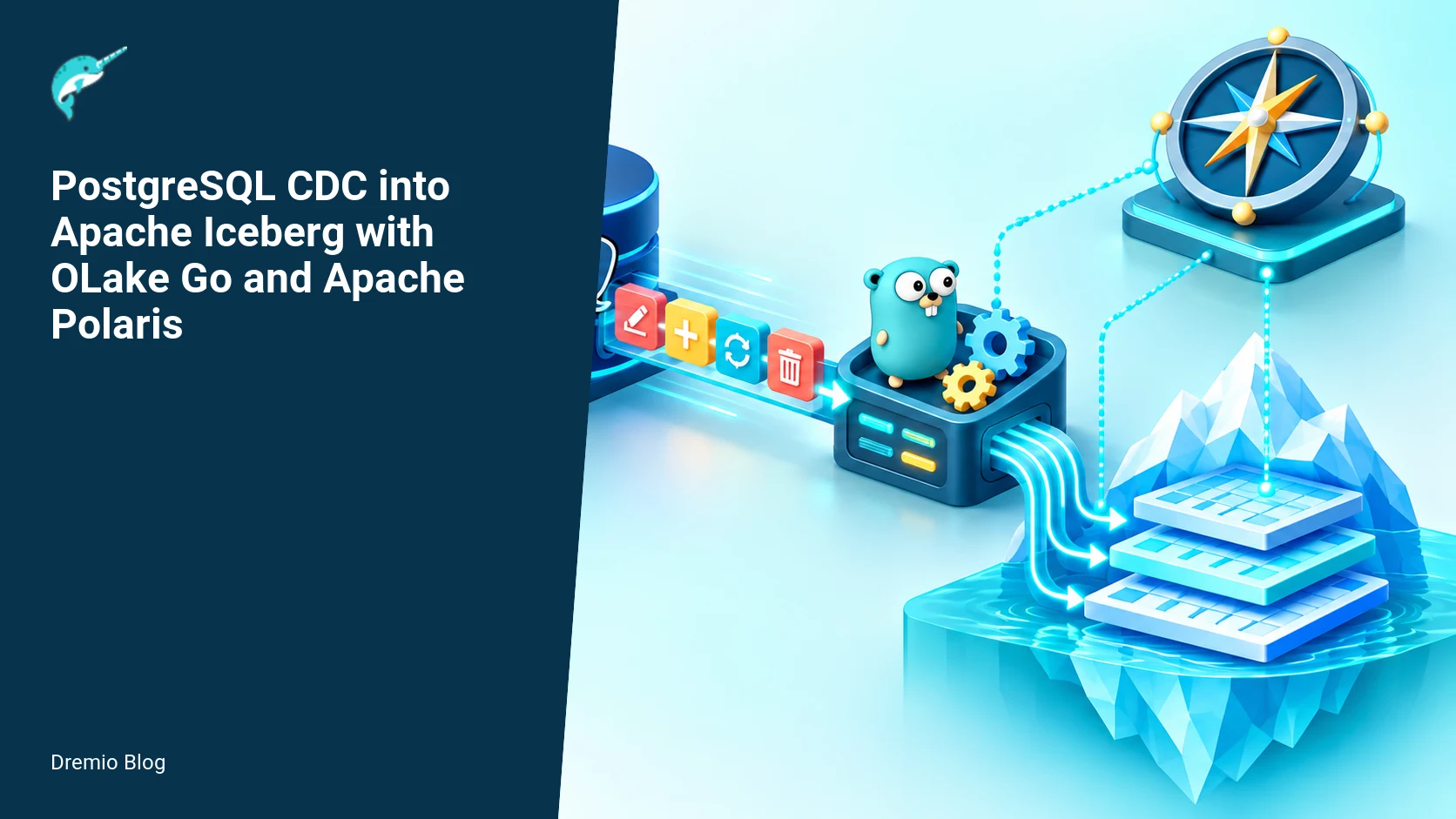
OLake Go can consume PostgreSQL logical replication changes and write them into Apache Iceberg tables registered in Apache Polaris. A production-safe path requires PostgreSQL logical replication and roles, durable OLake state, Polaris OAuth, temporary storage credentials, and the correct Polaris REST catalog endpoint.
System components and overall flow
This section lays out the components you will operate and why each matters. The pipeline has four moving parts: PostgreSQL as the change source, OLake Go as the CDC reader and Iceberg writer, Apache Polaris as the Iceberg catalog and credential-vending authority, and object storage that holds Iceberg data files. You need network access and credentials between OLake and both Polaris and the object store.
Postgres provides logical replication slots and a consistent stream of WAL changes. OLake Go reads from slots, converts changes into Iceberg operations, and emits file writes and manifest updates. OLake then calls the Polaris REST catalog to commit Iceberg table metadata and obtain short-lived object storage credentials used for file upload. Polaris holds the authoritative table metadata, and it also controls access to storage by vending temporary credentials in exchange for an OAuth token from OLake.
Postgres-to-Iceberg CDC architecture. Each stage has a result that can be checked before the next stage begins.
Diagram 1: Postgres-to-Iceberg CDC architecture
A PostgreSQL logical slot feeds OLake Go. OLake writes files to object storage using credentials from Polaris and calls the Polaris REST API to commit Iceberg metadata. Durable state lets the pipeline resume after restarts. OLake therefore needs a PostgreSQL user with replication privileges and a Polaris OAuth client with permission to modify the target catalog.
Design decisions and operational consequences
Design choices you will make are concrete and have operating consequences. Pick how OLake persists state. Use local disk for higher I/O throughput but plan a strategy for state backup and failover. Use remote durable state (S3, GCS, or a supported database) for easy recovery but accept higher latency. Decide whether OLake will write directly to production Iceberg tables or to a staging table that a separate process promotes. Each choice changes recovery steps, operational blast radius, and how you measure correctness.
Choose transaction boundaries for applying batches. OLake typically buffers changes by table and commits Iceberg snapshots periodically. Smaller commit windows reduce data-loss exposure but increase metadata churn. Larger windows reduce metadata operations but increase the amount of work lost on an unclean shutdown if state is not flushed. Tune based on workload and the observed frequency of transactional bursts from Postgres.
Required technical cautions
Three practical cautions matter while you implement this pipeline:
Logical replication requires appropriate Postgres configuration and privileges. You must configure wal_level, max_replication_slots, max_wal_senders, and create a replication role with the correct permissions. See the Postgres documentation for exact settings and the replication role creation procedure.
CDC correctness depends on persisted OLake state. If OLake loses its persisted checkpoint, you can get duplicate application of rows or gaps in data. Use a resilient state backend and practice recovery regularly.
OAuth secrets and temporary storage credentials must not appear in logs. Configure logging to avoid printing tokens and short-lived keys. Polaris and OLake support token-based flows that return credentials which must be handled securely in memory only.
Primary source references and what to verify
The Polaris OLake guide documents the catalog integration. The Polaris project also published OLake Go usage patterns on October 28, 2026. Use the OLake PostgreSQL connector documentation for connector settings and the PostgreSQL manual for server parameters, replication slots, and roles.
Worked example: configure the Postgres source
This worked example uses a recent PostgreSQL release. Verify your Postgres version supports logical replication as documented by Postgres. You must set server parameters, create a replication user, grant rights, and create a publication. Below are concrete steps you should adapt to your environment.
1) Update postgresql.conf and reload. You must set wal_level to logical, enable sufficient max_replication_slots and max_wal_senders, and tune wal_keep_size or retention policies to avoid slot-driven WAL removal. Example to place in postgresql.conf, then reload the server. Verify these are allowed by your managed database provider before changing them.
# Edit postgresql.conf
wal_level = logical
max_replication_slots = 10
max_wal_senders = 10
# Consider wal_keep_size or retention settings to avoid WAL recycling if OLake can lag
2) Create a replication role and grant rights. The role needs LOGIN, REPLICATION, and read access to the tables participating in the publication. Create the publication for the tables you want to capture.
-- Create a replication user
CREATE ROLE olake_replication WITH REPLICATION LOGIN PASSWORD 'REPLACE_ME_STRONG_PASSWORD';

-- Create a publication for specific tables
CREATE PUBLICATION olake_pub FOR TABLE public.orders, public.customers;
3) Confirm replication slot and publication health. The Postgres documentation explains how replication slots and logical decoding plugins work. After you start OLake, check pg_replication_slots and pg_stat_replication to see the slot and the streaming connection. If you see accumulating WAL or a slot in the pg_replication_slots view with active = false, address the connection or consumer state.
Worked example: configure Polaris and the Iceberg destination
Polaris provides the REST catalog that OLake uses to commit Iceberg metadata and to request temporary storage credentials. You will create an OAuth client or otherwise configure Polaris to accept OLake as an engine, grant the engine the minimal RBAC permissions necessary to create and update the target Iceberg tables, and configure the Iceberg REST catalog location and warehouse settings in Polaris. The Polaris project guide on OLake integration contains step-by-step guidance for this integration. The Polaris REST API how-to is useful to understand how OLake interacts with the catalog endpoints and commits metadata.
High level Polaris steps you must perform:
Create or register an engine representing OLake in Polaris. This yields an OAuth client id/secret pair.
Create a policy or role binding granting that engine write access to the target namespace and tables. Follow Polaris RBAC guidance to scope privileges narrowly.
Configure the catalog entry for your Iceberg warehouse, including the object storage type and the object store's bucket or container path that will hold Iceberg data files.
For a deeper explanation of Polaris RBAC and how credential vending works, read the Polaris access control blog post that outlines RBAC and temporary credential vending in production. That post helps you map which Polaris role privileges OLake needs to request storage credentials and to commit metadata on the Iceberg tables.
OAuth and credential-vending sequence. Each technical risk needs a matching test, boundary, or operating signal.
Diagram 2: OAuth and credential-vending sequence
OLake exchanges client credentials for a Polaris OAuth token and uses that token with the catalog API. Polaris validates the principal and relevant roles before returning temporary storage credentials when credential vending is configured. OLake uploads files, then commits the resulting Iceberg metadata through the catalog. Treat both the OAuth secret and temporary credentials as sensitive, and verify that they never reach logs or durable state.
OLake configuration snippets (example)
Below are representative OLake configuration settings you will adapt. The exact keys and formats are documented in the OLake docs. Do not paste secrets into these config files in plain logs or public repositories.
Adjust the state backend selection to prefer a storage location that survives restarts and that is ACL-restricted. If you use local disk, back up that disk and implement orchestration that moves the OLake process to the same node for restart, or adopt leader election with a shared state backend.
Resumable state and checkpoint flow
OLake persists a checkpoint containing the Postgres WAL position, the last committed Iceberg snapshot id, and in-flight batch metadata. On restart, OLake reads that checkpoint and resumes consumption from the saved logical replication LSN. The checkpoint must be written atomically with any metadata commits. If your OLake configuration uses local disk, set up fsync behavior or write-ahead logging for the state file to avoid corruption on sudden crashes.
Resumable state and checkpoint flow. The loop turns table or catalog signals into controlled operational changes.
Diagram 3: Resumable state and checkpoint flow
OLake reads WAL events, stages files, commits table changes, and advances durable state according to the connector's checkpoint protocol. Test crashes at every boundary instead of assuming an ordering. After restart, compare the stored state, PostgreSQL LSN, and latest Iceberg snapshot before deciding whether to replay, resume, or repair the pipeline.
Worked example: verify inserts, updates, deletes, and restart recovery
This test sequence uses the publication created earlier and a Polaris Iceberg table target. The goal is to validate inserts, updates, deletes, and OLake restart recovery with exact once semantics as closely as possible. Exact-once spanning heterogeneous systems is difficult; test thoroughly and accept practical tradeoffs.
Test steps:
Start OLake Go and confirm it acquires the logical replication slot. Inspect pg_replication_slots to ensure active state. If the slot is inactive, check OLake logs for connection errors. Again, avoid logging secrets.
Run a simple insert in Postgres and verify the row appears in the Iceberg table by querying via Polaris-backed engines or a Dremio/SQL engine that speaks to Polaris. Use a short commit interval or force a commit if OLake supports it in debug mode.
Perform an update and delete on the same row. Verify the Iceberg table reflects the update and that deletes are represented according to your Iceberg table design, either as row-level deletions or positional rewrites depending on OLake write mode.
Simulate OLake crash mid-batch. Kill the OLake process, then restart it. Confirm OLake reads the persisted checkpoint and resumes without duplicating committed records. If you used local disk and the checkpoint was lost, verify the system detects WAL gaps and examine WAL retention to see if replay is possible.
Example SQL and validation commands you can use after configuring OLake and Polaris:
-- Insert
INSERT INTO public.orders (id, customer_id, total) VALUES (1001, 55, 12.50);

-- Update
UPDATE public.orders SET total = 15.00 WHERE id = 1001;

-- Delete
DELETE FROM public.orders WHERE id = 1001;
Then query Iceberg. How you query depends on your environment. If you run a SQL engine that reads Polaris-registered Iceberg tables, use that engine to inspect the resulting dataset. Confirm that the insert turns up after the first commit, the update changes the row value in a later snapshot, and the delete removes the visible row in a later snapshot.
CDC validation and recovery gates
Validation gates are checks that must pass before you consider a pipeline healthy. They limit how far a partial failure can damage downstream consumers. Implement these gates and automate alerts around them.
Replication lag gate, tracked by difference between current WAL LSN and the last checkpoint applied to Iceberg. Trigger an alert at a threshold that matches your RPO, for example 5 minutes or an LSN difference that corresponds to a known update volume.
Uncommitted file count gate. If OLake has too many uploaded but uncommitted files, confirm why commits are delayed. Too many uncommitted files means a larger rework surface after a crash.
Checkpoint persistence gate. Monitor the time since the last durable checkpoint write. If OLake writes checkpoints slower than you expect, tune state writes or reduce commit windows.
Polaris commit failures. If Polaris rejects a commit, track the error type. Policy or permission failures require RBAC changes; transient errors require retry and backoff logic.
CDC validation and recovery gates. A reversible canary keeps an unsupported client or unsafe policy from becoming a fleet-wide incident.
Diagram 4: CDC validation and recovery gates
Correlate WAL LSN progress, OLake checkpoint age, Polaris commit success rate, and object storage upload latency. Their relative movement helps isolate whether lag begins at PostgreSQL, the connector, the catalog, or storage.
Failure modes and operational recovery steps
Here are the realistic failure modes you will see, and precise recovery steps for each.
1) OLake loses state file
Symptoms: On restart, OLake cannot find a recent checkpoint and starts from the earliest allowed slot position or fails. Postgres shows accumulating WAL and the slot may be inactive.
Immediate steps: Do not drop the replication slot. Attempt to recover the state from backups. If backups are unavailable, consider creating a new slot and reinitializing the snapshot for the affected tables, understanding that you may reapply older changes and cause duplicates. If you need to avoid duplicates, stop consumers and run a deduplication job after reapply.
2) Polaris commit rejected due to RBAC
Symptoms: OLake receives HTTP 403 or related Polaris API errors when trying to commit Iceberg metadata. Logs indicate insufficient permission. Verify that logs do not contain OAuth secrets.
Immediate steps: Validate the engine identity in Polaris, confirm the engine role has write permissions to the catalog namespace and table, and check that the OAuth token exchange succeeded. Use the Polaris access control guide to map the required privileges. After adjusting RBAC, retry the commit. If the commit partially succeeded, consult Polaris commit idempotency behavior in the Polaris docs and recover according to the documented flow.
3) Object store upload failure during commit
Symptoms: OLake uploads some files and fails to upload others, or uploads succeed but Polaris commit fails saying files are missing. Check storage credential expiry windows. If credentials expired before upload completed, increase timeout or request credentials with a longer validity window for large uploads, with an eye toward token lifetime security risks.
Immediate steps: Retry file uploads using the operation handle returned by Polaris. If you cannot retry, consider rolling back partial commits. Follow Polaris guidance for handling partial uploads and the REST catalog behavior described in the Polaris OLake integration guide.
Rollout checklist
Confirm Postgres parameters and create replication role and publications. Verify with Postgres documentation.
Register OLake as an engine in Polaris, grant minimal RBAC privileges, and configure OAuth client credentials. Review the Polaris access control blog post while doing this.
Configure OLake state backend with backups and implement fsync or atomic write guarantees for the state file.
Test in a staging environment with representative traffic. Validate inserts, updates, deletes, and crash-restart recovery using the test sequence above.
Instrument monitoring: WAL lag, OLake checkpoint age, number of uncommitted files, Polaris commit success rate, object store upload latency and error rates.
Run a limited production rollout to a non-critical namespace or to a small subset of tables, then expand after monitoring passes.
What to measure after deployment
Collect these metrics because they directly indicate CDC health and data correctness. Instrument both OLake and the infrastructure components.
WAL apply lag, measured in LSN difference and in seconds. This ties to your RPO. Track percentiles.
Checkpoint write latency and durability failures. Count fsync or write errors and write duration percentiles.
Polaris commit latency and failure rate. Log the API error codes and correlate with RBAC changes or catalog contention.
Object store PUT latency and error rate, and the number of retries per upload. Track median and p95 for uploads.
Number of uploaded but uncommitted files. A rising count indicates commit problems and increases risk on crash recovery.
End-to-end data correctness checks: periodic row-counts and high-cardinality key sampling comparing Postgres and Iceberg snapshots. Run a hash or checksum comparison for a deterministic subset of columns to detect silent corruption.
Measure these metrics and wire alerts to on-call teams. When alerts trigger, include recent checkpoint ids, LSNs, and Polaris commit ids to help triage quickly.
Integrations and further reading from Dremio
The Polaris REST catalog is central to OLake commits. If you need a deeper understanding of how engines interact with the Polaris catalog endpoints, read the Dremio article about the Apache Polaris REST API, which walks through how engines talk to the catalog and why operation handles are important for committing Iceberg metadata.
For RBAC and credential vending specifics, the Dremio post on Polaris access control explains the RBAC model and how Polaris vends temporary storage credentials to trusted engines. That is the place to map engine privileges to real-world Polaris policies in your deployment.
If you plan to run Polaris in Kubernetes, the Dremio guide to running Apache Polaris in production with Helm and PostgreSQL has actionable advice on deploying the Polaris control plane and the backing PostgreSQL metadata store, which helps you plan high-availability and backup strategies for the catalog that OLake depends on.
If you are new to Polaris and want a conceptual overview before you start the implementation, read the Dremio primer on what Apache Polaris is. That primer clarifies concepts like namespaces, engines, and warehouses that you will map to your deployment.
Practical evaluation sequence
1) Setup a staging stack: a Postgres instance, a Polaris dev instance, OLake Go with state in an isolated S3 bucket, and an object store. Use a small dataset that mimics your production cardinality. Use Apache Polaris Setup as Code: Export, Dry-Run, and Apply with YAML to schedule OLake or to note your intended cluster target when you operate.
2) Run synthetic workloads that exercise bursts, long running transactions, and DDL changes. DDL handling is often a corner case. Observe how OLake reports and reacts to ALTER TABLE operations; if behavior is undocumented for a DDL type, verify on a test system and consult OLake docs.
3) Introduce failure scenarios one at a time: slow network to object store, Polaris API 500 errors, OLake crash after state write, OLake crash before state write, and credential expiry mid-upload. For each, validate recovery and document exact steps required to restore a consistent pipeline.
4) Once staging passes, do a canary run in production on low-risk tables. Define the canary success criteria in terms of WAL lag, commit success rate, and an end-to-end row-level correctness check. If canary fails, roll back by stopping OLake and letting systems stabilize. Do not alter the replication slot unless you have a full recovery plan.
Limits and things to verify in your environment
Do not assume behavior without verifying these items in your environment:
Confirm your managed Postgres provider allows changing wal_level and replication slot counts, or provide a managed logical replication endpoint that OLake can use. See the Postgres logical replication documentation for exact server parameters and constraints.
Verify OLake connector version behavior against the Polaris integration guide. Different OLake versions may vary in how they stage files and how they atomically write checkpoints. If the documentation does not state a capability, open a support ticket or test on a dev cluster.
Confirm Polaris credential vending TTLs and object store capabilities for multi-part or large file uploads. If your files will be large, verify credential TTLs match your upload time or implement chunked uploads to fit token lifetimes.
FAQ
What Postgres settings are mandatory for logical replication?
You must enable wal_level=logical, allocate max_replication_slots and max_wal_senders to support your consumers, and configure WAL retention such that slots do not cause WAL to be recycled before OLake has consumed changes. See the Postgres docs for precise configuration and platform-specific guidance. Fact checked on November 9, 2026.
How does OLake ensure it does not lose changes on restart?
OLake writes a durable checkpoint that includes the last applied Postgres LSN and any in-flight Iceberg snapshot metadata. On restart, OLake resumes from that checkpoint. The correctness of this depends on atomic checkpoint writes and the chosen state backend. If the checkpoint is lost, you may need to rebuild the slot or accept reapplication and run dedup logic.
Can OLake write directly to Iceberg tables managed by Polaris?
Yes, OLake can write to Iceberg tables registered in Polaris by using the Polaris REST catalog and credential vending to upload data files and commit metadata. Use an engine identity in Polaris with minimal write privileges. Consult the Polaris OLake guide and the Polaris blog post for example flows and implementation notes.
What happens if Polaris vends expired credentials during upload?
If credentials expire mid-upload, uploads fail, and OLake must retry with fresh credentials. In practice, request a TTL long enough to cover large uploads, or implement multi-part uploads that renew credentials between parts, while balancing security. Protect credentials from logs and disk at all times.
How should I set OLake commit frequency?
Tune commit frequency to balance metadata churn against recovery exposure. If you need low RPO, commit frequently at the cost of more Iceberg snapshots. If you have high volume and want to limit metadata operations, increase commit windows but ensure WAL retention can handle larger lag. Test with representative workloads.
Where can I find step-by-step Polaris and OLake integration instructions?
Follow the Apache Polaris OLake guide and the Polaris blog post that demonstrates loading operational databases with OLake Go. For connector-specific settings, consult the OLake Postgres connector documentation. The Postgres logical replication manual is the authoritative source for Postgres server configuration. These are listed in Sources below.
Related Dremio guides
Continue with these related implementation guides.
Intro to Dremio, Nessie, and Apache Iceberg on Your Laptop
Editor’s note, September 2026. This post was published in September 2023 and some product details have changed since. Nessie is still available and self-deployable under the Apache-2.0 licence, and it remains the clearest implementation of catalog-level branching. It is not an Apache Software Foundation project, and its development has slowed considerably. For how the current […]
Oct 12, 2026·Dremio Blog: Open Data Insights
Apache Iceberg Table Statistics: NDV, Puffin and Query Plans
Iceberg keeps per-file bounds automatically but table-level NDV statistics only when you compute them. Why that decides join order, and how to keep them fresh.
Aug 16, 2023·Dremio Blog: News Highlights
5 Use Cases for the Dremio Lakehouse
With its capabilities in on-prem to cloud migration, data warehouse offload, data virtualization, upgrading data lakes and lakehouses, and building customer-facing analytics applications, Dremio provides the tools and functionalities to streamline operations and unlock the full potential of data assets.