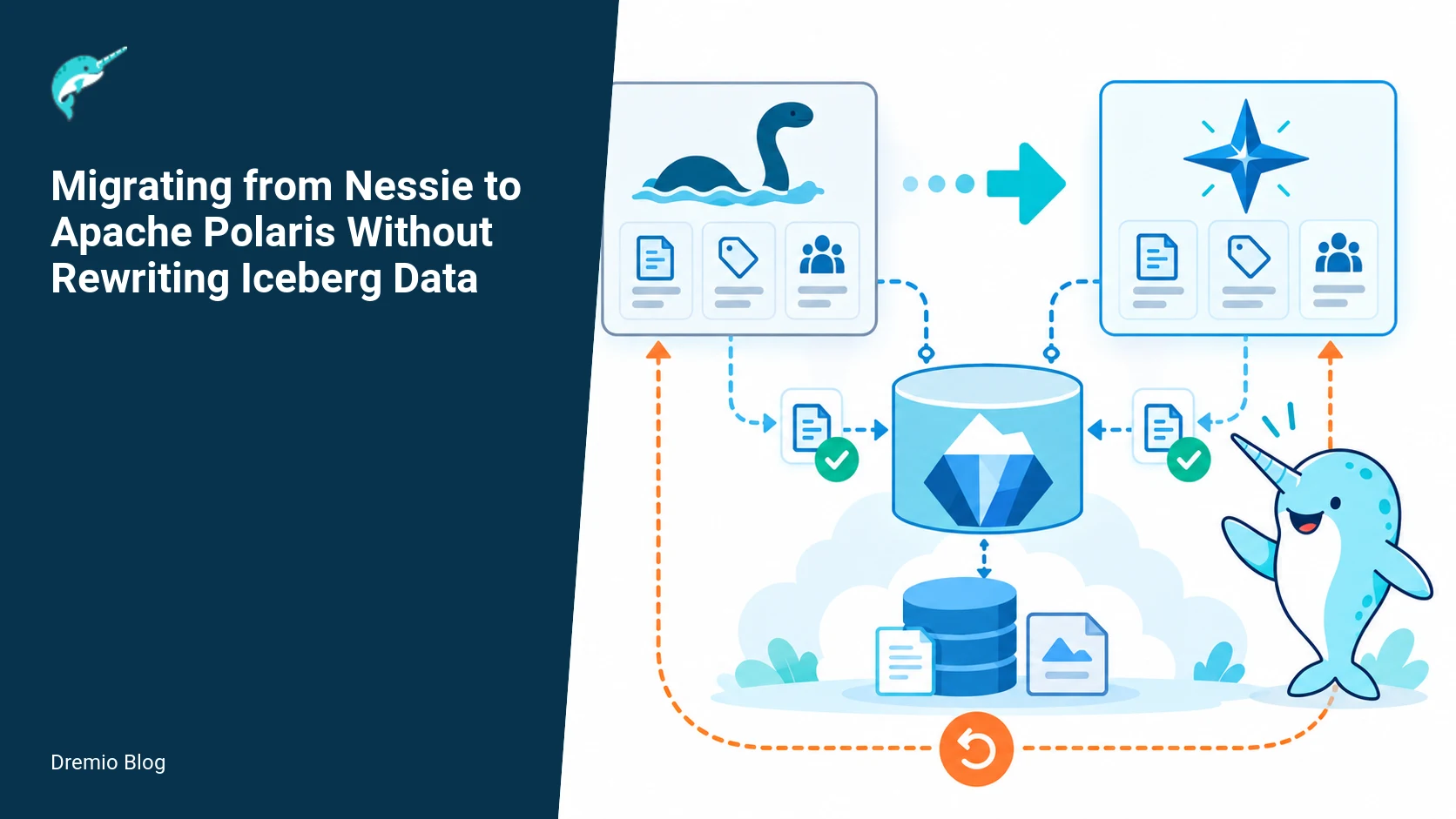
You can migrate from Nessie to Apache Polaris without rewriting Iceberg data files by treating the catalog as a set of pointers. The migration focuses on preserving namespace layout, metadata locations, access controls, and reference semantics. The practical steps are: freeze writes, inventory all references and metadata locations, import table registrations into Polaris, validate read and write behavior, then cut over clients in controlled waves with a rollback plan. This article walks through an operational runbook, worked examples, failure modes, and the metrics to watch after deployment.
Why you can avoid rewriting Iceberg data
Iceberg stores table data in immutable files and keeps table state in metadata files and manifest lists. Catalogs such as Nessie or Polaris hold pointers to those metadata files and manage namespaces, branches, and access controls. That means the physical Parquet or ORC files do not have to change to move between catalogs, provided the new catalog can reference the same metadata locations and understand Iceberg table layout. Confirm this against the Iceberg specification and your target Polaris documentation before continuing.
There are still hard problems. You must preserve the mapping from logical table identifier to the current metadata file location. You must decide how to represent Nessie branches and tags in Polaris, because they do not map one-to-one unless you design that mapping. You must migrate access control rules, and you must provide a safe cutover and rollback path in case clients or jobs expect Nessie-specific behavior.
High level migration model
The migration treats the catalog as a pointer registry. We will perform a read-only inventory of Nessie pointers to Iceberg metadata, create equivalent Polaris registrations that point at the same metadata locations, validate access and reads, then flip clients. Diagram 1 illustrates the pointer migration model.
Catalog pointer migration model. Each stage has a result that can be checked before the next stage begins.
Key decision points
Namespace mapping, including default database and nested schemas.
Branch and tag semantics. Nessie has branch and tag primitives. Decide how these will map to Polaris. Nessie branches often act like mutable pointers to a table metadata location. Polaris supports multi-tenant catalog registration and has access-control primitives; design a target for each Nessie reference.
Access control translation, especially if you use fine-grained Nessie ACLs or a separate authorization store.
Rollback strategy and how to handle concurrent writers during migration.
Inventory: what to collect and how
Start with a complete, verifiable inventory. The inventory below is a recommended schema you can produce from Nessie APIs and the Iceberg table metadata. This worked example shows columns to capture and a minimal query set for validation.
Migration inventory schema (worked example)
--
-- This code block is an example JSON/CSV schema for the inventory export
-- Fields: catalog, namespace, table, nessie_ref, nessie_hash, metadata_location,
--         snapshot_id, partition_spec_id, format_version, created_at, last_modified,
--         iceberg_schema_json, acl_reference
{
  "catalog": "nessie",
  "namespace": "db.sales.region",
  "table": "orders",
  "nessie_ref": "refs/heads/main",
  "nessie_hash": "3f1a...",
  "metadata_location": "s3://bucket/path/metadata/00000-00000.metadata.json",
  "snapshot_id": 1234567890,
  "partition_spec_id": 0,
  "format_version": 2,
  "created_at": "2025-10-12T15:04:05Z",
  "last_modified": "2026-09-01T12:00:00Z",
  "iceberg_schema_json": "{...}",
  "acl_reference": "iam:role/sales_analytics"
}
How to populate this inventory
Use Nessie APIs to list references and the tables visible under each reference. The Project Nessie documentation describes the API for references and contents; consult the Nessie latest docs for exact endpoints and pagination behavior.
For each Iceberg table, read the table metadata location recorded in Nessie. That metadata file contains snapshot ids, manifest lists, partition specs, and Iceberg schema. The Iceberg specification defines the metadata format to inspect.
Export ACL references and any external IAM bindings that apply to the table or namespace. You will need these to recreate Polaris access rules.
Label the inventory export with the timestamp and Nessie server commit hash. You will rely on this snapshot to verify that Polaris registrations point at identical metadata locations. Keep the inventory in an auditable store and check integrity with hashes or checksums.
Nessie-specific considerations
Nessie exposes branches and tags which are used by many teams to isolate development, enforce promotion pipelines, or provide time-travel. The Polaris migration tooling is documented on the unreleased branch of the Polaris site at the time of writing. That means you must confirm the migration tooling and behavior against your Polaris deployment before running at scale. Also confirm the Polaris release and migration docs relevant to your environment.
Two caution items to engineer for
Polaris migration tooling documentation is on the unreleased branch. Verify the specific commands and configuration keys in your target Polaris documentation and test them in a staging environment before production use.
Nessie branches and tags need an explicit target design. There is no automatic one-to-one mapping that preserves all semantics. Decide whether you will map a Nessie branch to a Polaris registration per branch, collapse branches into schema-separated copies, or represent branches as separate Polaris catalogs. Each choice has operational and access-control consequences.
Registration strategy in Polaris
You will create Polaris catalog entries that point at Iceberg metadata locations. Polaris supports registration of external Iceberg tables by metadata location, and Polaris access-control features let you control who can view and alter registrations. For help understanding Polaris architecture, read this Dremio article on Apache Polaris architecture which explains catalog, metadata store, and policy layers. For access control mapping patterns and credential vending, see this Dremio article on Polaris RBAC and credential vending. If you run Trino or need a practical connector guide, the Dremio Trino guide explains integration considerations during cutover.
Registration forms
One-to-one registration per Nessie reference. Create a Polaris table registration per nessie_ref that sets the metadata location to the Iceberg metadata file. This preserves branch semantics but increases registration count and operational complexity.
Namespace collapse. For branches that are ephemeral, copy only the current tip into a single Polaris registration and archive the branch elsewhere. This reduces Polaris clutter but loses branch-level history unless archived.
Dual registrations. Temporarily register the same metadata location in Polaris and keep Nessie live for rollback. Beware of split-brain if you allow writes to both catalogs.
Dual writes caution: do not enable writers to update table state simultaneously in Nessie and Polaris without a coordinator. Dual writes can cause split-brain metadata where clients see different current metadata locations. If you must do dual writes for a migration window, use a primary-secondary coordinator or a short freeze window for writer handoff.
Validation before cutover
Validation focuses on reads first, then controlled writes. The initial phase verifies that Polaris can read the same snapshots and returns identical row counts and checksums for representative queries. The worked example below gives SQL snippets you can use for read-only validation against Iceberg.
Read-only validation queries (worked example)
--
-- Replace POLARIS_CATALOG and NESSIE_CATALOG with your client catalog names
-- Run the same queries against both catalogs and compare results exactly
-- 1) Row count
SELECT count(*) AS c FROM POLARIS_CATALOG.db.sales.region.orders;
SELECT count(*) AS c FROM NESSIE_CATALOG.db.sales.region.orders;

-- 2) Snapshot id from table metadata (if surfaced via catalog)
SELECT table_properties['current-snapshot-id'] FROM POLARIS_CATALOG.information_schema.tables
  WHERE table_schema='db.sales.region' AND table_name='orders';

-- 3) Checksums on partitions or sample columns
SELECT md5(array_join(array_agg(id ORDER BY id),',')) FROM POLARIS_CATALOG.db.sales.region.orders WHERE dt='2026-10-01';
SELECT md5(array_join(array_agg(id ORDER BY id),',')) FROM NESSIE_CATALOG.db.sales.region.orders WHERE dt='2026-10-01';
Reconcile differences by examining the table metadata location values. If Polaris points to an earlier metadata file than Nessie, Polaris will return older snapshots. Make sure the registration used the metadata_location recorded in the inventory for the correct Nessie reference.
Cutover and rollback runbook (worked example)
The cutover plan must be scriptable, idempotent, and reversible. The timeline diagram below illustrates a 6-step cutover with a rollback window.
Cutover and rollback timeline. The loop turns table or catalog signals into controlled operational changes.
Cutover steps
Step 0, pre-cutover: Complete inventory, record Nessie server commit hash, snapshot inventory in an immutable store, and notify stakeholders. Run read-only validations and sign off.
Step 1, freeze writers: Block new writes to Nessie references that you will migrate. Use job orchestration to pause ingestion pipelines and long-running ETL. Allow read-only queries to continue for validation. Confirm write freeze via metrics (active commits per minute = 0).
Step 2, import registrations: For each table in the inventory, create Polaris registrations that point at the recorded metadata_location for the intended Nessie reference. Tag each registration with the inventory id and timestamp. Validate that Polaris can read the same snapshot via the read-only queries. Do not enable writers yet.
Step 3, access control translation: Recreate ACLs and policies in Polaris. Polaris has RBAC and credential vending features. Map Nessie ACLs to Polaris policies conservatively, granting the least privilege required so queries succeed. Test credential vending flows if you use dynamic credentials. See the Polaris access control docs for policy primitives and examples.
Step 4, staged writes test: In a staging tenant or a single low-risk table, enable writes from a controlled client and run a small commit. Verify that Polaris updates the registration's current metadata location and that subsequent reads show the new snapshot. If you test a single table, roll back that write by applying the earlier metadata location registration to Polaris and verify previous snapshots are visible again.
Step 5, cutover traffic: Move clients in waves to Polaris. Use connection strings or configuration management to point analytics clusters and query engines at Polaris. Monitor for write failures and metadata drift. Keep Nessie read-only for one rollback window period, typically 24 to 72 hours depending on business tolerance.
Step 6, decommission: After the rollback window closes and behavior is stable, decommission Nessie references or archive them. Keep an offline snapshot of the inventory and metadata for long-term auditability.
Rollback procedure
If a problem requires rollback during the window, snapshot the Polaris registrations (metadata_location values) and re-register the Nessie pointers to the previously recorded metadata_location. Because you froze writes in Nessie, restoring pointers will restore client-visible state to the pre-cutover condition.
If you allowed any writes in Polaris, you must inspect Polaris snapshots that are not in Nessie and decide whether to apply those commits back into Nessie or to discard them. That requires humans and care. Prefer a short freeze and minimal writes during the cutover to avoid this complexity.
Cutover and rollback timeline (diagram)
Client migration waves
Move clients in controlled waves, starting with read-only consumers, then low-risk write workloads, then critical users. Diagram 4 shows a suggested wave schedule and gating checks.
Client migration waves. A reversible canary keeps an unsupported client or unsafe policy from becoming a fleet-wide incident.
Example waves
Wave 0, validation clients: Monitoring dashboards, automated validation scripts, and CI jobs that run the read-only validation queries. Goal: prove parity at scale.
Wave 1, analytics only: SQL analytics clusters used for non-mutating analytics reports. These are often tolerant to small delays and provide quick coverage of read paths.
Wave 2, batch writers: Scheduled ETL jobs that write to a small set of tables. Start with low-volume topics and inspect snapshots for correct lineage.
Wave 3, production writers: High-volume streaming or OLTP-like writers. These should be the last group and only moved after sufficient validation.
Wave 4, interactive and ad hoc users: Data scientists and BI users follow once writes are stable.
Use a feature flag or configuration flag per client to flip the backend between Nessie and Polaris. Track progress in an operations dashboard on the migration operations cluster. That cluster link is your internal staging or operations cluster for tracking cutover state and metrics.
Failure modes and how to handle them
These are the top failure modes I have seen in migrations that attempt to move the catalog layer without rewriting data.
Metadata pointer mismatch, where Polaris registration points at an older metadata file than Nessie. Detect by comparing current-snapshot-id and metadata_location fields; fix by updating the Polaris registration to the correct metadata file from the inventory.
Split-brain from dual writes, where commits created in both Nessie and Polaris diverge. Avoid this by not allowing concurrent writers, or use a single-writer coordinator. If split-brain occurs, human reconciliation is required: examine conflicting snapshots, merge data if possible, or roll back one side to the other state after agreement.
Missing ACLs or credential mapping failures. Tests will show authorization errors for previously permitted queries. Recreate policies in Polaris and test credential vending flows. Consult Polaris access control docs for how to represent fine-grained policies and how to set up credential vending.
Hidden dependencies on Nessie semantics, such as code that uses Nessie-specific APIs, commit hashes, or behavior. You may need to adapt clients or provide an adapter layer for a transition period.
Undiscovered Iceberg metadata features, like tables relying on catalog-owned snapshot maintenance or custom properties. Verify per-table properties in the inventory and plan to migrate maintenance jobs, such as snapshot expiry and manifest cleanup.
For each failure mode, include an explicit remediation step in the runbook, who is responsible, and how long remediation is expected to take. Timebox human decisions where possible to avoid prolonged outages.
Testing and evaluation sequence
Do this sequence in staging, then in progressively larger production slices.
Automated unit tests: verify inventory extraction code produces correct JSON and checksums.
Integration tests: use a staging Nessie and Polaris test instance pointed at the same Iceberg metadata in a sandbox object store. Run the read-only validation queries at scale with synthetic data and measure parity.
Performance tests: run heavy-read workloads to verify Polaris can serve the same query patterns and that metadata fetch latency is acceptable. Measure P95 and P99 latencies for metadata calls during peak concurrency.
Safety tests: simulate partial failures like a missed registration, ACL mismatch, or a write during freeze. Observe rollback and recovery behavior.
Canary in production: pick a small noncritical dataset and perform a full migration there, including writes, before moving core datasets.
What to measure after deployment
After cutover, track functional, operational, and business metrics. Here are the key things to measure and thresholds to set.
Read parity, by regularly running the read-only validation queries and flagging any differences in counts or checksums. Target zero differences.
Commit rate and conflicts, measured as commits per minute and number of failed commits due to concurrent modification. A spike in failed commits signals client misconfiguration.
Metadata operation latency, P50/P95/P99 for calls that fetch table metadata. Significant increases can indicate registry hot spots.
Authorization errors, counts of 403 or permission denied errors per client. Any increase after cutover requires reviewing Polaris policies.
Cost impact, such as extra metadata storage or API request costs if Polaris metadata is backed by a managed store. Compare to historical Nessie costs.
Rollback invocations, number and duration. Aim for zero; any invocation must produce a postmortem and corrective actions to avoid recurrence.
Operational checklist before you start
Confirm Polaris migration tooling available for your version, and verify commands in a staging environment. Polaris migration documentation was on the unreleased branch when checked on October 27, 2026. Verify the branch or stable docs for your target deployment.
Complete full Nessie reference inventory, including metadata_location and ACL references.
Decide branch mapping strategy for Nessie branches and tags. Document per-branch mapping choices.
Plan freeze windows and coordinate with pipeline owners. Communicate a rollback window and an operations contact list.
Script registration creation and audit logs. Make scripts idempotent and include dry-run mode to preview changes.
Prepare monitoring dashboards on the migration operations cluster and alerting for parity failures, authorization errors, and metadata latency regressions.
Live examples and troubleshooting tips
Example: metadata_location mismatch. Suppose validation shows Polaris count lower than Nessie for orders table. Inspect inventory and compare the metadata_location values. If Polaris used metadata.json at path A while Nessie points to path B, update Polaris registration to B. If you cannot update because of access constraints, create a Polaris alias registration that points to B and test again.
Example: write failure after partial cutover. A batch job fails with commit conflict. Check whether the job is still writing to Nessie or Polaris. If it wrote to Nessie during a phase where Polaris was expected to be primary, you have a split-write. Stop writes, inspect the commit history in both catalogs, and decide whether to roll back or to apply missing commits into the main timeline. This requires human review and possible data reconciliation scripts.
Example: ACL mismatch causing 403s. Map the failing user to the expected Polaris policy. If you relied on dynamic credential vending in Nessie, ensure Polaris credential vending is configured and working. Test the token exchange path end-to-end for affected clients.
References from the projects
Project documentation and specs you should consult and link back to when you plan the migration. These primary sources informed the migration approach and should be consulted for exact API and file format details.
Polaris migration documentation
The Polaris migration guide on the unreleased branch documents migration tooling and configuration for catalog registration. Because this material was on an unreleased branch when checked on October 27, 2026, verify the commands in your Polaris distribution and test in staging.
Project Nessie
Project Nessie documentation covers references, the API for listing branches and contents, and commit semantics. Use those APIs to produce the reference inventory and to capture the Nessie commit hash at inventory time.
Iceberg specification
The Iceberg spec defines metadata file formats, snapshot layout, partition specs, and the guarantees around immutable data files. Use the spec to parse and verify metadata_location content in your inventory.
Polaris access control
Nessie reference inventory. Each technical risk needs a matching test, boundary, or operating signal.
Polaris access control documentation describes RBAC primitives and credential vending. You will use that documentation to recreate Nessie ACLs and to configure tokens for client migration. Verify the policy model you need against your Polaris version.
Rollout checklist
Inventory exported, checksums verified, inventory stored in immutable store.
Migration scripts in source control, with dry-run mode and idempotence tests completed.
Stakeholder notification and freeze windows scheduled.
Polaris registrations created in staging and validated with read-only tests.
ACLs translated and tested with credential vending flows.
Cutover plan rehearsed on a canary dataset, including rollback.
Monitoring dashboards and alerts configured on the migration operations cluster.
Cutover support team on call for the migration window.
What to measure after deployment
Repeat: After deployment, measure read parity, commit success rate, metadata latency, authorization errors, and cost impact. Track these for at least the rollback window and perform a retrospective at the end of the migration window.
A worked implementation: inventory-driven migration, with schema and queries
This section gives a concrete step by step using the Migration inventory schema, the Read-only validation queries, and the Cutover and rollback runbook you already have. It shows how to move from Nessie to Polaris without rewriting Iceberg data, assuming you will map Nessie references to Polaris catalogs and a destination table layout. Verify Polaris migration tooling documentation on the unreleased branch before you automate any step, because the tooling and commands referenced by the migration docs are documented there and may change.
Preconditions. You need: an inventory table of Nessie references with metadata about the Iceberg manifests and table locations, the validation queries that exercise read paths, and a scripted cutover/rollback playbook with checkpoints. The worked example below uses concrete SQL snippets and a command order you can adapt. Check your Polaris and Nessie versions for compatibility with the Iceberg specification version your tables use. Facts about Polaris migration docs were checked on October 27, 2026.
Step 1, build the migration inventory (worked example)
Start from your existing Migration inventory schema. The essential fields are: source_catalog, source_ref, iceberg_table_location, current_snapshot_id, manifest_list_paths, expected_table_schema_hash, and consumers. In practice collect these per Nessie reference you plan to migrate. A single row per logical table per Nessie ref is the easiest to manage during validation and cutover.
Populate it in two passes. First, a discovery pass to enumerate refs and table locations using Nessie APIs. Second, a manifest-resolution pass where you inspect each Iceberg table location to enumerate the active manifest list and snapshot id. Keep the manifest_list_paths verbatim, do not rewrite files.
Example pseudo-commands for discovery, replace with your tooling calls documented by each project. Do not assume these exact calls exist in Polaris tooling, verify the migration docs on the unreleased branch before scripting:
<!--
1) Query Nessie to list refs: record branch or tag names and hashes
2) For each ref, run a metastore-compatible Iceberg table inspect to get snapshot id and manifest list
3) Insert rows into migration_inventory table with collected fields
-->
Key decisions to record in the inventory. For each row mark a migration_strategy field, one of: register-only, register-and-validate, register-and-switch. That decision maps to the follow-up validation and cutover steps. Keep an immutable recorded discovery_time and the tooler who ran the scan, so you can trace mismatches during validation.
Step 2, register tables in Polaris without rewriting data
Registration in Polaris means creating a Polaris catalog entry that points to the same Iceberg table location and snapshot identifiers. The target Polaris catalog must be configured to read Iceberg tables in place. Polaris documentation on catalog migration is on the unreleased branch and should be consulted for exact commands. The key is to create metadata that references the existing manifest lists and snapshot ids you recorded in the inventory. Do not copy or transform data files.
Practical tip, do this in a staging Polaris catalog first. Register a single table, then run the Read-only validation queries against both Nessie and Polaris to compare results. If you used the migration_strategy register-only then you perform only lightweight checks and leave production reads pointing to Nessie until you are ready.
Step 3, run read-only validation queries (worked example)
Use the exact Read-only validation queries from your draft. The idea is to exercise predicate pushdown, partition pruning, and projection equivalence between Nessie and Polaris. Build a query set that includes: schema projection checks, equality counts, min/max checks on partition columns, and a sampling of recent rows. Run each query against the Nessie reference and the Polaris registered table. Record row counts, result checksums, and per-query execution plans.
Worked example queries, expressed generically. Replace table identifiers with your inventory rows. Escape these into your preferred client for execution.
<!--
1) Projection and count parity
SELECT count(*) FROM nessie_catalog."ref_name"."schema"."table";
SELECT count(*) FROM polaris_catalog.schema.table;

2) Partition and filter parity
SELECT count(*) FROM nessie_catalog."ref_name"."schema"."table" WHERE partition_col = '2026-10-01';
SELECT count(*) FROM polaris_catalog.schema.table WHERE partition_col = '2026-10-01';

3) Sample row checksum
SELECT crc64(concat(col1, col2, col3)) FROM nessie_catalog."ref_name"."schema"."table" ORDER BY ts_col DESC LIMIT 1000;
SELECT crc64(concat(col1, col2, col3)) FROM polaris_catalog.schema.table ORDER BY ts_col DESC LIMIT 1000;
-->
Record the following per query: source_row_count, target_row_count, checksum_match boolean, source_plan, target_plan, latency_ms. Store these in a validation_results table keyed by migration_inventory row id. If you see row_count mismatches, inspect snapshot ids recorded in inventory and manifest contents. Common causes are that Nessie ref advanced after you collected inventory, or table-level schema evolution not yet represented in Polaris registration.
Step 4, run the cutover and rollback runbook (worked example)
Use the cutover and rollback runbook already drafted. I recommend adding automated checkpoints, idempotent steps, and a single human approval gate before switching any production clients. The runbook should be executable from a CI/CD runner in case you need to replay a step. Below is the concrete sequence I use in production migrations, with explicit verification points tied back to inventory and validation tables.
<!--
Cutover sequence for one table (idempotent steps):
1) Freeze writes or place table in read-only mode, if your application supports it. If not possible, coordinate a short maintenance window.
2) Re-run a fast inventory refresh: capture latest snapshot id and manifest list for the Nessie ref, compare to migration_inventory expected values. If mismatch, abort and reconcile.
3) Ensure Polaris registration exists and that manifest_list_paths and snapshot id match the inventory snapshot. Abort on mismatch.
4) Run final read-only parity queries used in validation, assert counts and checksums match within allowed tolerance.
5) Update client routing or catalog pointer so that the application uses the Polaris catalog for this logical table. This can be a config change, a DNS swap for a gateway, or an application feature flag flip.
6) Monitor for errors and increased latencies for 15 minutes, then resume writes if they were paused.

Rollback:
A) If parity mismatches or client errors appear, revert the client routing to the Nessie catalog, log the incident, and open a postmortem.
B) If a Polaris registration has a wrong snapshot, drop the Polaris registration for that table and re-register with the correct manifest list.
-->
Failures during step 2 or 3 are the most frequent. Common causes: concurrently committed DML that changed the Nessie branch snapshot after the inventory scan, or a client that still issues metadata operations that expect Nessie specific behavior. Your runbook must map specific error patterns back to the rollback steps above.
Failure injection tests and a decision table for rollback
Don’t trust only happy path testing. Run failure injection tests against the migration playbook. The goal is to create predictable failure patterns so your runbook can map detection to a response. The following tests are small, deterministic, and safe to run in a staging copy of your environment.
Five targeted failure injections
1) Late snapshot change. After inventory is collected but before cutover, commit a change to the Nessie ref so the snapshot id advances. Purpose, validate detection and abort logic.
2) Manifest list TTL corruption. Simulate a missing manifest path in object storage by temporarily making one manifest file unreadable. Purpose, validate Polaris read error handling and the rollback sequence that drops the Polaris registration and re-registers after repair.
3) Schema evolution mismatch. Apply a schema change in Nessie that introduces a new column with nullability changes after registration. Purpose, exercise validation checks that compare expected_table_schema_hash between inventory and the live Nessie table.
4) Client split-brain. Configure a small subset of clients to write to Polaris while majority still write to Nessie, then resume all writes. Purpose, observe split-brain metadata symptoms and validate the detection of inconsistent snapshots across consumers.
5) Networking blip during cutover. Simulate a short network partition between applications and Polaris catalog service during client routing change. Purpose, ensure that timeouts trigger rollbacks rather than leaving clients in a half-switched state.
Decision table for automated rollback
Automate responses where possible. Here is a decision table you can encode in your runbook runner. Each row is a detection pattern, the recommended immediate action, and the follow-up investigation item you must record in the incident ticket.
Detection: final read-only parity counts differ. Action: immediately revert client routing to Nessie. Investigation: compare inventory snapshot ids and query plans to pinpoint divergence. Record if the discrepancy is reproducible. If reproducible, mark the table failed and do not reattempt cutover until fixed.
Detection: Polaris catalog returns read errors referencing missing manifest paths. Action: revert client routing and mark Polaris registration invalid. Investigation: check object store permissions, manifest list integrity, and whether a lifecycle policy removed manifest files. Record manifest paths that failed and object store audit logs.
Detection: client write failures after cutover, errors indicate optimistic concurrency or metadata operation mismatch. Action: stop writes, revert client routing. Investigation: inspect application logs for metadata API calls that assume Nessie semantics. You may need to update clients to a Polaris-aware driver. If dual writes were used, expect reconciliation work.
Detection: transient latency spikes only, no functional errors. Action: continue monitoring, do not rollback. Investigation: compare query plans and monitor the Polaris query planner for missing statistics. If latency remains elevated beyond your threshold, plan a controlled rollback window.
Detection: split-brain detected via consumer reports of missing rows. Action: immediate rollback to Nessie and initiate reconciliation. Investigation: identify which clients wrote where, and which snapshots were committed. Reconciliation may require replaying write sets or using a merge tool that understands Iceberg snapshots.
Operational metrics to collect, alerts and post-cutover measurement plan
Metrics guide decisions and postmortems. Instrument the migration with the metrics below, publish them to your monitoring system, and wire alerts to your on-call rotation. Include absolute counts and rates, not only percentages.
Core metrics to collect
1) Inventory drift rate, measured as the percentage of inventory rows whose live Nessie snapshot id differs from the recorded snapshot id. Alert if > 0.5 percent across migrated tables in a 15 minute window.
2) Validation parity failures, the count of validation queries that return mismatched row counts or checksum mismatches. Treat any nonzero as a P1 during cutover.
3) Polaris registration error rate, number of failed registration attempts per hour, with error categories (permission, manifest-not-found, schema-mismatch).
4) Client error rate after cutover, broken out by HTTP/DB driver error codes and application-level write failures.
5) Read latency and tail latency on parity validation queries, measured separately for Nessie and Polaris for baseline comparison.
6) Object store 4xx/5xx rates for accesses to manifest lists and data files, because missing manifests or permission errors typically show up there first.
Alerting and thresholds
Set alerts conservatively during validation and aggressively during cutover. Example thresholds: any validation parity failure triggers an immediate rollback action. Client write error rate increase by 3x above baseline for 2 consecutive minutes should trigger a manual check and potential rollback. Object store 404 rate > 1 per minute for a given table should trigger an audit of manifest lists and lifecycle policies.
Post-cutover measurement plan
Measure these things for at least seven days after cutover, because some failure modes show up only under specific load patterns. Capture daily summaries of validation parity, client error rate, registration error rate, and inventory drift. Use the same validation queries from the Read-only validation queries set on a daily cadence to detect late-emerging schema drift or snapshot divergence.
Keep a migration dashboard with three panels per table: parity history, client error rate trend, and object store manifest accesses. Drive postmortem decisions from these panels and record final reconciliation decisions in the migration_inventory row for the table.
Finally, remember not to run dual writes without an explicit reconciliation plan. Dual writes can create split-brain metadata that is expensive to fix, especially when clients make metadata operations that differ between Nessie and Polaris. If you must attempt dual writes for a short period, treat it as an emergency procedure only, instrument every write with a write-id, and be prepared to replay or roll back writes using snapshot-aware tooling.
FAQ
Do I have to rewrite Iceberg data files when moving from Nessie to Polaris?
No. You can often migrate catalogs by re-registering pointers to existing Iceberg metadata and data files. Verify that Polaris can reference the metadata_location recorded in Nessie and that the Iceberg format version is supported.
How do I handle Nessie branches and tags?
Design an explicit mapping. Options include one registration per Nessie branch, collapsing branches into namespace-separated registrations, or archiving branches. There is no automatic mapping that preserves all semantics; choose based on operational cost and required history.
Is it safe to run dual writes during migration?
Dual writes can create split-brain metadata and are risky. If you must use dual writes, implement a single-writer coordinator and short windows, or accept that human reconciliation may be needed. Prefer a writer freeze and staged handoff.
Where can I find the Polaris migration tooling docs?
The Polaris migration docs were available on the unreleased branch at the time this article was checked on October 27, 2026. Confirm the exact tooling and commands against your Polaris distribution and test them in staging before production use. See the Polaris migration documentation for details.
How do I validate parity between Nessie and Polaris?
Run deterministic read-only queries against both catalogs, comparing row counts, checksums, and snapshot ids. Validate partition-level checksums for large tables and run these checks regularly during the rollback window.
What metrics should I monitor after cutover?
Monitor read parity, commit success rate, metadata operation latency (P50/P95/P99), authorization errors, and cost impact. Alert on any regression compared to pre-migration baselines.
Related Dremio guides
These guides cover adjacent implementation details that are outside this article's main scope.
Intro to Dremio, Nessie, and Apache Iceberg on Your Laptop
Editor’s note, September 2026. This post was published in September 2023 and some product details have changed since. Nessie is still available and self-deployable under the Apache-2.0 licence, and it remains the clearest implementation of catalog-level branching. It is not an Apache Software Foundation project, and its development has slowed considerably. For how the current […]
Oct 12, 2026·Dremio Blog: Open Data Insights
Apache Iceberg Table Statistics: NDV, Puffin and Query Plans
Iceberg keeps per-file bounds automatically but table-level NDV statistics only when you compute them. Why that decides join order, and how to keep them fresh.
Aug 16, 2023·Dremio Blog: News Highlights
5 Use Cases for the Dremio Lakehouse
With its capabilities in on-prem to cloud migration, data warehouse offload, data virtualization, upgrading data lakes and lakehouses, and building customer-facing analytics applications, Dremio provides the tools and functionalities to streamline operations and unlock the full potential of data assets.