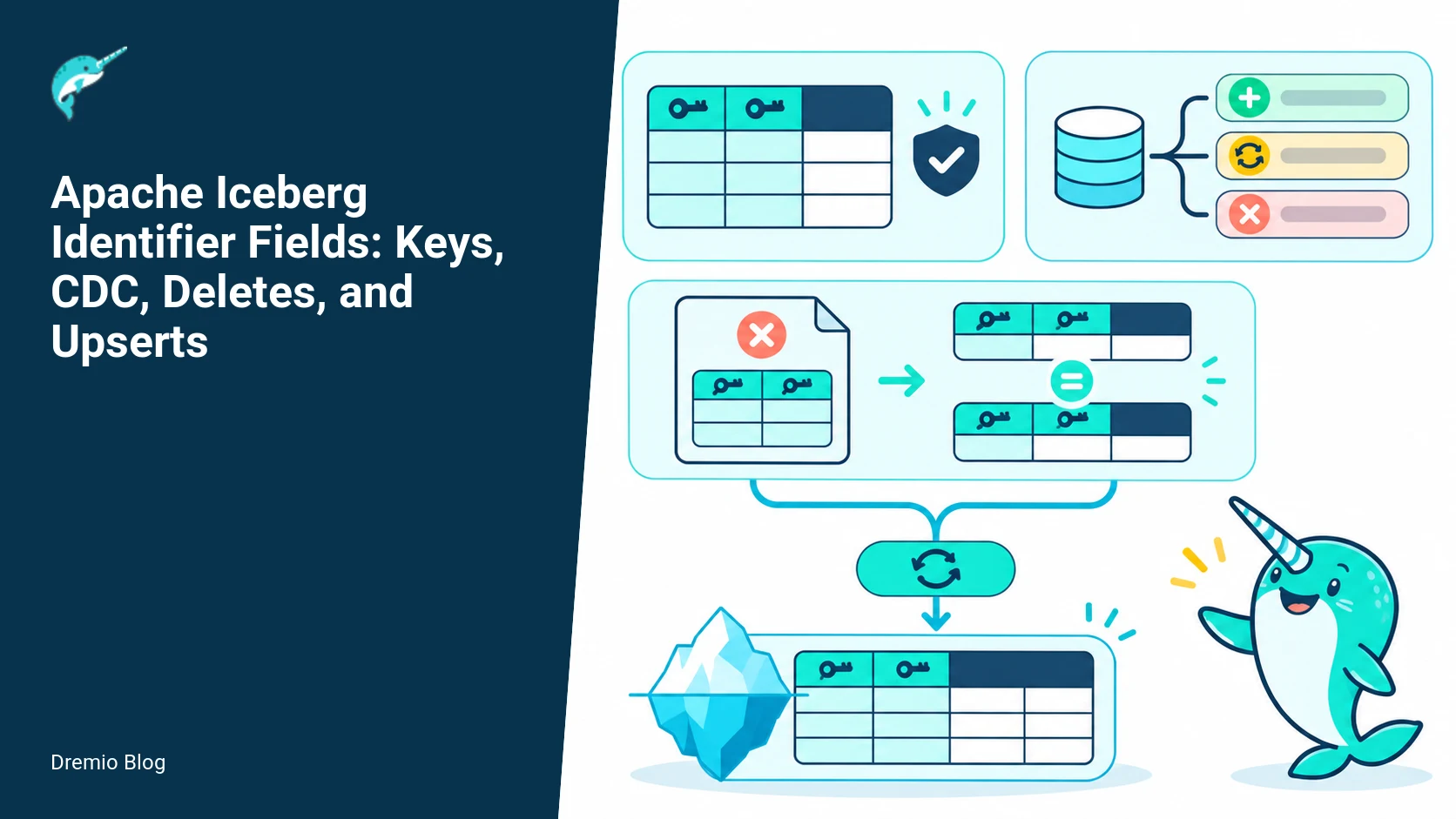
Answer up front: Apache Iceberg identifier fields record which primitive schema fields identify a logical row. They are table metadata only, not an enforced primary key. Engines and ingestion pipelines still control uniqueness, null handling, ordering of updates, and duplicate suppression.
This article explains the semantics of identifier fields in the Iceberg specification, how they interact with equality deletes and change data capture (CDC), how Flink upserts typically route using these fields, and practical operational guidance: DDL examples for Spark and Flink, tests to catch duplicate and late CDC events, inspection and compaction checks for equality deletes, and validation steps when moving to Iceberg v3 deletion vectors. I separate what the Iceberg spec guarantees from what specific engines and connectors implement, and I flag version-specific caveats to prevent surprises.
TL;DR
Identifier fields are metadata that name primitive columns used to identify a logical row; they do not create uniqueness enforcement.
Equality deletes use a set of columns to mark rows as deleted; they are related to identifier fields but not identical.
CDC ingestion must handle duplicates, late-arriving events, and ordering; identifier fields aid routing but do not solve these concerns alone.
Flink upsert tables commonly use identifier fields to route updates to tasks; check your Flink connector version for exact semantics.
Iceberg v3 deletion-vector migration requires explicit equality fields and engine support; verify implementations and run validation tests before cutting over.
What identifier fields are, according to the Iceberg spec
The Apache Iceberg specification documents identifier fields as table-level metadata that list primitive schema fields which identify a logical row. See the Iceberg specification for the formal definition and rules about which field types are allowed. The spec is the primary source for behavior guarantees. I will quote behavior and then explain operational consequences.
Key specification points (paraphrased):
The identifier fields list must reference primitive columns by name or ID. Nested field references are supported in certain forms, subject to type restrictions. (Source: the Iceberg specification.)
Certain types are disallowed as identifier fields, notably floating point types and optionally absent fields. The spec forbids float and double because of equality semantics, and optional fields that can be absent because that complicates match semantics. Verify exact type restrictions for your Iceberg version. (Source: the Iceberg specification.)
Identifier fields are metadata used by writers and engines to route updates and determine equality semantics, but the spec does not add transactional uniqueness enforcement equivalent to a relational primary key. The spec never promises uniqueness enforcement. (Source: the Iceberg specification.)
Operational consequence: treat identifier fields as a convenient, declarative hint to engines and connectors. They standardize the column(s) engines refer to when performing equality comparisons, but they do not replace application-level checks for duplicates, or ingestion-time deduplication when exactly-once semantics are required.
Identifier fields versus equality-delete columns, and why the distinction matters
In Iceberg, an equality delete is a file that lists values of one or more columns; rows in data files that match those values are considered deleted. Equality-delete columns define the set of columns used to match rows. Identifier fields declare which columns identify a logical row. These two concepts overlap but are not guaranteed to be the same.
Concrete differences to remember:
Identifier fields are metadata attached to the table schema. Equality-delete columns are explicit in a delete file. A table may have identifier fields but a particular equality-delete file could use a different column subset.
Equality deletes operate at read time to shadow matching rows. Identifier fields are used by some writers and connectors to route updates or to create equality deletes, but Iceberg does not require this mapping. You must inspect delete files to confirm which columns were used in deletes.
Equality-delete fields follow most identifier-field restrictions, but the Iceberg specification explicitly permits optional fields and fields nested under optional structs in equality deletes. Treat the two rule sets as related, not interchangeable.
Failure mode example: imagine a table with identifier fields set to {user_id, partition_date}, but a CDC consumer writes equality deletes using only user_id. If your downstream logic assumed identifier fields would equal delete columns, you may delete more rows than intended across partition dates. To detect this, inspect delete files and their column lists during ingestion validation.
How CDC maps to equality deletes and inserts
CDC systems emit events that map to inserts, updates, and deletes. When an update or delete arrives, a typical ingestion pattern is:
Translate the CDC key columns into equality-delete columns to mark the previous row(s) as deleted.
Write the new row as an insert row.
That two-step pattern ensures that readers see the delete before the insert if a single atomic write cannot represent an upsert natively. Because Iceberg has multi-file transactional commits, some connectors attempt to write a delete file plus a data file in the same transaction to emulate an atomic upsert, but behavior depends on the engine, connector, and Iceberg version. Check the connector documentation and test.
Example CDC to delete+insert mapping (illustrative):
<!--
Table schema: id:int, name:string, ts:timestamp
Identifier fields on the table: ["id"]
CDC update event: {op: "u", before: {id: 42, name: "A"}, after: {id: 42, name: "B"}}
Action by a CDC sink: write an equality-delete file with columns ["id"] value {42}, then write a new data file containing the updated row {42,"B",ts}
-->
Note: do not copy that snippet blindly into production. Exact commands for your CDC sink depend on the connector. For Spark-based sinks consult Spark DDL docs, and for Flink check the Flink writes doc. See the Iceberg CDC guide and the Dremio CDC blog posts linked later for connector-specific examples. The Iceberg specification describes the delete-file format and matching rules. (Sources: Iceberg specification, Iceberg Flink writes, Iceberg Spark DDL.)
Flink upserts: routing, equality fields, and practical table definitions
Flink offers a table-writes path that supports upserts by routing events keyed on certain columns. In practice, Flink connectors use the configured key or identifier fields to group events for routing to tasks before writing equality deletes plus inserts. Exact behavior depends on the Flink connector version and Iceberg plugin being used. Always qualify by Flink and connector version. (Source: Iceberg Flink writes, Flink connector docs in Iceberg docs.)
Illustrative Flink table definition for upserts (example only):
<!--
-- Example Flink SQL DDL illustrative, adjust to your Flink+connector CLI --
CREATE TABLE user_upsert (
  id INT,
  name STRING,
  ts TIMESTAMP(3),
  PRIMARY KEY (id) NOT ENFORCED -- SQL hint only, not an Iceberg identifier
)
WITH (
  'connector' = 'iceberg',
  'write.format.default' = 'parquet',
  'path' = 's3://bucket/path',
  -- Engine-specific properties may be required to enable upsert semantics
);
-->
Important: Flink PRIMARY KEY NOT ENFORCED is a SQL layer hint, it does not create Iceberg identifier fields by itself. If you need Iceberg identifier fields in table metadata, create them explicitly in the Iceberg table DDL or use the Iceberg catalog APIs. See the Iceberg Flink writes documentation for connector-specific guidance on how to pass identifier fields from Flink to Iceberg. (Source: Iceberg Flink writes.)
How routing typically works in Flink upsert jobs:
Flink partitions records by the key(s) you declare so that all updates for a particular identifier land in the same task instance for ordering and deduplication within that task.
The task can write a delete record or an equality-delete file and then an insert file as part of a transactional commit, subject to connector capabilities. Some connectors support a write that produces both a delete file and a data file atomically in the Iceberg transaction. Others require separate commits.
Because Flink operates distributedly, ensure your chosen key fits the allowed identifier types. Avoid float/double and optional fields for identifier columns. Verify whether nested fields are supported by your connector. (Source: Iceberg Flink writes, Iceberg specification.)
Spark identifier-field DDL and practical examples
Spark integration with Iceberg supports identifier-field evolution through dedicated DDL. The Spark DDL documentation uses SET IDENTIFIER FIELDS and DROP IDENTIFIER FIELDS. The example below follows that documented syntax.
<!--
-- Example Spark SQL DDL illustrative, adjust for your environment --
CREATE TABLE db.users (
  id INT,
  name STRING,
  email STRING,
  signup_date DATE
)
USING iceberg;

ALTER TABLE db.users SET IDENTIFIER FIELDS id;

-- A composite logical identifier uses multiple required primitive fields:
ALTER TABLE db.order_lines SET IDENTIFIER FIELDS order_id, line_number;
Operational notes:
Confirm that your Spark runtime and Iceberg extension version expose this DDL before using it in an automated rollout. Then inspect the current table schema metadata to verify the expected field IDs were recorded.
When you alter identifier fields, existing delete files remain unchanged. If you are migrating an existing table, run validation checks and consider rewriting affected data and delete files if you require one consistent equality strategy. (Sources: Iceberg specification and Spark DDL documentation.)
CDC duplicate and late-event tests you should run
Identifier fields in table metadata.
Before you trust a CDC pipeline that writes equality deletes and inserts, run a test suite that targets the most common failure modes: duplicates, reorders, and late events. I give concrete illustrative test scenarios and the validations to run against table metadata and data files.
Test 1: Duplicate CDC events
Steps: publish the same update event twice in quick succession through your CDC sink, for the same identifier values. Verify the connector behavior: does it produce duplicate data rows, multiple delete files, or does it deduplicate at write time?
Validation: read the table with a query that groups by identifier fields and checks the most recent timestamp. Expect either a single visible row or duplicates depending on your strategy. If you see duplicates, document whether compaction or a downstream dedup step is required.
Test 2: Out-of-order events
Steps: send an earlier event after a later event (for example, update to name B then send update to name A). Observe how the sink writes delete and insert files and which version remains visible.
Validation: query by identifier fields and the event timestamps to confirm that the latest event wins, or that your pipeline includes an ordering mechanism. If your sink does not support sequence numbers, you may need to embed event sequence numbers into the row and use a compaction/deduplication job that picks the largest sequence number per identifier.
Test 3: Late-arriving deletes
Steps: write an insert, then later send a delete that refers to the same identifier. Determine whether the delete file uses the same equality columns as your identifier fields.
Validation: perform an equality-delete inspection (instructions later) to confirm matching behavior. If deletes do not match due to column mismatches or type issues, you will need to adjust the sink or transform the delete columns to align with the identifier fields.
Run these tests with realistic concurrency and file-size settings. Some connectors behave differently when small files and many micro-commits are present. Check the connector docs for recommended batching and commit-frequency settings. (Source: Iceberg Flink writes, Iceberg Spark DDL.)
Equality-delete inspection and compaction validation
To understand how your table will behave at read time, inspect delete files and run compaction (or rewrite) operations. Use the Iceberg table metadata commands or API to list delete files and the columns they target. The Iceberg specification defines delete file formats and matching semantics. Many engines expose convenience commands to list and validate these files; consult your engine's connector docs.
Inspection checklist
List table metadata and confirm identifier fields in the table properties. Verify the names and types match your expectations. (Use the Iceberg API or your engine's table inspection commands.)
Enumerate delete files and note the equality columns each delete file uses. Confirm these columns are compatible with the identifier fields you declared. If they differ, document why and whether that is acceptable.
For each delete file, inspect example delete rows and attempt to join them back to data files that should be affected, to ensure matching semantics are what you expect.
Compaction and rewrite validation
Run a rewrite or compaction job that consolidates small delete and data files into larger files. Post-compaction, validate that deleted rows are still absent and that the expected single-row-per-identifier invariant holds if that is your goal.
Some compaction jobs may drop equality-delete files by merging delete semantics into rewrite logic. Confirm the compaction implementation supports the delete formats in use. For example, if you plan to use v3 deletion vectors, confirm your compaction implementation understands them. (Source: Iceberg specification and configuration docs.)
Iceberg v3 deletion-vector conversion: what to check
Iceberg v3 introduces deletion vectors as a more efficient way to represent row-level deletions inside data files. Migration and conversion to deletion vectors require equality fields and engine support; if either is missing you cannot safely convert. The Iceberg configuration docs describe flags and options related to deletion vectors. Verify the exact conversion behavior for the Iceberg version and engine you run before attempting conversion. (Source: Iceberg configuration docs, Iceberg specification.)
Version-specific cautions
Iceberg v3 deletion-vector conversion requires that equality fields align with existing delete patterns. If delete files were created against a different set of columns, conversion may fail or produce incorrect visibility unless you first reconcile delete semantics. Confirm with your engine provider which conversion modes are supported.
Not all engines or connectors implement deletion vectors the same way or support automatic conversion. You must verify the connector version supports v3 and deletion-vector reads/writes. If the connector is older than the Iceberg version, do not attempt conversion until you upgrade both engine and connector. (Source: Iceberg configuration docs and spec.)
Decision table: when to use identifier fields, equality deletes, or deletion vectors
This decision table helps choose an approach based on requirements and constraints.
Requirement
Recommended primitive
Notes
Simple upsert routing, small-scale writes
Identifier fields + equality deletes
Easy to implement; ensure types are allowed; test duplicates and ordering
High-volume deletes, need storage-efficient deletes
Deletion vectors (v3)
Requires engine/connector support and migration validation
Need enforced uniqueness at read time
Application-level dedupe or compaction job
Identifier fields do not enforce uniqueness; use dedupe compaction
Nested or floating identifiers
Avoid setting as identifier fields
Spec disallows float/double and some nested optional fields; verify version
Concrete implementation steps
Follow these steps as a practical checklist when you will accept CDC events into Iceberg with identifier fields and equality deletes, or when planning a v3 migration.
Design identifier columns: pick stable primitive columns that are never float/double and are present in every event. If you need compound keys, ensure each component is allowed by the Iceberg version. Document the selection.
Create the Iceberg table and persist identifier fields in metadata. Use your engine's supported DDL, such as Spark's ALTER TABLE ... SET IDENTIFIER FIELDS, or the Iceberg catalog APIs. Confirm the expected field IDs appear in table metadata. (Source: Iceberg Spark DDL.)
Update your CDC sink configuration: ensure it emits equality deletes that match the identifier columns and writes deletes and data files in the same Iceberg transaction when possible. Consult your connector docs for flags that control delete vs positional operations. (Source: Iceberg Flink writes, Iceberg Spark DDL.)
Run duplicate and late-event tests described earlier, with tooling that records produced delete files and data files for inspection.
Inspect delete files: confirm the equality columns used in delete files match the identifier fields. If there is a mismatch, fix the sink to use the identifier column set or explicitly record the equality columns in the delete files.
Deploy a compaction or rewrite job that handles deduplication by sequence number or timestamp. Validate that compaction does not lose intended deletes and preserves final visibility semantics.
If moving to v3 deletion vectors, verify connector and engine support, back up metadata, run conversion in a staging environment, and validate post-conversion reads across a representative workload. Do not convert in production until tests are green. (Source: Iceberg configuration docs.)
Failure modes and mitigations
CDC event to equality-delete and insert.
These are the most common operational failures and how to mitigate them.
Misspecified identifier fields. Symptom: deletes do not match or upserts route incorrectly. Mitigation: inspect table metadata and delete files. Recreate or alter identifier fields and re-run compaction or data rewrites if necessary.
Connector writes equality deletes with different columns. Symptom: orphaned rows remain. Mitigation: fix sink mapping to use the same column set as identifier fields, or update downstream dedupe logic.
Float/double used as identifier. Symptom: mismatches due to precision. Mitigation: avoid float/double for identifier fields; convert to integer surrogate keys or normalized decimal where possible.
Late events override newer records. Symptom: older state visible after ingest. Mitigation: include event timestamps or sequence numbers and use compaction that keeps the highest sequence or latest timestamp per identifier.
Deletion-vector conversion fails. Symptom: conversion aborts or progressive reads return inconsistent results. Mitigation: verify engine support and run a dedicated conversion with full validation in staging. Keep metadata backups and be prepared to roll back.
Validation plan and operating metrics
Before, during, and after deployment, use a validation plan and track operating metrics to ensure correctness and performance.
Validation plan
Pre-deploy: run the CDC duplicate and late-event tests. Confirm delete files and identifier fields align.
Canary: start with low-volume production traffic routed to a canary table. Monitor correctness and file patterns for a week under representative loads.
Conversion staging: for v3 deletion vectors, perform a full conversion in staging and run a replay of production traffic against it. Validate queries, compaction, and snapshot reads.
Production cutover: snapshot metadata backups, enable conversion, and monitor closely. Provide an immediate rollback plan to restore pre-conversion snapshots if serious inconsistency appears.
Operating metrics to collect
Number of delete files created per unit time and their average size.
Rate of equality-delete matches: percentage of delete entries that matched existing rows in data files.
Compaction throughput and time to retention threshold.
Upsert latency: time from event ingestion to final visibility in query results.
Duplicate detection indicators: counts of multiple data rows per identifier before and after compaction.
Version-specific cautions and compatibility notes
Version details matter. The Iceberg specification evolves, and connectors (Spark, Flink) change how they propagate identifier metadata or implement delete conversions. Always record your Iceberg, connector, and engine versions, and verify behavior in those versions.
If you rely on a connector feature documented in Iceberg Flink writes or Iceberg Spark DDL, check the connector release notes for the specific version you run. Behavior around transactional atomicity for delete+insert writes or how identifier fields are inferred has changed across versions in the past.
Iceberg v3 deletion-vector behavior is new in later Iceberg versions. Confirm the exact flags and conversion steps in your Iceberg configuration docs and test in staging. (Source: Iceberg configuration docs.)
Operational test fixtures: concrete failure injection and expected outcomes
Answer first: create deterministic test fixtures that inject duplicate keys, out-of-order CDC, and concurrent deletes so you can observe how identifier fields, equality deletes, and deletion vectors behave in your target engine versions. The steps below assume you have an Iceberg table and access to the write path (Spark or Flink) described in the Iceberg docs. They are intentionally explicit about what to assert, what to measure, and what to roll back.
Test fixture design goals: produce deterministic events that exercise the intersection of identifier field semantics, equality-deletes, and partitioning. For each fixture, record the table metadata before and after, capture file-level manifests and equality-delete files, and snapshot query results with a consistent timestamp or snapshot id to compare.
Basic duplicate-insert fixture: write an initial batch of rows with a canonical key (id, region). Then write a second batch with the same keys but different payloads. Expected outcome: both rows persist unless your writer produces equality deletes; query results depend on whether upsert routing or post-write compaction was performed. Record file count, manifest entries, and result set by snapshot id. Use the Spark DDL write path in the Iceberg Spark documentation for writers that set identifier fields.
CDC out-of-order fixture: emit a sequence of CDC events that simulate late arrival: insert(id=1,t=100), update(id=1,t=300), delete(id=1,t=200). Apply with your CDC consumer or Flink job. Expected outcome varies: if your writer treats events strictly as insert/delete operations with equality deletes for deletes and plain inserts for upserts, the final visible state may reflect the sequence applied, not event time. If your pipeline uses event-time sorting before applying, results can differ. Capture time-of-write metadata and snapshot ids for each event application. See the Flink writes documentation for how Flink can emit equality deletes when configured for upsert writes.
Concurrent delete plus upsert fixture: have two writers: one emits a delete using equality-delete columns, the other concurrently writes an upsert row for the same identifier. Inject a small delay so the order can flip. Expected outcome: depending on snapshot application order, you will either see the delete applied last (row absent) or the upsert last (row present). Record the commit timestamps and the manifest lists to determine which commit won.
Partition-boundary and null identifier fixture: write rows where identifier fields are null or reside in nested structs that are not permitted by the spec. Expected outcome: writers should reject nulls for identifier fields if the engine disallows them, or they may accept but produce undefined routing. Verify with your engine and file manifests. The Iceberg spec forbids some identifier types; check the Spark and Flink docs for version-dependent handling.
Test artifact capture: for each fixture, save the snapshot id, manifest lists, file-level metadata, and raw equality-delete files if present. These artifacts let you replay commits and confirm the table state with an independent reader. If you use a cloud object store, note the ETag or version id for each file to guard against eventual consistency masking failures.
Failure injection matrix and decision boundaries
Answer first: devise a failure matrix that combines writer misconfiguration, late events, and compaction races. The matrix below helps choose when identifier fields alone are sufficient versus when to require equality deletes or deletion vectors.
Failure dimensions to include in your matrix: writer type (Spark, Flink), write mode (append, upsert), identifier field configuration present or absent, presence of equality-deletes, partitioning strategy, and compaction/concurrency level. For each combination record whether the expected final state is deterministic, and whether manual reconciliation or compaction will be required.
When identifier fields are sufficient: low concurrency, writers that perform in-process upsert routing (for example Flink configured for upsert writes), and when your identity fields are preserved and never null. Outcome: upserts route at writer time; table files contain row inserts with few or no equality-deletes. Risk: you still do not have engine-enforced uniqueness. If writers misroute, duplicates can appear.
When equality deletes are required: systems where deletes are common and you need to remove prior records at file granularity without rewriting each data file. Use equality-delete columns for practical logical deletes and compaction to reduce duplicates. Outcome: equality-delete files list matching column values, and readers consult them at read time to filter. Risk: equality-delete files add metadata overhead and require readers to support them; verify with your engine version and connector.
When deletion vectors are appropriate: high-volume deletes on individual rows where you need to avoid re-writing data files; Iceberg v3 offers deletion vectors but only with supporting readers/writers. Outcome: bitmap vectors mark rows deleted inside files, allowing compacted reads without rewriting base data. Risk: conversion to v3 is invasive. Confirm that your engine and connector implement deletion-vector read semantics before converting. See the Iceberg specification and configuration docs for version notes.
Decision boundary rules, quick checklist:
If you need deterministic upsert semantics at write time, configure your stream processor to route on identifier fields and run tests that inject duplicates and late events.
If deletes are frequent and you cannot tolerate costly rewrites, plan equality-delete files or deletion vectors. Confirm reader support first and run the conversion tests below.
If your identifier fields can be null, or use unsupported types like float/double or nested optional fields, do not rely on identifier-field routing; instead use explicit equality deletes or application-level reconciliation.
Automated validation plan and operating metrics to run in production
Answer first: implement automated checks that run after each commit and periodic audits that inspect manifests, equality-delete files, and data-file row counts. These checks should assert invariants and raise alerts when violated. The plan below spells out concrete metrics, queries, and alert thresholds you can implement in a monitoring system.
Post-commit checks to automate (run in CI or as a commit hook):
Snapshot-to-snapshot row count diff: compare logical row counts between successive snapshots under controlled test loads. Significant unexplained increases suggest duplicate upserts; decreases suggest deletes that may require compaction. Use snapshot ids recorded at commit time to compute diffs.
Equality-delete file presence and size: when writes include deletes, verify equality-delete files exist and that they reference the expected columns. Alert if expected deletes are missing for operations that should produce them.
Manifest and file churn: measure the number of added/removed files per hour. High churn during steady-state suggests compaction or too-fine partitioning.
Compaction lag: track the age distribution of small files and files eligible for rewrite. Set thresholds for automated compaction jobs to run when too many small files accumulate.
Read-time filter success rate: instrument the query layer to report the percentage of reads that had to apply equality-delete filtering or deletion-vector decoding. A jump indicates writer or reader regressions.
Periodic audits to run weekly or nightly:
Manifest to data-file reconciliation: randomly sample manifests and verify that each manifest entry corresponds to an object in storage, including size and checksum. Alert on missing or inconsistent entries.
Equality-delete completeness checks: for a sample of recent deletes, run a validation job that attempts to locate corresponding rows in the base files. If many deletes do not match rows, investigate whether identifier columns used for equality deletes differ from application keys.
End-to-end event-time reconciliation: for CDC pipelines, compare event-time state reconstructed from the raw CDC stream to the materialized table state. Flag divergence beyond acceptable tolerance.
Validation queries you can run from a safe read-only job (examples intentionally illustrative; adapt to your engine CLI):
<!-- wp:code -->
SELECT snapshot_id, COUNT(*) AS rows
FROM table_name.snapshots
GROUP BY snapshot_id
ORDER BY snapshot_id DESC
LIMIT 10;
<!-- /wp:code -->
<!-- wp:code -->
-- manifest list inspect (illustrative; adapt to your environment)
CALL system.catalog.list_manifests('table_name', 'snapshot_id');
<!-- /wp:code -->
Compaction, equality-delete inspection, and conversion sanity checks
Flink upsert routing and equality fields.
Answer first: before you run compaction or convert deletes to deletion vectors, perform deterministic inspections and dry-run compaction jobs. These checks prevent data-loss or unwanted duplication. Below are specific steps and what to look for in manifests and file metadata.
Inspect equality-delete files: list the columns referenced by each equality-delete file and ensure they are valid identifier columns. Verify column nullability and type. If an equality-delete references unsupported types or nullable identifier fields, the delete may not match during reads. Use the file metadata to confirm which snapshot introduced the delete.
Dry-run compaction: run a compaction job in read-only mode that computes the candidate output files and records which rows would be dropped by equality deletes. Compare the dry-run output row set to the expected state. If your engine supports it, run compaction with a dry-run flag; otherwise copy a snapshot to a test table and run compaction there.
Deletion-vector conversion checks: Iceberg v3 conversion requires that equality fields are present and supported by your implementation. Before converting, confirm that your readers and writers support v3 metadata and deletion vectors. Validate with a small test table: convert it, write a few deletion-vector files, and confirm readers observe deletions correctly. If your connector or engine is not listed in the Iceberg docs as supporting deletion vectors for your version, do not convert production tables.
Compaction success criteria:
Output files obey target file size distribution.
All expected deletions from equality-delete files are applied in the compaction output.
No unexpected duplicates are introduced; verify by sampling keys pre- and post-compaction.
Sanity checks to run immediately after compaction:
Compare row counts by grouping by identifier fields, before and after compaction, under the same snapshot boundary.
Check manifest and file references for leftover equality-delete files that should have been applied; if they remain, the compaction did not coalesce deletes correctly.
If you converted to deletion vectors, sample files to ensure vector bitmaps mark intended rows. If vectors appear empty or all bits set, treat that as a failure and roll back.
Rollback plan if compaction or conversion fails:
Keep old snapshots until you fully validate the compaction. Use snapshot rollback to restore previous table state.
Do not delete original files or manifests until the post-compaction validation suite passes.
If deletion-vector conversion caused incorrect reads, revert to the snapshot prior to conversion and disable conversion automation until the root cause is fixed.
FAQ
I list real operational questions I encounter repeatedly. Answers cite the spec or recommend tests when the spec leaves behavior to connectors.
1. Do identifier fields create a primary key that the engine enforces?
No. Identifier fields are metadata that indicate which columns identify a logical row. The Iceberg spec does not create a uniqueness guarantee or enforcement. You must implement deduplication or rely on connector-level exactly-once semantics. (Source: Iceberg specification.)
2. Can I use float or double columns as identifier fields?
No. The Iceberg spec disallows float and double as identifier fields because equality semantics for floating point types are unreliable. If you need numeric identifiers, use integer, long, string, or an encoded decimal that your version supports as an identifier. (Source: Iceberg specification.)
3. Are equality-delete columns always the same as identifier fields?
No. They are related concepts but separate. Equality-delete files record which columns they match on. A table may have a declared set of identifier fields in metadata but still receive delete files that use a different column set. Inspect delete files to be certain. (Source: Iceberg specification.)
4. How does Flink use identifier fields when writing upserts?
Identifier-field validation checklist.
Flink typically uses the declared key or the configured routing columns to partition events so that all updates for an identifier land in the same task. That task can then produce deletes and inserts in an organized way. Exact behavior depends on the Flink connector and Iceberg plugin version; confirm with connector docs and run integration tests. (Source: Iceberg Flink writes.)
5. What must I check before converting to Iceberg v3 deletion vectors?
Check that your equality-delete usage aligns with identifier fields, confirm your engine/connector implements deletion-vector writes and reads for the target Iceberg version, back up metadata, run the conversion in staging, and validate reads and compactions. The Iceberg configuration docs describe conversion options and flags. (Source: Iceberg configuration docs.)
6. If I change identifier fields after the table is in use, what happens?
Changing identifier fields updates metadata but does not rewrite existing delete or data files. Existing delete files remain with the columns they were written with. That can lead to mismatches. If you need consistent equality semantics, plan a rewrite or compaction and re-generate delete files to match the new identifier set. Always test the effect in staging first. (Source: Iceberg specification and configuration docs.)
Worked examples and required tests
The following worked material is essential to any operational plan: Spark identifier-field DDL, Flink upsert table definition, CDC duplicate and late-event tests, and equality-delete inspection and compaction validation. These are explicit artifacts you should include in runbooks and test suites. I reproduce illustrative examples earlier in this article; treat them as patterns, not universal commands. Engine-specific CLIs and catalog commands differ. For precise syntax consult the listed Iceberg docs for Spark DDL and Flink writes. (Sources: Iceberg Spark DDL, Iceberg Flink writes, Iceberg specification.)
How the Dremio materials here can help
For readers using Dremio or evaluating integration with Iceberg, these Dremio blog posts provide pattern-level guidance on handling merges, CDC ingestion, and alternative delete strategies. They are supporting resources and not primary protocol documentation. Use them for implementation patterns and operational experiences.
Practical recommendation: treat identifier fields as a stable contract between producers and the table schema, but do not treat them as a substitute for application-level deduplication or ordering guarantees. For production CDC and upsert workloads prefer a staged rollout: declare identifier fields, update your CDC sink to emit equality deletes that match them, run the duplicate and late-event tests, inspect delete files, deploy compaction/dedup jobs, and finally consider deletion-vector conversion only after engine and connector compatibility are verified in staging.
Try Dremio Cloud free for 30 days
Deploy agentic analytics directly on Apache Iceberg data with no pipelines and no added overhead.
Intro to Dremio, Nessie, and Apache Iceberg on Your Laptop
Editor’s note, September 2026. This post was published in September 2023 and some product details have changed since. Nessie is still available and self-deployable under the Apache-2.0 licence, and it remains the clearest implementation of catalog-level branching. It is not an Apache Software Foundation project, and its development has slowed considerably. For how the current […]
Oct 12, 2026·Dremio Blog: Open Data Insights
Apache Iceberg Table Statistics: NDV, Puffin and Query Plans
Iceberg keeps per-file bounds automatically but table-level NDV statistics only when you compute them. Why that decides join order, and how to keep them fresh.
Aug 16, 2023·Dremio Blog: News Highlights
5 Use Cases for the Dremio Lakehouse
With its capabilities in on-prem to cloud migration, data warehouse offload, data virtualization, upgrading data lakes and lakehouses, and building customer-facing analytics applications, Dremio provides the tools and functionalities to streamline operations and unlock the full potential of data assets.