4 minute read · October 12, 2023
Tabular User-Defined Functions Unveiled

· Senior Product Manager, Dremio

Introduction
User-defined functions (UDFs) are callable routines that make it easier for you to write and reuse SQL logic across queries. In addition, UDFs let you extend the capabilities of Dremio SQL, provide a layer of abstraction to simplify query construction, and encapsulate business logic. UDFs can also serve as row and column policies for access control.
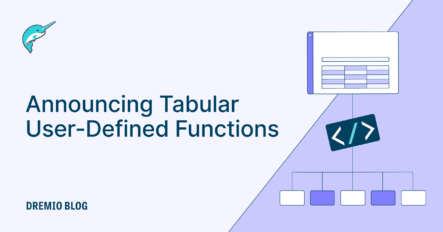
Dremio Cloud and Dremio Software v24.1 introduce tabular UDFs, which take zero or more input parameters, run the specified query, and return a set of rows.
Note: Tabular UDFs are sometimes known as table-valued UDFs in other query engines.
The remainder of this article describes how to create and use tabular user-defined functions in Dremio.
Creating a Tabular User-Defined Function
You create a tabular UDF with the following syntax:
CREATE FUNCTION
    function_name ( [ function_parameter [, ...] ] )
    RETURNS { TABLE ( column_spec [, ...] ) }
    RETURN { query }
function_parameter:
    parameter_name data_type
column_spec:
    column_name data_type
Unlike scalar UDFs, the RETURNS clause of a tabular UDF uses the TABLE keyword to list the names and data types of one or more columns.
To learn more, see the documentation for Dremio Cloud and Dremio Software.
Below is an example that returns only the red-colored entries from a table named fruits. Note the usage of the TABLE keyword in the FROM clause.
CREATE TABLE $scratch.fruits (name, color)
    AS VALUES ('strawberry', 'red'), ('banana', 'yellow'), ('raspberry', 'red');
CREATE FUNCTION red_fruits()
    RETURNS TABLE (name VARCHAR, color VARCHAR)
    RETURN SELECT * FROM $scratch.fruits WHERE color = 'red';
SELECT name FROM TABLE (red_fruits());
-- strawberry
-- raspberry
Try Dremio’s Interactive Demo
Explore this interactive demo and see how Dremio's Intelligent Lakehouse enables Agentic AI
Parameterized Views
Tabular UDFs are typically used like parameterized views, which refers to passing a value to a view to control what data the view returns. Although Dremio does not have specific syntax for parameterized views, you can get the same outcome with a tabular UDF that takes one or more parameters and then uses those parameters in the function body.
By modifying the red_fruits example above to take a parameter named color, the UDF passes the parameter to the WHERE clause of the query, which provides the same behavior as a parameterized view. Note the usage of the fully qualified identifier fruits.color in the WHERE clause to distinguish between the column name and the parameter name.
CREATE TABLE $scratch.fruits (name, color)
    AS VALUES ('strawberry', 'red'), ('banana', 'yellow'), ('raspberry', 'red');
CREATE FUNCTION find_fruits(color VARCHAR)
    RETURNS TABLE (name VARCHAR, color VARCHAR)
    RETURN SELECT * FROM $scratch.fruits WHERE fruits.color = color;
SELECT name FROM TABLE (find_fruits('red'));
-- strawberry
-- raspberry
SELECT name FROM TABLE (find_fruits('yellow'));
-- banana
Get Started with Dremio Cloud – It’s Free!
Dremio Cloud: The easy and open, fully managed data lakehouse platform.
Everything you need to build, automate, and query your data lakehouse in production.
Additional Resources

BLOG
Ingesting Data Into Apache Iceberg Tables with Dremio: A Unified Path to Iceberg
By unifying data from diverse sources, simplifying data operations, and providing powerful tools for data management, Dremio stands out as a comprehensive solution for modern data needs. Whether you are a data engineer, business analyst, or data scientist, harnessing the combined power of Dremio and Apache Iceberg will undoubtedly be a valuable asset in your data management toolkit.
Product Insights from the Dremio Blog,
Learn More ->

BLOG
Table-Driven Access Policies Using Subqueries
This blog helps you learn about table-driven access policies in Dremio Cloud and Dremio Software v24.1+.
Product Insights from the Dremio Blog,
Learn More ->
BLOG
Dremio Arctic is Now Your Data Lakehouse Catalog in Dremio Cloud
Dremio Arctic bring new features to Dremio Cloud, including Apache Iceberg table optimization and Data as Code.
Dremio Blog: News Highlights, Dremio Blog: Open Data Insights, Product Insights from the Dremio Blog,
Learn More ->