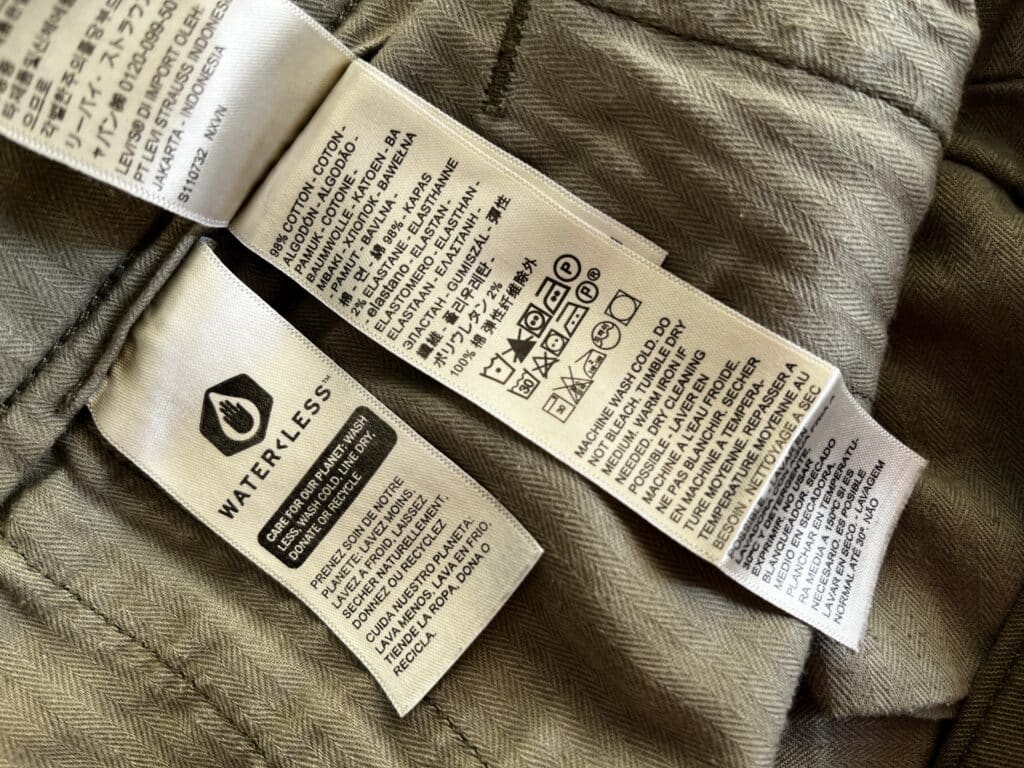
Documentation is a critical component of any product, from food to furniture to software. Whether you are looking at a t-shirt or a supermarket chicken it will come with something explaining what it is and how to use it. The same is true for software and code. You would (and should!) struggle to find an example of a software product or git repository that does not come with a docs page or a README.
"Documentation" for a pair of chinos.
With Data Products, the operating model of treating your datasets as reliable, business-ready assets, documentation is just as critical. Rather than a static asset locked within a single platform, data products are curated, governed, and accessible datasets to be leveraged across tools, teams, and use cases. As such, these teams and tools need to be provided a clear understanding of each dataset, how it was made, and how it should be used.
However, documentation is only good when it is accessible. The examples I gave above come with their “documentation” attached, but this isn’t as easy to do with datasets. Hosting a data dictionary on an internal website or wiki is a poor solution as your users have to go outside of their tool of choice to access or update this information.
The ideal is to have your documentation be readily accessible in multiple tools and also be convenient to write and maintain. By using Dremio and dbt this is easily achievable. An Analytics Engineer who is developing a data model in their IDE can create descriptions and tags in dbt, and effortlessly sync these with Dremio. Then Business Users and Data Analysts in the Dremio UI can reliably review and understand the datasets they are using for analytics work.
Syncing Descriptions and Tags
By using the dbt-dremio adaptor, you can seamlessly sync model descriptions and tags from your dbt project to generate wikis and labels in Dremio. This benefits your data documentation by making it accessible directly within Dremio's UI, ensuring consistent metadata across tools. This is also a huge boon for the engineers creating data products, as they can write and maintain both the models and the documentation in one place using the same development tool.
Enabling the Sync
To enable this feature, you need to turn on the persist_docs property in your dbt_project.yml file with the relation option set to True. This configuration ensures that the model descriptions and tags are persisted in Dremio. This can be implemented at the project-wide level or for individual layers depending on where this property is nested within the configuration.
An example dbt_project.yml
Here is an example configuration, enabling documentation syncing for the "example" layer of a project called "tutorial":
The description property in the schema.yml file for a model is added to the model wiki in Dremio. This provides a central place for users to understand the purpose and structure of each model directly in Dremio. This functionality also works for doc blocks, descriptions defined using markdown in dbt. This enables the Dremio UI to display features such as more elaborate text formatting, tables, and hyperlinks.
The tags defined in the schema.yml file within the model config are converted into labels in Dremio. These labels help organise and filter models within Dremio based on shared attributes or business domains.
An example schema.yml
Here is an example of how to define a description and tags for your models in a schema.yml:
models:
  - name: my_first_dbt_model
    description: "A starter dbt model"
    columns:
      - name: id
        description: "The primary key for this table"
        data_tests:
          - unique
          - not_null
    config:
      tags:
        - example
What Happens in Dremio
Wiki Sync
The description of my_first_dbt_model ("A starter dbt model") is added to the wiki of the corresponding view in Dremio.
Model Wiki as displayed in the Dremio UI.
Label Sync
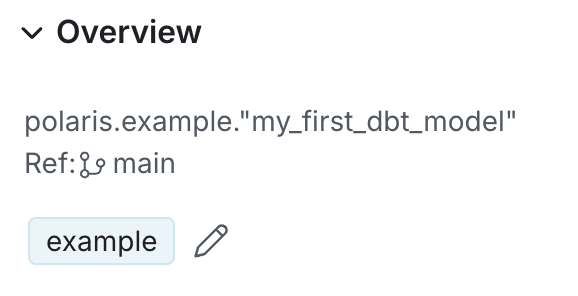
The “example” tag is added as a label to the corresponding materialisation in Dremio.
Dataset Overview in the Dremio UI displaying the label.
Benefits of Persisted Documentation
Centralised Metadata: Descriptions and tags are automatically synchronised, reducing duplication of effort.
Improved Discoverability: Labels in Dremio make it easier to search, filter, and categorise views.
Enhanced Collaboration: With wikis synced, teams can quickly understand the context and purpose of models within Dremio. By enabling persist_docs in your dbt_project.yml and leveraging descriptions and tags in your schema.yml, you can ensure that your Dremio environment is always enriched with up-to-date and meaningful documentation.
Ingesting Data Into Apache Iceberg Tables with Dremio: A Unified Path to Iceberg
By unifying data from diverse sources, simplifying data operations, and providing powerful tools for data management, Dremio stands out as a comprehensive solution for modern data needs. Whether you are a data engineer, business analyst, or data scientist, harnessing the combined power of Dremio and Apache Iceberg will undoubtedly be a valuable asset in your data management toolkit.
Oct 12, 2023·Product Insights from the Dremio Blog
Table-Driven Access Policies Using Subqueries
This blog helps you learn about table-driven access policies in Dremio Cloud and Dremio Software v24.1+.
Aug 31, 2023·Dremio Blog: News Highlights
Dremio Arctic is Now Your Data Lakehouse Catalog in Dremio Cloud
Dremio Arctic bring new features to Dremio Cloud, including Apache Iceberg table optimization and Data as Code.