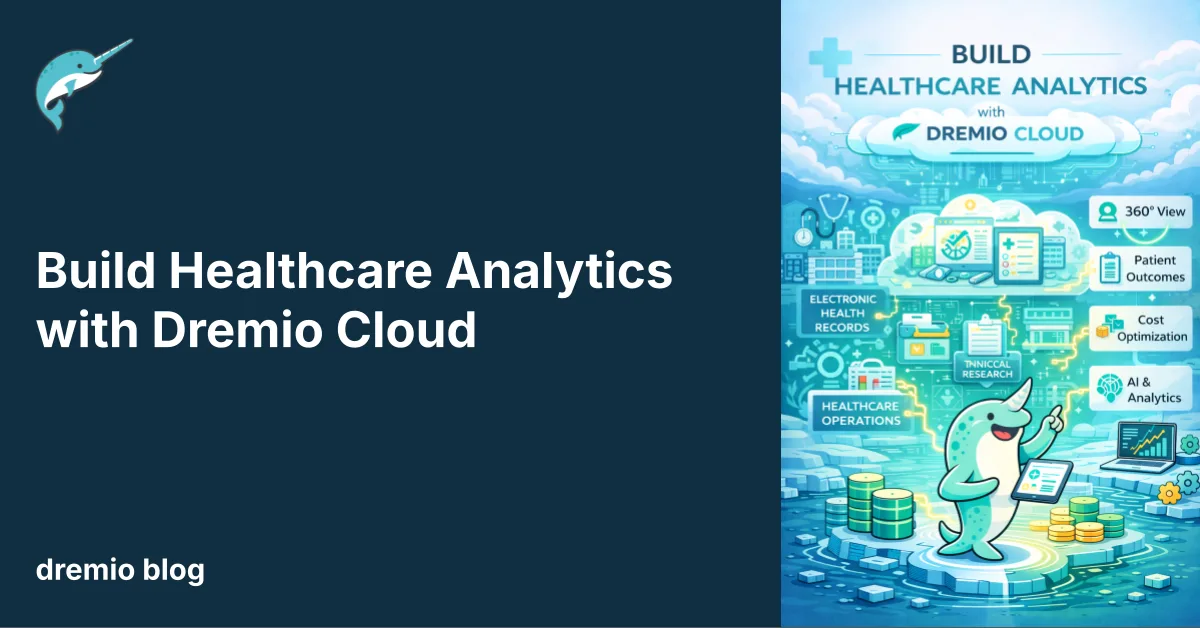
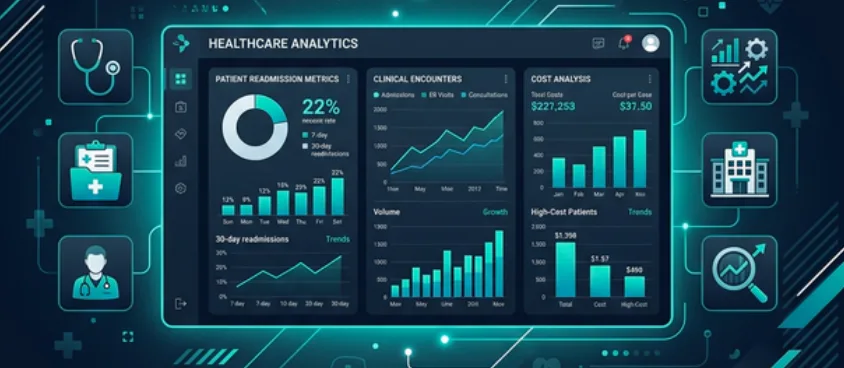
Healthcare organizations face challenges with patient data from various sources, leading to outdated analytics.
This tutorial teaches you to build a healthcare analytics pipeline on Dremio Cloud to unify data in real-time.
You'll create Bronze, Silver, and Gold views to analyze readmission risk and costs using natural language queries.
Apache Iceberg helps manage healthcare data by ensuring compliance, schema evolution, and automated performance.
Finally, you can use the AI Agent for insightful queries that enhance real-time decision-making in healthcare.
Healthcare organizations collect patient data across Electronic Health Record (EHR) systems, insurance claims platforms, and pharmacy databases. A care coordinator trying to identify patients at risk of readmission needs data from all three. Most organizations solve this with batch ETL jobs that run overnight, meaning clinicians are always working with yesterday's data.
This tutorial shows you how to build a healthcare analytics pipeline on Dremio Cloud that unifies patient, claims, and prescription data in real time. You'll create sample datasets, model them into Bronze, Silver, and Gold views, and use the AI Agent to analyze readmission risk and cost patterns through natural language questions.
Try Dremio’s Interactive Demo
Explore this interactive demo and see how Dremio's Intelligent Lakehouse enables Agentic AI
What You'll Build
Source tables simulating an EHR system (PostgreSQL), a claims processor (S3), and a pharmacy database (MySQL)
Bronze views that standardize dates and column naming
Silver views that join patient records with encounters and claims
Gold views for readmission risk scoring and cost-per-encounter analysis
AI-generated wikis and tags for clinical metadata
Natural language analytics for healthcare questions
Step 1: Sign Up for Dremio Cloud
Go to dremio.com/get-started and create a free trial account. You get 30 days and $400 in compute credits.
Your trial includes a project with an Open Catalog built on Apache Polaris and Dremio-managed storage. Navigate to the SQL Runner from the left sidebar.
Step 2: Create Folders and Seed Data
Create a folder structure to simulate the different clinical systems:
CREATE FOLDER IF NOT EXISTS healthcareexp;
CREATE FOLDER IF NOT EXISTS healthcareexp.postgres;
CREATE FOLDER IF NOT EXISTS healthcareexp.s3;
CREATE FOLDER IF NOT EXISTS healthcareexp.mysql;
Note: Tables in the built-in Open Catalog use folder.subfolder.table_name without a catalog prefix. External sources use source_name.schema.table_name.
Healthcare data has strict regulatory requirements and high analytical demands. Apache Iceberg addresses both.
HIPAA Audit Trails. Iceberg's time travel capability lets you query the exact state of any table at a specific point in time. When an auditor asks what patient data was accessible on a particular date, you can answer with a query, not a backup tape.
Schema Evolution. Clinical data models change. New diagnosis codes get added. Regulatory fields get introduced. Iceberg lets you add, rename, or drop columns without rewriting existing data files. Historical records stay intact while new records pick up the updated schema.
Automated Performance Management. Dremio automatically compacts small files, rewrites manifests, and clusters data in your Iceberg tables. Encounter tables that grow by thousands of records per week stay fast without manual maintenance.
Autonomous Reflections and Results Cache. Common clinical queries like readmission rate by diagnosis or average cost per encounter type follow repeating patterns. Dremio detects these patterns and automatically creates pre-computed Reflections that accelerate future queries. The Results Cache returns identical queries instantly, which is critical when multiple clinicians run the same population health reports.
Iceberg vs. Federated: When to Use Which
In this tutorial, all tables are Iceberg because they're in the Open Catalog. In production, the choice depends on clinical workflow requirements.
Keep data federated when clinical timeliness matters. An EHR system updates patient records in real time as encounters happen. If you replicate that data to Iceberg on an hourly ETL schedule, a care coordinator reviewing a patient who was just admitted might be working with stale data. By querying the EHR's PostgreSQL database directly through Dremio's federation, every query sees the latest admissions, discharges, and lab results. You can still create manual Reflections on those federated views to accelerate repeated queries, and you control the refresh cadence to balance performance against freshness.
Migrate data to Iceberg when you need Dremio's automated performance management or when the data is historical. Closed claims, finalized encounter records, and historical prescription data don't change after they're settled. These datasets benefit from automatic compaction, manifest optimization, clustering, and Autonomous Reflections without any freshness trade-off.
The practical approach for healthcare: federate your live EHR, pharmacy, and active claims systems for real-time visibility. Migrate settled claims, historical encounters, and aggregated population health datasets to Iceberg for automated optimization.
Step 3: Build Bronze Views
Bronze views standardize the raw tables from each clinical system into a consistent interface. Healthcare data is notoriously inconsistent across systems: EHRs store dates differently than claims platforms, column naming conventions vary, and field semantics overlap (a "status" column means different things in encounters vs. claims). The Bronze layer normalizes these differences so downstream views work with a predictable schema.
Create the layer folders:
CREATE FOLDER IF NOT EXISTS healthcareexp.bronze;
CREATE FOLDER IF NOT EXISTS healthcareexp.silver;
CREATE FOLDER IF NOT EXISTS healthcareexp.gold;
This view standardizes the patient demographics table. The date-of-birth cast to TIMESTAMP ensures consistent date arithmetic when calculating age or filtering by date ranges downstream.
CREATE VIEW healthcareexp.bronze.ehr_patients AS
SELECT
  patient_id,
  first_name,
  last_name,
  CAST(date_of_birth AS TIMESTAMP) AS dob_timestamp,
  gender,
  zip_code,
  insurance_type,
  primary_condition
FROM healthcareexp.postgres.patients;
The encounters view brings in the encounter date, type, diagnosis code, department, and discharge disposition. The discharge_disposition field is critical for readmission modeling because patients discharged to a Skilled Nursing Facility (SNF) have different readmission patterns than those discharged home.
CREATE VIEW healthcareexp.bronze.ehr_encounters AS
SELECT
  encounter_id,
  patient_id,
  CAST(encounter_date AS TIMESTAMP) AS encounter_timestamp,
  encounter_type,
  diagnosis_code,
  diagnosis_desc,
  provider_id,
  department,
  discharge_disposition
FROM healthcareexp.postgres.encounters;
The claims view renames status to claim_status to avoid collisions and maintains the three-tier cost structure (billed, allowed, paid) that's essential for financial analysis. The difference between billed_amount and paid_amount represents patient responsibility, which we'll compute in the Gold layer.
CREATE VIEW healthcareexp.bronze.insurance_claims AS
SELECT
  claim_id,
  patient_id,
  encounter_id,
  CAST(claim_date AS TIMESTAMP) AS claim_timestamp,
  claim_type,
  billed_amount,
  allowed_amount,
  paid_amount,
  status AS claim_status
FROM healthcareexp.s3.claims;
The pharmacy view standardizes prescriptions with a date cast. Prescription data is useful for understanding medication adherence patterns and correlating treatment intensity with clinical outcomes.
CREATE VIEW healthcareexp.bronze.pharmacy_rx AS
SELECT
  rx_id,
  patient_id,
  CAST(prescribed_date AS TIMESTAMP) AS prescribed_timestamp,
  medication,
  dosage,
  frequency,
  prescriber_id,
  refills_remaining
FROM healthcareexp.mysql.prescriptions;
Step 4: Build Silver Views
Silver views combine clinical data across systems to create patient-centric analytics. Each Silver view answers a specific clinical question by joining data that previously required manual chart review.
Patient Encounter History
This view answers: "What does each patient's utilization pattern look like?" It counts total encounters by type (inpatient, emergency, outpatient) and tracks SNF discharges. These are the core indicators that CMS (Centers for Medicare & Medicaid Services) readmission models use to predict 30-day readmission risk. The LEFT JOIN ensures patients with zero encounters still appear, which matters for population health reporting.
CREATE VIEW healthcareexp.silver.patient_encounters AS
SELECT
  p.patient_id,
  p.first_name || ' ' || p.last_name AS patient_name,
  p.gender,
  p.insurance_type,
  p.primary_condition,
  COUNT(e.encounter_id) AS total_encounters,
  SUM(CASE WHEN e.encounter_type = 'inpatient' THEN 1 ELSE 0 END) AS inpatient_count,
  SUM(CASE WHEN e.encounter_type = 'emergency' THEN 1 ELSE 0 END) AS ed_visits,
  SUM(CASE WHEN e.discharge_disposition = 'snf' THEN 1 ELSE 0 END) AS snf_discharges,
  MIN(e.encounter_timestamp) AS first_encounter,
  MAX(e.encounter_timestamp) AS last_encounter
FROM healthcareexp.bronze.ehr_patients p
LEFT JOIN healthcareexp.bronze.ehr_encounters e ON p.patient_id = e.patient_id
GROUP BY p.patient_id, p.first_name, p.last_name, p.gender, p.insurance_type, p.primary_condition;
Patient Claims Summary
This view answers: "How much does each patient cost the system?" It aggregates all claims per patient, computing total billed, total paid, and average claim amount. The split between total_billed and total_paid reveals the financial burden on both the payer and the patient. We use COALESCE to ensure patients without claims show zeros rather than NULLs.
CREATE VIEW healthcareexp.silver.patient_claims AS
SELECT
  p.patient_id,
  p.first_name || ' ' || p.last_name AS patient_name,
  p.insurance_type,
  COUNT(c.claim_id) AS total_claims,
  COALESCE(SUM(c.billed_amount), 0) AS total_billed,
  COALESCE(SUM(c.paid_amount), 0) AS total_paid,
  COALESCE(AVG(c.paid_amount), 0) AS avg_claim_paid
FROM healthcareexp.bronze.ehr_patients p
LEFT JOIN healthcareexp.bronze.insurance_claims c ON p.patient_id = c.patient_id
GROUP BY p.patient_id, p.first_name, p.last_name, p.insurance_type;
Step 5: Build Gold Views
Gold views are the final clinical analytics layer. Clinicians, care managers, and the AI Agent query these directly. Each Gold view pre-computes a specific clinical decision so the end user gets actionable information without needing to understand the underlying data model.
Patient Readmission Risk
This is the primary view for care management teams. It classifies patients into readmission risk categories (High, Moderate, Low, Minimal) by combining encounter utilization patterns with total cost. A patient with 2+ ED visits and 2+ inpatient stays is "High" risk because this pattern strongly correlates with 30-day hospital readmission. Patients discharged to a SNF or with any ED visit are "Moderate" because they need follow-up but aren't in the highest-risk bracket. This classification drives outreach prioritization: care coordinators focus on "High" patients first.
CREATE VIEW healthcareexp.gold.patient_readmission_risk AS
SELECT
  enc.patient_id,
  enc.patient_name,
  enc.primary_condition,
  enc.insurance_type,
  enc.total_encounters,
  enc.inpatient_count,
  enc.ed_visits,
  enc.snf_discharges,
  cl.total_billed,
  cl.total_paid,
  CASE
    WHEN enc.ed_visits >= 2 AND enc.inpatient_count >= 2 THEN 'High'
    WHEN enc.ed_visits >= 1 OR enc.snf_discharges >= 1 THEN 'Moderate'
    WHEN enc.inpatient_count >= 1 THEN 'Low'
    ELSE 'Minimal'
  END AS readmission_risk
FROM healthcareexp.silver.patient_encounters enc
JOIN healthcareexp.silver.patient_claims cl ON enc.patient_id = cl.patient_id;
Cost Per Encounter
This view enables financial analysis at the individual encounter level. It joins each encounter with its corresponding claim and computes patient_responsibility (the difference between billed and paid amounts). The cost_category classification (High Cost > $20K, Medium Cost > $5K, Standard Cost) lets financial analysts and the AI Agent quickly identify expensive encounters. This is useful for answering questions like "Which departments generate the highest-cost encounters?" or "What percentage of heart failure admissions are High Cost?"
CREATE VIEW healthcareexp.gold.cost_per_encounter AS
SELECT
  e.encounter_id,
  p.patient_id,
  p.first_name || ' ' || p.last_name AS patient_name,
  p.insurance_type,
  e.encounter_type,
  e.diagnosis_desc,
  e.department,
  e.discharge_disposition,
  c.billed_amount,
  c.paid_amount,
  c.billed_amount - c.paid_amount AS patient_responsibility,
  CASE
    WHEN c.paid_amount > 20000 THEN 'High Cost'
    WHEN c.paid_amount > 5000 THEN 'Medium Cost'
    ELSE 'Standard Cost'
  END AS cost_category
FROM healthcareexp.bronze.ehr_encounters e
JOIN healthcareexp.bronze.ehr_patients p ON e.patient_id = p.patient_id
LEFT JOIN healthcareexp.bronze.insurance_claims c ON e.encounter_id = c.encounter_id;
Step 6: Enable AI-Generated Wikis and Tags
Click Admin in the left sidebar, then go to Project Settings.
Select the Preferences tab.
Scroll to the AI section and enable Generate Wikis and Labels.
Go to the Catalog and navigate to your Gold views under healthcareexp.gold.
Click the Edit button (pencil icon) next to the desired view.
In the Details tab, find the Wiki section and click Generate Wiki. Do the same for the Tags section by clicking Generate Tags.
Repeat for each Gold view.
The AI will produce descriptions like: "patient_readmission_risk: One row per patient with encounter frequency, ED visit count, SNF discharge count, total cost, and a readmission risk classification (High/Moderate/Low/Minimal) based on utilization patterns."
To enhance the generated wiki with clinical context, copy the output into the AI Agent on the homepage and ask it to produce an improved version in a markdown code block. For example, you might ask the Agent to add: "High readmission risk patients are flagged for care management outreach within 48 hours of discharge. SNF indicates Skilled Nursing Facility." Copy the refined output and paste it back into the wiki editor.
Step 7: Ask Questions with the AI Agent
Navigate to the Homepage and use the AI Agent:
"Which patients have a High readmission risk?"
The Agent queries healthcareexp.gold.patient_readmission_risk and returns patients with 2+ ED visits and 2+ inpatient stays.
"Show me a chart of total cost by primary condition."
The Agent generates a bar chart from the claims and encounter data, highlighting which conditions drive the most spending.
"What is the average cost per encounter by department?"
This query uses healthcareexp.gold.cost_per_encounter. The Agent groups by department and calculates the average, showing that cardiology and pulmonology inpatient stays cost significantly more than outpatient visits.
"Create a chart showing monthly encounter volume by type."
The Agent generates a monthly trend line separated by inpatient, emergency, and outpatient encounters.
Next Steps
Connect real clinical systems. Replace the simulated folders with federated connections to your EHR, claims, and pharmacy databases.
Add FGAC for PHI. Use Fine-Grained Access Control to mask patient names and dates of birth for analysts who only need de-identified data.
Use Iceberg time travel. Run point-in-time queries for HIPAA compliance audits without maintaining separate audit databases.
Scale with Autonomous Reflections. Readmission risk and cost queries run frequently. Dremio will automatically create Reflections to keep them fast as data volumes grow.
The healthcare analytics pipeline you built here demonstrates that clinical analytics doesn't require a 6-month data warehouse project. With Dremio, you go from raw clinical data to AI-powered insights in a single session.
Ingesting Data Into Apache Iceberg Tables with Dremio: A Unified Path to Iceberg
By unifying data from diverse sources, simplifying data operations, and providing powerful tools for data management, Dremio stands out as a comprehensive solution for modern data needs. Whether you are a data engineer, business analyst, or data scientist, harnessing the combined power of Dremio and Apache Iceberg will undoubtedly be a valuable asset in your data management toolkit.
Oct 12, 2023·Product Insights from the Dremio Blog
Table-Driven Access Policies Using Subqueries
This blog helps you learn about table-driven access policies in Dremio Cloud and Dremio Software v24.1+.
Aug 31, 2023·Dremio Blog: News Highlights
Dremio Arctic is Now Your Data Lakehouse Catalog in Dremio Cloud
Dremio Arctic bring new features to Dremio Cloud, including Apache Iceberg table optimization and Data as Code.