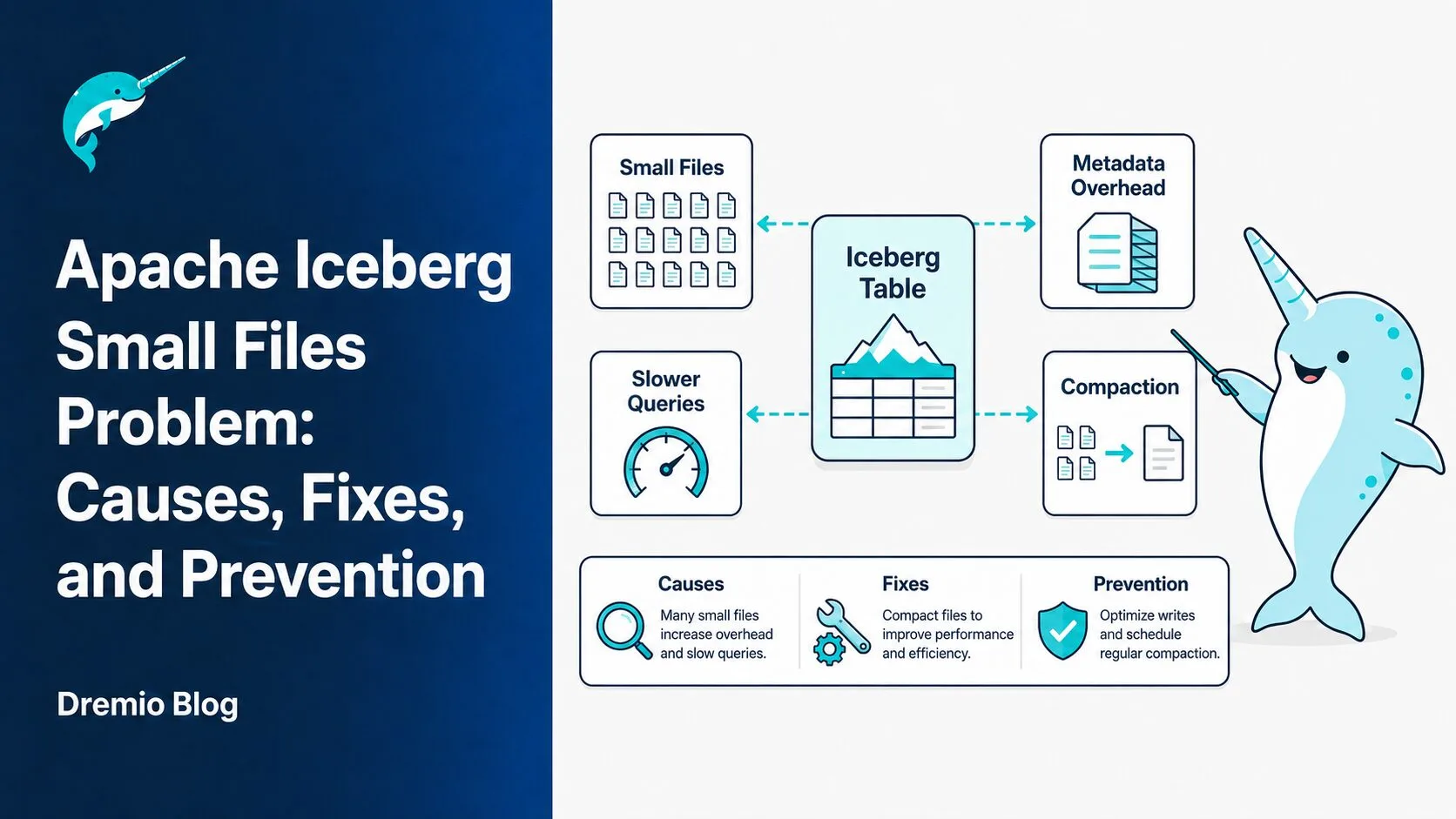
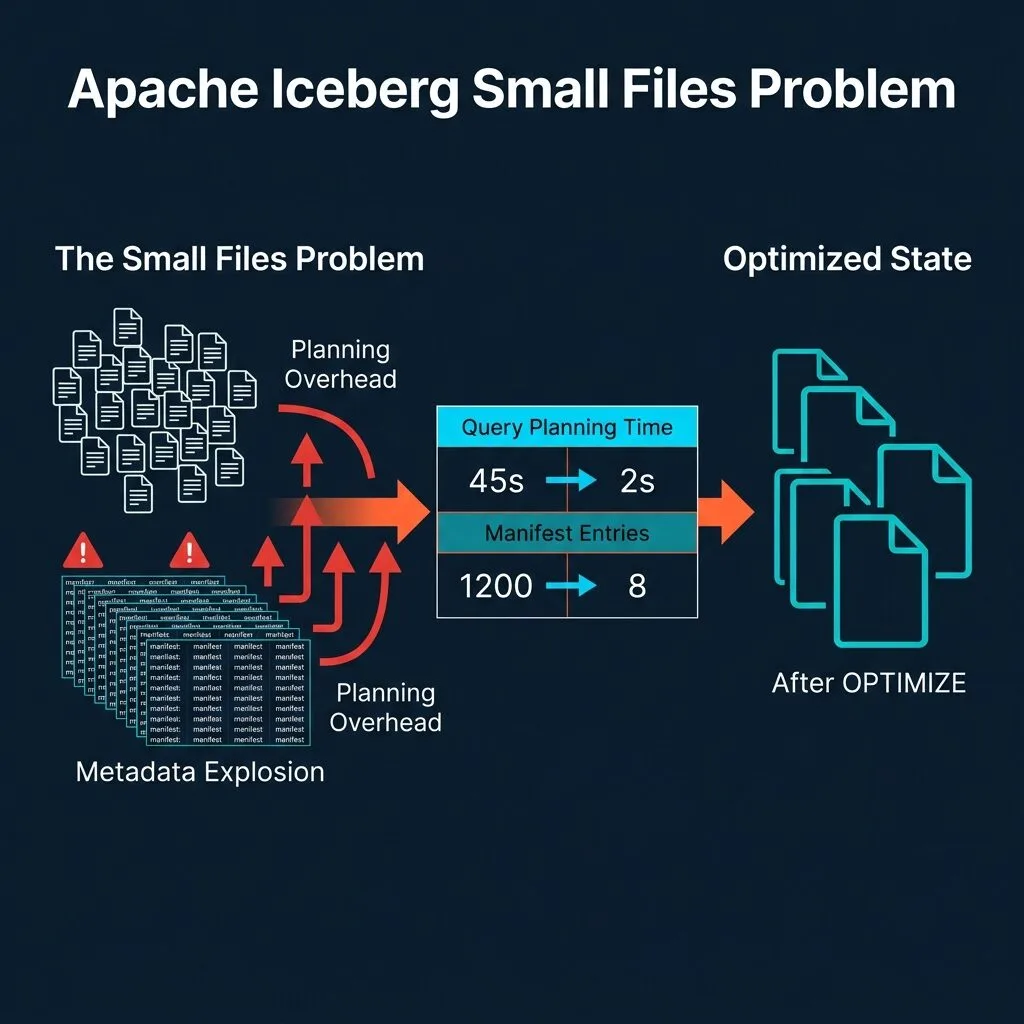
A single streaming job writing to Apache Iceberg every minute, across 10 partitions, produces 14,400 files per day from that one pipeline alone. Within a week, your table has over 100,000 files. Query planning that once took milliseconds now takes 15 to 30 seconds before a single row of data is read. That is the Apache Iceberg small files problem in practical terms, and it is one of the most common performance killers in production Iceberg deployments.
This post covers exactly how small files accumulate, why they degrade performance in multiple compounding ways, how to detect the problem before it becomes critical, and the tools available to fix and prevent it, from manual OPTIMIZE TABLE runs to Dremio's fully automatic table optimization for managed tables.
If you want to understand Iceberg's underlying metadata architecture before diving in, the Apache Iceberg Architectural Guide is the right starting point.
How Small Files Accumulate in Iceberg Tables
Iceberg tracks every data file through a hierarchy of metadata: the snapshot file points to a manifest list, the manifest list points to individual manifest files, and each manifest file contains entries describing every data file including its path, size, column statistics, and partition values. This design enables fast, accurate partition pruning and time travel, but it also means that every additional file adds overhead to every future query that touches that table.
Small files accumulate through several distinct patterns, and understanding each one matters because the prevention strategy differs.
Streaming Ingestion
Flink and Spark Structured Streaming jobs commit files at each checkpoint interval. A job with a 1-minute checkpoint interval writing to 10 partitions creates 10 new files every minute. At that rate, 14,400 files per day accumulate from a single stream. Many production environments run dozens of such streams, each contributing to the same tables.
The key variable is not the volume of data being written, it is the frequency of writes. A streaming job generating 100MB per minute produces much larger files than a job generating 1MB per minute, but both create the same number of files if checkpoint intervals are identical.
Frequent Batch Writes
Batch ETL pipelines introduce small files when they run frequently without controlling output file count. Spark determines task parallelism based on input data size and partition counts, not on the desired output file size. An hourly Spark job reading from a highly partitioned source might spawn 200 tasks, each writing a separate file. If each task processes 5MB of data, every hourly run adds 200 files averaging 5MB each.
Copy-on-Write Operations
Apache Iceberg supports two write modes for row-level changes: Copy-on-Write (CoW) and Merge-on-Read (MoR). In CoW mode, every UPDATE, DELETE, or MERGE operation rewrites the affected data files in full. If you update 100 rows spread across 500 data files, CoW rewrites all 500 of those files as new output files. When input data files are already small, the output files are equally small, and the problem compounds with every subsequent mutation.
Merge-on-Read Delete Files
MoR mode avoids the full file rewrite by writing small delete files that record which rows from existing data files are logically deleted or updated. Positional delete files record file paths and row positions. Equality delete files record values that match deleted rows. Both types are inherently tiny, often just a few kilobytes to a few megabytes.
Over time, hundreds of delete files can accumulate per data file. At query time, every matching delete file must be read and applied to the underlying data file before results are returned. A table with 10,000 data files and an average of 50 delete files per data file has 500,000 small files contributing to I/O overhead, even if the data files themselves are well-sized.
Why the Apache Iceberg Small Files Problem Hurts Query Performance
The performance impact is not from any single mechanism. It is the accumulation of four separate costs that each compound the others.
Manifest Bloat and Planning Time
Before any data is read, a query engine must plan the query. For Iceberg, planning involves reading the current snapshot, reading the manifest list to find relevant manifest files, reading those manifest files to collect data file paths and statistics, and using those statistics to prune files that cannot contain matching data.
Each data file corresponds to at least one manifest entry. With 100,000 small files, the planning phase requires reading manifest files totaling hundreds of megabytes of metadata. This happens for every query, regardless of how selective the query is. On a 500GB table split into 100,000 files of 5MB each, planning time often exceeds 15 to 30 seconds. The same data stored in 2,000 files of 256MB each typically plans in under one second.
Task Scheduling Overhead
Each file becomes at least one execution task in the query engine. Scheduling a task is cheap, on the order of one to ten milliseconds per task, but that cost multiplies rapidly. A query against a table with 100,000 files creates at least 100,000 tasks. Even with aggressive partition pruning that eliminates 95% of files, 5,000 remaining tasks carry 5 to 50 seconds of pure scheduling overhead before any data movement occurs.
JVM-based engines like Spark also experience increased garbage collection pressure when task graphs become very large, which introduces additional latency unpredictably.
Cloud Storage Request Costs
Object storage APIs charge per request. On Amazon S3, the GET request price is $0.0004 per 1,000 requests. Reading each file requires at minimum one GET request for the file content. In practice, Parquet readers issue additional requests for the file footer and individual row groups. A conservative estimate of two requests per file means 100,000 files generates 200,000 requests per query.
At $0.0004 per 1,000 requests, that is $0.08 per query in storage API costs alone. For a table queried 10,000 times per day, that is $800 per day, $24,000 per month, from request costs on a single table with a small files problem. Compacting to 2,000 files reduces that to $1,600 per month, a 93% reduction.
CPU Waste on File Footer Overhead
Parquet files store a file footer containing schema information, row group metadata, and column statistics. Reading this footer is mandatory before processing any data from the file. The cost of reading a Parquet footer is roughly constant regardless of file size, typically requiring one to several milliseconds and a network round trip to object storage.
For a 256MB Parquet file, that footer overhead is trivial relative to the data being processed. For a 1MB file, it represents significant overhead per byte of useful data. At scale, a table where 95% of the query time is spent reading file footers rather than actual data is a table with a severe small files problem.
How to Detect Small Files in Your Iceberg Tables
Dremio and other Iceberg-compatible engines expose Iceberg's metadata through table function queries. The most useful function for diagnosing small files is table_files(), which returns one row per file with size, content type, and statistics.
-- Check file count and average size on an Iceberg table
SELECT
  COUNT(*) as file_count,
  AVG(file_size_in_bytes) / 1048576 as avg_size_mb,
  MIN(file_size_in_bytes) / 1048576 as min_size_mb,
  MAX(file_size_in_bytes) / 1048576 as max_size_mb
FROM TABLE(table_files('my_catalog.my_schema.events'))
WHERE content = 0; -- 0 = data files only

-- Run compaction
OPTIMIZE TABLE my_catalog.my_schema.events;

-- Compact only a specific partition
OPTIMIZE TABLE my_catalog.my_schema.events
WHERE event_date >= DATE '2024-01-01';
The content column distinguishes file types: 0 for data files, 1 for positional delete files, and 2 for equality delete files. Filtering to content = 0 gives you the picture for actual data files. You should also run the query without the filter to understand your delete file situation.
To break down file counts and sizes by content type:
-- Analyze all file types by content category
SELECT
  content,
  COUNT(*) as file_count,
  AVG(file_size_in_bytes) / 1048576 as avg_size_mb,
  SUM(file_size_in_bytes) / (1024 * 1048576) as total_size_gb
FROM TABLE(table_files('my_catalog.my_schema.events'))
GROUP BY content
ORDER BY content;
Flags that indicate you have a problem worth fixing:
Average data file size below 32MB
Total file count above 10,000 on a table under 1TB
Query planning time above five seconds for queries with tight partition predicates
Snapshot metadata files exceeding 100MB in size
A high ratio of delete files to data files (more than 10 delete files per data file)
For manifest-level analysis, table_manifests() shows how many entries each manifest contains and whether manifest fragmentation is also an issue, which it usually is when file counts are high.
Fixing It with OPTIMIZE TABLE Iceberg Compaction
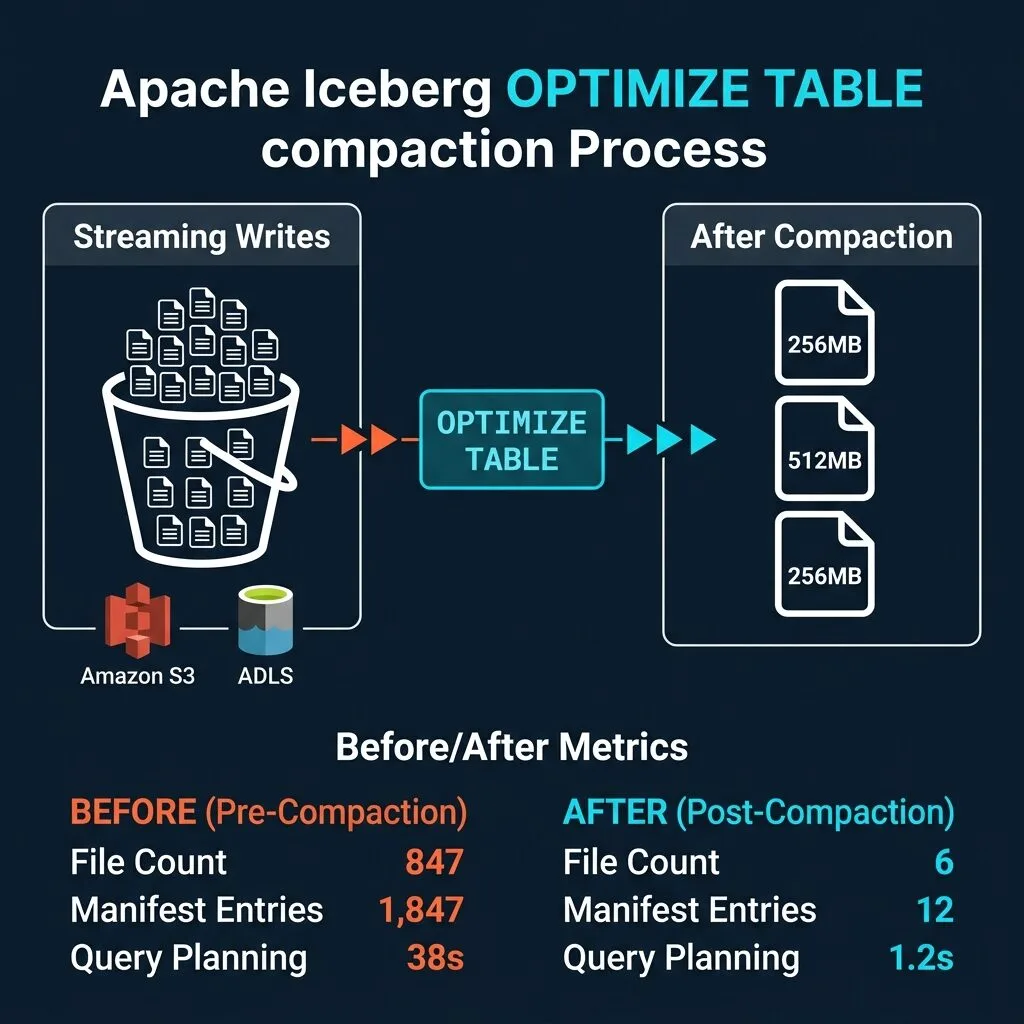
Compaction is the primary fix for accumulated small files. It reads multiple small files and writes them together into larger files at the target size, then records the new files in a new Iceberg snapshot. The old files remain accessible via time travel until explicitly expired. No data is lost during compaction.
What OPTIMIZE TABLE Does
The OPTIMIZE TABLE command in Dremio triggers Iceberg's file rewriting operation. The engine reads groups of small files that fall below a minimum size threshold, combines their data, and writes new files at the target size. The default target is 256MB, which is well-matched to object storage read patterns and provides a good balance between planning efficiency and parallel read performance.
For MoR tables with accumulated delete files, OPTIMIZE TABLE also handles delete file compaction. It merges delete file entries directly into the rewritten data files, eliminating the delete overhead entirely for the compacted data.
The operation is safe to run on a live table. Iceberg's optimistic concurrency model ensures that concurrent readers and writers are not blocked. If a concurrent write commits during compaction, the OPTIMIZE operation detects the conflict and either retries the affected file groups or records a partial result.
Running OPTIMIZE in Dremio
The basic form requires only the table name:
-- Full table compaction
OPTIMIZE TABLE my_catalog.my_schema.events;
For large tables or tables with streaming ingestion where only recent data accumulates small files, partition-targeted compaction is more efficient:
-- Compact only recent partitions to reduce compute cost
OPTIMIZE TABLE my_catalog.my_schema.events
WHERE event_date >= DATE '2024-01-01';
This predicate limits compaction to files matching the partition filter, dramatically reducing the compute required for tables where older data is already well-compacted.
Target file size and the minimum number of files required before a group is rewritten can be tuned using table properties, but the defaults are appropriate for most analytical workloads. For large tables serving predominantly full-scan analytical queries, a target size of 512MB can further reduce planning overhead.
Scheduling Cadence for Iceberg Compaction
The right compaction schedule depends on your write patterns:
Write Pattern
Recommended OPTIMIZE Cadence
Continuous streaming (sub-minute)
Every 1 to 4 hours
Hourly batch loads
Daily, after business hours
Daily batch loads
Weekly
Irregular burst loads
Immediately after each major load
Event-driven pipelines
After each pipeline completion
For streaming tables, compaction every one to four hours typically keeps average file sizes above 32MB without requiring excessive compute. Running OPTIMIZE more frequently than every 30 minutes is rarely beneficial unless the streaming throughput is very high.
What OPTIMIZE Does Not Do
It is worth being clear about the scope of OPTIMIZE TABLE. It rewrites data files and delete files, but it does not expire old snapshots. Snapshot expiry requires a separate VACUUM operation or expire_snapshots procedure. Running OPTIMIZE without periodic VACUUM means storage usage temporarily increases as old files from before compaction remain on disk.
OPTIMIZE also does not re-sort data within files by default. Sorted file layouts significantly improve performance for queries with range predicates on high-cardinality columns, but that is a separate operation from compaction.
Preventing Small Files at the Source
Compaction is a corrective measure. Controlling file sizes at write time is the preventive measure. Both belong in a mature Iceberg performance tuning strategy.
How you partition your table directly affects how many files get created per write cycle. Iceberg's hidden partitioning can help distribute data more evenly across fewer partitions. See how hidden partitioning reduces full scans for how partition design affects file layout.
Spark Write-Time Configuration
The Iceberg table property write.target-file-size-bytes controls the target file size for Spark writes. Setting it to 256MB (268,435,456 bytes) prevents Spark from closing files before they reach that size:
# Set target file size at the table level
spark.sql("""
  ALTER TABLE my_catalog.my_schema.events
  SET TBLPROPERTIES (
    'write.target-file-size-bytes' = '268435456'
  )
""")

# For Spark Structured Streaming jobs, also configure the write distribution mode
df.writeStream \
  .format("iceberg") \
  .option("checkpointLocation", checkpoint_path) \
  .option("fanout-enabled", "true") \
  .toTable("my_catalog.my_schema.events")
The fanout-enabled option is important for streaming writes because streaming data often arrives out-of-order across partitions. The fanout writer keeps multiple partition writers open simultaneously, which avoids file rollover caused by partition switching.
Streaming-Specific Strategies
Increasing the checkpoint interval from 1 minute to 5 minutes reduces file creation by a factor of 5 with no change to query latency for batch analytics workloads. For tables that are queried interactively, a 5-minute checkpoint interval is the minimum you should accept, and 10 to 15 minutes is often better.
For Flink streaming jobs, the write.target-file-size-bytes Iceberg property applies during checkpointing. Increasing Flink's checkpoint interval is the most direct lever for reducing file counts.
# Coalesce before writing to limit output file count
df.coalesce(target_partition_count).writeTo("my_catalog.my_schema.events").append()

# Or repartition by the Iceberg partition columns for well-distributed output
df.repartition("event_date", "region").writeTo("my_catalog.my_schema.events").append()
Repartitioning by the Iceberg partition columns before writing ensures each output file maps cleanly to a single Iceberg partition, which makes subsequent partition pruning more effective.
Dremio's Automatic Table Optimization
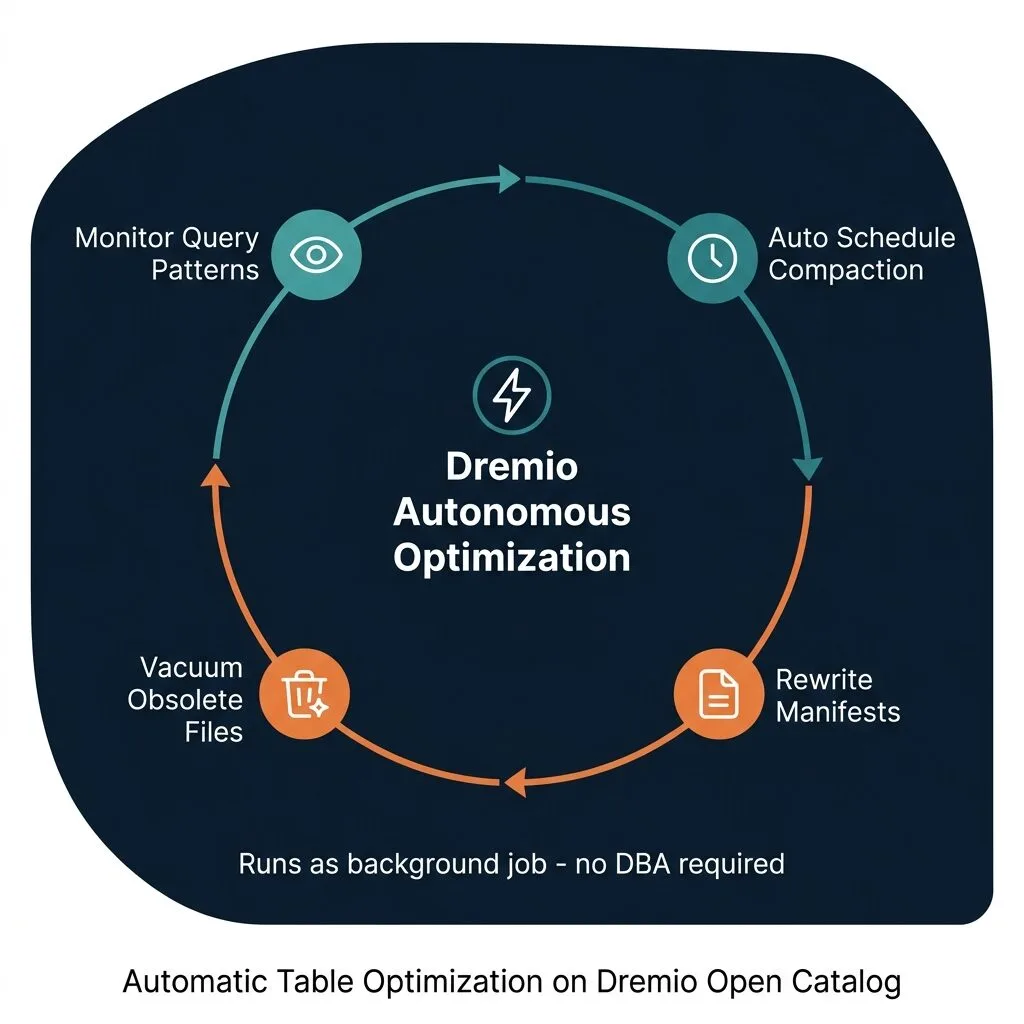
Manual OPTIMIZE scheduling works, but it requires ongoing operational attention. You need to monitor write volumes, adjust cadences as data patterns change, and handle edge cases where compaction conflicts with write-heavy periods. Dremio's Automatic Table Optimization removes that operational burden entirely for tables managed through Dremio's Open Catalog, which is built on Apache Polaris.
What Automatic Optimization Does
Rather than waiting for a scheduled job, Automatic Table Optimization monitors write patterns and file size distributions continuously. When file counts or size distributions cross configured thresholds, Dremio schedules background optimization work without any manual intervention.
The background operations cover four areas:
File Compaction merges small data files and delete files into target-size files, the same operation performed by manual OPTIMIZE TABLE but triggered automatically based on detected file accumulation patterns.
Manifest Rewriting consolidates fragmented manifest files. When many small files are added and then compacted repeatedly, the manifest files themselves can become fragmented, with many manifests containing only a few entries each. Manifest rewriting merges those into fewer, denser manifests, which directly reduces planning time.
Data Clustering groups related data into files that are co-located on partition boundaries. This improves partition pruning effectiveness for queries with selective predicates, similar in effect to data sorting or Z-ordering but managed automatically.
Vacuum removes obsolete snapshots and orphan files. Unlike manual workflows where VACUUM must be scheduled separately, Automatic Table Optimization handles snapshot expiry as part of its routine, ensuring storage usage stays bounded without manual cleanup jobs.
How It Integrates with Dremio Reflections
Dremio's Autonomous Performance capabilities tie table optimization directly to query acceleration. Reflections are Dremio's materialized views, pre-aggregated or pre-joined datasets that queries are transparently redirected to when Dremio determines they would answer the query faster.
When underlying table data is well-compacted, Reflections can be refreshed incrementally rather than requiring full rebuilds. Automatic Table Optimization ensures the underlying data quality that makes incremental Reflection refreshes reliable. The result is a system where both raw table queries and accelerated Reflection queries stay fast without manual maintenance.
Autonomous Reflections take this further by detecting which queries are running slowly and automatically creating or refreshing the appropriate Reflections to accelerate them.
Automatic vs. Manual: Choosing the Right Approach
Both approaches have a place in a production Iceberg environment. The decision depends primarily on where your table lives and what level of control you need.
Scenario
Use Manual OPTIMIZE
Use Automatic Optimization
One-time cleanup after large data load
Yes
No
Tables in external catalogs (Hive, Glue)
Yes, only option
Not available
Tables in Dremio Open Catalog
Fallback for urgent compaction
Primary approach
Time-critical compaction before a report run
Yes
No
Streaming tables with no operational team
No
Yes
Tables requiring zero manual maintenance
No
Yes
For tables managed by Dremio's Open Catalog, enabling Automatic Table Optimization is the right default. Manual OPTIMIZE remains valuable for ad-hoc situations where you need compaction to complete before a specific query or reporting window.
Tradeoffs to Keep in Mind
Compaction is not free, and treating it as a zero-cost background operation leads to problems. Being honest about the tradeoffs helps you design a maintenance strategy that actually works in production.
Compute Cost
Compaction reads all files being rewritten and writes new files at target size. For a table with 100GB of data spread across 50,000 small files, compacting to target size requires reading and writing 100GB of data. On a distributed compute cluster, this is parallelizable and fast, but it consumes real CPU, memory, and network bandwidth.
Scheduling compaction during off-peak hours protects production query performance. If your cluster runs analytical queries all day, consider provisioning a separate, smaller compute pool specifically for maintenance operations. Dremio supports workload management that can isolate compaction compute from query compute.
Concurrent Write Conflicts
Iceberg uses optimistic concurrency for all table modifications. When OPTIMIZE TABLE completes and attempts to commit its new file list, it checks whether the table has changed since compaction began. If a concurrent writer committed during the compaction window, the OPTIMIZE commit detects the conflict.
Depending on the engine and the nature of the conflict, the OPTIMIZE operation may retry the affected file groups automatically or report a partial completion. No data is lost in either case, but wasted compute from a failed compaction attempt is a real cost. For tables with very high write frequency, run compaction during brief write pauses if possible, or accept that occasional retries are part of the operational cost.
Storage Usage Before Vacuum
After OPTIMIZE TABLE completes, both the old small files and the new compacted files exist on object storage simultaneously. The old files are no longer referenced by the current snapshot but remain available for time travel queries back to the pre-compaction snapshot. Storage usage peaks immediately after compaction and returns to baseline only after VACUUM or expire_snapshots is run.
For cost-sensitive environments, always pair your OPTIMIZE schedule with a VACUUM schedule. A common pattern is to run OPTIMIZE nightly and VACUUM weekly with a snapshot retention period of seven days.
File Size Tradeoffs
256MB is a good target for mixed analytical workloads, but it is not universal. Tables queried primarily with highly selective point lookups on indexed columns may benefit from smaller target files, since a smaller file reduces the amount of data read for a selective scan. Tables used exclusively for large sequential scans of entire partitions benefit from larger files, 512MB to 1GB, which amortize the per-file overhead more aggressively.
Match your target file size to your query patterns. If you have both selective and full-scan queries on the same table, 256MB is generally the right compromise.
Putting It All Together
Solving the Apache Iceberg small files problem requires addressing it at multiple layers. Detection comes first: use table_files() to establish a baseline and set thresholds that trigger action. Prevention comes next: configure write.target-file-size-bytes at the source and increase checkpoint intervals for streaming jobs. Compaction handles accumulated files: run OPTIMIZE TABLE on a schedule matched to your write cadence. Automation removes the ongoing operational burden: enable Automatic Table Optimization in Dremio for managed tables so the system handles maintenance as patterns evolve.
The order matters. Fixing write-time configuration prevents the problem from recurring after you compact. Running OPTIMIZE clears the backlog. Automating ensures it stays clear.
The Apache Iceberg official maintenance documentation covers additional procedures including snapshot expiry, orphan file removal, and metadata table compaction, all of which complement the compaction-focused workflow described here.
If you want to see how all of this works in a production-grade Iceberg environment without managing infrastructure, try Dremio Cloud free for 30 days. Dremio combines query federation across Iceberg and non-Iceberg sources, Autonomous Reflections for automatic query acceleration, Automatic Table Optimization for managed tables, and an AI-powered semantic layer, all on open standards. Start at dremio.com/get-started.
For a deeper treatment of the topics in this post, download Apache Iceberg: The Definitive Guide by Tomer Shiran, Jason Hughes, and Alex Merced, free from Dremio.
Intro to Dremio, Nessie, and Apache Iceberg on Your Laptop
Editor’s note, September 2026. This post was published in September 2023 and some product details have changed since. Nessie is still available and self-deployable under the Apache-2.0 licence, and it remains the clearest implementation of catalog-level branching. It is not an Apache Software Foundation project, and its development has slowed considerably. For how the current […]
Aug 16, 2023·Dremio Blog: News Highlights
5 Use Cases for the Dremio Lakehouse
With its capabilities in on-prem to cloud migration, data warehouse offload, data virtualization, upgrading data lakes and lakehouses, and building customer-facing analytics applications, Dremio provides the tools and functionalities to streamline operations and unlock the full potential of data assets.
Aug 24, 2026·Dremio Blog: Open Data Insights
Migrating to Apache Iceberg: Strategies for Every Source System
This is Part 15, the final article of a 15-part Apache Iceberg Masterclass. Part 14 covered hands-on Dremio Cloud. This article covers the three migration strategies and how to execute a zero-downtime migration using the view swap pattern. Most organizations do not start with Iceberg. They have years of data in Hive tables, data warehouses, CSV files, databases, […]