A 10 TB events table partitioned by month was the right call two years ago. Now your data volume has grown tenfold, your team runs daily SLA dashboards, and every query that touches "last 7 days" is scanning an entire month's worth of files. In a traditional Hive-style warehouse, fixing this means a full table rewrite: read every byte, repartition it, write it back, swap the table, validate, and hope nothing breaks downstream. That process can take days and costs real money.
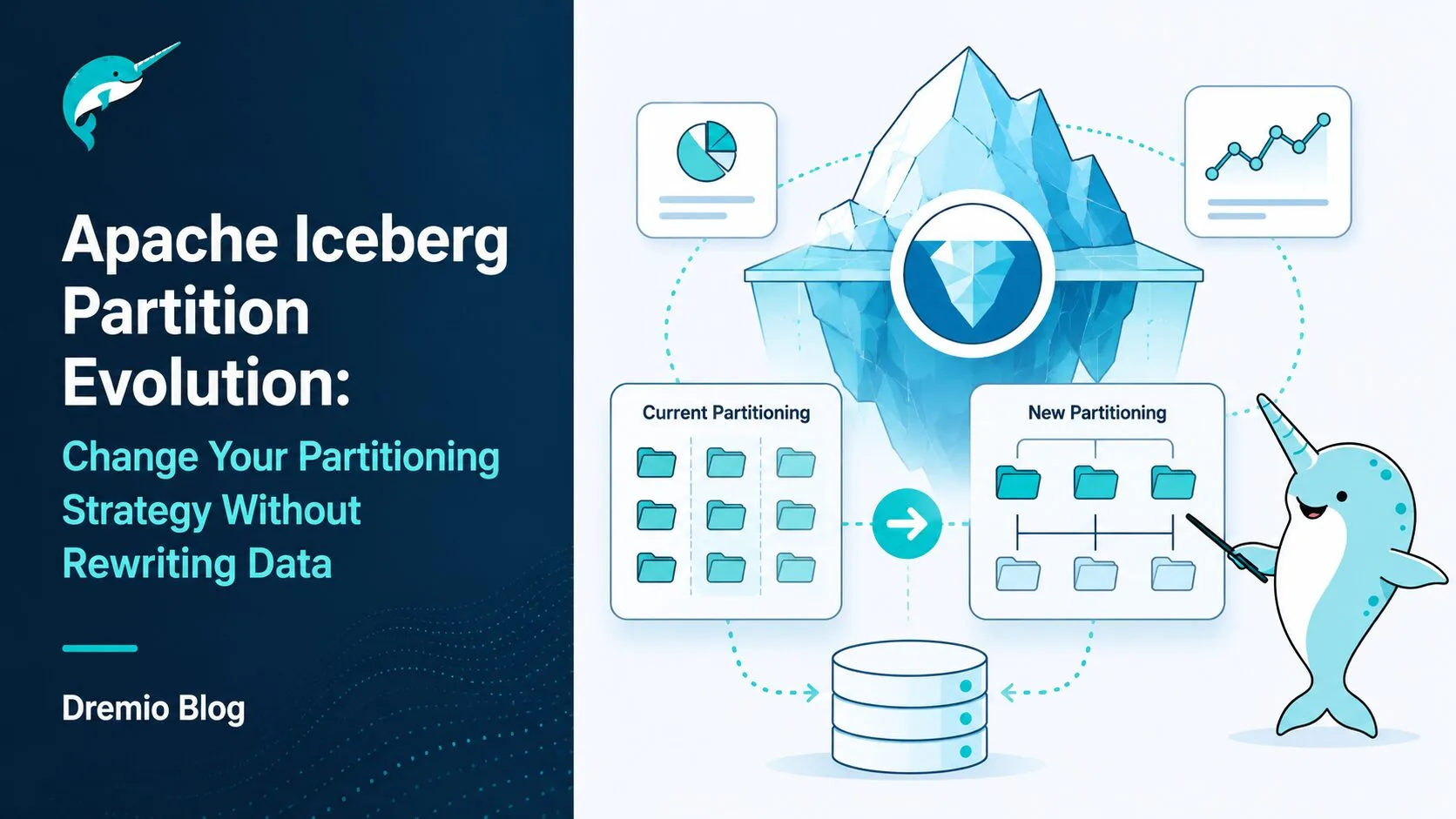
Apache Iceberg partition evolution solves this problem directly. You can change your partition strategy without touching a single existing data file. New data adopts the new layout immediately. Old data stays exactly where it is. And your query engine handles both layouts transparently, in a single query, without any SQL changes from your users.
This post covers how partition evolution works mechanically, the full SQL syntax for altering partition specs, how Iceberg's query planner handles tables with mixed partition layouts, when to trigger compaction afterward, and how Dremio automates the operational overhead that comes with evolving partitions on production tables.
The Problem With Hive-Style Partitioning
Hive popularized directory-based partitioning. A table partitioned by year and month stores files at paths like:
That directory structure is the partition. The catalog, the query engine, and your ETL pipelines all depend on it. So what happens when you decide you need daily partitions instead of monthly? You need to:
Create a new table with a day partition column
Read all data from the original table
Write it into the new table structure, organized by day
Update every upstream ETL job that writes to the table to use the new partition column
Update every downstream query that uses WHERE month = '2024-01' to use WHERE day = '2024-01-15'
Validate that the new table is correct
Swap the table reference in your catalog and downstream tools
Decommission the old table
For a 10 TB table, this typically takes several hours of compute time, requires a maintenance window, and introduces real risk of data loss or pipeline misconfiguration. If you want to add a second partition dimension (say, region in addition to date), the cost is the same: full rewrite.
This is why teams often stick with a bad partition choice long after they know it's hurting performance. The cost of fixing it feels higher than the cost of tolerating the slow queries.
How Apache Iceberg Partition Evolution Works
Iceberg separates the partition specification from the physical file layout. This is the core architectural decision that makes partition evolution possible.
The Partition Spec Is Metadata
In Iceberg, your table's partition scheme is stored in a partition spec inside the table's metadata JSON file. The spec contains a list of partition fields, each defined by a source column and a transform (like month(event_time) or day(event_time)). This spec is not encoded into your file paths or your file names.
When you run ALTER TABLE ... ADD PARTITION FIELD, Iceberg creates a new partition spec with a new spec ID and writes it into the metadata. That's it. No data moves. The cost of this operation is a single metadata file write, typically completing in under a second.
Spec IDs Track Which Files Belong to Which Layout
Every manifest file in Iceberg (a manifest is a list of data files along with their metadata) is tagged with the partition spec ID that was active when those files were written. When you evolve your partition spec, existing manifests keep their old spec ID. New data written after the evolution uses the new spec ID.
The result is a table where different manifests belong to different partition specs. This is called a mixed-spec table.
The Query Planner Handles Both Specs
When you run a query against a mixed-spec table, the Iceberg query planner reads all manifests, groups them by spec ID, and applies the correct partition pruning logic for each group. A predicate like WHERE event_time >= '2024-06-01' gets evaluated against month-level partition bounds for old manifests and against day-level partition bounds for new manifests. Both result sets are merged before returning to the user.
You can read more about Iceberg's architectural foundations, including how manifests and snapshots tie together, in the Apache Iceberg Architectural Guide.
Iceberg Partition Transforms: The Building Blocks
Before you evolve a partition spec, it helps to know what transforms are available and when each one makes sense. The Iceberg partition spec documentation covers all transforms in detail.
Transform
Syntax
Best Used For
Identity
identity(col)
Low-cardinality columns like region, status, country
Very high-frequency data (IoT, clickstreams, ad events)
A few nuances worth knowing:
identity is dangerous on high-cardinality columns. If you partition by identity(user_id) on a table with 50 million users, you create 50 million partition directories and an enormous number of tiny files. Reserve identity partitioning for columns with tens to hundreds of distinct values, not millions.
bucket(N, col) uses a deterministic hash, so the same column value always lands in the same bucket. This is useful for co-locating data for joins: if you bucket both a transactions table and a users table by the same column with the same bucket count, a join on that column can avoid a shuffle.
truncate works differently on strings vs integers. On a string column like country_code, truncate(2, country_code) groups all values with the same first two characters into one partition. On an integer like order_id, truncate(1000, order_id) groups values into ranges of 1000 (0-999, 1000-1999, etc.).
The temporal transforms (year, month, day, hour) all operate on timestamp or date columns and convert the value to UTC before partitioning. This means your data is always stored consistently, regardless of the timezone of the client writing it.
Step-by-Step: Altering Your Partition Spec
Let's walk through the actual SQL operations needed for common partition evolution scenarios.
Viewing Your Current Partition Spec
Before making any changes, confirm your table's current partition specification:
-- View current partition spec for the latest snapshot
SELECT partition_spec_id, spec
FROM TABLE(table_snapshot('my_catalog.schema.events'))
ORDER BY committed_at DESC
LIMIT 1;
This returns the spec ID and its definition. If your spec shows [{"name": "event_time_month", "transform": "month", "source-id": 1}], you know you're currently partitioned by month(event_time).
Evolving from Monthly to Daily Partitioning
This is the most common scenario: your data volume grew, and monthly partitions are now too coarse for your query patterns.
-- Step 1: Add the new, more granular partition field
ALTER TABLE my_catalog.schema.events
ADD PARTITION FIELD day(event_time);

-- Step 2: Drop the old monthly partition field from the spec
-- (old data still lives in month-based layout; only new writes use day)
ALTER TABLE my_catalog.schema.events
DROP PARTITION FIELD month(event_time);
After these two operations, Iceberg creates a new partition spec that contains day(event_time) and no longer contains month(event_time). All data written from this point forward goes into day-level partition directories. Existing files remain in their month-level directories and are still readable.
Some Iceberg-compatible engines support an atomic REPLACE PARTITION FIELD syntax that does both in one statement:
-- Atomic replace (supported in Spark with Iceberg; check your engine)
ALTER TABLE my_catalog.schema.events
REPLACE PARTITION FIELD month(event_time) WITH day(event_time);
In Dremio, you use the separate ADD and DROP operations. The result is equivalent.
Adding a Second Partition Dimension
Your events table is already partitioned by day(event_time). Now your data is multi-regional, and analysts frequently filter by both date and region. Adding a second partition field creates a compound partition spec:
-- Add region as a second partition dimension
ALTER TABLE my_catalog.schema.events
ADD PARTITION FIELD identity(region);
After this, new data is organized by both day(event_time) and identity(region). Files land at paths like event_time_day=2024-06-15/region=us-east/data-001.parquet. Old data remains in the single-dimension day(event_time) layout, and the query planner handles both correctly.
Removing a Poorly Chosen Partition Field
If an earlier engineer partitioned by bucket(1000, user_id), creating too many buckets and too many small files, you can remove it:
-- Remove the high-cardinality bucket partition
ALTER TABLE my_catalog.schema.events
DROP PARTITION FIELD bucket(1000, user_id);
New data is now written without that partition dimension. Old data remains in the 1000-bucket layout until compaction runs.
Checking the Spec After Evolution
-- Verify the new spec is active
SELECT partition_spec_id, spec
FROM TABLE(table_snapshot('my_catalog.schema.events'))
ORDER BY committed_at DESC
LIMIT 1;
The spec ID will have incremented. The definition should reflect your new partition fields.
How Query Planning Works on Mixed-Spec Tables
This is the part that often surprises engineers coming from Hive. After partition evolution, your table contains files written under different specs. How does a query engine know which files to scan?
Per-Manifest Spec Tracking
Each Iceberg manifest file is tagged with the partition spec ID that was in effect when it was written. The manifest also records, for each data file, the partition value for that file under that spec. When a new manifest is written (after spec evolution), it records partition values according to the new spec.
The manifest list (the snapshot's top-level structure) points to all manifests regardless of their spec ID. When the query planner opens the manifest list, it sees a collection of manifests with potentially different spec IDs.
Pruning Logic Per Spec
The query planner processes each manifest group separately:
For manifests with spec 0 (month(event_time)): evaluate the query predicate against month-level partition bounds. A query for event_time >= '2024-06-01' will include June, July, August, etc. and exclude January through May.
For manifests with spec 1 (day(event_time)): evaluate the same predicate against day-level bounds. Files from June 15 onwards are included; files from June 1-14 are excluded if the predicate demands it.
The results from both sets of file scans are merged before being returned to the user. This is entirely transparent: the user writes WHERE event_time >= '2024-06-15' and gets back the correct rows, whether those rows live in month-partitioned files or day-partitioned files.
The key enabler here is hidden partitioning. Because Iceberg never exposes partition columns to users (you query event_time, not event_time_month or event_time_day), changing the partition scheme has zero impact on existing SQL. If you want a deeper look at how hidden partitioning eliminates full partition scans, the Apache Iceberg Hidden Partitioning post covers it in detail.
Triggering Compaction to Normalize Your Layout
Mixed-spec tables work correctly, but they are not always optimal. Old files are still stored in the old partition layout. If your query patterns have shifted significantly toward the new spec (e.g., you're now querying by day, not month), old files may require slightly less precise pruning than new files.
Compaction (also called OPTIMIZE in Dremio and Spark) resolves this by rewriting data files under the current partition spec. After compaction, all files use the new layout.
-- Run compaction after partition evolution
-- This rewrites old files into the new partition spec layout
OPTIMIZE TABLE my_catalog.schema.events
WRITE ORDERED BY event_time;
The WRITE ORDERED BY event_time clause ensures that files within each new partition are written in sorted order, which can further improve scan performance for range queries.
When to Run Compaction
Immediately after evolution, if your old partition layout was causing significant performance problems and you want the new layout to take effect for all data right away
Scheduled overnight, if the table is very large and you want to avoid disrupting daytime query performance
After a batch of new data has been written, so that the OPTIMIZE pass covers both old and new files in a single pass
Compaction does have a cost: it reads all the old files and writes new ones. On a large table, this is similar in cost to the "full rewrite" problem that partition evolution was designed to avoid. The difference is that it is now a scheduled background operation, not a blocking maintenance event. Queries continue to work correctly during compaction.
How Dremio Handles Partition Evolution
Dremio is built on Apache Iceberg natively, which means partition evolution is a first-class feature with no workarounds needed.
Transparent Mixed-Spec Query Execution
Dremio's query planner reads Iceberg metadata directly, including manifest spec IDs. When a query touches a table with a mixed partition spec, the planner applies the correct pruning logic per spec group without any user intervention. You do not need to hint the query, add special filters, or restructure your SQL. The same query that worked before partition evolution continues to work after it, and the planner applies the best possible pruning for each part of the table.
This is powered by Dremio's Arrow Flight-based data path: once the planner determines which files to scan (using per-spec partition pruning), Arrow Flight efficiently retrieves and processes exactly those files.
Autonomous Table Optimization
One of the most operationally valuable features in Dremio is its Autonomous Performance system. After you evolve a partition spec, Dremio's Automatic Table Optimization (ATO) can detect that existing files are in a suboptimal layout relative to the current spec. It schedules compaction in the background, normalizing the file layout without requiring manual OPTIMIZE calls.
This is part of what makes Dremio an Agentic Lakehouse: the platform actively manages the health and performance of your tables, not just executes queries against them.
Reflections Remain Valid
Dremio Reflections are pre-materialized, pre-aggregated views that accelerate query performance. When you evolve a partition spec on a base table, existing Reflections are not invalidated. Dremio continues to use them for query acceleration. If a Reflection covers a data range that spans both old and new partition layouts in the base table, Dremio handles the transparent query rewrite correctly. Only if you explicitly refresh or rebuild a Reflection does it re-read the base table.
This means you can evolve partition specs on active, heavily-queried tables without disrupting your accelerated query layer.
The Hidden Partitioning Connection
Partition evolution works as cleanly as it does because of Iceberg's hidden partitioning design. In Hive, partition columns are explicit: a table partitioned by month has a month column in its schema that users must reference in their queries. When you change the partition to day, you add a day column, and every query that relied on WHERE month = '2024-01' must be updated.
In Iceberg, partition transforms are hidden. Users query the underlying data column (event_time) directly, and the engine applies the transform and partition pruning internally. No user-facing column name changes when you evolve from month(event_time) to day(event_time). The predicate WHERE event_time >= '2024-06-01' works identically before and after the evolution.
This means:
BI tool queries written against the table continue to work without modification
ETL pipelines that write to the table do not need to change their SELECT or INSERT statements
Downstream views and Reflections built on the table do not need to be rebuilt
The Apache Iceberg Hidden Partitioning post is a great companion read if you want to understand the full scope of how hidden partitioning eliminates manual partition filter management.
Real-World Scenarios
Scenario 1: Monthly to Daily as Data Volume Grows
A SaaS company ingests user event data. In 2022, they had 5 GB/month of events and partitioned by month(event_time). By 2024, volume grew to 150 GB/month. Their product analytics team runs queries for "last 7 days" and "last 30 days," and each query is scanning an entire month's worth of files.
Evolution:
ALTER TABLE prod.analytics.user_events
ADD PARTITION FIELD day(event_time);

ALTER TABLE prod.analytics.user_events
DROP PARTITION FIELD month(event_time);
After this, new ingestion writes daily files. Old monthly files remain and are still accessible. The team schedules a weekly OPTIMIZE run to progressively normalize old data into the daily layout.
Result: Queries for "last 7 days" now scan at most 7 day-partitions of new data, plus a bounded subset of old monthly files. Query performance for recent data improves dramatically within hours of the evolution.
Scenario 2: Adding a Regional Dimension
A global e-commerce company has a orders table partitioned by day(order_timestamp). They expand into three geographic regions, and analysts frequently filter by both date and region.
Evolution:
ALTER TABLE prod.commerce.orders
ADD PARTITION FIELD identity(region);
New orders written after this point are stored in compound partitions: order_timestamp_day=2024-06-15/region=EU. Old orders remain in single-dimension order_timestamp_day partitions.
For queries filtering by both date and region on recent data, Dremio can prune to a small fraction of files. For queries on historical data (before evolution), date-only pruning still applies correctly.
Scenario 3: Removing a Poorly Chosen Partition Field
A data team originally partitioned their clickstream table by bucket(2000, session_id). Two thousand buckets for a session ID column with millions of unique values created an enormous number of tiny files and slow metadata operations.
Evolution:
ALTER TABLE prod.tracking.clickstream
DROP PARTITION FIELD bucket(2000, session_id);

-- Add a better partition instead
ALTER TABLE prod.tracking.clickstream
ADD PARTITION FIELD hour(event_time);
New data is now partitioned by hour of the event timestamp, which aligns with how analysts actually query the data. Old data in the 2000-bucket layout is still readable. An OPTIMIZE run over the weekend rewrites the old files into the hour-based layout.
Scenario 4: Coarsening Archival Partitions
A financial services firm keeps 10 years of transaction history. Recent data (last 2 years) is partitioned by day(transaction_date). Archival data (years 1-8) was originally ingested under a year(transaction_date) spec.
The firm queries archival data rarely, and when they do, it's always for full-year ranges (e.g., regulatory reporting). The year-level partition spec is actually the right choice for that older data. By running OPTIMIZE only on the recent partition range, they normalize just the data that benefits from daily partitioning and leave the archival data untouched.
-- Compact only recent data into the current daily spec
OPTIMIZE TABLE prod.finance.transactions
WHERE transaction_date >= '2022-01-01'
WRITE ORDERED BY transaction_date;
This selective compaction lets them get the benefit of normalized layout for recent queries without paying the cost of rewriting archival data that is already efficiently organized.
Tradeoffs to Know Before You Evolve
Partition evolution is not zero-cost. Understanding the tradeoffs helps you decide when to evolve and how to manage the aftermath.
Mixed-spec metadata complexity. Every additional partition spec adds metadata to your table. A table that has gone through five partition evolutions has five spec definitions, and every manifest knows which spec it belongs to. This is manageable but adds to planning overhead. The query planner must track and apply multiple spec versions during planning.
Old files use the old layout until compaction. If you evolve from month to day partitioning and then run a query for "yesterday," Dremio prunes new files at day granularity (very precise) and old files at month granularity (coarser). If all recent data is in new files, this doesn't matter. But if your table's "hot" data spans the evolution boundary, you may see mixed pruning efficiency.
Compaction has a cost. Running OPTIMIZE rewrites data files. On a large table, this is expensive compute-wise. Plan compaction during low-traffic windows and consider running it on a subset of partitions at a time rather than the whole table.
Engine support varies. The REPLACE PARTITION FIELD atomic syntax is supported in Spark with Iceberg. ADD and DROP are more widely supported. Check your engine's Iceberg version and confirm which operations are available before planning an evolution in production.
Repeated evolutions accumulate debt. If your team evolves the partition spec every few months, you accumulate multiple spec versions and many generations of files in different layouts. The practical advice: evolve thoughtfully, run OPTIMIZE after each evolution, and plan your initial spec as carefully as possible to minimize how often you need to change it.
Getting Started With Partition Evolution in Dremio
If you manage Iceberg tables on Dremio today, partition evolution is already available. You can issue ALTER TABLE ... ADD PARTITION FIELD and DROP PARTITION FIELD directly from the Dremio SQL editor. The query planner handles mixed-spec tables automatically, and Automatic Table Optimization can manage background compaction for you after an evolution.
For teams new to Iceberg or looking to consolidate around a platform that treats partition evolution (and other Iceberg features) as a first-class operational concern, Dremio Cloud provides a managed environment where you don't have to think about catalog management, compaction scheduling, or metadata maintenance. The platform handles that work so your team can focus on writing good queries and building good data products.
Partition evolution is one of those features that seems minor until you need it. Then it's the difference between a two-minute metadata update and a two-day rewrite project. If you're building on Iceberg and haven't thought carefully about your partition strategy yet, the time to do that is before your table reaches 10 TB, not after. And when you do need to change course, the ALTER TABLE syntax and Dremio's transparent handling mean the process is manageable, not catastrophic.
Keep learning
For a deeper treatment of the topics in this post, download Apache Iceberg: The Definitive Guide by Tomer Shiran, Jason Hughes, and Alex Merced, free from Dremio.
Intro to Dremio, Nessie, and Apache Iceberg on Your Laptop
Editor’s note, September 2026. This post was published in September 2023 and some product details have changed since. Nessie is still available and self-deployable under the Apache-2.0 licence, and it remains the clearest implementation of catalog-level branching. It is not an Apache Software Foundation project, and its development has slowed considerably. For how the current […]
Oct 12, 2026·Dremio Blog: Open Data Insights
Apache Iceberg Table Statistics: NDV, Puffin and Query Plans
Iceberg keeps per-file bounds automatically but table-level NDV statistics only when you compute them. Why that decides join order, and how to keep them fresh.
Aug 16, 2023·Dremio Blog: News Highlights
5 Use Cases for the Dremio Lakehouse
With its capabilities in on-prem to cloud migration, data warehouse offload, data virtualization, upgrading data lakes and lakehouses, and building customer-facing analytics applications, Dremio provides the tools and functionalities to streamline operations and unlock the full potential of data assets.