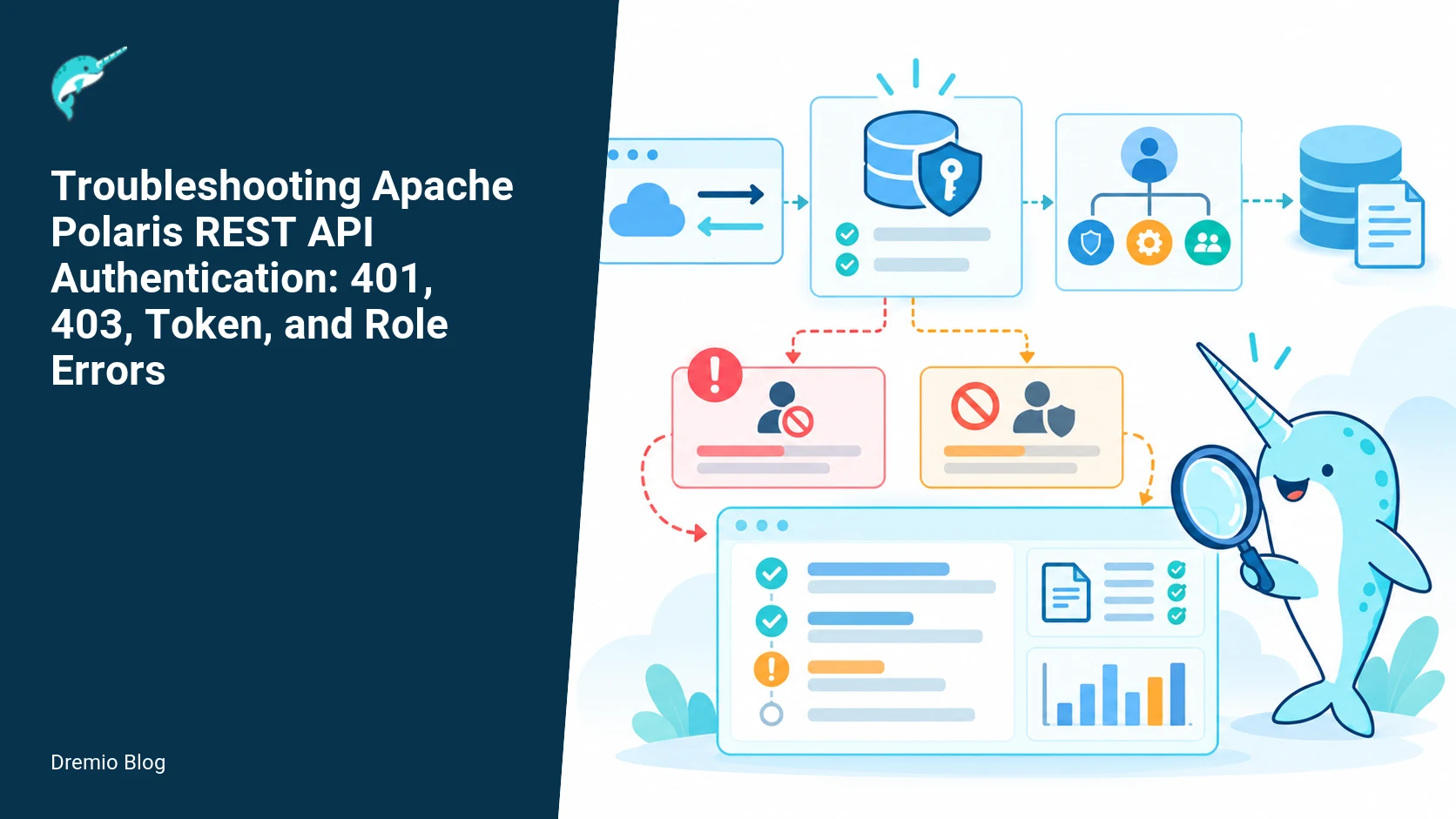
A Polaris 401 usually means the request did not present a token the service could validate. A 403 usually means authentication succeeded but the mapped principal lacks the required privilege. Debug the path in order: token issuance, issuer and audience validation, principal mapping, principal-role grants, catalog-role grants, and the requested operation. The rest of this runbook lays out concrete tests, what to measure, what can fail, and how to fix each failure mode.
How Polaris makes the decision
Polaris evaluates every REST request in two phases. First, it authenticates the client, usually by validating a bearer token or accepting a signed credential. Second, it authorizes the principal represented by that authentication, by mapping the principal to Polaris roles and checking role grants against the requested API action and the target catalog object. Failures can occur at either phase. The API surface includes catalog endpoints, engine registration, and credential vending. Understanding which edge failed is the crucial diagnostic step.
Authentication and authorization decision path. Each stage has a result that can be checked before the next stage begins.
Diagram note: this shows the authentication and authorization decision path, including external IdP, token validation, principal mapping, role resolution, and catalog RBAC checks. You will refer to the diagram when tracing a request through the system.
Common failure categories, with quick signals
Group the failures into five troubleshooting buckets. Each bucket has quick signals you can check from logs, response headers, and the token itself.
Missing or malformed token, usually 401, "WWW-Authenticate" header, or logs saying "no bearer token".
Principal mapping failed, authentication accepted but no mapped principal, often 403 if Polaris treats unmapped as anonymous, or logs show mapping errors.
Role grants missing, 403, principal exists but lacks roles on the catalog or resource.
Operation-level denial, 403, role exists but does not permit the specific operation (for example, read vs write).
Triage tree: 401 versus 403
401 versus 403 triage tree. Each technical risk needs a matching test, boundary, or operating signal.
Use this sequence for a failing REST call. Check these in order, because early failures make later checks misleading.
Confirm HTTP status and headers. A 401 with a WWW-Authenticate header is an authentication rejection. A 403 indicates the request was authenticated, or the server refused without authenticating; read server logs to confirm.
Collect the request ID from the response header and server access logs. Polaris and proxies usually include a request id. Include it in any ticket, and never paste tokens or client secrets into tickets.
If 401, inspect the bearer token locally, without exposing secrets, to check issuer, audience, expiry, kid, and scopes. See worked example below.
If token looks valid, check Polaris' configured IdP and keyset retrieval. Missing JWKs or wrong issuer string will cause validation to fail.
If authentication succeeded but the principal is unexpected, check principal mapping configuration. Polaris documents IdP integration notes and mapping behavior in the IdP developer notes.
Finally, verify RBAC: principal to roles, roles to catalog grants, and operation permission. The access control guide shows how Polaris defines these mappings and checks.
Token inspection without exposing secrets
Do token inspection locally. Never paste the raw bearer token into a ticket or public log. Tokens can look like three base64 parts separated by dots. You can copy only the header and payload for inspection, not the signature. That prevents leaking the token signing material in most cases.
Example: given a bearer token value you hold in your workstation environment variable TOKEN, run the following steps locally. This shows how to base64 decode the header and payload without sending the token anywhere.
{
  "code": "# Bash: split the token locally without printing the signature\nIFS='.' read -r h p s <<<\"$TOKEN\"\n# Print header and payload only\necho "$h" | base64 --decode | jq .\necho "$p" | base64 --decode | jq .\n# Do not echo $s (the signature) into logs or tickets\n"
}
What to check in the decoded payload: exp and iat timestamps, iss (issuer) string, aud (audience) or azp (authorized party), sub (subject), and any claim Polaris uses for principal mapping such as preferred_username, email, or groups. If the token is opaque (non-JWT), verify the introspection endpoint and the ability to call it from Polaris.
Worked example: cURL request with request ID
When you make a request for diagnostics, include a client-generated request id header and capture server response headers. This helps tie the client attempt to server logs. Never include the bearer token in your ticket, only in the cURL you run locally. Below is an example cURL you can run on your machine; it sets a request id header. Inspect response headers for server request ids.
In the verbose output, note the HTTP status, any WWW-Authenticate header, and any X-Request-Id or Polaris-Request-Id that the server returns. Use that server request id when searching logs. If the response is 401, check the server error logs for a matching request id and an authentication failure reason (signature, issuer mismatch, key fetch error, expired token).
Principal-to-privilege mapping
Principal-to-privilege mapping. The loop turns table or catalog signals into controlled operational changes.
Polaris maps an authenticated token to a principal. That mapping can be direct, for example by using token sub or email, or configured by a principal mapper. After a principal is identified, Polaris resolves roles attached to the principal and then evaluates role grants against the requested catalog resource. The access control documentation explains role and grant semantics and default roles in Polaris 1.8.0. Confirm your Polaris version because behavior and APIs can change across releases.
Key checks on mapping:
Which claim is used as the principal id? Check the IdP notes and Polaris IdP configuration for claim names.
Is group membership mapped into Polaris roles? If you expect group-to-role mapping, verify group names in the token match exactly the mapping rules.
Does Polaris treat unmapped principals as anonymous or deny by default? Consult the access control page for the default behavior in your version.
RBAC verification checklist (worked example)
Run this checklist when a request authenticates but is authorized with 403. It separates principal discovery from role grants and from operation permission.
Find the principal used by the request. Look in access logs for the principal or use an API endpoint that returns the calling principal. If your Polaris build exposes an introspection endpoint, call it with the request id.
List roles attached to that principal. Use the Polaris admin APIs to list principal roles. If you cannot find the principal, check the IdP mapping configuration.
List grants for each role on the target catalog. Confirm resource path, grant type (read, write, manage), and whether grants inherit to child resources where appropriate.
Verify the operation requested maps to the permission in the grant. For example, listing catalogs may require a different grant than executing queries.
Practical note: HTTP status codes alone do not identify the failing RBAC edge. You must correlate the request id, principal, role list, and grant list to locate the denial. This is especially true when role inheritance or wildcard grants are used.
Remote signing versus credential vending
Two patterns are easy to confuse. Remote signing means Polaris accepts tokens or assertions signed by an upstream service and validates the signature. Credential vending means Polaris issues short lived credentials, usually for engines, after authenticating a client. They are not the same. Remote signing still relies on token validation paths, including keyset retrieval. Vended credentials have separate lifecycle and revocation semantics. Polaris documents an in-development credential vending feature; confirm the version and whether your deployment uses vended credentials or only federated tokens.
Do not treat remote signing as credential vending. If you expect Polaris to issue credentials to a registered engine, verify the credential vending feature is enabled and configured, and do not paste client secrets into support tickets. The Polaris vended credentials documentation is an in-dev resource; verify behavior against your Polaris build.
Failure modes and how to fix them
I list specific failure signatures and the fix. Each item includes the logs to search for and commands to run locally.
Missing token or Authorization header stripped
Symptom: 401, reverse proxy logs show header removal or no Authorization header seen by Polaris.
Search for: proxy configuration for header forwarding, nginx proxy_pass_request_headers, Envoy config, or ingress controller rewrite rules.
Fix: configure proxy to forward Authorization header, or use a signed cookie pattern. Re-run cURL from a host inside the same network as Polaris to eliminate the proxy.
Signature validation failed
Symptom: 401, logs contain "invalid signature" or "no matching key".
Search for: JWK fetch failures, network errors when Polaris tries to GET the IdP JWKS URL, or key rotation events in the IdP.
Fix: confirm Polaris IdP config includes correct JWKS URI and that Polaris can reach it. Check that the token header's kid matches a key in the JWKS. If keys rotated, ensure JWKS is updated, or if the IdP signs with a different algorithm, update Polaris to accept it if supported.
Issuer or audience mismatch
Symptom: 401, logs say "issuer mismatch" or "audience not found".
Search for: iss and aud values in the decoded token, compare to Polaris IdP config.
Fix: adjust IdP config in Polaris to match the token's iss and aud claims, or check IdP client configuration so tokens contain the expected aud. Evaluate whether Polaris expects a client id or a particular resource/audience string.
Token expired or not yet valid
Symptom: 401 with "token expired" log entries.
Fix: request a fresh token, investigate clock skew between Polaris and IdP hosts. If clock skew is present, fix NTP on servers or allow a small clock skew tolerance in validation if documentation supports it for your Polaris version.
Principal mapping missing or wrong claim
Symptom: 403, or authenticated principal is unexpected. Logs may say "principal mapping failed" or you see an anonymous principal in logs.
Fix: check the claim Polaris expects for principal identity and update either the IdP token mapping or Polaris config. Review the IdP developer notes for examples of claim mapping and attribute selection.
Principal lacks role grants
Symptom: 403, principal appears in logs but role list is empty or insufficient.
Fix: grant roles to the principal or map groups to roles. Verify grants at the catalog, namespace, or dataset level as required, using the Polaris admin APIs or UI.
Role missing specific permission
Symptom: 403 for one operation, but other operations succeed for same principal.
Fix: inspect the role definition and add the missing permission. Use the access control guide to understand which API actions map to which permissions.
Practical implementation and evaluation sequence
Follow this sequence when you own the incident. Treat each step as atomic and record evidence for each. This sequence assumes you have admin rights to Polaris and access to cluster logs (for example, the service-identity test environment and the Spark integration test environment are internal clusters you may search).
Step 1, reproduce the failure from a developer workstation with a known token and X-Request-Id set. Capture the full cURL output including response headers.
Step 2, locate the server request id in logs on the service-identity test environment or the Spark integration test environment depending on the deployment. Correlate timestamp and request id.
Step 3, if 401, decode token header and payload locally. Verify iss, aud, exp, and kid claims. If you cannot decode locally because the token is opaque, verify introspection works from Polaris network path.
Step 4, check Polaris IdP config: JWKS URI accessibility, expected issuer, and audience values. Verify network connectivity from Polaris to the JWKS endpoint using curl from the Polaris host or a sidecar.
Step 5, check the principal mapping logs in Polaris and list roles for that principal using admin APIs. If the principal is missing, examine mapping rules and IdP claim names.
Step 6, check role grants for the relevant resource and operation. If necessary, add a grant and test again with a fresh token, because changes often take effect immediately but tokens are cached in some setups.
Step 7, if the request involves credential vending, validate the vending flow separately. Confirm that Polaris supports the vended credentials feature in your version and whether your deployment uses it. The vended credentials documentation is in development, so cross-check against your build.
What to measure after deployment
After you fix the immediate problem, instrument these metrics and alerts to detect regressions.
Authentication failures per minute, broken down by reason if logs provide structured fields: signature, issuer, audience, expiration, no token.
Authorization denials per role and per API endpoint. High denials for a single endpoint can signal a misconfigured role or policy change.
JWKS fetch errors and latency, and the freshness of cached keys. If JWKS calls start failing or latency spikes, plan an alert when cache age exceeds a threshold.
Request id correlation success rate between client and server logs during incidents. When low, improve client-side request id propagation.
Token issuance volume and token lifetime distribution. If too many tokens are long lived, consider shortening expiry or implementing revocation strategies.
Rollout checklist for policy or IdP changes
Update IdP mapping in a staging Polaris instance first, verify authentication and principal mapping for a sample of users and services.
Deploy JWKS config changes and verify keys are fetched and cached correctly. Monitor JWKS fetch success and verify tokens signed with rotated keys validate.
Apply RBAC changes in a controlled window, grant least privilege, and run a smoke test script that exercises read, write, and management operations for a set of test principals.
Notify teams before changing audience or issuer strings, because clients that expect a different audience will break until updated.
Document the rollback path, including how to reapply old IdP config and how to revoke new grants if they were applied incorrectly.
Safe incident-response sequence. A reversible canary keeps an unsupported client or unsafe policy from becoming a fleet-wide incident.
Diagram note: this shows a safe incident-response sequence. It emphasizes specimen evidence collection, non-exposure of secrets, minimal blast radius changes, and verification steps.
Specific cautions
Do not paste bearer tokens or client secrets into tickets. That includes the token signature or refresh token. Use request ids and redacted token snippets, for example show only header and payload claims copied after decoding locally. Remember, remote signing is not the same as credential vending. HTTP status alone does not identify the failing RBAC edge; correlate request id, principal, role list, and grant list.
Cross-links and additional reading
Polaris documents configuring external IdPs and mapping claims in the IdP developer notes. That page helps when you need to match iss and aud, and when configuring claim names for principal mapping. The access control guide explains RBAC primitives, role grants, and which permissions map to API operations. If you need background on how engines interact with the Polaris catalog and when credential vending matters, see The Apache Polaris REST API post which walks through engine-to-catalog flows. For a higher level introduction to Polaris and its architecture, consult What is Apache Polaris. For an operational perspective on integrating access control and credential vending patterns, read the Dremio blog post about Polaris access control in Apache Polaris RBAC and credential vending. These resources help you choose whether to trust tokens from an IdP or to use vended credentials for engines.
Failure-mode examples and diagnostic commands
Here are concrete log searches and commands to run on Polaris nodes and proxy hosts. Replace request id and timestamps with your incident values. These assume you have access to logs on the service-identity test environment or the Spark integration test environment depending on deployment.
Search access logs for the request id: grep "my-debug-12345" /var/log/polaris/access.log or use cluster logging UI for the service-identity test environment.
Search auth logs: zgrep "invalid signature" /var/log/polaris/*.log or check structured auth.error fields in your logging backend.
Test JWKS endpoint reachability from Polaris: curl -sS https://idp.example.com/.well-known/jwks.json and verify JSON contains expected kid values.
Decode token locally without exposing signature: use the bash example earlier, then check iss and aud claims against Polaris config.
Limits and things to verify
Do not assume your Polaris deployment supports every IdP feature. Verify whether your Polaris version, documented on the 1.8.0 download page and in the linked docs, supports opaque token introspection, JWKS algorithms, or the vended credentials feature. The vended credentials page is listed as in-development; confirm behavior on your build. When freshness matters, the facts in this article were checked on October 27, 2026 and you should verify against your installed Polaris version and documentation for any changes since that date.
Rollback and containment steps for a misapplied RBAC change
If a permission was granted too broadly, do not try to revoke grants across the whole catalog at once. Contain by:
Revoke the last applied grant first. Use the audit trail to identify the exact grant command or API call.
Disable any newly created roles unless they are required for operation.
Rotate any credentials that were exposed during misconfiguration, and invalidate tokens if possible by revoking sessions or rotating signing keys if that is part of your incident policy. Note: key rotation is high blast radius, plan carefully.
Final operational notes
Keep a reproducible test suite that exercises authentication and authorization using short-lived test tokens and test principals. When you get a new Polaris version, run that suite in staging before rolling to production. Collect structured log fields for request id, principal, token error, and RBAC decision so you can trigger alerts on unexpected increases in 401 or 403 rates.
Automated failure-injection test for token and RBAC handling
Run a small, repeatable failure-injection test in a nonproduction environment to validate Polaris behavior across the layers the current draft already covers. This test exercises token inspection without exposing secrets, exercises a cURL request with a request ID, and uses the RBAC verification checklist as pass criteria. It also checks how Polaris responds with 401 versus 403 in controlled conditions. The steps assume Polaris documented behavior in releases 1.8.0 and in-development vended credentials, and you should verify behavior on the exact Polaris build you run.
I use three test identities: a valid service account A with minimal privileges, an elevated service account B used to generate a swapped token, and a deliberately malformed token Tbad. Do not paste real bearer tokens or client secrets into logs or tickets. Use opaque placeholders in any artifacts. Keep this confined to an isolated test cluster or a namespace with no production data.
Preconditions and quick verification
Before you run the injection steps, verify these things. Each check maps to an explicit failure mode.
Polaris version: confirm 1.8.0 behavior for external IdP and access-control docs, or note differences if using unreleased vended credentials. Mark any factual version notes as checked on October 27, 2026.
Network: management plane and control plane connectivity between your test client and Polaris API server. A TCP RST or connection timeout looks like authentication failure but is a network failure.
Log collection: ensure you can capture Polaris request IDs from API responses and access the Polaris server request logs for the same request ID. If you cannot access logs, the test is limited to client-side signals.
These checks are quick. A failed precondition invalidates the rest of the test because you will not be able to correlate client and server evidence.
Step by step failure injection
Follow these actions. Each step includes an expected Polaris HTTP code and the RBAC checklist items to validate as pass criteria. Replace example host and endpoints with your cluster addresses and document the Polaris build being tested.
1) Baseline, authenticated allowed request. Use a valid token from service account A that has a narrow privilege, such as read-only on catalog X. Expect 200. Pass criteria, check the RBAC verification checklist item that maps the principal to the action and resource.
2) Authenticated but unauthorized. Use token A to request an operation A is not permitted to perform, for example write or admin. Expect 403. Verify Polaris logs the request ID and that server-side mapping shows the principal resolved but no matching policy for the action. Confirm the RBAC checklist item showing the principal-to-privilege mapping and the access-control decision trace in server logs.
3) Malformed token. Send Tbad that is syntactically wrong or with an invalid signature. Expect 401. Verify server logs show token parsing or signature failure, and the RBAC checklist shows no principal resolved. Confirm client never reveals the token in any centralized logs.
4) Expired token. Use a token whose exp claim is in the past. Expect 401. Verify server logs indicate expiration verification failed. Check the RBAC checklist: principal may have been decoded but timing validation caused rejection before policy evaluation.
5) Token with missing required claim. Construct a token without the claim your IdP mapping requires, for example no "sub" or no role claim Polaris expects. Expect 401 or 403 depending on your Polaris mapping and version. On 1.8.0 the access-control sequence may reject at authentication if claim extraction fails. Confirm server logs and the RBAC checklist item about claim-to-principal mapping.
6) Swapped privilege test. Generate a token for account B that has an elevated role, but have the token presented in a request that includes an extra header or parameter that your system uses to assert the original caller. If your environment supports vended credentials behavior under development, validate how Polaris treats the token versus any additional caller-binding. Expected status depends on your policy. The key is to record whether Polaris considered the token subject B as the principal or whether additional flags bind it back to A. Document findings.
After each request, capture the entire HTTP response including the Polaris request ID header. Use the cURL pattern below so you have a reproducible log line. Do not paste secrets.
Replace the host and endpoint. The X-Request-ID is an idempotent client-supplied marker for correlating server logs to the client trace. Polaris includes request identifiers in server logs and may expose a server-generated ID in the response. Capture both.
Pass/fail criteria and how to interpret them
Each test step should hit an explicit checklist item. Use this decision table when you compare client response, server logs, and RBAC checklist mapping.
If client sees 401 and server logs show token parse or signature error, mark authentication layer as failed. Fix IdP keyset or token generation.
If client sees 401 but server logs show principal decoded and then an early reject, investigate timing and claim validation rules, and confirm your evaluated Polaris version's behavior for missing claims. For example, in 1.8.0 a missing required claim can cause authentication rejection before RBAC.
If client sees 403 and logs show principal resolved, then authentication worked and the failure is in the RBAC mapping. Use the RBAC verification checklist to find the mismatched action or resource tag.
If client sees network-level errors or TLS failures, stop. Authentication and RBAC tests are invalid until you resolve the network.
Record the test outcomes and use them as a baseline before any production rollout.
Small tooling scripts: safe token inspection and cURL test harness
I keep two tiny scripts in my toolkit. One performs safe, local-only token inspection, showing claim names and types without logging secrets. The second sends a cURL with request ID and masks the Authorization header in logs. Both are intentionally minimal so you can adapt them to your environment and audit policies.
Safe token inspection script (local only)
This script decodes the token payload client-side, prints claim names and lengths, and never prints the full token. Do not run this on a machine where logs are shipped to a central service without scrubbing. The script assumes base64url-encoded JWTs. If your IdP issues formats other than JWT, adjust accordingly.
#!/bin/sh
# safe-jwt-inspect.sh
# Usage: safe-jwt-inspect.sh <token>
# Prints claim names and types, never the token body
if [ -z "$1" ]; then
  echo "Usage: $0 " >&2
  exit 2
fi
TOKEN="$1"
# Split without showing token: only operate on decoded payload
PAYLOAD=$(printf "%s" "$TOKEN" | cut -d'.' -f2)
if [ -z "$PAYLOAD" ]; then
  echo "Not a JWT or missing payload" >&2
  exit 3
fi
# base64url to base64
B64=$(printf "%s" "$PAYLOAD" | tr '_-' '/+' | sed -E 's/(.{4})/\1\n/g')
DECODED=$(printf "%s" "$B64" | base64 --decode 2>/dev/null)
if [ -z "$DECODED" ]; then
  echo "Payload decode failed" >&2
  exit 4
fi
# Print claim summary only
printf "%s\n" "$DECODED" | jq -r 'to_entries | map("- " + .key + ": " + (if (.value|type)=="string" then ("string(" + ((.value|length|tostring)) + ")") else (.value|type) end)) | .[]'
What this gives you: a set of claim names, the type of each claim, and string lengths for string claims. You can inspect expired or malformed tokens safely and determine which claims Polaris must see. Do not paste the token output in tickets.
cURL test harness with request ID and masking
This wrapper sends a request with a client-supplied X-Request-ID, prints the raw HTTP response, then prints a masked summary for logs. Use this to collect a request ID you can search for in Polaris logs, without storing the token in your shell history or log files.
Do not export tokens in CI artifacts or central logs. The wrapper assumes the token is available in an environment variable you set in a local session. This keeps the token out of process lists and history if you set the variable correctly in a single shell session.
Decision checklist for escalations and incident tickets
When a user reports repeated 401 or 403 errors, use this checklist to collect the minimal safe evidence that lets the oncall engineer diagnose the failure without exposing tokens or secrets. The checklist maps to the RBAC verification checklist and the triage tree you already have, but it focuses on what to include in an incident ticket and what to avoid. Do not paste bearer tokens or client secrets into tickets.
Client symptoms, short: HTTP status, first failure timestamp in ISO 8601, request ID if available. Example: HTTP/1.1 403, 2026-10-27T14:05:22Z, X-Request-ID: test-20261027-abc.
Token evidence, minimal and safe: token type (JWT or opaque), token expiration time if you decoded locally with the safe inspection script, and the claims present such as subject, issuer, or role claim names and types. Do not include the token string or client secrets. If the inspector printed claim sizes, include those numbers.
RBAC mapping evidence: the principal-to-privilege mapping from your RBAC verification checklist. Include the principal identifier that Polaris should have resolved, the action attempted, and the exact resource name or tag your policy uses.
Server evidence: Polaris request ID, server timestamp for the matching log lines, and any server log snippets that show authentication or policy decision text. Sanitize server logs so no secret values appear. If server logs indicate token parse error or signature validation failure, include that text verbatim. If server logs indicate principal resolved then policy denied, include the policy evaluation line.
Environment specifics: Polaris version and any relevant IdP adapter or connector versions. For vended credential features under development, indicate that you are testing unreleased behavior and link to the in-development documentation you used. Mark facts checked on October 27, 2026 when applicable.
Network and TLS evidence: whether the client connected over TLS successfully, and any TLS handshake errors seen at client or server. A TLS error can look like a 401 if a proxy is rewriting responses, so it is important to include.
Recent changes: note any recent IdP metadata rotation, policy changes, or deployment rollouts. If a policy change was made, include the change identifier and the rollout checklist entry.
For the oncall engineer, the question to answer from this ticket is simple: did authentication fail before Polaris could evaluate policy, or did policy evaluation deny an authenticated principal. The ticket should make that answer reachable without secrets.
Fast decision flow for engineers
If the ticket includes server logs that indicate token parse or signature failure, escalate to IdP or token issuer team. Do not ask for the token. Request IdP JWKS or metadata and compare the kid and signature algorithm.
If the ticket includes server logs that show principal resolved then policy denied, open a policy review and attach the RBAC verification checklist results. Look for mismatched action or resource labels, or a required condition that is missing in the claims presented.
If the ticket shows expired tokens for multiple users after an IdP rotation event, treat it as a credential rotation incident and follow your rotation rollback plan. Include the rotation timestamp and impacted token lifetimes in the ticket.
Keeping tickets compact and safe makes it faster to resolve incidents and preserves secret hygiene.
FAQ
Why did I get a 401 even though my token looks valid?
401 often means token validation failed at the server. Check logs for signature, issuer, or audience errors. Also verify a reverse proxy did not strip the Authorization header before the request reached Polaris.
Why did I get a 403 after authentication succeeded?
403 usually means the mapped principal lacks the necessary role or permission. Correlate the request id to the principal, list roles for that principal, and check grants on the target catalog or resource.
How do I inspect a token without exposing it?
Decode only the header and payload locally, and never paste the full token or signature into tickets. Use the bash split-and-decode example to view claims safely.
Is remote signing the same as credential vending?
No. Remote signing is validating tokens signed by an IdP. Credential vending is Polaris issuing short lived credentials. They have different revocation and lifecycle semantics; verify which your deployment uses.
What should I include in an incident ticket?
Include request id, timestamp, requester principal (redacted if necessary), API endpoint, and the high level error (401 or 403). Do not include bearer tokens, client secrets, or private keys. Include which clusters to search, for example the service-identity test environment or the Spark integration test environment if relevant.
Where do I verify Polaris version capabilities?
Check your installed Polaris build against the release documentation and the 1.8.0 managing security docs. The vended credentials documentation is marked in development; confirm whether your version supports it before relying on that flow. These facts were checked on October 27, 2026.
Related Dremio guides
These guides cover adjacent implementation details that are outside this article's main scope.
Intro to Dremio, Nessie, and Apache Iceberg on Your Laptop
Editor’s note, September 2026. This post was published in September 2023 and some product details have changed since. Nessie is still available and self-deployable under the Apache-2.0 licence, and it remains the clearest implementation of catalog-level branching. It is not an Apache Software Foundation project, and its development has slowed considerably. For how the current […]
Oct 12, 2026·Dremio Blog: Open Data Insights
Apache Iceberg Table Statistics: NDV, Puffin and Query Plans
Iceberg keeps per-file bounds automatically but table-level NDV statistics only when you compute them. Why that decides join order, and how to keep them fresh.
Aug 16, 2023·Dremio Blog: News Highlights
5 Use Cases for the Dremio Lakehouse
With its capabilities in on-prem to cloud migration, data warehouse offload, data virtualization, upgrading data lakes and lakehouses, and building customer-facing analytics applications, Dremio provides the tools and functionalities to streamline operations and unlock the full potential of data assets.