Key Takeaways
- Dremio Cloud helps AI agents access reliable data through its built-in Model Context Protocol (MCP) server.
- MCP serves as a universal interface for various AI models, allowing structured access to live data.
- Users can connect Dremio’s MCP server to popular AI platforms like ChatGPT, Claude, and Gemini for seamless workflows.
- Dremio also includes AI functions and an integrated AI agent to enhance data exploration and analysis.
- Start a free Dremio Cloud trial to experience how MCP and AI capabilities can transform your analytics.
Running this walkthrough: Dremio Cloud is no longer self-serve. To use it, contact the Dremio team about access. To follow along locally instead, run the open source edition from the dremio-oss Docker image.
Artificial intelligence is moving fast, but every model still faces the same limitation: it cannot deliver reliable answers without access to reliable data. For an AI agent to make good decisions, it needs direct access to live, governed information and the business context that comes from a well-structured data platform.
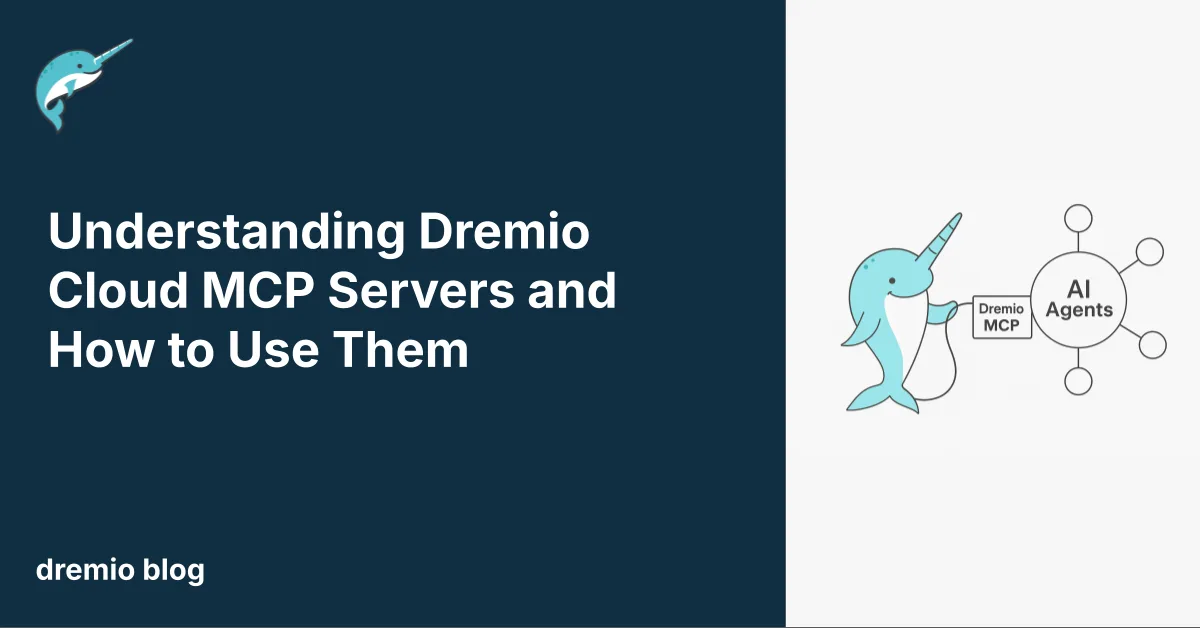
Dremio Cloud solves this problem in a simple way. Each project includes its own built-in MCP server, a standard interface that lets AI agents run queries, explore the semantic layer, and retrieve context across all connected sources. Users can plug this MCP server into their preferred browser-based LLM clients and use their favorite models to analyze data or automate analytics tasks.
This blog explains how Dremio’s MCP server works, how to connect it to ChatGPT, Claude, and Gemini, and how you can use it alongside Dremio’s other AI capabilities. Together, these features make it easy to create practical, modern workflows powered by AI. If you want to try it yourself, you can start a free Dremio Cloud trial and get everything running in minutes.
Understanding the Model Context Protocol
The Model Context Protocol, or MCP, is a new open standard that gives AI systems a consistent way to connect with external tools and data. It works like a universal bridge. Instead of each model needing a custom integration, an MCP server exposes a set of tools that any compatible assistant can use. These tools can run queries, look up metadata, fetch documents, or trigger specific actions.
MCP matters because it brings structure and reliability to AI workflows. An agent can request information from your systems in a predictable format. It can access data with clear permissions. Most important, the same MCP server can be used across different AI clients. A connector you set up once can work in ChatGPT, Claude, or Gemini’s CLI environment.
With more LLM platforms adding MCP support, organizations now have a portable way to give their preferred AI model access to high-quality, governed data. This makes MCP an important building block for teams that want to use AI for analytics, automation, or decision support.
Dremio Cloud’s Built-In MCP Server
Every Dremio Cloud project includes its own MCP server. This server gives AI agents a direct and governed way to interact with the project’s data. With it, an assistant can run SQL queries, explore datasets, and understand the business context stored in the semantic layer. The agent works with the same sources and permissions you already use in Dremio, so access stays secure and consistent.
You can find your project’s MCP server in Project Settings → Info. The server URL is unique to each project. When you connect this URL to an LLM client that supports MCP, the assistant gains structured access to your data. It can ask for table details, generate queries, or fetch results without exposing credentials or bypassing governance rules.
This built-in approach removes the need for extra infrastructure. You do not need to host your own connector or build a custom API. Dremio handles the server, the permissions, and the tool definitions. You only choose which AI client you want to work with and authenticate as you normally would.
With Dremio providing the MCP layer, your AI tools become extensions of your analytics environment. They operate on live data, respect your security model, and deliver context that reflects your real business landscape.
How AI Agents Use Dremio’s MCP Server
When you connect an AI client to a Dremio project through its MCP server, the assistant gains a structured way to interact with your data. The server exposes a set of tools that the model can call. These tools let the agent submit SQL queries, read metadata, and understand the relationships defined in the semantic layer. All requests follow your project’s permissions, so the agent only sees what the user is allowed to see.
Once the MCP connector is added, you start a chat session in the AI client and authenticate. After that, the assistant can call methods on the server during a conversation. It can run a query to explore sales trends, list datasets in a namespace, or pull descriptions from semantic models to add context to its response. The workflow feels natural. You ask a question, the agent calls the right tool, and the results return directly in the chat.
This setup allows assistants to behave like analytics partners. They can combine language understanding with live data access. They can explain metrics, highlight anomalies, or draft SQL for a report and test the result immediately. With Dremio as the source of truth, the agent always works with current, governed information instead of isolated documents or outdated extracts.
Using Dremio’s MCP Server with Popular LLM Browser Clients
You can connect Dremio’s MCP server to several leading AI assistants. Each platform handles MCP a little differently, but the setup is straightforward once you know where to add the server URL. After connecting, the assistant can call Dremio’s tools during a chat session and work directly with your project’s data.
ChatGPT
ChatGPT supports MCP through its developer features. Business and Enterprise workspaces can enable Developer Mode, which unlocks the option to add custom connectors. After an admin turns on this feature, you open Settings and go to the Apps and Connectors section. From there, you can add a new MCP connector by pasting the project’s MCP server URL and completing the authentication steps. Once connected, the assistant can use Dremio’s tools inside a conversation.
Claude
Claude offers MCP support in its Pro, Max, Team, and Enterprise plans. You open Settings, select Connectors, and add a new custom connector. Enter your project’s MCP URL and connect. You then enable the specific tools you want Claude to use. During a chat, you can turn these tools on and off as needed. This makes it easy to give Claude direct access to live data while keeping full control of what actions it can perform.
Gemini
Gemini works differently. The browser interface does not currently support MCP connectors. Instead, Gemini provides MCP support through the Gemini CLI. After installing the CLI, you register the Dremio MCP server, authenticate, and use its tools through a command-line session. This option suits users who prefer scripting, automation, or building custom workflows outside the browser.
These connection paths let you choose the AI assistant that fits your workflow. Whether you prefer ChatGPT, Claude, or Gemini’s CLI, each can use Dremio’s MCP server to bring governed, real-time data directly into your analytics and decision-making process.
Beyond MCP: Additional AI Capabilities in Dremio Cloud
MCP support is a powerful way to connect external AI agents to your live data, but it is only one part of Dremio’s broader AI experience. Dremio Cloud includes built-in features that help you prepare, explore, and understand data with the help of intelligent functions. These tools work alongside MCP and give you more options for building AI-ready workflows.
AI Functions for Unstructured Data
Dremio includes AI functions that transform unstructured content into structured Iceberg tables. You can extract fields from documents, logs, text, or other irregular sources and land them directly into governed tables. This removes the manual steps usually required to clean or reshape messy inputs. Once the data is in Iceberg, it becomes part of your analytics environment and can be queried, joined, or accelerated like any other dataset.
The Integrated AI Agent
Dremio Cloud also has a built-in AI agent that lets you explore your project using natural language. You can ask questions, request summaries, or generate SQL from a prompt. The agent uses the semantic layer to understand the meaning of datasets and relationships. This makes it easy to interact with your data even if you are not writing queries directly.
The integrated agent and MCP serve different roles. The internal agent helps you work inside Dremio, while MCP lets you connect Dremio to external agents and multi-tool systems. Together, they give you flexibility. You can use Dremio’s agent for direct exploration and use MCP to connect Dremio to larger workflows that involve planning, automation, or collaboration across several tools.
These capabilities make Dremio Cloud a strong foundation for teams that want to bring AI into their analytics without losing governance, structure, or control.
Building Multi-Agent Workflows with Dremio
Once Dremio Cloud provides an MCP endpoint for your project, you can combine it with other MCP servers to create multi-agent workflows. These workflows let different assistants or tools handle different tasks but still share context through standard interfaces. Dremio becomes the governed data backbone, while other MCP services contribute actions, automation, or domain-specific capabilities.
An external assistant like Claude or ChatGPT can call Dremio’s MCP tools to run a query, inspect tables, or pull semantic context. It can then call another MCP server for tasks like sending email updates, writing to a document store, generating visualizations, or coordinating steps in a process. The tools stay separate, but the agent can orchestrate them in a single conversation. This helps teams build practical automation without writing custom integrations.
These workflows reduce friction. A planning agent can prepare a report and test queries against Dremio. A documentation agent can fetch definitions from the semantic layer and create explanations for business users. A monitoring agent can check metrics and send alerts if values fall outside expected ranges. Each step uses governed data and consistent access rules because all of it flows through the same Dremio project.
This pattern fits well with organizations that want AI to support analytics and decision-making, but also want the reliability and safety of a central source of truth. Dremio supplies the data foundation, while MCP gives agents an organized way to interact with it.
Why Dremio Cloud Is an Ideal Foundation for AI Workflows
Dremio Cloud gives teams a strong base for building AI-driven analytics. It uses open table formats, fast query engines, and a clear semantic layer to organize data. The platform keeps governance simple and predictable while giving you flexibility in how you expose data to different tools. With its built-in MCP server, every project becomes ready for external agents without extra configuration or infrastructure.
You can move unstructured content into Iceberg tables with AI functions. You can use Dremio’s integrated AI agent for natural language exploration. You can connect external assistants through MCP to build multi-step workflows. All these pieces work together. They give data teams a clear path from raw information to AI-powered insights that stay accurate and trustworthy.
If you want to try these capabilities for yourself, contact the Dremio team about Dremio Cloud access. You can create a project, load your data, and begin using the MCP server in minutes. It gives you a fast way to see how modern AI and a modern lakehouse platform work together to support real analysis, real decisions, and real value.
Start Your Free Dremio Cloud Trial
Everything described in this guide runs on Dremio Cloud. Contact the Dremio team about access, or run the open source edition from the dremio-oss Docker image. You also do not need to connect to an external cloud unless you want to bring in your own data sources. The trial includes managed storage, fast compute, and access to all major features, including the built-in MCP server.
You can create a project and begin loading data in a few minutes. You can test the integrated AI agent. You can run AI functions to structure unstructured content. You can take your project’s MCP URL and connect it to your preferred AI client. This gives you a simple way to experience how Dremio supports analytics powered by AI.
Dremio Cloud is designed to let you explore without risk. You can build a workflow, test your ideas, and invite others to see how modern AI interacts with a modern lakehouse. If you want a foundation for AI-driven analysis that is open, fast, and ready for agents, the trial gives you a clear way to start.
Try Dremio Cloud free for 30 days
Deploy agentic analytics directly on Apache Iceberg data with no pipelines and no added overhead.