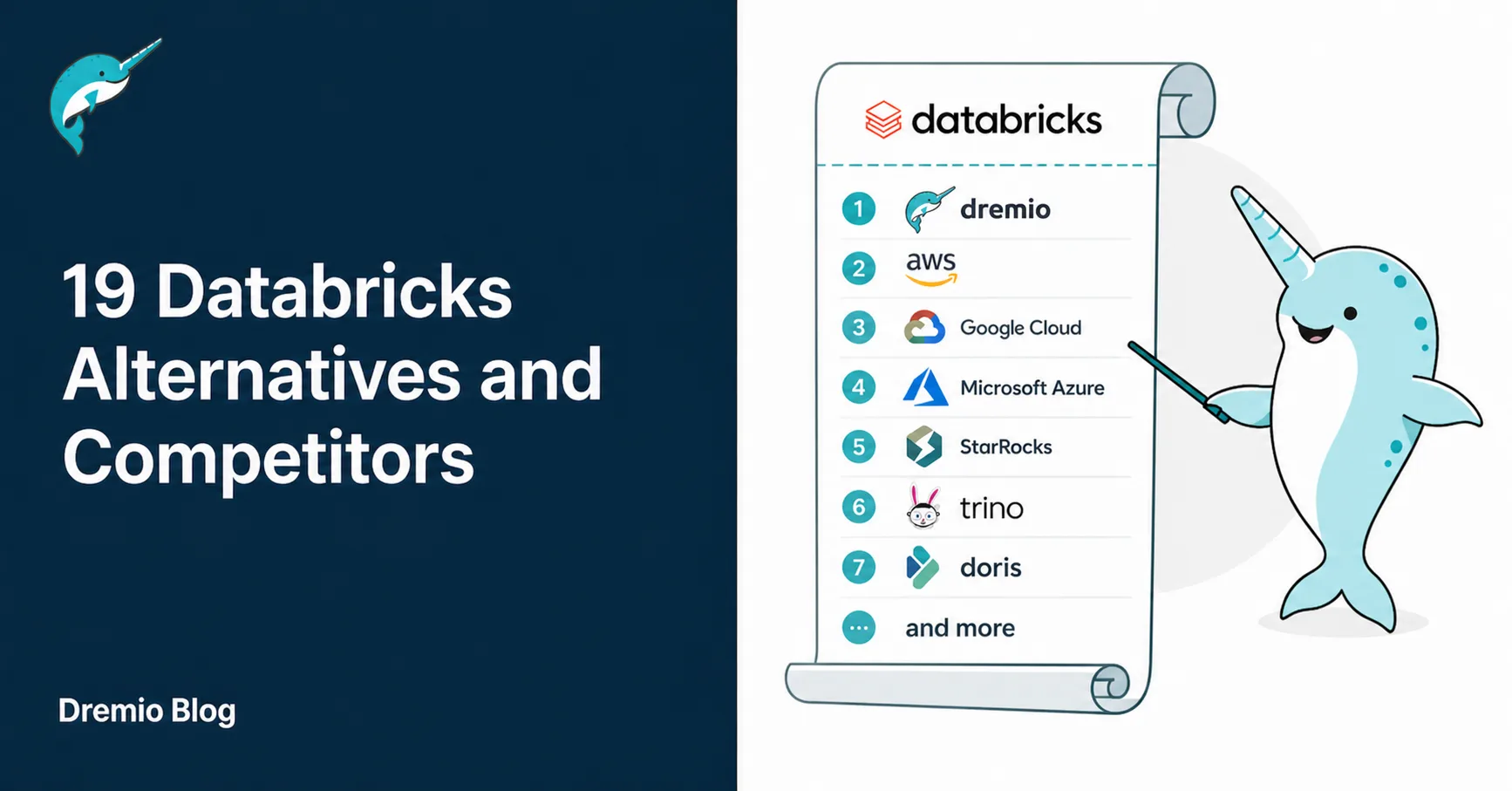
Databricks built its reputation as the go-to platform for data engineering, machine learning and lakehouse analytics. But its complex pricing model, steep learning curve and heavy Spark dependency have pushed many organizations to explore Databricks competitors that offer simpler operations, lower costs, or stronger SQL analytics.
This guide covers 19 Databricks alternatives across data lakehouses, cloud data warehouses, open source engines and managed big data services. Whether you need a cheaper alternative to Databricks, an open source alternative to Databricks, or a platform built for AI-ready SQL analytics, this list will help you find the right fit.
Top Databricks alternatives
Key features
Dremio
Agentic lakehouse platform with Zero-ETL federation, AI semantic data layer, built-in AI agent, autonomous optimization and open standards (Apache Iceberg, Arrow)
Snowflake
Multi-cloud data warehouse with separated compute/storage, strong SQL analytics, data sharing and simple managed experience
Google BigQuery
Fully serverless warehouse on GCP with pay-per-query pricing, BigQuery ML and zero infrastructure management
Amazon Redshift
AWS-native MPP warehouse with provisioned and serverless options, columnar storage and deep AWS integration
Microsoft Fabric
Unified SaaS analytics platform with OneLake, Power BI integration, Copilot AI and capacity-based pricing
Azure Synapse Analytics
Unified SQL and Spark engines with serverless and dedicated pools, Power BI and Azure ML integration
ClickHouse
Open source columnar OLAP with sub-second performance, high concurrency and very low TCO
Apache Spark (self-managed)
The open source engine behind Databricks runs on Kubernetes or cloud VMs with zero license fees
Trino
Open source distributed SQL engine for querying 30+ data sources without moving data
Starburst
Commercial Trino distribution with enterprise security, governance, caching and managed deployment
DuckDB
Free, open source in-process analytical database for local analytics and data science workflows
Apache Doris
Open source real-time MPP database with MySQL-compatible interface and sub-second queries
StarRocks
Open source high-performance analytical engine with sub-second multi-dimensional analytics and data lake support
Firebolt
Cloud warehouse built for speed with sparse indexing, decoupled compute/storage and pay-per-use pricing
IBM watsonx.data
Open data lakehouse for hybrid and multi-cloud with Presto, Spark and Apache Iceberg support
Amazon EMR
Managed big data platform running Spark, Trino, Flink on AWS with performance-optimized runtimes
Google Cloud Dataproc
Managed Spark and Hadoop on GCP with serverless mode, Vertex AI integration and Lightning engine
Cloudera Data Platform
Hybrid data platform with Hadoop, Spark and Impala for regulated industries
Teradata
Legacy enterprise warehouse with VantageCloud for hybrid cloud deployment and mixed workload support
What is Databricks?
Databricks is a unified data intelligence platform built on Apache Spark. It combines data engineering, data science, machine learning and SQL analytics in one cloud-based environment. Databricks runs on AWS, Microsoft Azure and Google Cloud.
The platform uses Delta Lake for reliable data storage with ACID transactions and schema enforcement. Unity Catalog provides centralized governance across data and AI assets. Recent additions include Genie AI/BI for conversational analytics and Mosaic AI for building agentic AI systems.
Databricks uses a consumption-based pricing model with two cost components:
Databricks Units (DBUs), which are the platform fees paid to Databricks
Cloud infrastructure cost paid to your cloud provider (AWS, Azure or GCP) for VMs, storage and networking
This "two-bill" structure makes the total cost hard to predict. Interactive "all-purpose" clusters cost 2-3x more per DBU than automated "jobs" compute, and idle clusters accumulate charges without proper auto-termination policies.
Top 19 Databricks alternatives for data analytics in 2026
The Databricks competitor landscape spans data lakehouses, cloud warehouses, open source engines, managed Spark services and real-time analytics platforms. Each option makes different tradeoffs between cost, complexity, openness and workload coverage.
Here are the top 19 Databricks alternatives worth evaluating:
1. Dremio
Dremio is the Agentic Lakehouse, the only Iceberg-native data lakehouse platform built for agents and managed by agents. From the lead contributor to Apache Iceberg and the co-creators of Apache Arrow and Apache Polaris, it lets organizations run high-performance SQL analytics directly on their data lake without copying data into a separate warehouse or running Spark clusters and gives every knowledge worker and AI agent instant, governed access to enterprise data through any LLM or tool of their choice.
One-click MCP integrations and the Dremio CLI connect coding agents like Claude Code and Codex directly to your data, while a built-in analyst agent lets users start querying immediately. Zero-ETL federation reaches every source (structured, semi-structured and unstructured) without pipelines and the AI Semantic Layer adds business context with AI-generated wikis and labels so humans and agents draw from the same source of truth.
Underneath, the lakehouse manages itself: autonomous reflections accelerate BI queries to sub-second response times based on usage patterns and automated table optimization handles clustering, compaction and vacuum behind the scenes. Built-in AI SQL functions (AI_CLASSIFY, AI_COMPLETE, AI_GENERATE) bring LLM intelligence directly into queries and the platform's MCP server connects any AI agent framework to your data without custom code.
Dremio pros:
Built for agents with one-click MCP integrations, a Dremio CLI for coding agents and a built-in analyst agent for instant querying
Iceberg-native architecture featuring an Arrow-based engine and Apache Polaris for multi-engine read/write interoperability
Queries data in place via Zero-ETL federation, eliminating data duplication and reducing Spark cluster costs
AI Semantic Layer and Autonomous Reflections provide governed business context while accelerating BI queries to sub-second response times
Enterprise-grade security and compliance (SOC 2, ISO 27001, HIPAA) trusted by global organizations like Shell and TD Bank
2. Snowflake
Snowflake is a multi-cloud data warehouse with separate compute and storage. It offers a simpler managed experience than Databricks, with strong SQL analytics, zero-copy cloning, time travel and secure data sharing across organizations. Snowflake runs on AWS, Azure and Google Cloud.
Snowflake pros:
Simple setup with minimal operational overhead
Strong SQL analytics performance out of the box
Multi-cloud support with data sharing across organizations
Automatic scaling and query optimization
Cons of Snowflake:
Consumption-based credit pricing can lead to unpredictable bills
Less integrated with ML and data science workflows than Databricks
Proprietary data format creates vendor lock-in
3. Google BigQuery
Google BigQuery is a fully serverless data warehouse on Google Cloud Platform. It requires zero infrastructure management and uses a pay-per-query pricing model. BigQuery ML lets users build machine learning models using SQL directly inside the warehouse.
Google BigQuery pros:
No infrastructure management needed, fully serverless
Pay-per-query pricing works well for variable workloads
BigQuery ML brings machine learning into SQL
Fast performance on petabyte-scale datasets
Cons of Google BigQuery:
Costs spike with frequent or large queries
Vendor lock-in to the Google Cloud ecosystem
Less flexible for custom ML pipelines than Databricks
4. Amazon Redshift
Amazon Redshift is an AWS-native data warehouse that uses MPP architecture and columnar storage. It offers provisioned clusters and a serverless option. Redshift integrates deeply with AWS services like S3, Glue, Lambda and SageMaker.
Strong performance for large-scale batch analytics
Redshift Serverless removes cluster management
Cons of Amazon Redshift:
Requires manual performance tuning
Limited support for complex ML workflows
Primarily single-cloud (AWS only)
5. Microsoft Fabric
Microsoft Fabric is a unified SaaS analytics platform that combines data engineering, warehousing, data science, real-time analytics and Power BI in one environment. OneLake serves as a centralized data lake using the Delta Parquet format. Copilot AI is embedded across all Fabric workloads.
Microsoft Fabric pros:
All-in-one platform eliminates tool sprawl
Deep Power BI and Microsoft 365 integration
Copilot AI automates workflows and generates insights
Capacity-based pricing is more predictable than DBU billing
Cons of Microsoft Fabric:
Limited to the Microsoft Azure ecosystem
Still maturing compared to Databricks for advanced ML
Capacity pricing can be wasteful for variable workloads
6. Azure Synapse Analytics
Azure Synapse Analytics combines data warehousing and big data analytics with both SQL and Apache Spark engines. It offers serverless SQL pools for on-demand querying and dedicated pools for provisioned resources. Synapse integrates with Power BI, Azure Machine Learning and Azure Data Factory.
Azure Synapse pros:
Unified SQL and Spark engines in one platform
Deep integration with Microsoft 365 and Power BI
Serverless options reduce cost for variable workloads
Built-in pipeline builder for ETL
Cons of Azure Synapse:
Steep learning curve for new users
Complex pricing models
Microsoft is shifting investment toward Fabric
7. ClickHouse
ClickHouse is an open source columnar database built for real-time analytical queries. It delivers sub-second performance at high concurrency. ClickHouse is available as a self-hosted open source project or as ClickHouse Cloud, a managed service.
ClickHouse pros:
Open source with no license fees for self-hosted deployments
Sub-second query performance at high concurrency
Very low TCO compared to Databricks
Strong community and growing ecosystem
Cons of ClickHouse:
No built-in ML or data science capabilities
Self-hosted option requires operational expertise
Limited support for complex joins and transactions
8. Apache Spark (self-managed)
Apache Spark is the open source distributed processing engine that powers Databricks. Organizations can run Spark directly on Kubernetes clusters or cloud VMs without paying Databricks licensing fees. This approach trades platform convenience for full infrastructure control.
Apache Spark pros:
Zero licensing fees, fully open source
Complete control over infrastructure and configuration
Access to the full Spark ecosystem (MLlib, Structured Streaming, GraphX)
Can run on any cloud or on-premises
Cons of Apache Spark:
Full infrastructure management falls on your team
No built-in governance, catalog, or collaboration tools
Cluster tuning and optimization require deep expertise
No managed notebooks, job scheduling, or CI/CD without add-ons
9. Trino
Trino (formerly PrestoSQL) is an open source distributed SQL query engine. It queries data where it lives across 30+ data sources without moving data. Trino is a query engine only and does not store data.
Trino pros:
Open source with zero license costs
Queries 30+ data sources without data movement
ANSI SQL compliant
Active open source community
Cons of Trino:
No built-in storage layer
No ML or data science capabilities
Performance tuning requires expertise
10. Starburst
Starburst is the commercial distribution of Trino. It adds enterprise features like role-based access control, query caching, data products and managed deployment. Starburst Galaxy is the fully managed SaaS version.
Starburst pros:
Enterprise-grade security and governance on top of Trino
Managed deployment with Starburst Galaxy
Data product catalog for sharing governed datasets
Multi-cloud support
Cons of Starburst:
Commercial licensing adds cost
Still requires separate storage and compute infrastructure
Less mature ML support than Databricks
11. DuckDB
DuckDB is a free, open-source in-process analytical database. It runs inside your application (Python, R, or CLI) with zero server management. DuckDB is not a production platform replacement but excels for local data analysis, prototyping and data science workflows.
DuckDB pros:
Completely free and open source
No server, no setup, no maintenance
Fast analytical performance on local data
Native Parquet, CSV and JSON support
Cons of DuckDB:
Single-machine only, does not scale to distributed workloads
Not a production platform replacement
No built-in governance or access controls
12. Apache Doris
Apache Doris is an open source real-time analytical database with an MPP architecture and a MySQL-compatible interface. It delivers sub-second query performance and supports both batch and streaming data ingestion.
Apache Doris pros:
Open source with active community development
MySQL-compatible interface reduces learning curve
Sub-second queries on large datasets
Supports batch and real-time ingestion
Cons of Apache Doris:
No ML or data science capabilities
Requires operational expertise for production
Smaller ecosystem than Databricks
13. StarRocks
StarRocks is an open-source high-performance analytical database for sub-second multi-dimensional analytics. It supports querying data directly in data lakes through external catalogs (Apache Iceberg, Hive, Delta Lake).
StarRocks pros:
Sub-second analytics at high concurrency
Direct data lake query support via external catalogs
MySQL protocol compatibility
Open source with commercial support (CelerData)
Cons of StarRocks:
Newer project with a smaller user base
No ML or data engineering capabilities
Less mature tooling
14. Firebolt
Firebolt is a cloud data warehouse built for fast query performance on large datasets. It uses sparse indexing and a decoupled compute-and-storage architecture. Firebolt targets developers building data-intensive applications.
Firebolt pros:
Fast query performance with sparse indexing
Decoupled compute and storage
Pay-per-use pricing model
Purpose-built for data applications
Cons of Firebolt:
Smaller ecosystem and community
No ML or data engineering features
Limited multi-cloud support
15. IBM watsonx.data
IBM watsonx.data is an open data lakehouse built for hybrid and multi-cloud environments. It supports multiple query engines (Presto, Spark) and uses Apache Iceberg for open data storage. Zero-copy federation lets you query data without moving it.
IBM watsonx.data pros:
Hybrid and multi-cloud deployment
Apache Iceberg support for open data formats
Zero-copy data federation
AI-ready with GenAI and vector database support
Cons of IBM watsonx.data:
Complex setup for hybrid deployments
Smaller community compared to Databricks
IBM ecosystem dependency
16. Amazon EMR
Amazon EMR is a managed big data platform on AWS. It runs Apache Spark, Trino, Flink and Hive with performance-optimized runtimes. EMR gives teams the open-source Spark experience without Databricks licensing fees while staying inside the AWS ecosystem.
Amazon EMR pros:
Runs Spark without Databricks licensing costs
Performance-optimized runtimes beat standard open source
Spot Instance support for major cost savings
Deep AWS ecosystem integration
Cons of Amazon EMR:
More operational complexity than Databricks
No built-in governance catalog (requires AWS Glue)
Less polished notebook and collaboration experience
AWS only
17. Google Cloud Dataproc
Google Cloud Dataproc is a managed service for running Spark, Hadoop, Flink and Trino on Google Cloud. It offers cluster-based and serverless modes. Dataproc integrates with Vertex AI for ML pipelines and BigQuery for analytics.
Google Cloud Dataproc pros:
Managed Spark without Databricks licensing
Serverless mode for zero-infrastructure Spark jobs
Vertex AI integration for ML pipelines
Lightning engine for fast Spark performance
Cons of Google Cloud Dataproc:
GCP only, no multi-cloud support
Less integrated experience than Databricks
Requires more manual pipeline orchestration
18. Cloudera Data Platform
Cloudera Data Platform (CDP) is a hybrid data platform that runs on-premises and in the cloud. Built on open-source technologies (Hadoop, Spark, Impala, NiFi), CDP provides data engineering, warehousing, and machine learning, with strong security and governance.
Cloudera pros:
Hybrid deployment for regulated industries
Open source foundation with no proprietary format lock-in
Strong security and governance (Shared Data Experience)
Supports streaming, batch and ML workloads
Cons of Cloudera:
Complex to deploy and manage
Less competitive performance than cloud-native platforms
Higher operational overhead than managed services
19. Teradata
Teradata is a legacy enterprise data warehouse with decades of production use. VantageCloud brings its analytics capabilities to the cloud with deployment options across AWS, Azure and Google Cloud.
Teradata pros:
Proven at enterprise scale
Strong mixed-workload support
Hybrid cloud deployment
Mature query optimizer
Cons of Teradata:
Expensive and complex licensing
Legacy reputation
Slower innovation pace than cloud-native competitors
How to select the best alternative to Databricks
Picking the right Databricks alternative depends on your workloads, team skills, cloud strategy and cost priorities. No single platform fits every use case. The stakes are high, as the right choice can significantly accelerate your AI initiatives while the wrong one can lead to spiraling costs and technical debt. Here are five criteria to guide your evaluation.
1. Match the platform to your primary workload
Databricks tries to cover everything: data engineering, ML, AI and SQL analytics. Most alternatives focus on one or two of these areas. Start by identifying what drives your spending and frustration.
If SQL analytics and BI dominate your workload, platforms like Dremio, Snowflake and BigQuery deliver better performance with less operational complexity. For teams building scalable data applications, evaluate how each platform handles growing concurrency and query volume. If heavy ML model training is the priority, managed Spark services (EMR, Dataproc) or Snowflake's Snowpark may suffice without the full Databricks overhead.
Ask these questions to determine if your current platform is truly meeting your requirements:
What percentage of your workload is SQL analytics vs. ML training vs. ETL?
Are you paying for Databricks capabilities your teams don't use?
Can a focused platform handle your primary use case at a lower cost?
2. Evaluate openness and vendor lock-in
Databricks uses Delta Lake as its default table format. While Delta Lake is open source, the platform adds proprietary features that create migration friction. Open alternatives to Databricks let you keep data in formats like Apache Iceberg that work with any engine.
Dremio's data architecture is built on Iceberg from the ground up. Your data stays in open formats on your own storage. You can query it with Dremio, Spark, Trino, or any Iceberg-compatible engine. This architectural freedom means you never face a forced migration if you switch tools.
Evaluate the following points to ensure your data remains accessible and vendor-neutral:
Does the platform store data in open formats (Apache Iceberg)?
Can you query the same data with other engines without conversion?
How difficult would it be to migrate away if needed?
Databricks costs often surprise teams because of the two-bill model (DBUs and cloud infrastructure). Some alternatives offer simpler pricing that makes budgeting easier.
Review Dremio's pricing model as a reference point. Dremio reduces costs by querying data in place (no Spark cluster costs for BI) and automating optimization. Open source options like self-managed Spark, ClickHouse and DuckDB eliminate platform fees but add operational costs. Cloud data lakes can reduce storage costs compared to proprietary warehouse formats.
Perform a thorough audit of your infrastructure costs using these guidelines:
What is your total monthly spend, including DBUs, VMs, storage and networking?
Could a focused platform handle the same workload at lower cost?
Are there hidden costs for idle clusters, premium features, or data egress?
4. Assess governance and security
Data governance becomes critical when AI agents and multiple teams access the same data. Databricks offers Unity Catalog, but alternatives vary widely in their governance capabilities.
Dremio's AI semantic layer combines semantic layers with row-level security, column masking and audit trails. Every agent and user query goes through the same governed definitions. Look for platforms that apply consistent security policies across human and AI access patterns.
Prioritize these governance features to maintain control as your AI initiatives scale:
Does the platform provide centralized governance for all data assets?
Can it enforce row-level and column-level security for automated queries?
Does it support data lineage tracking from source through output?
5. Check AI and agent readiness
As organizations build AI-ready data infrastructure, the platform's AI capabilities become a key differentiator. Databricks offers Mosaic AI and Genie, but alternatives are catching up fast.
Dremio's MCP server, native AI SQL functions, and built-in AI agent make it the most AI-ready Databricks alternative for analytics workloads. The platform connects any AI agent framework (Claude, ChatGPT, LangChain) to your data through an open standard. For organizations building agentic workflows, this open connectivity avoids lock-in to a single AI vendor.
Ensure your next platform is ready for agentic workflows by checking these criteria:
Does the platform support open AI agent connectivity (MCP)?
Can AI agents query governed data without custom integration code?
Does it include native AI functions for in-query intelligence?
Get smarter analytics with an agentic lakehouse powered by Dremio
As a direct Databricks alternative, Dremio functions as an Agentic Lakehouse offering enterprises faster SQL analytics and lower costs without the dependency or complexity of Spark. It is the only platform built for agentic AI use cases, as it is Iceberg-native and governed by the co-creators of Apache Arrow and Apache Polaris, providing instant, governed access to data for every knowledge worker and AI agent through any LLM or tool.
Here is what makes Dremio the strongest Databricks competitor for analytics:
Zero-ETL federation and autonomous management self-tunes query performance across all sources without Spark clusters or manual tuning
AI Semantic Layer with Autonomous Reflections delivers sub-second BI response times and governed business context across the entire data estate
Agent-ready connectivity through MCP integrations and native AI SQL functions for classification, summarization, and generation inside queries
True interoperability with Apache Polaris and open standards (Iceberg, Arrow) to ensure data ownership and avoid vendor lock-in
Governed analytics with fine-grained access controls and SOC 2/HIPAA compliance, trusted by thousands of global enterprises
Book a demo today and see why Dremio is one of the best Databricks alternatives for enterprise analytics.
Frequently asked questions
Is Databricks worth the cost for data analytics?
Databricks delivers strong capabilities across data engineering, ML and analytics. But its two-bill pricing model (DBUs + cloud infrastructure) makes costs hard to predict. Interactive clusters cost 2-3x more per DBU than batch jobs. For teams whose primary workload is SQL analytics and BI, a focused platform like Dremio can deliver faster queries at lower cost by querying data in place without running Spark clusters.
What are the main limitations of Databricks?
The main limitations include complex and unpredictable pricing, a steep learning curve that requires Spark expertise, operational overhead for cluster management and less competitive performance for pure SQL analytics compared to dedicated query engines. Databricks also uses Delta Lake as its default format, which can create migration friction when switching platforms. For organizations seeking Databricks alternatives, Dremio addresses these limitations by providing a high-performance, open lakehouse platform for SQL analytics, dramatically reducing DBU costs and operational complexity.
Should I use Databricks or an open data lakehouse?
Dremio provides one of the best Databricks alternatives by offering an open data lakehouse that eliminates proprietary lock-in. With Apache Iceberg, you maintain full control over your data while leveraging Dremio for high-performance SQL analytics without the high DBU costs associated with commercial Spark platforms.
Dremio vs Databricks for data lakehouse: What are the main differences?
Databricks is a broad platform covering data engineering, ML and analytics on Apache Spark. Dremio is a focused intelligent lakehouse that delivers high-performance SQL analytics directly on your data lake. Dremio queries data in place without Spark clusters, includes an AI semantic layer for governed self-service analytics and provides autonomous optimization that eliminates manual tuning.
Many enterprises use both: Databricks for heavy data processing and ML, and Dremio for fast, cost-efficient BI and analytics. Dremio also acts as a bridge to allow unified cross-environment analytics, even allowing for the integration of Unity Catalog with on-premises Hive and HDFS systems.
What are the best Databricks competitors for data governance?
Dremio is a strong competitor for data governance because it includes an AI semantic layer for governed self-service analytics. It queries data in place within your data lake without Spark clusters. While many enterprises use Databricks for heavy data processing and ML, Dremio is used for fast, cost-efficient BI and agentic analytics, and acts as a bridge for unified cross-environment analytics.
Try Dremio Cloud free for 30 days
Deploy agentic analytics directly on Apache Iceberg data with no pipelines and no added overhead.
Ingesting Data Into Apache Iceberg Tables with Dremio: A Unified Path to Iceberg
By unifying data from diverse sources, simplifying data operations, and providing powerful tools for data management, Dremio stands out as a comprehensive solution for modern data needs. Whether you are a data engineer, business analyst, or data scientist, harnessing the combined power of Dremio and Apache Iceberg will undoubtedly be a valuable asset in your data management toolkit.
Sep 22, 2023·Dremio Blog: Open Data Insights
Intro to Dremio, Nessie, and Apache Iceberg on Your Laptop
Editor’s note, September 2026. This post was published in September 2023 and some product details have changed since. Nessie is still available and self-deployable under the Apache-2.0 licence, and it remains the clearest implementation of catalog-level branching. It is not an Apache Software Foundation project, and its development has slowed considerably. For how the current […]
Oct 12, 2023·Product Insights from the Dremio Blog
Table-Driven Access Policies Using Subqueries
This blog helps you learn about table-driven access policies in Dremio Cloud and Dremio Software v24.1+.