Achieving interactive query performance on Dremio requires understanding less obvious architectural best practices.
Trust Dremio's autonomous features for baseline optimization, like reflections and caching, to improve performance.
Build a layered architecture with preparation, business, and application layers for logical organization and optimization.
Master partitioning and incremental refresh logic for reflections to maximize performance gains.
Use Dremio's query profiler to diagnose performance issues instead of guessing, ensuring efficient optimizations.
Achieving interactive, sub-second query performance on massive data lakehouse tables is the universal goal for any data team. While basic tuning, such as adjusting engine sizes, is common knowledge, many users miss the more nuanced, high-impact strategies that truly unlock the full potential of a platform like Dremio. The difference between good and excellent performance often lies in understanding the less obvious, architectural best practices.
This article provides a guide to five powerful, often-overlooked best practices for optimizing Dremio performance, especially when working with Apache Iceberg tables. These are counterintuitive yet surprisingly impactful tips that go beyond the basics, turning slow queries into lightning-fast analytics. We will cover leveraging Dremio's autonomous capabilities, building a layered logical architecture, mastering reflections, planning for ingestion, and using the query profiler to stop guessing and start optimizing.
Try Dremio’s Interactive Demo
Explore this interactive demo and see how Dremio's Intelligent Lakehouse enables Agentic AI
1. The "Do-Nothing" Speed Boost: Trusting Dremio's Autopilot
One of the most potent performance strategies is first to understand and leverage Dremio's built-in autonomous features. Before diving into complex manual tuning, the most effective step is often to let the platform do the work for you. Dremio's "autopilot" is designed to handle many everyday optimization tasks automatically, saving significant time and often yielding better results than ad-hoc manual efforts.
Here are the key autonomous features to trust:
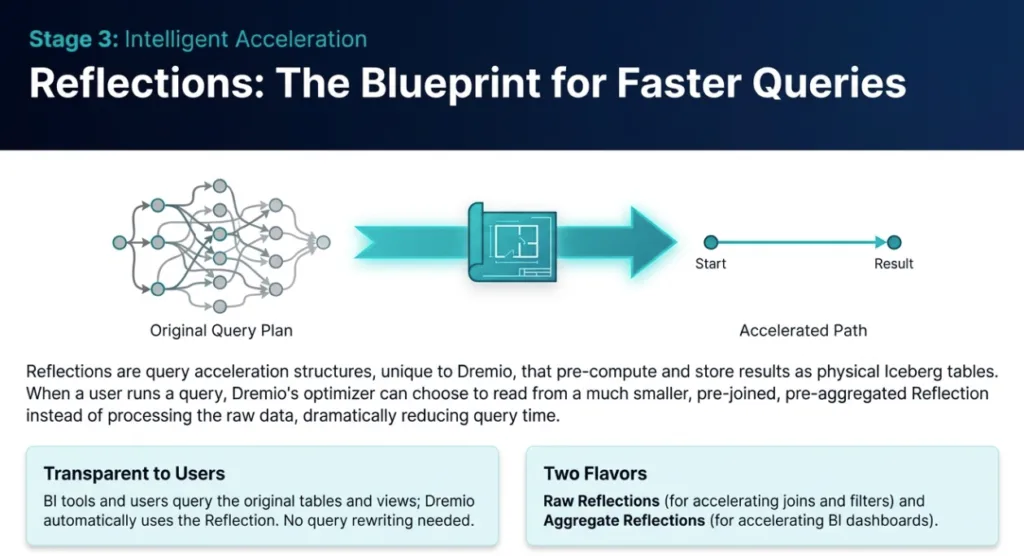
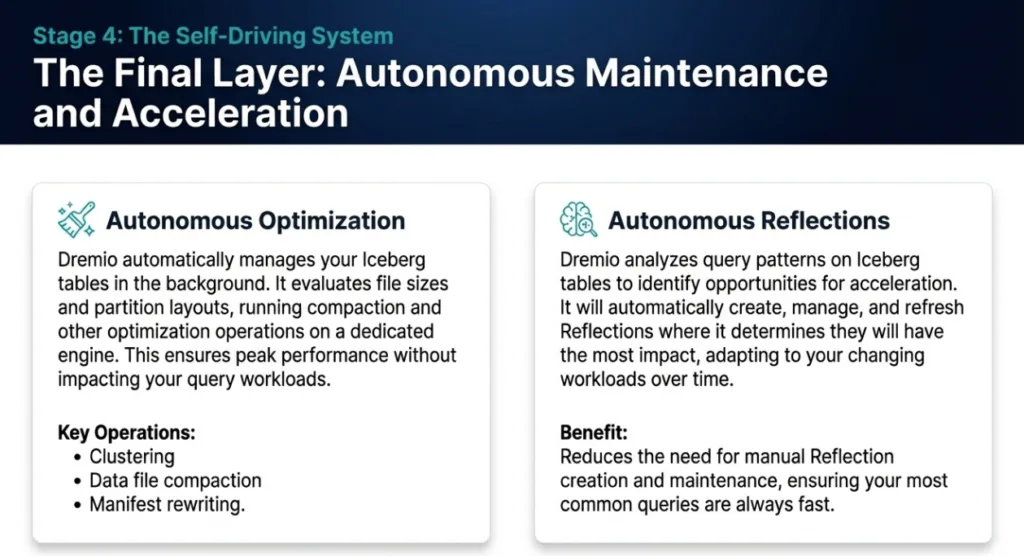
Autonomous Reflections: Dremio automatically analyzes query patterns to create and manage data reflections, optimized materializations of source data. This is often the primary and most effective acceleration method, reducing the need for manual reflection creation and management.
Results Cache: Dremio automatically caches the results of previously run queries. If an identical query is submitted again, Dremio can return the results instantly from this cache. These cache entries are stored as efficient Arrow data files in the project store, and a background task cleans out expired entries on an hourly basis.
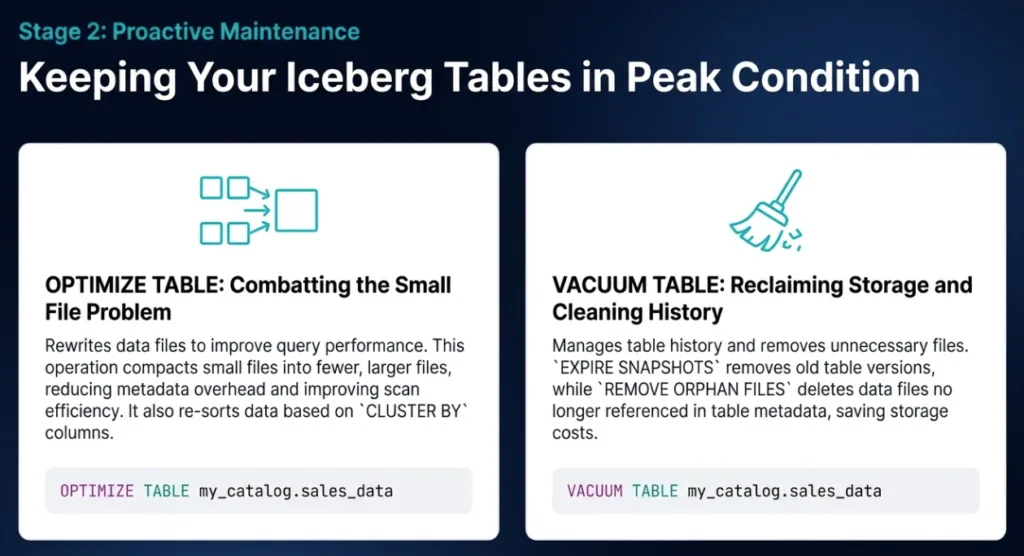
Autonomous Optimization: Dremio provides automatic table maintenance for Iceberg tables, including compaction and vacuuming. This improves read efficiency by optimizing file sizes and also rewrites files to align with current partition specifications (Partition Evolution), ensuring the physical layout of your data remains performant over time.
While manual tuning has its place for specific, complex workloads, the foundation of a high-performance Dremio environment is built on understanding and trusting these autonomous systems. They provide a robust baseline of optimization without requiring constant intervention.
2. Think Like an Architect: The Unexpected Power of Layered Views
Query performance isn't just about the final SQL statement; it's deeply rooted in the logical structure of your data. A critical architectural pattern for performance, governance, and long-term maintainability is the use of layered views. This approach organizes data logically, allowing Dremio's query planner to work more efficiently and enabling targeted optimizations.
A best-practice layered architecture consists of the following:
Preparation Layer: This layer is closest to your physical data sources. Its purpose is to create a 1-to-1 mapping with source tables, exposing only the necessary datasets to the rest of the organization. No joins should occur in this layer; it is purely for organizing and exposing raw data.
Business Layer: This is the first layer where joins between different views should happen. It provides a holistic, business-centric view of data from across your catalog by querying views from the preparation layer. This layer is where you logically join datasets to create comprehensive business entities.
Application Layer: This final layer is designed for consumption by end-users, BI tools, and applications. Views in the application layer are tailored to specific use cases, reports, or dashboards, often selecting from and further aggregating data from the business layer.
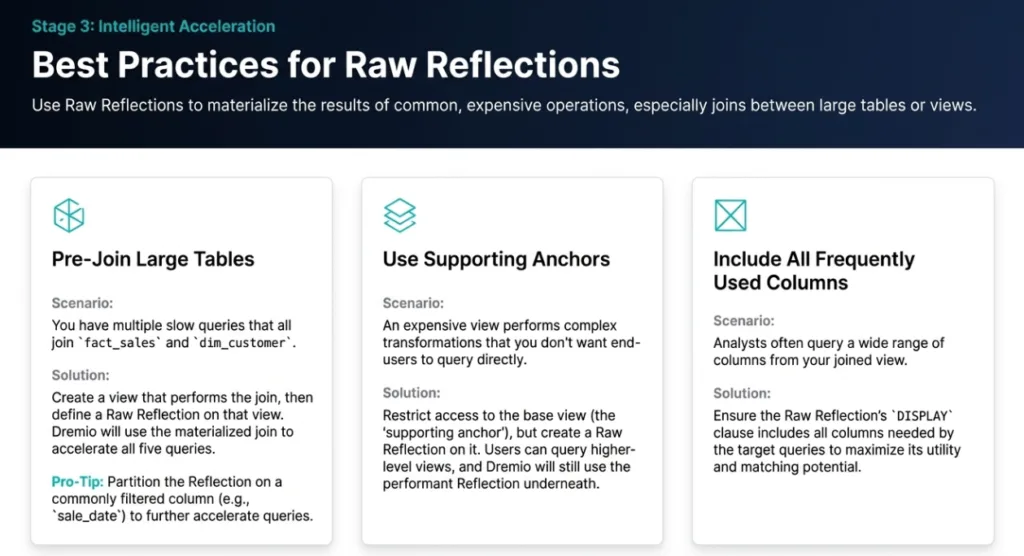
This architectural approach is so impactful because it promotes reusability and creates stable, highly optimizable logical objects, the business-layer views. A single, well-placed reflection on one of these views can accelerate dozens of downstream application-layer queries, maximizing your return on investment for optimization efforts and simplifying long-term maintenance.
Most Dremio users know that Reflections accelerate queries. However, the most significant performance gains come from optimizing how those reflections are built and refreshed. Two of the most critical and often misunderstood aspects are partitioning and the logic behind incremental versus full refreshes.
Partitioning Best Practices
For maximum impact, you should partition reflections for fields with low cardinality (few unique values) and that are frequently used in query filters. More importantly, you must follow two critical rules:
For Aggregation Reflections, any column used for partitioning must also be listed as a dimension column.
For Raw Reflections, any column used for partitioning must also be listed as a display column.
Failing to follow these rules can prevent the query planner from fully leveraging the partitioned layout, negating the potential performance gains.
Incremental vs. Full Refresh Logic
A fast, lightweight incremental refresh is vastly preferable to a slow, costly full refresh. Understanding what triggers each is key to maintaining a performant system. Dremio's logic for reflections built on joined views is as follows:
An incremental refresh is possible if only one of the underlying anchor tables in the view has changed since the last refresh. Dremio uses Iceberg metadata to identify modified partitions and restrict the refresh scope to only that new data.
A full refresh is triggered if two or more of the underlying anchor tables have changed, or if the view definition contains complex operations like nested group-bys or unions.
By correctly partitioning your reflections and designing your data pipelines to understand this refresh logic, you can avoid the performance pitfall of constant, expensive full refreshes and ensure your accelerations remain efficient.
4. Don't Let Ingestion Be an Afterthought
Peak query performance doesn't start at query time; it begins the moment data is created and ingested into your data lake. The physical layout of your data in object storage is a fundamental prerequisite for high performance, as it enables Dremio to scan as little data as possible.
Ingestion Best Practices
File Layout: Before loading data, design a logical partitioning scheme in your object storage that aligns with your most common query patterns.
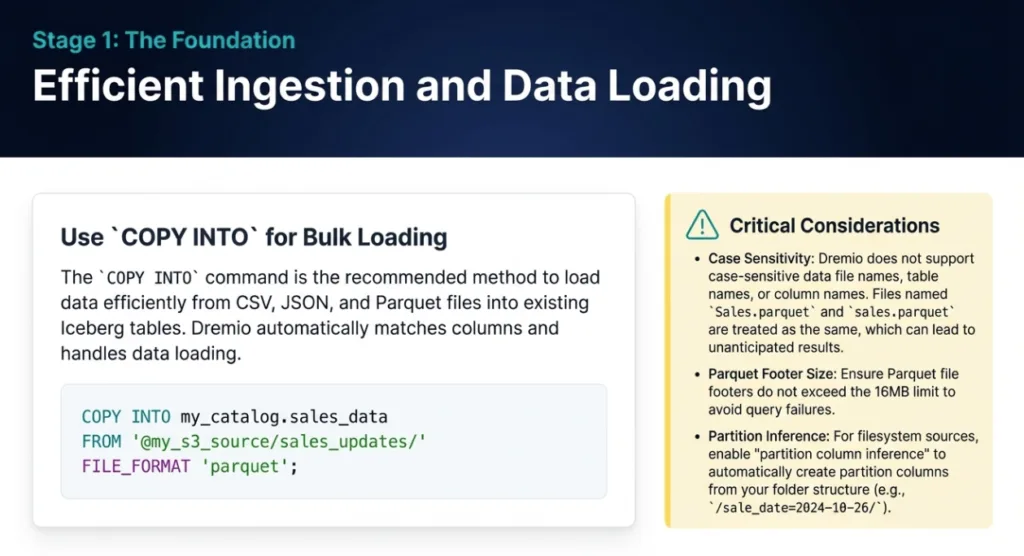
Ingestion Commands: For one-time bulk loads into Iceberg tables, the COPY INTO command is an efficient and straightforward method. It supports loading from common file formats like Parquet, JSON, and CSV directly from your object storage.
Pro Tip: Watch Out for Case Sensitivity! Dremio does not support case-sensitive file, table, or column names. Having files named data.parquet and Data.parquet in the same folder can lead to unexpected and incorrect results, as Dremio cannot distinguish between them. Ensure your data generation and ingestion pipelines enforce consistent, case-insensitive naming conventions to avoid this pitfall.
By planning your data layout and ingestion process, you empower Dremio to leverage its most powerful performance features, like partition pruning and its efficient file readers, from the very start.
5. Stop Guessing, Start Profiling: A 2-Minute Guide to the Query Profile
When a query is running slower than expected, the most effective tool is not guesswork but Dremio's built-in query profile analyzer. Instead of randomly trying different SQL syntax, spending a few minutes in the query profile can reveal the exact cause of a performance bottleneck.
To analyze a query, navigate to the Jobs page, click on the specific job ID, and then select the Raw Profile tab. While the profile contains a wealth of information, focus on these views first for performance tuning:
Acceleration View: This is the best place to debug Reflection performance. It shows the relationship between your query and available reflections with one of three outcomes:
CONSIDERED: The Reflection was defined on a dataset in the query but was determined not to cover the query (e.g., it was missing a required field).
MATCHED: The Reflection could have been used, but another Reflection was a better choice, or Dremio determined it would provide no benefit.
CHOSEN: The Reflection was successfully used to accelerate the query.
Planning View: This view helps identify costly operations in the query plan. It is particularly useful for confirming if predicate pushdowns occurred, which offloads filtering to the source system for virtualized sources. You can also compare the planner's estimated row counts versus the actual row counts, which can reveal miscalculations that lead to inefficient execution plans.
Visualized Plan View: This provides a graphical, bottom-to-top representation of the query's execution flow. It is a quick way to visually identify bottlenecks, expensive joins, and potential memory issues by seeing which operators are processing the most data or taking the most time.
Spending a few minutes in the query profile turns a frustrating guessing game into a targeted, data-driven optimization exercise. It provides the evidence needed to make informed decisions, whether that means creating a new reflection, restructuring a view, or adjusting your SQL.
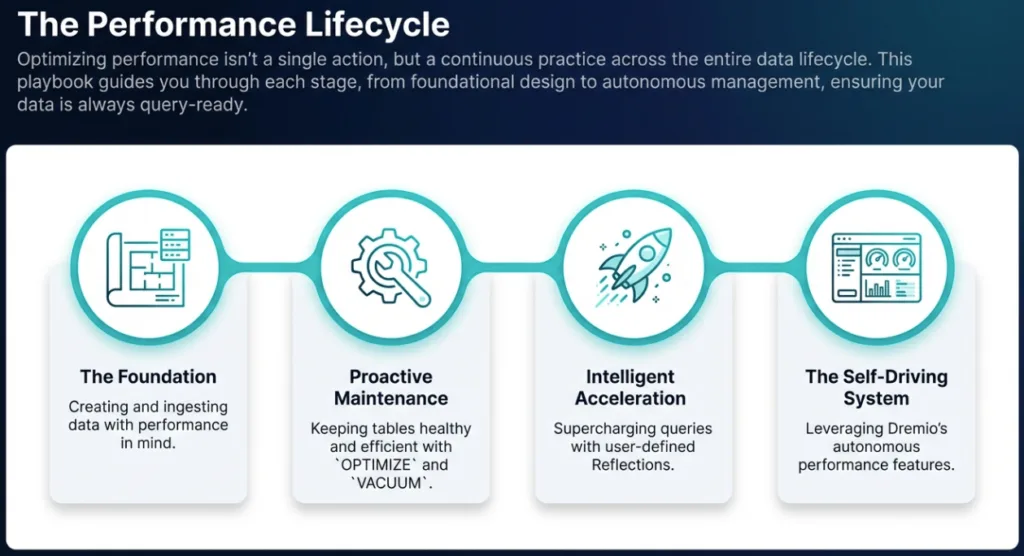
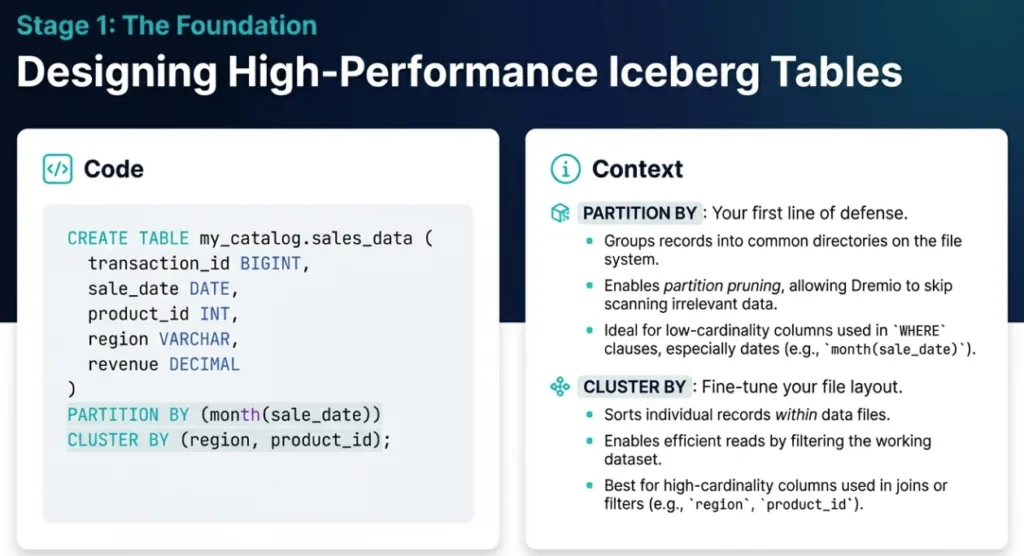
A Performance Playbook for the Dremio Platform
*NOTE: PARTITION BY and CLUSTER BY can't be used on the same table; this image is for the purpose of demonstrating these clauses
Conclusion: From Good to Great Performance
Achieving elite Dremio performance is a blend of smart architecture, understanding the platform's autonomous capabilities, and applying targeted, tool-assisted tuning. By moving beyond the basics, you can create a truly interactive experience for your data consumers.
To recap, our five key strategies are:
Trust Dremio's autonomous features to handle baseline optimization.
Build a layered view architecture for logical clarity and reusability.
Master Reflection partitioning and refresh logic to avoid costly rebuilds.
Plan your ingestion and data layout to enable efficient partition pruning.
Use the query profile to diagnose, not guess, the root cause of slow queries.
By internalizing these principles, you can systematically elevate your data lakehouse from simply functional to exceptionally fast.Which of these strategies will you implement first to transform your data lakehouse performance?
Ingesting Data Into Apache Iceberg Tables with Dremio: A Unified Path to Iceberg
By unifying data from diverse sources, simplifying data operations, and providing powerful tools for data management, Dremio stands out as a comprehensive solution for modern data needs. Whether you are a data engineer, business analyst, or data scientist, harnessing the combined power of Dremio and Apache Iceberg will undoubtedly be a valuable asset in your data management toolkit.
Oct 12, 2023·Product Insights from the Dremio Blog
Table-Driven Access Policies Using Subqueries
This blog helps you learn about table-driven access policies in Dremio Cloud and Dremio Software v24.1+.
Aug 31, 2023·Dremio Blog: News Highlights
Dremio Arctic is Now Your Data Lakehouse Catalog in Dremio Cloud
Dremio Arctic bring new features to Dremio Cloud, including Apache Iceberg table optimization and Data as Code.